> ## Documentation Index
> Fetch the complete documentation index at: https://docs.xpander.ai/llms.txt
> Use this file to discover all available pages before exploring further.
# Apify
> Learn how to integrate AI agents with Apify using xpander.ai. Create intelligent agents that can gather information from websites, monitor online content, and automate repetitive web tasks.
## About Apify
**Apify** is a cloud-based web scraping and automation platform built for developers, AI agents, and data-driven applications. Apify enables software and autonomous agents to extract structured data from websites, run browser automation workflows, and operate large-scale crawling jobs without managing infrastructure.
Unlike basic scraping scripts or manual crawlers, Apify provides a scalable execution environment with managed proxy rotation, distributed task processing, scheduling, and persistent storage. Developers can deploy reusable Actors (serverless automation units), orchestrate multi-step data-collection workflows, and programmatically access datasets via a robust API.
## Authentication Options
Below are possible authentication options you can choose:
### Generate an Apify API Key
1. Log in to your [Apify account](https://console.apify.com/).
2. Select **Settings**, then click **API & Integrations**.
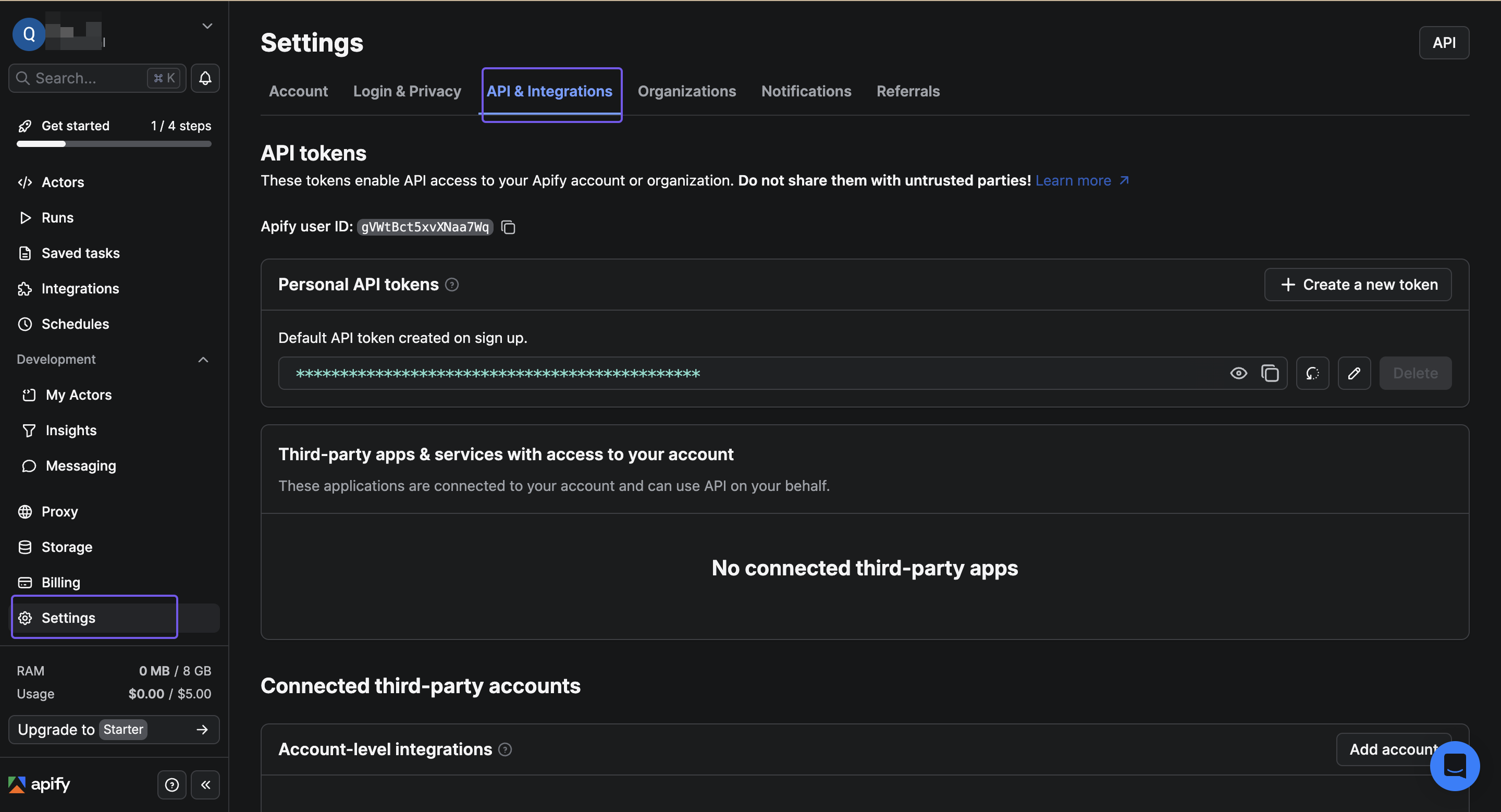 3. Click **+ Create a new token** to create a new API key.
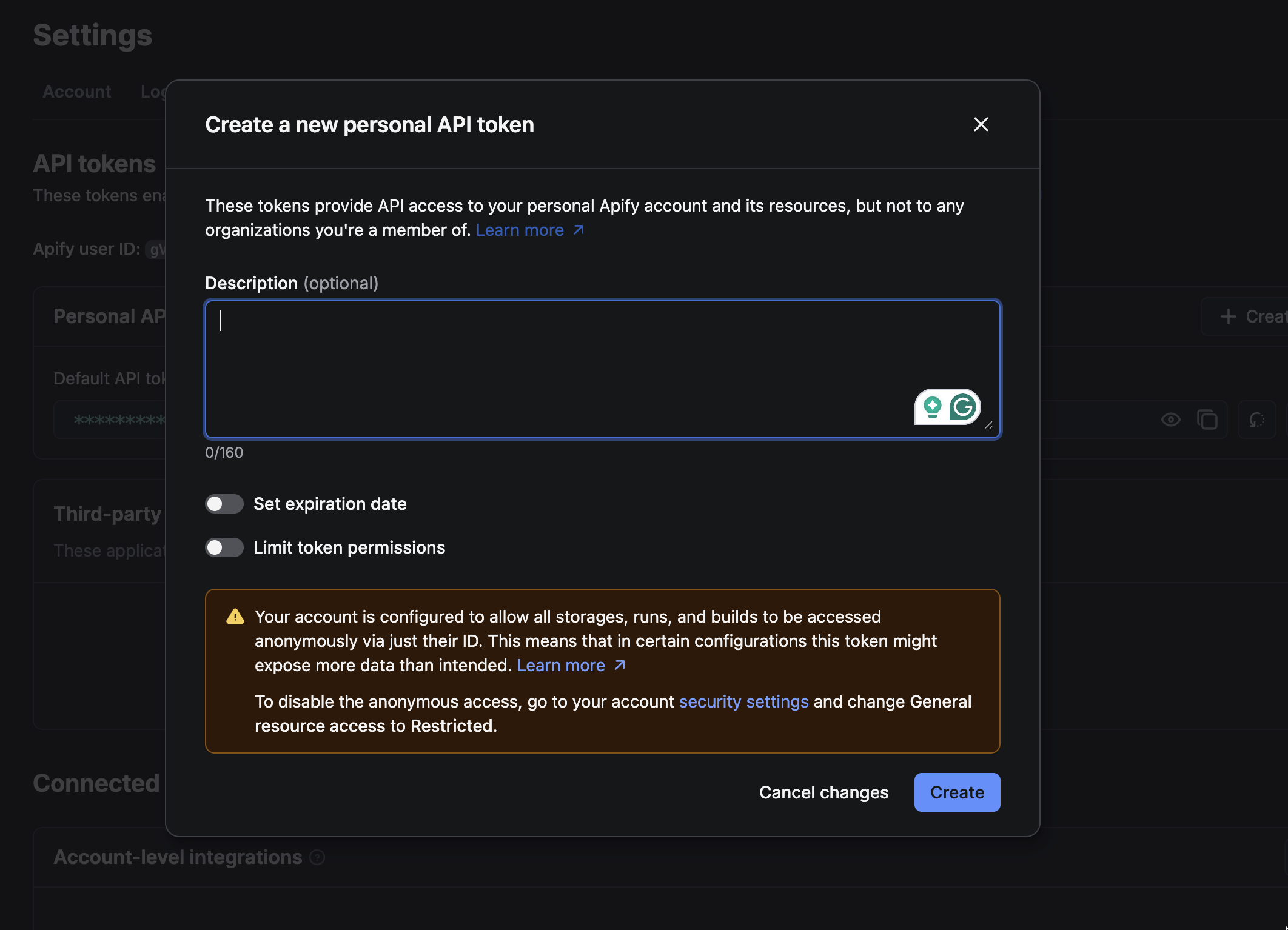
4. Click **Create** in the dialog that appears to create your new API key..
3. Click **+ Create a new token** to create a new API key.
4. Click **Create** in the dialog that appears to create your new API key..
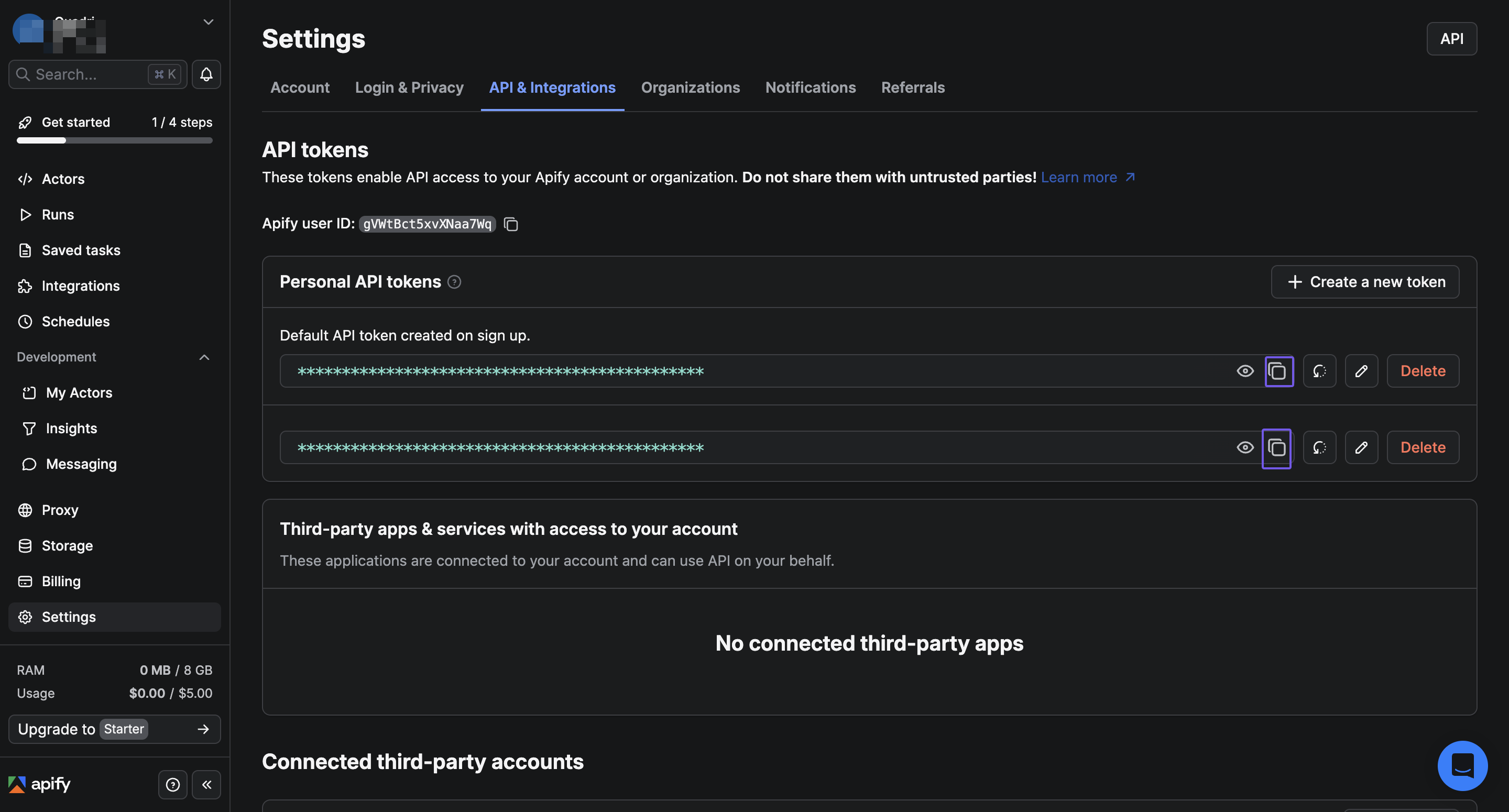
 5. The new API key will appear on the page. Click the copy icon next to the API key to copy the generated key, then store it in a safe place..
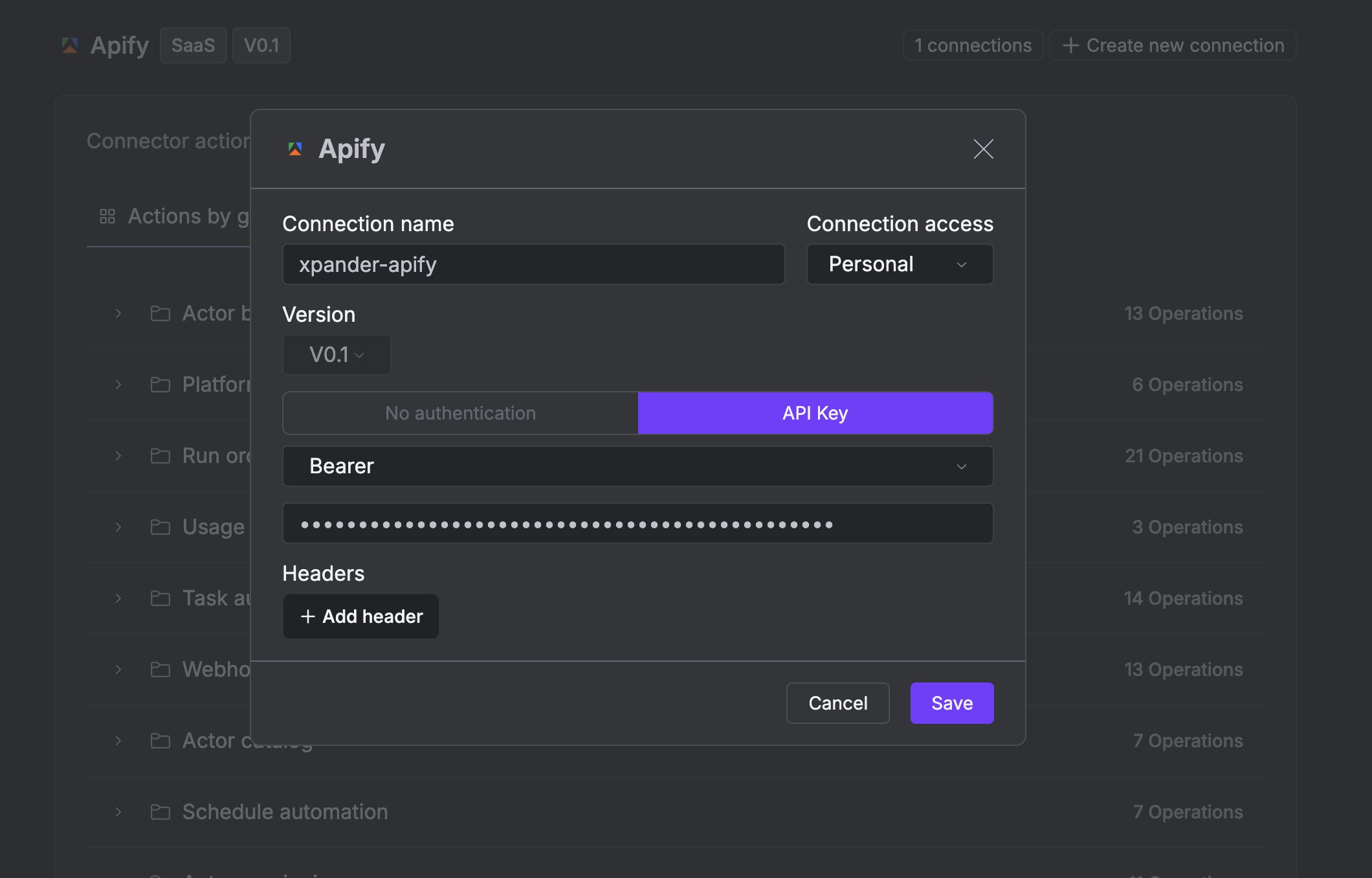
 ### Integrate Apify into xpander.ai
1. Go to the **Connectors** section in the sidebar of your xpander.ai dashboard.
2. Select **Apify** from the available integrations.
3. Click **+ Create new connection**.
4. Enter a **connector name** as desired, e.g., "xpander-apify".
5. Choose **API Key** as the authentication method.
6. Paste your Apify access token into the provided field.
7. Choose **Bearer** as the **Auth Type**.
8. Save the configuration.
### Integrate Apify into xpander.ai
1. Go to the **Connectors** section in the sidebar of your xpander.ai dashboard.
2. Select **Apify** from the available integrations.
3. Click **+ Create new connection**.
4. Enter a **connector name** as desired, e.g., "xpander-apify".
5. Choose **API Key** as the authentication method.
6. Paste your Apify access token into the provided field.
7. Choose **Bearer** as the **Auth Type**.
8. Save the configuration.
 ## Integration of Apify into an AI Agent
Once you’ve configured your Apify connector with the authentication option described above, you can integrate it into your AI agent with xpander.ai:
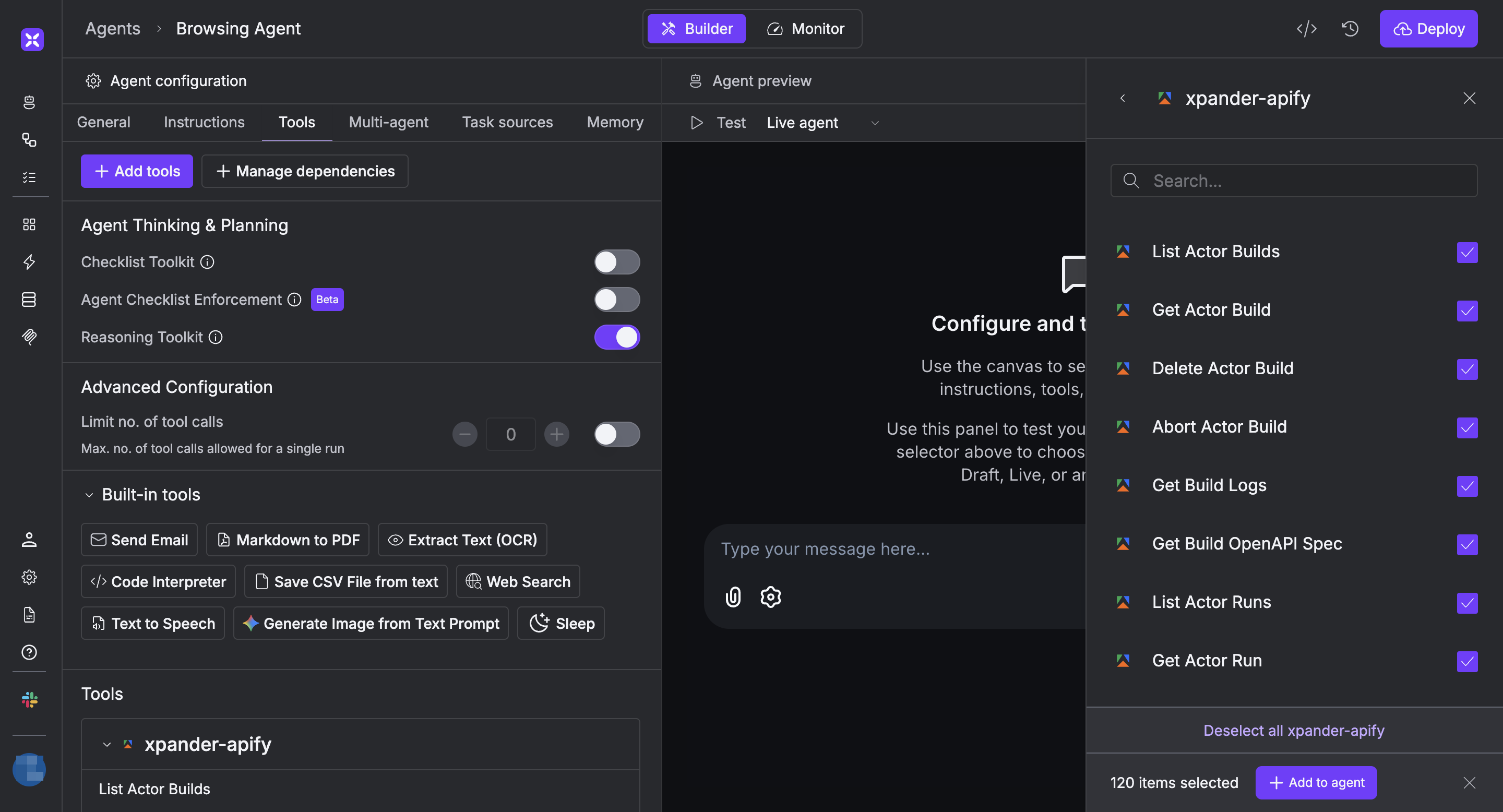
1. In your xpander.ai dashboard, navigate to the **Agents** page, then click an agent to open the **Agent Configuration** tab.
2. Select **Tools**, then click **Add Tools**.
3. Select **Connectors**.
4. Choose **Apify** with the same **connector name** you configured in the previous section (e.g., xpander-apify).
5. Select the available Apify operations that suit your use case.
To grant your agent web scraping capabilities, enable the following operations.
* **Start Actor Run**
* **List Actor Runs (By Actor)**
* **Get Actor Last Run**
* **Create Actor**
* **List Actors**
6. Click **Deploy** to update your agent.
## Integration of Apify into an AI Agent
Once you’ve configured your Apify connector with the authentication option described above, you can integrate it into your AI agent with xpander.ai:
1. In your xpander.ai dashboard, navigate to the **Agents** page, then click an agent to open the **Agent Configuration** tab.
2. Select **Tools**, then click **Add Tools**.
3. Select **Connectors**.
4. Choose **Apify** with the same **connector name** you configured in the previous section (e.g., xpander-apify).
5. Select the available Apify operations that suit your use case.
To grant your agent web scraping capabilities, enable the following operations.
* **Start Actor Run**
* **List Actor Runs (By Actor)**
* **Get Actor Last Run**
* **Create Actor**
* **List Actors**
6. Click **Deploy** to update your agent.
 ## AI Agent Apify Prompt Library
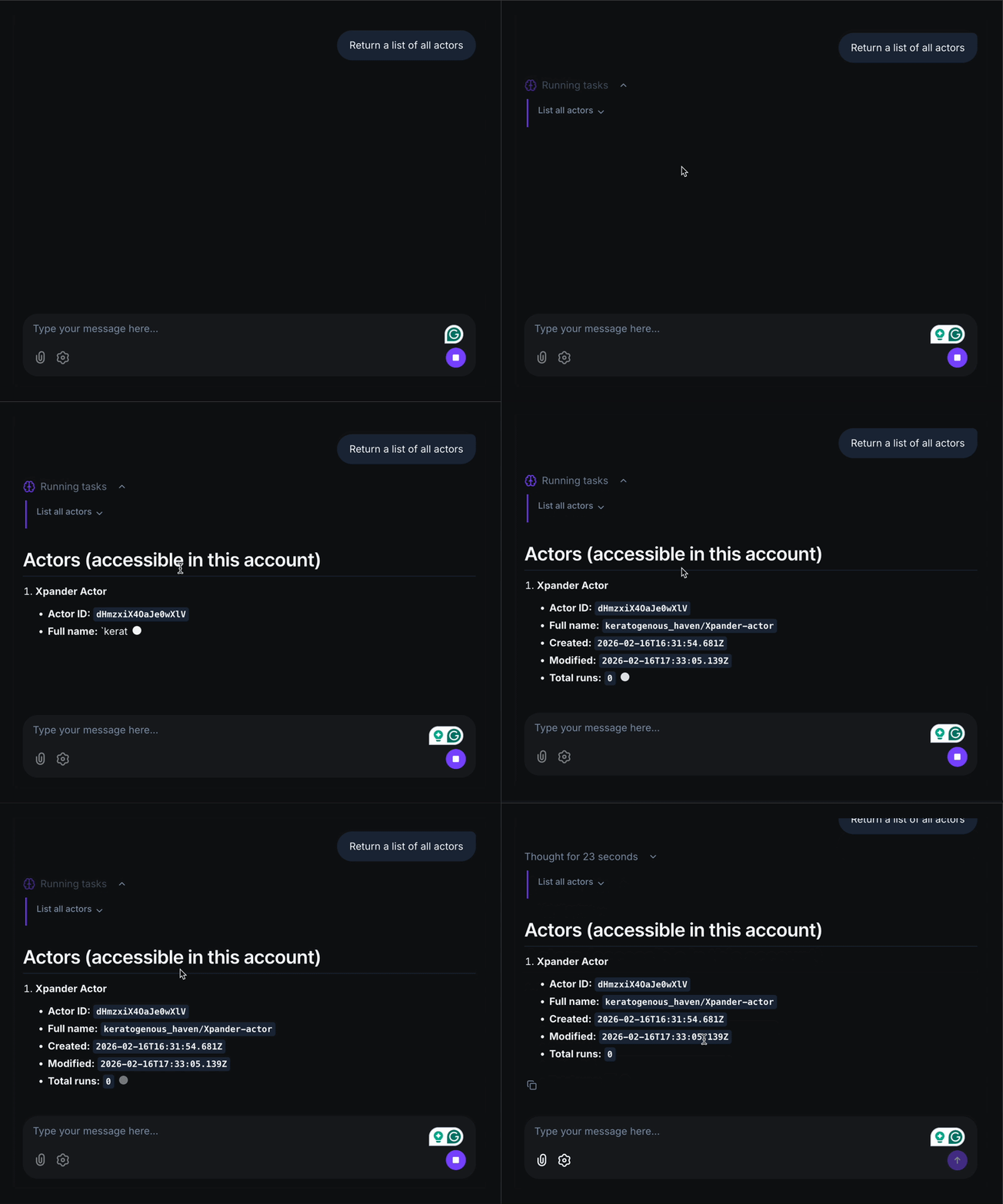
Below are possible prompts or use cases you can try after integrating Apify into your xpander.ai AI agent:
```
Run a web scraping task to extract the top 10 results for “wireless noise cancelling headphones” from Amazon, including price and rating.
```
```
Check our competitor’s pricing page and report any changes in pricing or plans compared to the last saved dataset.
```
```
Collect the first 20 LinkedIn job listings for “Head of Engineering” in Berlin and return the company names.
```
```
Monitor daily and notify me if new content is published.
```
## AI Agent Apify Prompt Library
Below are possible prompts or use cases you can try after integrating Apify into your xpander.ai AI agent:
```
Run a web scraping task to extract the top 10 results for “wireless noise cancelling headphones” from Amazon, including price and rating.
```
```
Check our competitor’s pricing page and report any changes in pricing or plans compared to the last saved dataset.
```
```
Collect the first 20 LinkedIn job listings for “Head of Engineering” in Berlin and return the company names.
```
```
Monitor daily and notify me if new content is published.
```
 ## Related Resources
* [Using Tools & Connectors in the xpander.ai platform](/guides/agents/tools-connectors)
* [Apify Documentation](https://docs.apify.com/)
## Related Resources
* [Using Tools & Connectors in the xpander.ai platform](/guides/agents/tools-connectors)
* [Apify Documentation](https://docs.apify.com/)