> ## Documentation Index
> Fetch the complete documentation index at: https://docs.xpander.ai/llms.txt
> Use this file to discover all available pages before exploring further.
# Google Analytics
> Learn how to integrate AI agents with Google Analytics using xpander.ai. Create intelligent, data-aware agents that can autonomously analyze, interpret, and act on your website's traffic and user behavior data.
## About Google Analytics
Google Analytics is a free web analytics service offered by Google that tracks and reports website traffic and user behavior. It provides insights into how visitors interact with your website or app, helping you understand the effectiveness of your online presence and marketing strategies.
Key features include:
* **Audience Analysis**: Understand who your visitors are, including demographics, geographic locations, and devices used.
* **Acquisition Insights**: Learn how users find your site—whether through search engines, social media, direct visits, or referral links.
* **Behavior Tracking**: Monitor user interactions on your site, such as which pages they visit, how long they stay, and their navigation paths.
* **Conversion Tracking**: Set up goals to track specific actions like purchases, sign-ups, or downloads, helping you measure the effectiveness of your site in achieving business objectives.
* **Integration with Other Tools**: Google Analytics can be integrated with other Google services like Google Ads and Search Console, providing a more comprehensive view of your online performance.
## Authentication Options
Below are possible authentication options you can choose:
The simplest way to connect Google Analytics is by using xpander.ai's built-in authentication:
1. Go to the **Connectors** section in the sidebar of your xpander.ai dashboard.
2. Select **Google Analytics** from the available integrations.
3. Click **Sign in with Google Analytics**.
4. Grant xpander.ai permission to access your account.
5. Your Google Analytics integration is now ready to use.
## Integration of Google Analytics into AI Agent
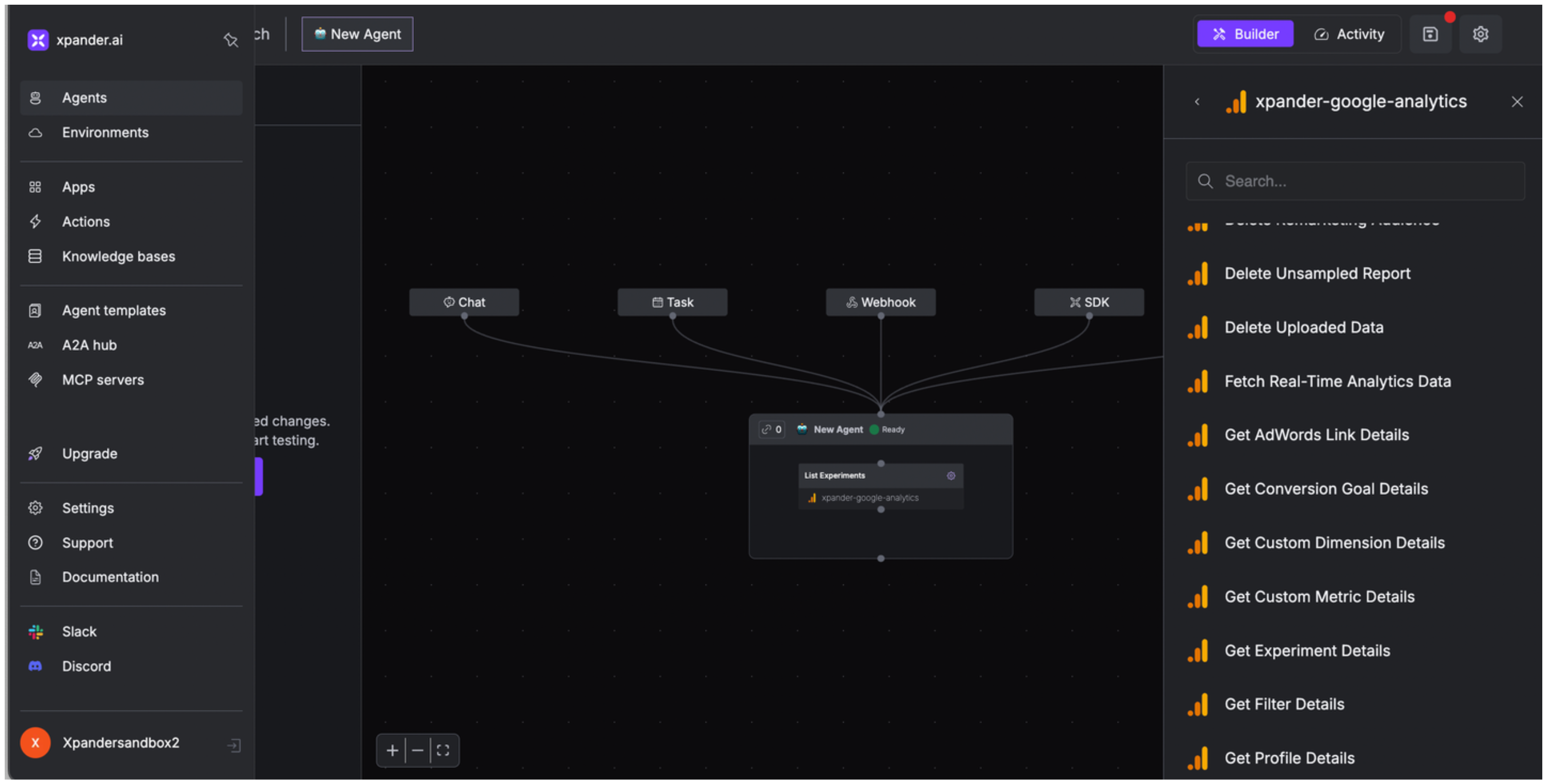
Once you've configured your Google Analytics account with the authentication option(s) described above, you can integrate it into your AI agent with xpander.ai:
1. In your xpander.ai dashboard, go to the **Agent Configuration** tab and select **Tools**, then click **Add Tools**.
2. Select **Connectors**.
3. Choose **Google Analytics** with the same **conenctor name** you configured in the previous section (e.g., xpander-google-analytics).
4. Select the available Google Analytics operations that suit your use case.
 ## Expose Google Analytics as MCP Server
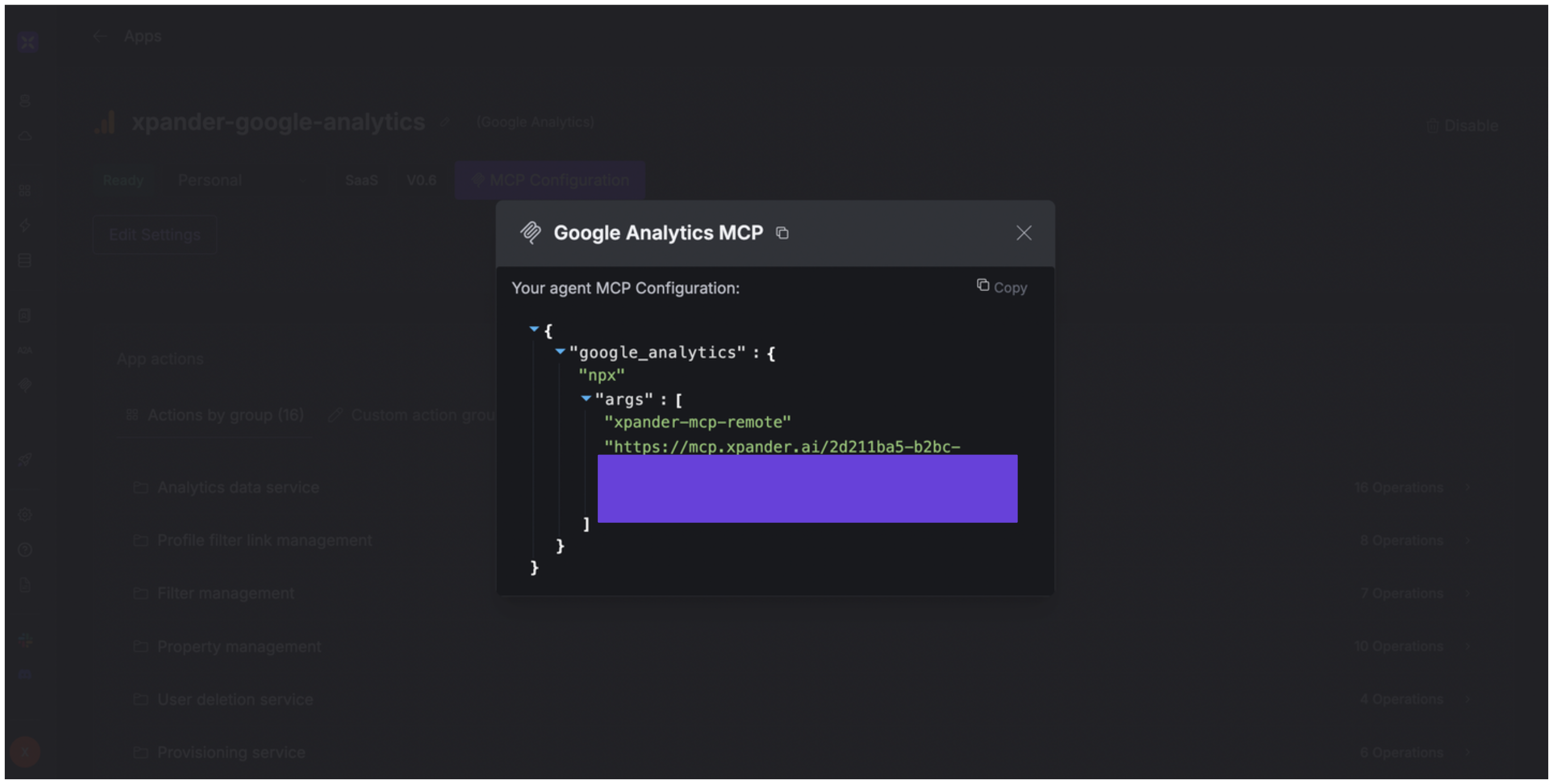
Alternatively, you can also expose your Google Analytics account as an MCP server. To do so:
1. Go to the **Connectors** section in the sidebar of your xpander.ai dashboard.
2. Select **Google Analytics** with the same **connector name** you configured in the previous section (e.g., xpander-google-analytics).
3. Click **MCP Configuration**.
4. Enter the MCP configuration into the appropriate settings of the client app you want to use (e.g., Cursor, Windsurf, Claude Desktop, etc.).
## Expose Google Analytics as MCP Server
Alternatively, you can also expose your Google Analytics account as an MCP server. To do so:
1. Go to the **Connectors** section in the sidebar of your xpander.ai dashboard.
2. Select **Google Analytics** with the same **connector name** you configured in the previous section (e.g., xpander-google-analytics).
3. Click **MCP Configuration**.
4. Enter the MCP configuration into the appropriate settings of the client app you want to use (e.g., Cursor, Windsurf, Claude Desktop, etc.).
 ## AI Agent Google Analytics Prompt Library
Below are possible prompts or use cases you can try after integrating Google Analytics into your xpander AI agent:
```
How do our multi-channel funnels perform from {start_date} to {end_date}?
```
```
Can you create a new conversion goal to track when users {complete_action} on our website?
```
```
Could you link our Google Analytics property to our Google Ads account with ID {customer_id}?
```
```
Can you show me the real-time analytics for our website right now?
```
## Related Resources
* [Understanding Model Context Protocol (MCP)](/guides/deploy/mcp)
* [Google Analytics API Documentation](https://developers.google.com/analytics/devguides/reporting/data/v1)
## AI Agent Google Analytics Prompt Library
Below are possible prompts or use cases you can try after integrating Google Analytics into your xpander AI agent:
```
How do our multi-channel funnels perform from {start_date} to {end_date}?
```
```
Can you create a new conversion goal to track when users {complete_action} on our website?
```
```
Could you link our Google Analytics property to our Google Ads account with ID {customer_id}?
```
```
Can you show me the real-time analytics for our website right now?
```
## Related Resources
* [Understanding Model Context Protocol (MCP)](/guides/deploy/mcp)
* [Google Analytics API Documentation](https://developers.google.com/analytics/devguides/reporting/data/v1)