> ## Documentation Index
> Fetch the complete documentation index at: https://docs.xpander.ai/llms.txt
> Use this file to discover all available pages before exploring further.
# Tomorrow.io
> Learn how to integrate AI agents with Tomorrow.io using xpander.ai. Create intelligent, weather-aware systems that dynamically adjust operations according to real-time climate data.
## About Tomorrow\.io
Tomorrow\.io is a weather and climate intelligence company that offers advanced forecasting solutions for businesses, governments, and individuals.
Tomorrow\.io provides a customizable platform that delivers hyperlocal forecasts, real-time alerts, and predictive analytics. This enables users to make informed decisions based on weather conditions, which improves operational efficiency and safety.
## Authentication Options
Below are possible authentication options you can choose:
### Generate Tomorrow\.io API Key
1. Log in to your [Tomorrow.io account](https://www.tomorrow.io/).
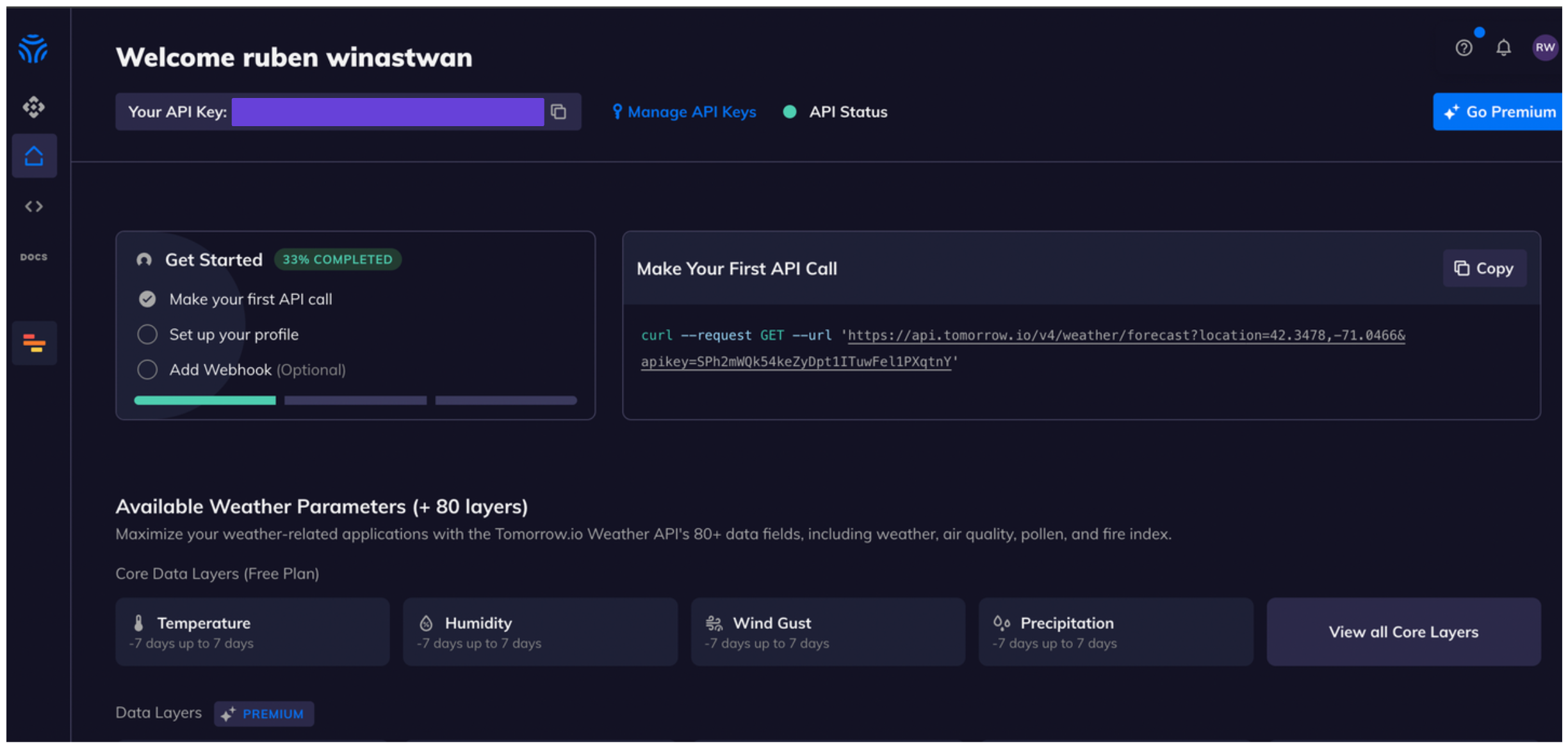
2. Once you're logged in, you'll see your API key in your main dashboard.\\
 ### Integrate Tomorrow\.io into Xpander.ai
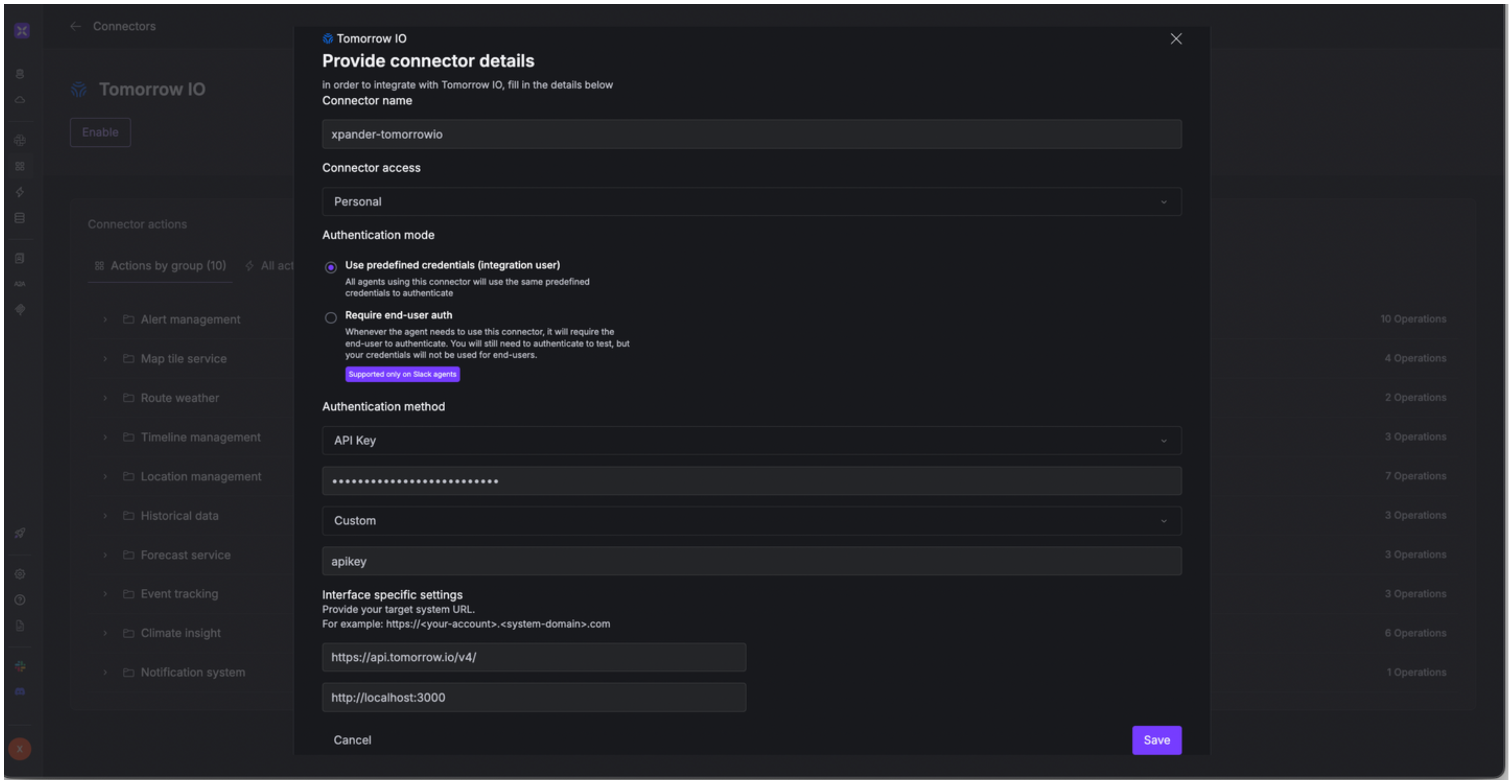
1. Go to the **Connectors** section in the sidebar of your xpander.ai dashboard.
2. Select **Tomorrow\.io** from the available integrations.
3. Click **Enable**.
4. Fill in the **connector name** as desired, e.g., "xpander-tomorrow".
5. Choose **Integration user** as the authentication mode.
6. Choose **API Key** as the authentication method.
7. Copy and paste your Tomorrow\.io API key into the provided field.
8. Choose **Custom** as the **auth type**.
9. Enter **apikey** as the **Custom header name**.
10. Enter **[https://api.tomorrow.io/v4/](https://api.tomorrow.io/v4/)** as the base URL in the **Interface specific settings** section.
11. Save the configuration.
### Integrate Tomorrow\.io into Xpander.ai
1. Go to the **Connectors** section in the sidebar of your xpander.ai dashboard.
2. Select **Tomorrow\.io** from the available integrations.
3. Click **Enable**.
4. Fill in the **connector name** as desired, e.g., "xpander-tomorrow".
5. Choose **Integration user** as the authentication mode.
6. Choose **API Key** as the authentication method.
7. Copy and paste your Tomorrow\.io API key into the provided field.
8. Choose **Custom** as the **auth type**.
9. Enter **apikey** as the **Custom header name**.
10. Enter **[https://api.tomorrow.io/v4/](https://api.tomorrow.io/v4/)** as the base URL in the **Interface specific settings** section.
11. Save the configuration.
 ## Integration of Tomorrow\.io into AI Agent
Once you've configured your Tomorrow\.io account with the authentication option(s) described above, you can integrate it into your AI agent with xpander.ai:
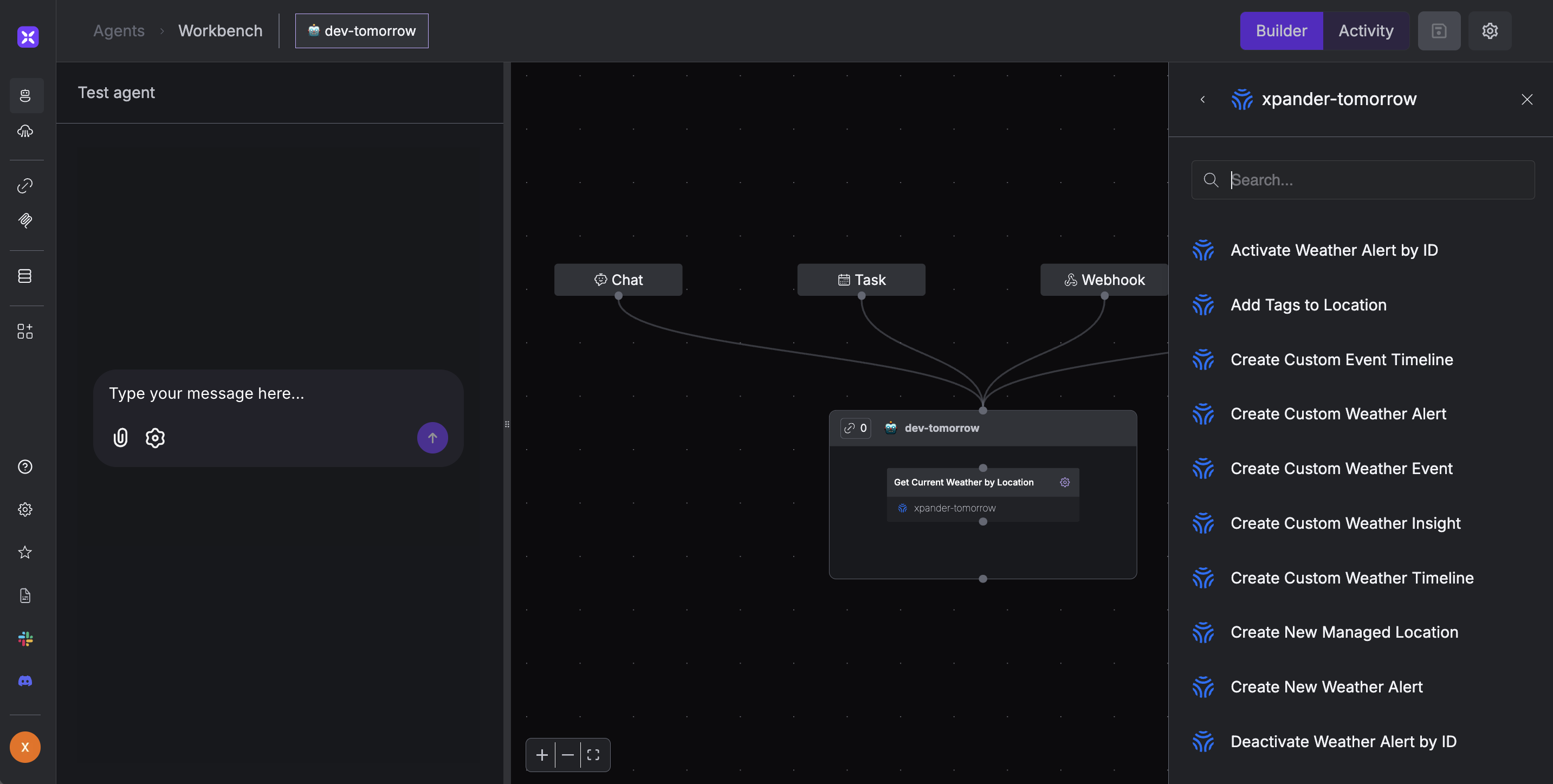
1. In your xpander.ai dashboard, go to the **Agent Configuration** tab and select **Tools**, then click **Add Tools**.
2. Select **Connectors**.
3. Choose **Tomorrow\.io** with the same **connector name** you configured in the previous section (e.g., xpander-tomorrow).
4. Select the available Tomorrow\.io operations that suit your use case.
## Integration of Tomorrow\.io into AI Agent
Once you've configured your Tomorrow\.io account with the authentication option(s) described above, you can integrate it into your AI agent with xpander.ai:
1. In your xpander.ai dashboard, go to the **Agent Configuration** tab and select **Tools**, then click **Add Tools**.
2. Select **Connectors**.
3. Choose **Tomorrow\.io** with the same **connector name** you configured in the previous section (e.g., xpander-tomorrow).
4. Select the available Tomorrow\.io operations that suit your use case.
 ## Expose Tomorrow\.io as MCP Server
Alternatively, you can also expose your Tomorrow\.io account as an MCP server. To do so:
1. Go to the **Connectors** section in the sidebar of your xpander.ai dashboard.
2. Select **Tomorrow\.io** with the same **connector name** you configured in the previous section (e.g., xpander-tomorrow).
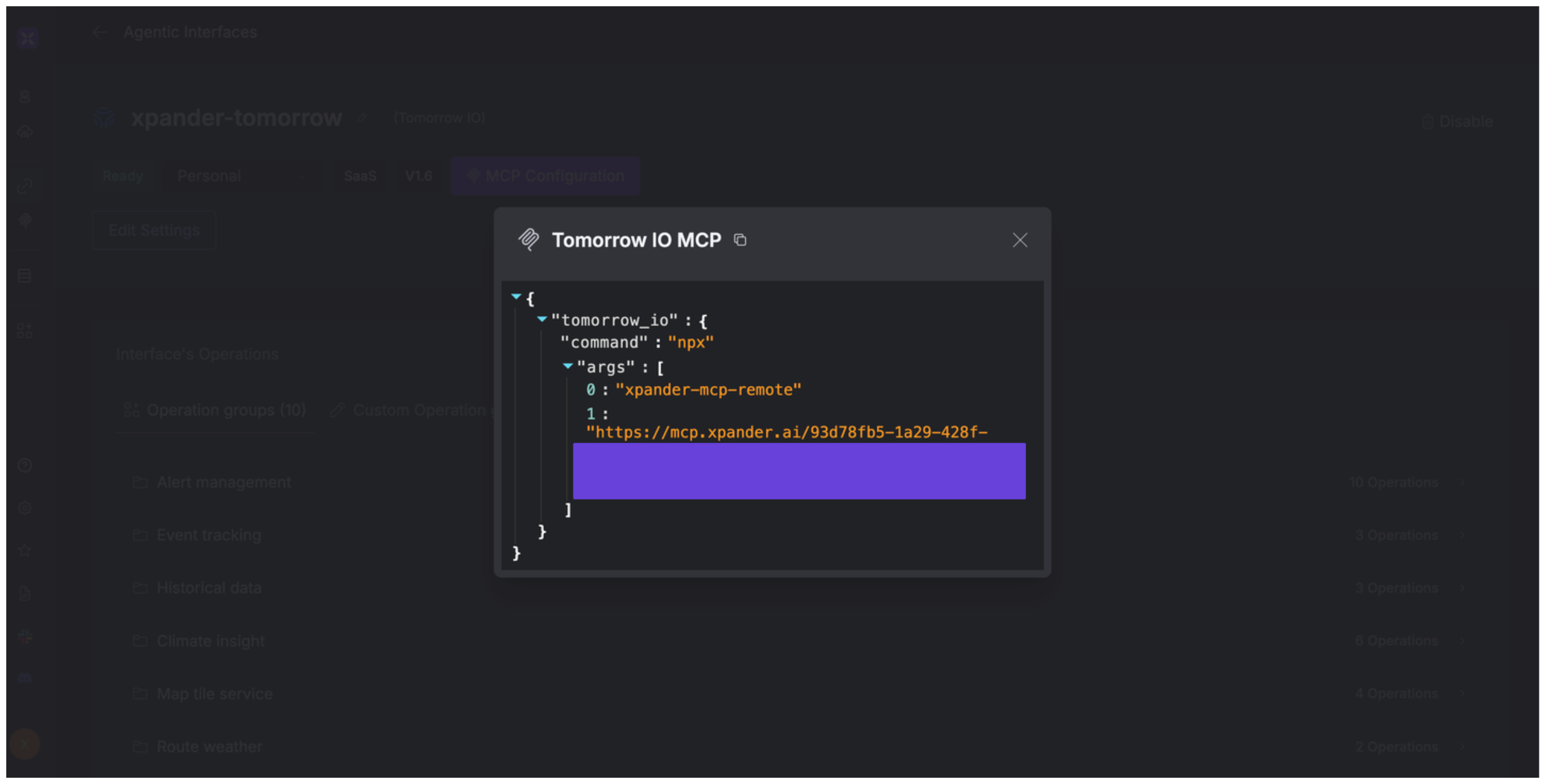
3. Click **MCP Configuration**.
4. Enter the MCP configuration into the appropriate settings of the client app you want to use (e.g., Cursor, Windsurf, Claude Desktop, etc.).
## Expose Tomorrow\.io as MCP Server
Alternatively, you can also expose your Tomorrow\.io account as an MCP server. To do so:
1. Go to the **Connectors** section in the sidebar of your xpander.ai dashboard.
2. Select **Tomorrow\.io** with the same **connector name** you configured in the previous section (e.g., xpander-tomorrow).
3. Click **MCP Configuration**.
4. Enter the MCP configuration into the appropriate settings of the client app you want to use (e.g., Cursor, Windsurf, Claude Desktop, etc.).
 ## AI Agent Tomorrow\.io Prompt Library
Below are possible prompts or use cases you can try after integrating Tomorrow\.io into your xpander AI agent:
```
What's the weather forecast for {location} this weekend?
```
```
Will there be any severe weather events in {location} tomorrow?
```
```
What is the air quality index in {location} right now?
```
```
Is there a risk of flooding in {location} this week?
```
## Related Resources
* [Understanding Model Context Protocol (MCP)](/guides/deploy/mcp)
* [Tomorrow.io API Documentation](https://docs.tomorrow.io/)
## AI Agent Tomorrow\.io Prompt Library
Below are possible prompts or use cases you can try after integrating Tomorrow\.io into your xpander AI agent:
```
What's the weather forecast for {location} this weekend?
```
```
Will there be any severe weather events in {location} tomorrow?
```
```
What is the air quality index in {location} right now?
```
```
Is there a risk of flooding in {location} this week?
```
## Related Resources
* [Understanding Model Context Protocol (MCP)](/guides/deploy/mcp)
* [Tomorrow.io API Documentation](https://docs.tomorrow.io/)