> ## Documentation Index
> Fetch the complete documentation index at: https://docs.xpander.ai/llms.txt
> Use this file to discover all available pages before exploring further.
# Design the Workflow
> Tune the built-in frontend experience and the backend that powers an application to fit your workflow.
Once an Agentic Application exists, you can customize both parts of it: the frontend experience users interact with and the backend that powers the work.
Customizing is how an application moves from a useful starting point to something that fits your team's exact workflow.
## Customize the frontend experience
Shape what users see and do. Choose the live surfaces, reports, and dashboards that appear and decide which charts and visual components best present the result. Add inputs, forms, or approvals where the workflow needs a human step, and tune chat behavior so the application guides users toward the outcome.
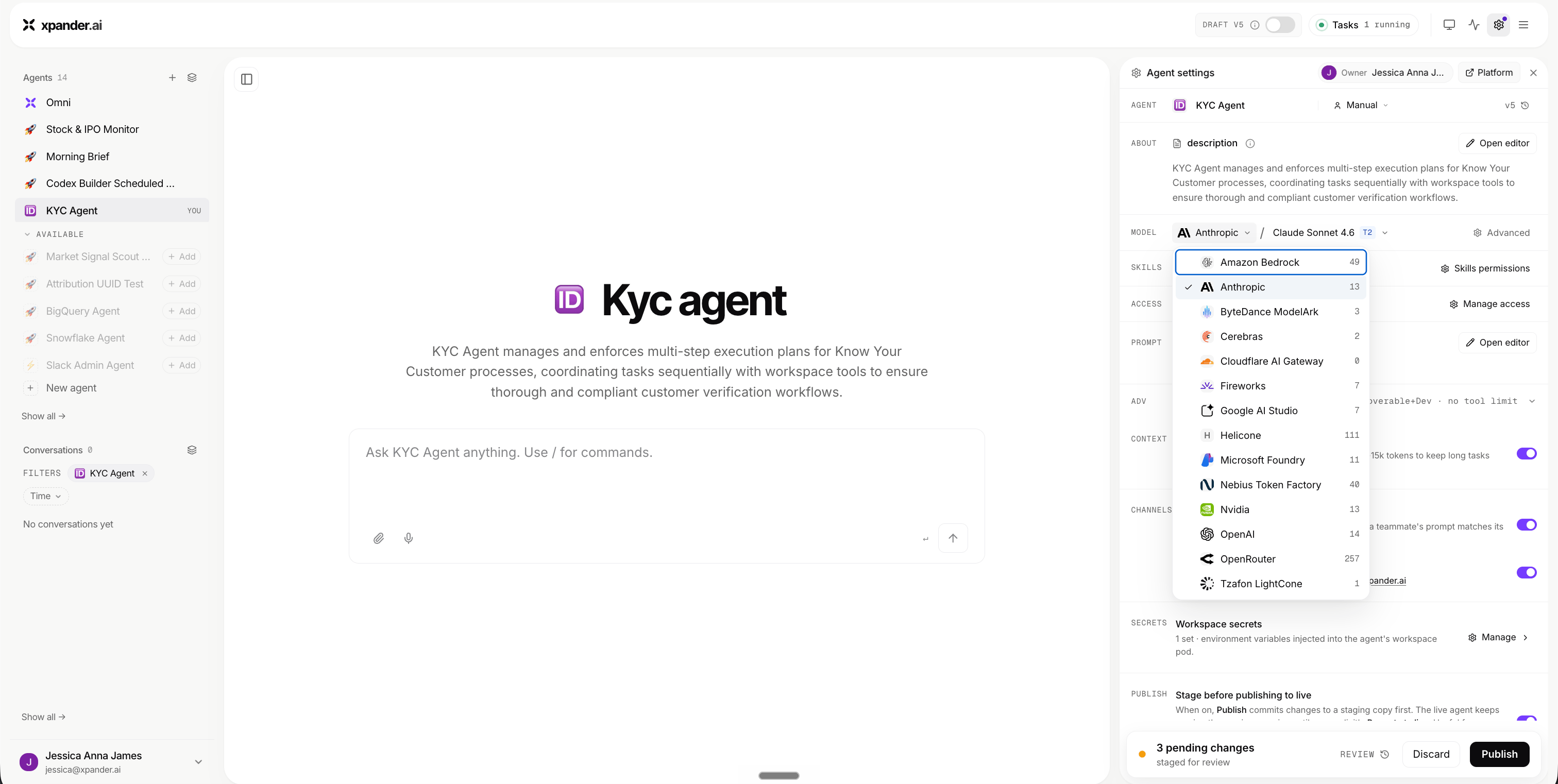 ## Customize the backend (the agent's brain)
Shape how the agent thinks and acts:
* Switch the **model** for better quality, speed, or cost
* Refine the **system prompt** to set role, rules, and output structure
* Add or remove **skills and tools** as the workflow changes
* Adjust **data access** so the agent sees the right systems
* Tune **runtime** behavior for longer, tool-heavy tasks
For the full backend controls, see [Manage Agents](/guides/omni/manage-agents/agent-configuration).
## Customize the backend (the agent's brain)
Shape how the agent thinks and acts:
* Switch the **model** for better quality, speed, or cost
* Refine the **system prompt** to set role, rules, and output structure
* Add or remove **skills and tools** as the workflow changes
* Adjust **data access** so the agent sees the right systems
* Tune **runtime** behavior for longer, tool-heavy tasks
For the full backend controls, see [Manage Agents](/guides/omni/manage-agents/agent-configuration).
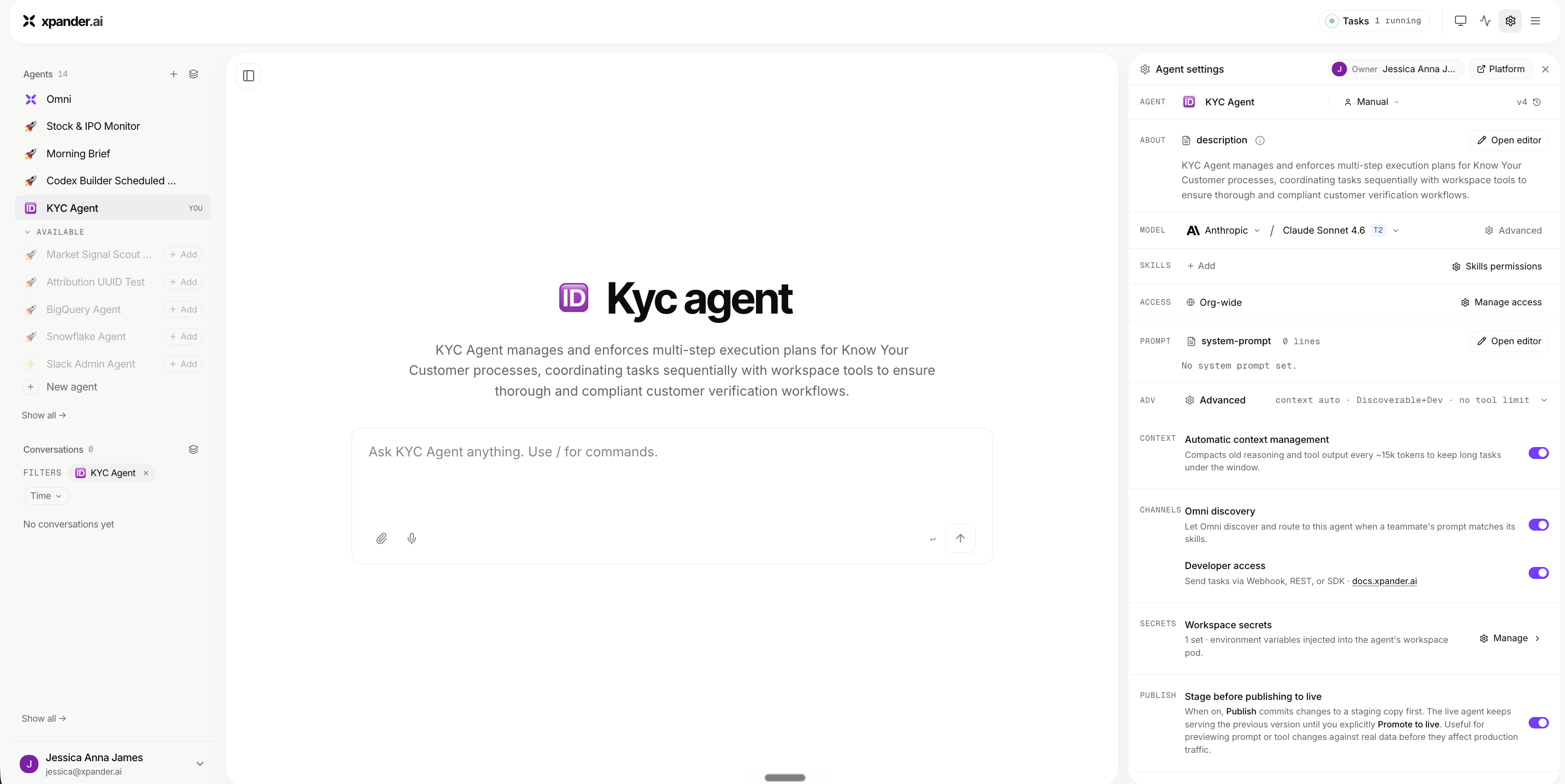 ## Connectivity is handled for you
You don't have to wire up connectors and tools by hand. When the backend agent needs access to a system, it asks you for the login details or credentials, connects on your behalf, and stores those credentials securely in its secrets.
Your part is simple: provide the credentials when the agent asks. From there, the agent establishes and maintains the connection for you.
## Start simple, then refine
Give the application the frontend and backend it needs for the workflow you want, then add more only when there is a clear need.
A focused Agentic Application is easier to adopt, easier to debug, and easier for teammates to rely on.
## Connectivity is handled for you
You don't have to wire up connectors and tools by hand. When the backend agent needs access to a system, it asks you for the login details or credentials, connects on your behalf, and stores those credentials securely in its secrets.
Your part is simple: provide the credentials when the agent asks. From there, the agent establishes and maintains the connection for you.
## Start simple, then refine
Give the application the frontend and backend it needs for the workflow you want, then add more only when there is a clear need.
A focused Agentic Application is easier to adopt, easier to debug, and easier for teammates to rely on.