> ## Documentation Index
> Fetch the complete documentation index at: https://docs.xpander.ai/llms.txt
> Use this file to discover all available pages before exploring further.
# Agentic Applications
> Shareable applications that pair a backend AI agent with a live frontend experience.
An Agentic Application is a shareable application powered by an AI agent.
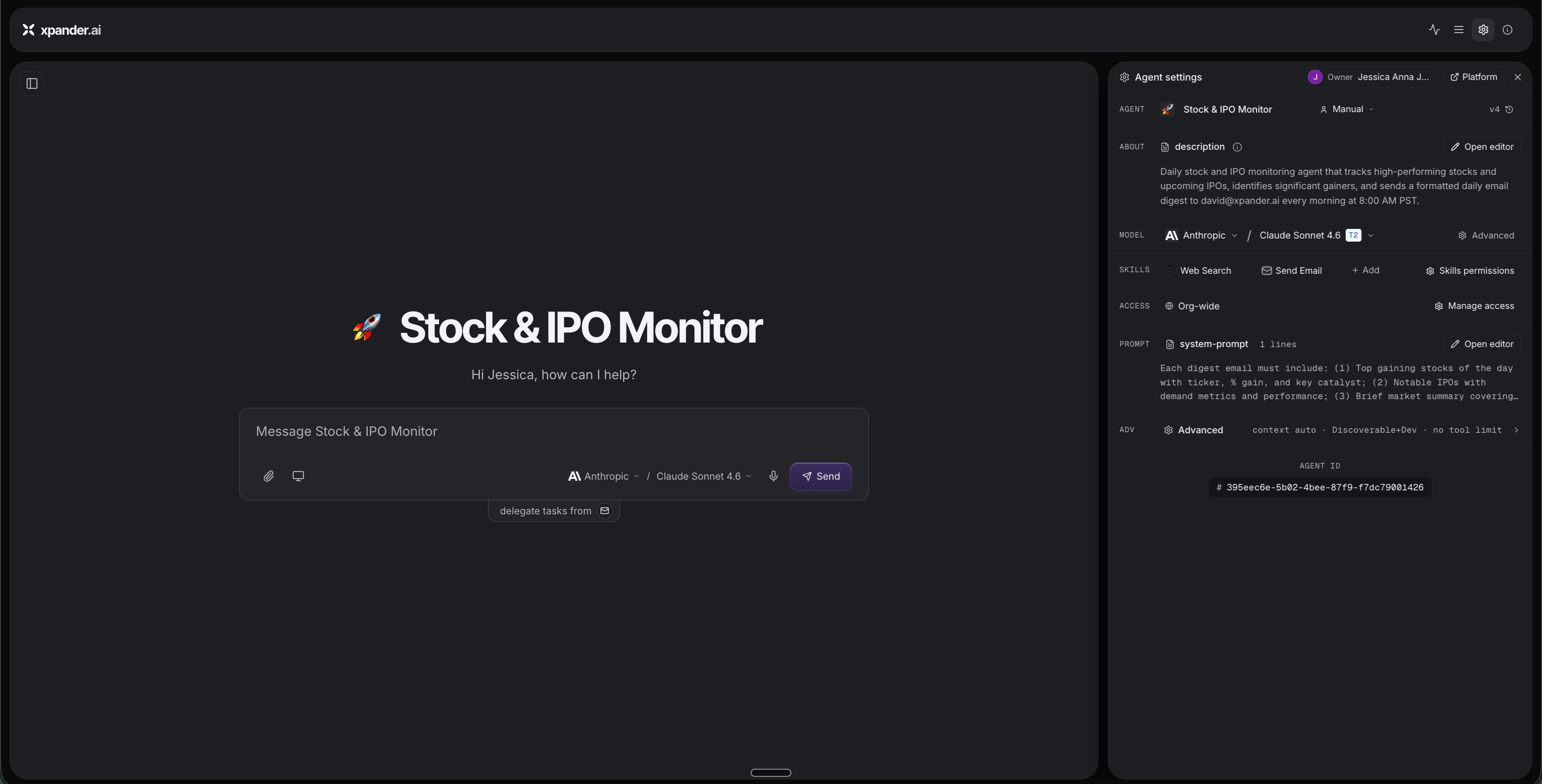
It combines a backend agent that understands the task, uses tools, accesses data, and performs actions with a frontend experience that users can interact with through chat, live surfaces, reports, dashboards, and visual components.
An Agentic Application is what your team uses when an agent-powered workflow becomes a real business solution.
## Why Agentic Applications matter
Chat is useful for asking. Agentic Applications are useful for working.
They help teams move from a one-time answer to a reusable application, and from a hidden agent run to a visible business experience. Instead of a scattered set of files and a static summary, the work becomes one shared place with a live, inspectable result.
## What an Agentic Application can include
**Frontend experience** - the part users interact with. It can include chat to ask, instruct, and iterate; live surfaces showing current state and progress; reports and summaries; dashboards, charts, and visual components; and forms, inputs, approvals, and next actions.
**Backend agent** - the part that does the work. It includes the model that powers reasoning, the skills and tools for taking action, a system prompt that defines the agent's job, data access for the systems the workflow touches, and an execution engine that runs the work.
## How Agentic Applications fit into Omni
Omni helps you describe the outcome, design the frontend experience, configure the backend agent, connect the right capabilities, and present the result as an application teammates can use.
For example, you can ask Omni to create a market-monitoring application. The result might pair a backend agent that tracks signals and writes a daily digest with a frontend experience that shows the latest report and lets teammates explore it.
 ## Application vs. task vs. workspace vs. live surface
| Surface | Use it for |
| ------------------- | ---------------------------------------------------------------------- |
| Agentic Application | The shareable business experience built on a backend agent |
| Task | The execution record of what the agent did |
| Agent Workspace | The files, context, and artifacts behind the work |
| Live Surface | A real-time view of ongoing or completed agent activity inside the app |
Together these make a workflow easier to understand, reuse, and share.
## Application vs. task vs. workspace vs. live surface
| Surface | Use it for |
| ------------------- | ---------------------------------------------------------------------- |
| Agentic Application | The shareable business experience built on a backend agent |
| Task | The execution record of what the agent did |
| Agent Workspace | The files, context, and artifacts behind the work |
| Live Surface | A real-time view of ongoing or completed agent activity inside the app |
Together these make a workflow easier to understand, reuse, and share.