> ## Documentation Index
> Fetch the complete documentation index at: https://docs.xpander.ai/llms.txt
> Use this file to discover all available pages before exploring further.
# Agent Workspace
> A shared workspace where agent context, files, outputs, and workflow artifacts live.
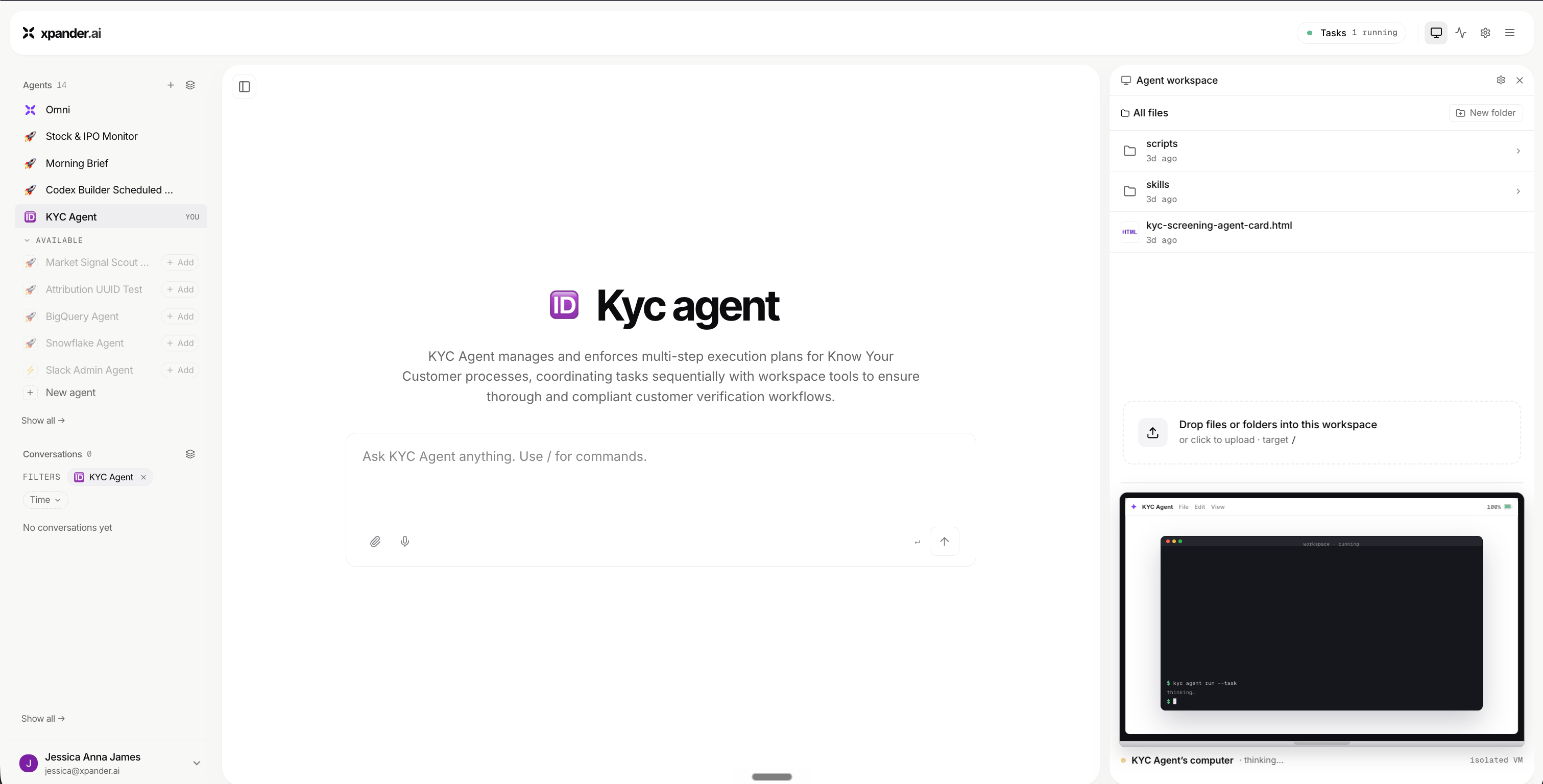
The Agent Workspace is where Omni and agents keep the materials behind their work.
It gives agents a place to use files, store outputs, preserve context, and create artifacts that can be inspected or reused.
 ## What lives in the workspace
An Agent Workspace can hold uploaded files, generated reports, drafts and summaries, and data exports, alongside task outputs and working files. It also keeps configuration context and reusable artifacts the agent can return to.
## How agents use it
Agents use the workspace while completing tasks.
For example, an agent might read a CSV, analyze the data, create a report, save a file, and use that output in a live surface or Agentic Application.
## Why it helps
The workspace makes agent work less temporary.
Instead of losing context after a single chat response, the agent can keep useful materials organized around the workflow.
This makes it easier to review, continue, and share work.
## What lives in the workspace
An Agent Workspace can hold uploaded files, generated reports, drafts and summaries, and data exports, alongside task outputs and working files. It also keeps configuration context and reusable artifacts the agent can return to.
## How agents use it
Agents use the workspace while completing tasks.
For example, an agent might read a CSV, analyze the data, create a report, save a file, and use that output in a live surface or Agentic Application.
## Why it helps
The workspace makes agent work less temporary.
Instead of losing context after a single chat response, the agent can keep useful materials organized around the workflow.
This makes it easier to review, continue, and share work.