> ## Documentation Index
> Fetch the complete documentation index at: https://docs.xpander.ai/llms.txt
> Use this file to discover all available pages before exploring further.
# Agent Studio
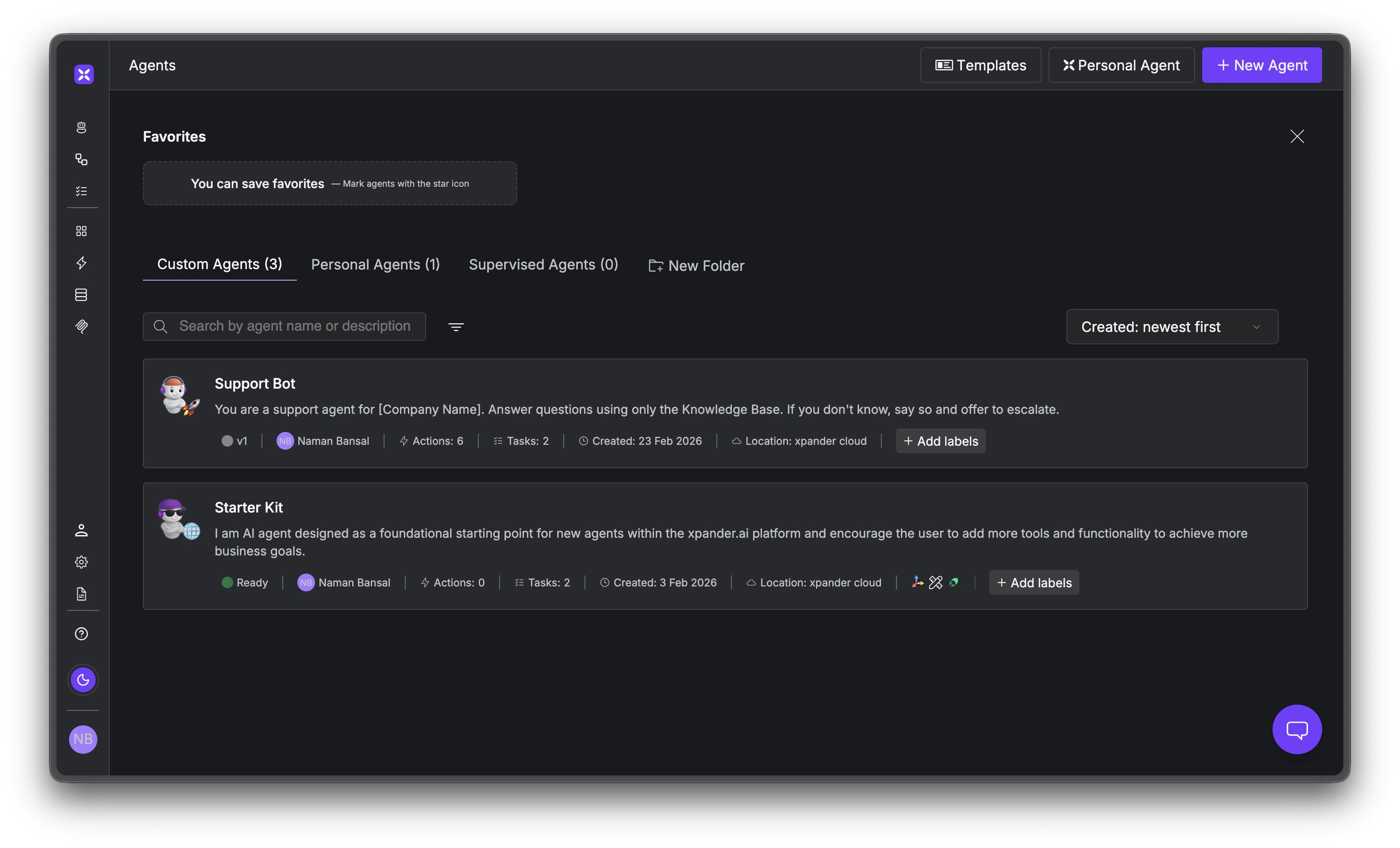
> Build custom AI agents when the predefined ones aren't enough, with your own mix of tools, knowledge, and behavior.
The pre-built [Specialized Agents](/overview/specialized-agents) cover common enterprise systems, but sometimes you need something specific. Maybe you want an agent that combines Salesforce and Jira data, follows custom escalation logic, or searches your internal documentation before answering.
Agent Studio is where you build that. Define behavior in natural language, connect tools, add knowledge bases, configure memory and safety controls, and deploy to any channel.
 ## Define behavior with instructions
You describe what the agent should do in plain English. Each instruction becomes an enforced behavioral rule that guides how the agent reasons, what it queries, and what it avoids.
```text theme={"dark"}
You are a sales analyst for Acme Corp.
When asked about pipeline:
- Query Salesforce for open opportunities
- Always include deal stage and expected close date
- Never disclose pricing to external users
When asked about a specific account:
- Check Jira for related tickets
- Check Slack for recent mentions
- Summarize across all sources
```
You can test your agent in an embedded chat with the full reasoning trace visible in real time, including every decision step, tool call, parameter, and token cost.
## Connect your tools
Agents can take action, not just respond. Your agent can query Salesforce, create Jira tickets, send Slack messages, and pull data from Snowflake, all in one conversation.
## Define behavior with instructions
You describe what the agent should do in plain English. Each instruction becomes an enforced behavioral rule that guides how the agent reasons, what it queries, and what it avoids.
```text theme={"dark"}
You are a sales analyst for Acme Corp.
When asked about pipeline:
- Query Salesforce for open opportunities
- Always include deal stage and expected close date
- Never disclose pricing to external users
When asked about a specific account:
- Check Jira for related tickets
- Check Slack for recent mentions
- Summarize across all sources
```
You can test your agent in an embedded chat with the full reasoning trace visible in real time, including every decision step, tool call, parameter, and token cost.
## Connect your tools
Agents can take action, not just respond. Your agent can query Salesforce, create Jira tickets, send Slack messages, and pull data from Snowflake, all in one conversation.
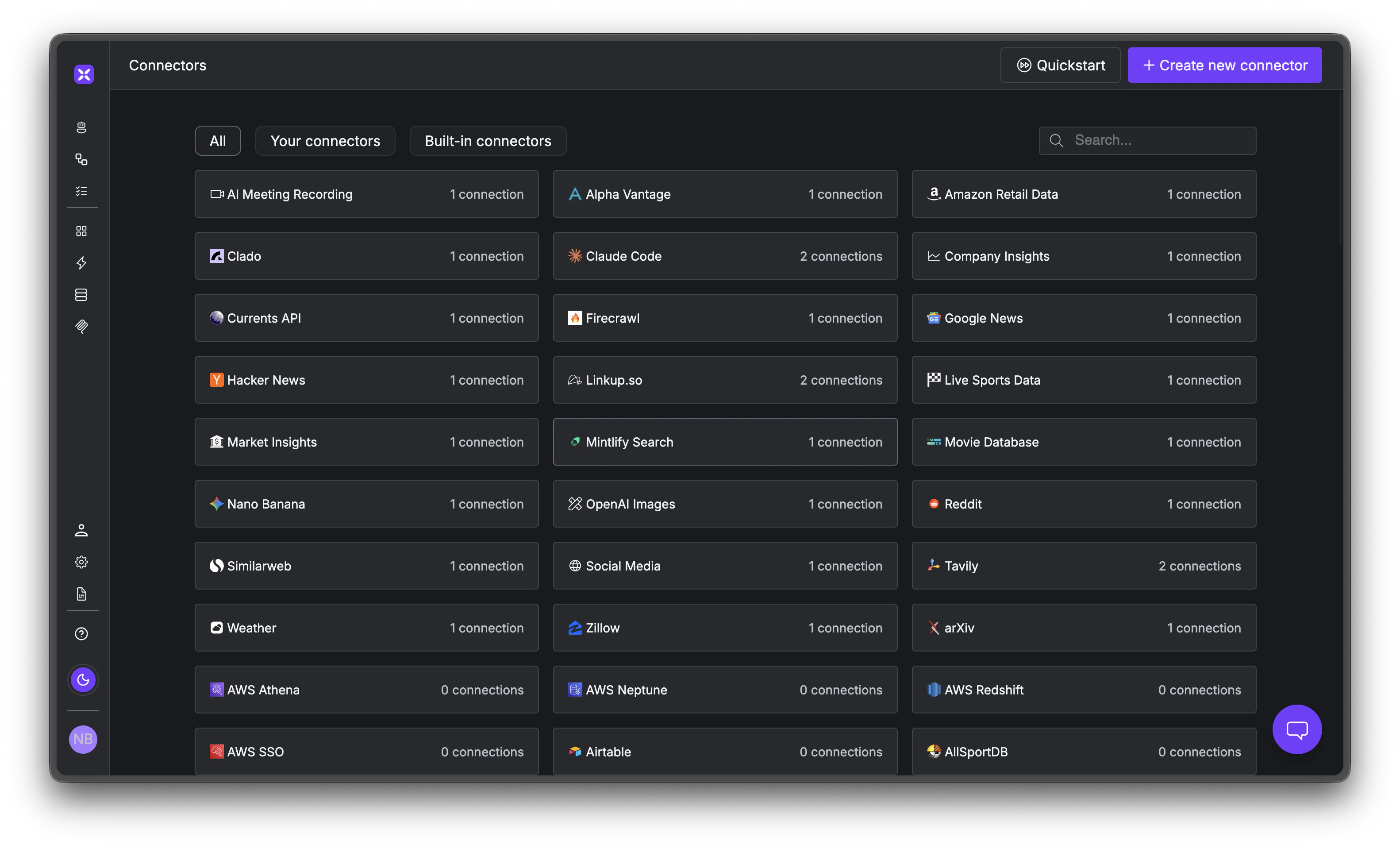 xpander includes 2,000+ pre-built connectors across dev and engineering, CRM, data, and productivity. If your system isn't in the catalog, you can import any OpenAPI spec to create a custom connector.
Each tool supports a schema editor, locked parameters, and PII stripping, so you control exactly what the agent can see and do.
## Knowledge bases
Language models don't know your internal docs. Without a knowledge base, the agent guesses. With one, it searches your documentation at runtime and grounds its responses in actual content.
Upload documents (PDF, spreadsheets, wikis) and they're automatically chunked and embedded into built-in vector storage that scales to 1M+ records.
By default, agents use agentic RAG: the agent decides *when* to search the knowledge base based on the question, rather than always injecting context into every request. This keeps responses fast and focused, and avoids wasting tokens on irrelevant documents.
**Memory ≠ Knowledge Base.** Memory learns from conversations ("Sarah prefers email"). Knowledge bases store documents you upload (product docs, policies). Memory personalizes; knowledge grounds.
## Memory
Personal AI Agents handle memory automatically. In Agent Studio, you configure memory settings per agent based on what it needs.
Some agents need all three levels: session memory (current conversation), user memories (individual preferences across sessions), and agent memories (org-wide knowledge shared across users). Others only need session memory to stay coherent within a single conversation. You choose what fits. See [Personal AI Agents](/overview/personal-ai-agents#memory) for a full breakdown of the three levels.
## Safety
Agents with tool access can do real things in real systems, so every agent ships with safety controls you toggle on directly in the builder.
* **PII detection and masking** that redacts personally identifiable information
* **Prompt injection protection** that blocks instruction override attempts
* **Content moderation** that filters harmful or off-topic content
* **Credential isolation** where secrets are injected at infrastructure level, outside model reach
**Guardrails ≠ Governance.** Guardrails protect agent behavior. Governance (scoped operations, audit trails) controls system access. For governed access, use [Specialized Agents](/overview/specialized-agents).
## Deploy anywhere
Once your agent is built, pick a model and deploy it to any channel.
You can use any provider (OpenAI, Anthropic, Google, AWS Bedrock, NVIDIA NIM) or let OpenClaw select the best model per task automatically. For air-gapped environments, route to local models via Ollama. Bring your own API key or use xpander's built-in access.
Deploy to the REST API, Python/JS SDK, Slack, a chat widget, webhooks, scheduled tasks, MCP protocol (Claude Desktop, Cursor, VS Code), or A2A for agent-to-agent communication. You can also compose multiple agents into teams where a triage agent delegates to specialists automatically.
Monitor everything in the Agent Studio: conversation threads, agent metrics, task execution logs with tool call details, and draft vs. live version comparison.
## What's next
Build your first agent in 5 minutes.
Agents, tasks, threads, connectors, and memory.
Agent configuration, tools, knowledge bases, and memory.
Backend automation on the visual canvas.
xpander includes 2,000+ pre-built connectors across dev and engineering, CRM, data, and productivity. If your system isn't in the catalog, you can import any OpenAPI spec to create a custom connector.
Each tool supports a schema editor, locked parameters, and PII stripping, so you control exactly what the agent can see and do.
## Knowledge bases
Language models don't know your internal docs. Without a knowledge base, the agent guesses. With one, it searches your documentation at runtime and grounds its responses in actual content.
Upload documents (PDF, spreadsheets, wikis) and they're automatically chunked and embedded into built-in vector storage that scales to 1M+ records.
By default, agents use agentic RAG: the agent decides *when* to search the knowledge base based on the question, rather than always injecting context into every request. This keeps responses fast and focused, and avoids wasting tokens on irrelevant documents.
**Memory ≠ Knowledge Base.** Memory learns from conversations ("Sarah prefers email"). Knowledge bases store documents you upload (product docs, policies). Memory personalizes; knowledge grounds.
## Memory
Personal AI Agents handle memory automatically. In Agent Studio, you configure memory settings per agent based on what it needs.
Some agents need all three levels: session memory (current conversation), user memories (individual preferences across sessions), and agent memories (org-wide knowledge shared across users). Others only need session memory to stay coherent within a single conversation. You choose what fits. See [Personal AI Agents](/overview/personal-ai-agents#memory) for a full breakdown of the three levels.
## Safety
Agents with tool access can do real things in real systems, so every agent ships with safety controls you toggle on directly in the builder.
* **PII detection and masking** that redacts personally identifiable information
* **Prompt injection protection** that blocks instruction override attempts
* **Content moderation** that filters harmful or off-topic content
* **Credential isolation** where secrets are injected at infrastructure level, outside model reach
**Guardrails ≠ Governance.** Guardrails protect agent behavior. Governance (scoped operations, audit trails) controls system access. For governed access, use [Specialized Agents](/overview/specialized-agents).
## Deploy anywhere
Once your agent is built, pick a model and deploy it to any channel.
You can use any provider (OpenAI, Anthropic, Google, AWS Bedrock, NVIDIA NIM) or let OpenClaw select the best model per task automatically. For air-gapped environments, route to local models via Ollama. Bring your own API key or use xpander's built-in access.
Deploy to the REST API, Python/JS SDK, Slack, a chat widget, webhooks, scheduled tasks, MCP protocol (Claude Desktop, Cursor, VS Code), or A2A for agent-to-agent communication. You can also compose multiple agents into teams where a triage agent delegates to specialists automatically.
Monitor everything in the Agent Studio: conversation threads, agent metrics, task execution logs with tool call details, and draft vs. live version comparison.
## What's next
Build your first agent in 5 minutes.
Agents, tasks, threads, connectors, and memory.
Agent configuration, tools, knowledge bases, and memory.
Backend automation on the visual canvas.