> ## Documentation Index
> Fetch the complete documentation index at: https://docs.xpander.ai/llms.txt
> Use this file to discover all available pages before exploring further.
# Govern every agent
> The controls your organization sets once and every agent inherits: approved skills, approvals, identity, credentials, models, budgets, access and the record.
The screenshots show the current build with sample data.
## Who may do what
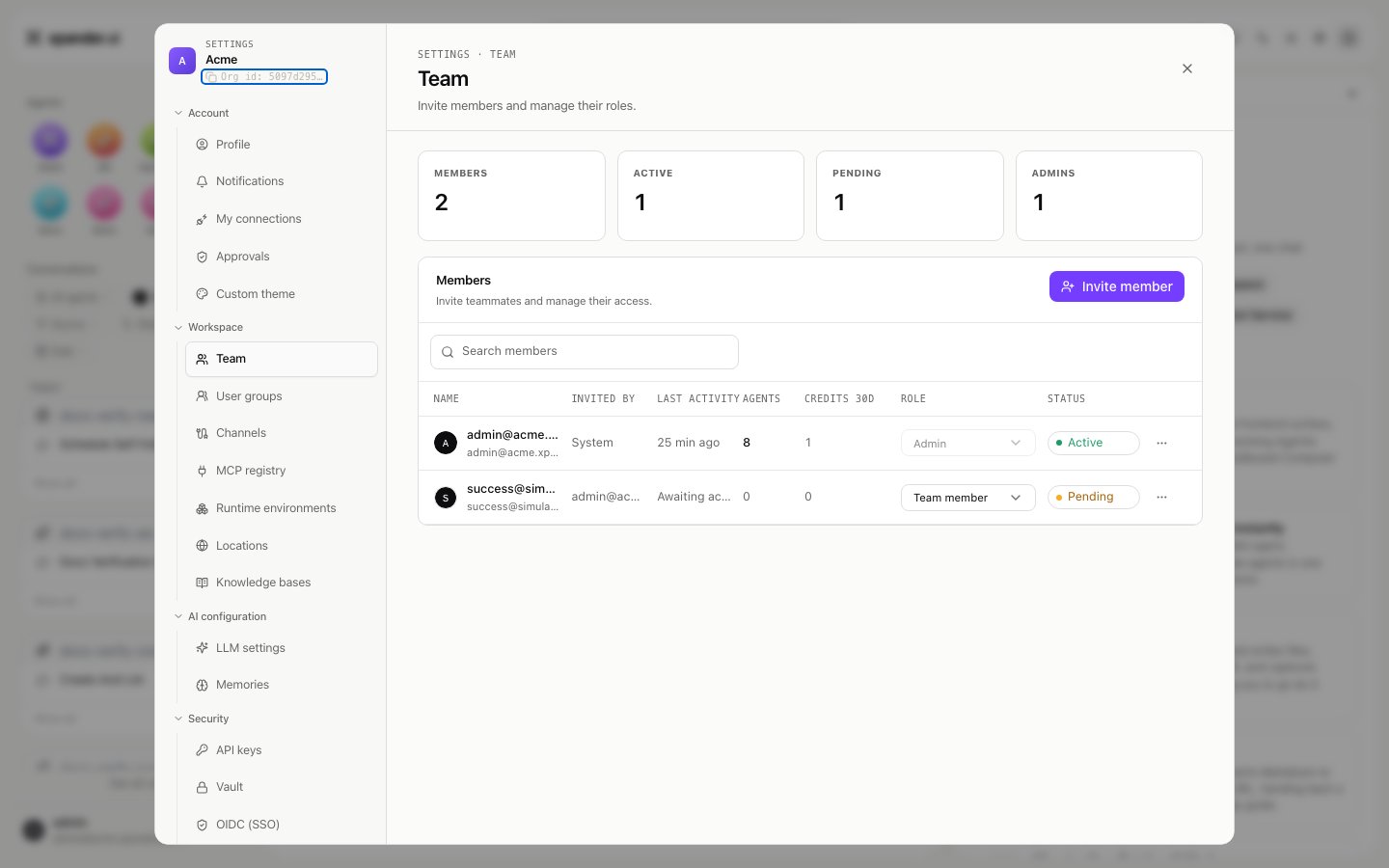
**Settings > Team** lists members with a role each: **Admin** or **Team member**. Admins manage members, skills, providers, budgets and the settings on this page. Team members use and assemble agents within what admins approved. Invite by email; a member's agents are listed against their name.
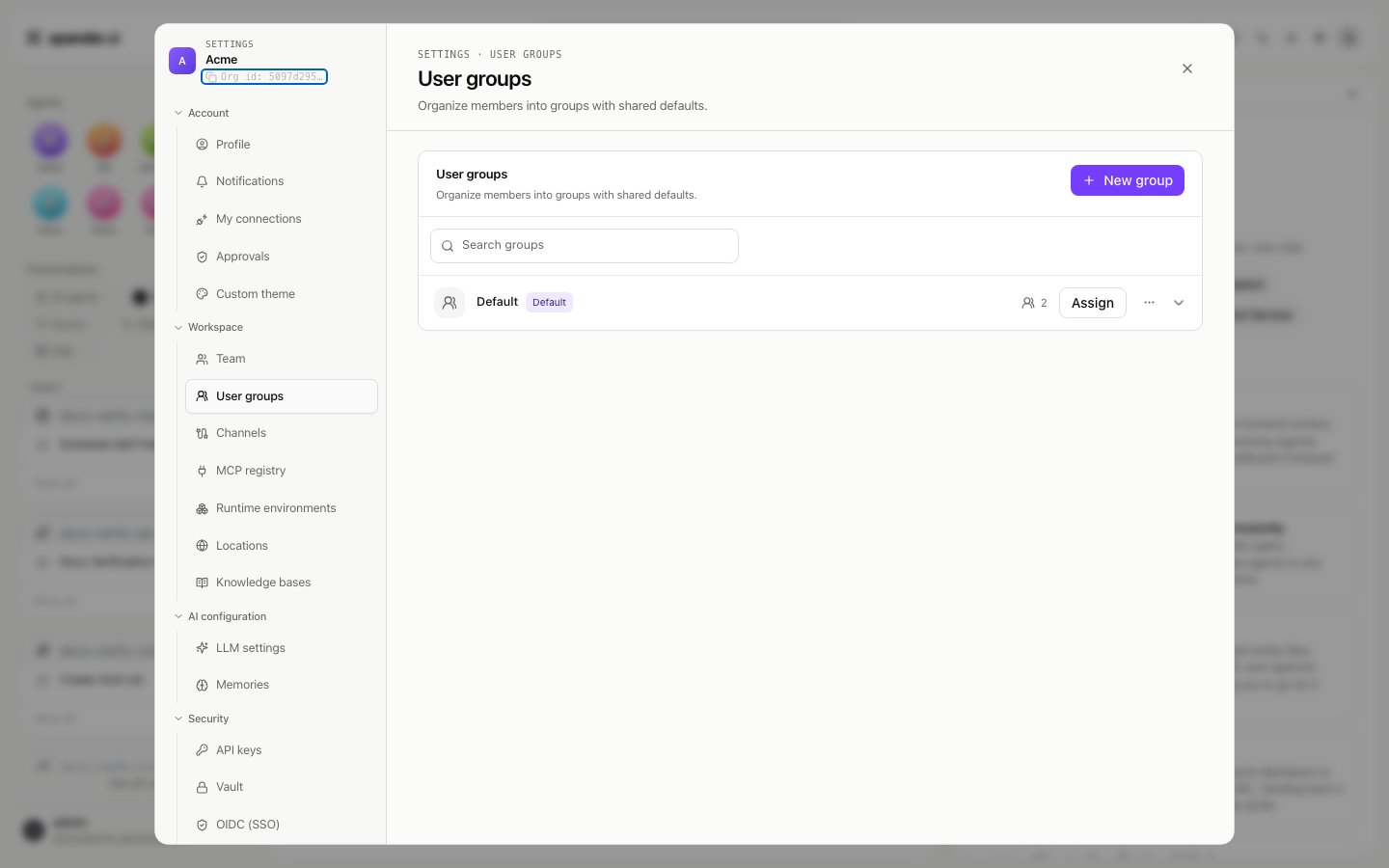
**Settings > User groups** organizes members into groups with shared defaults. When single sign-on is configured, groups can follow the identity provider's groups (OIDC group sync), so joiners and leavers are handled where your directory already handles them.
 ## Sign-in
Cloud and hybrid organizations sign in at Xpander Chat with email code, Google, GitHub, or your own identity provider over OIDC (**Settings > OIDC (SSO)**, an enterprise feature). Air-gapped installs sign in inside the perimeter: a bootstrap password, email codes, or your OIDC provider. The setup is on [SSO with your identity provider](/self-hosted/sso). Registration on xpander's cloud is self-serve and free at chat.xpander.ai; Hybrid and Air-Gapped organizations are set up by their own admins.
## What an agent may reach: approved skills
A skill is one thing an agent can do in an outside system. Admins decide which skills exist for the organization and how each connects. On the agent, **Add skill** offers only what was approved. Each skill connection is either organization-wide (one account, shared) or personal (each person connects their own account, so the agent acts with that person's permissions where systems allow).
Skills served over MCP follow the same rule: an admin registers the endpoint once (**Settings > MCP registry**), then it is available to add.
## Approvals: risky actions wait for a named person
Three controls put an action on hold until a named approver clicks **Approve**:
* On a skill, "These actions need approval" with the list of actions and who approves.
* **Gated commands**: for agents on Claude Code, Codex or OpenCode, text patterns that hold any shell command containing them.
* The run's permission mode: **Full** runs commands, **Gated** holds the ones that match.
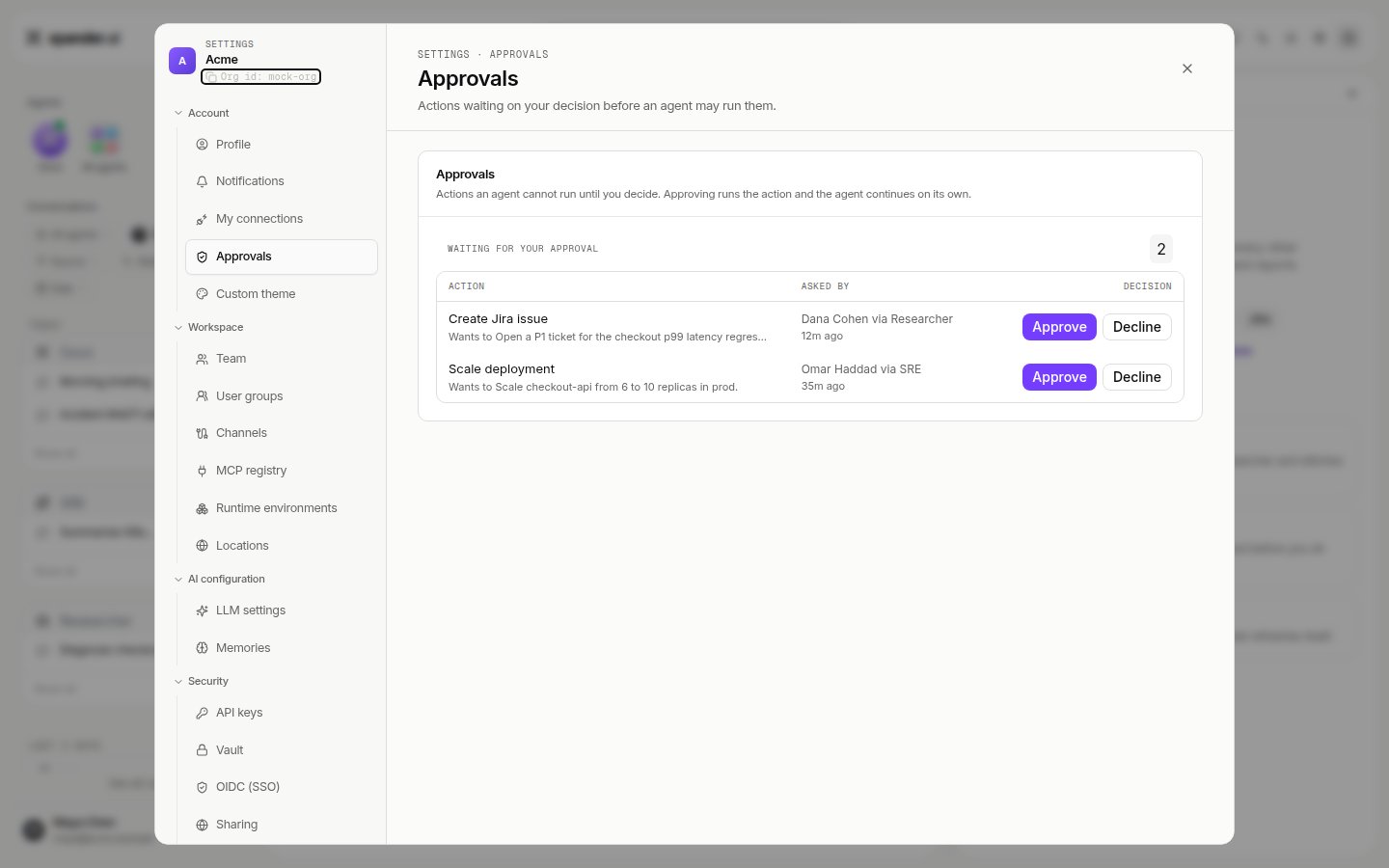
Held runs wait a configurable number of hours (four by default) and then stop. Every decision, including a self-approval you allowed for a fully unattended agent, is recorded with the name of who made it. **Settings > Approvals** is the inbox for everything waiting. The user-side view is on [Approvals](/use/approvals).
## Sign-in
Cloud and hybrid organizations sign in at Xpander Chat with email code, Google, GitHub, or your own identity provider over OIDC (**Settings > OIDC (SSO)**, an enterprise feature). Air-gapped installs sign in inside the perimeter: a bootstrap password, email codes, or your OIDC provider. The setup is on [SSO with your identity provider](/self-hosted/sso). Registration on xpander's cloud is self-serve and free at chat.xpander.ai; Hybrid and Air-Gapped organizations are set up by their own admins.
## What an agent may reach: approved skills
A skill is one thing an agent can do in an outside system. Admins decide which skills exist for the organization and how each connects. On the agent, **Add skill** offers only what was approved. Each skill connection is either organization-wide (one account, shared) or personal (each person connects their own account, so the agent acts with that person's permissions where systems allow).
Skills served over MCP follow the same rule: an admin registers the endpoint once (**Settings > MCP registry**), then it is available to add.
## Approvals: risky actions wait for a named person
Three controls put an action on hold until a named approver clicks **Approve**:
* On a skill, "These actions need approval" with the list of actions and who approves.
* **Gated commands**: for agents on Claude Code, Codex or OpenCode, text patterns that hold any shell command containing them.
* The run's permission mode: **Full** runs commands, **Gated** holds the ones that match.
Held runs wait a configurable number of hours (four by default) and then stop. Every decision, including a self-approval you allowed for a fully unattended agent, is recorded with the name of who made it. **Settings > Approvals** is the inbox for everything waiting. The user-side view is on [Approvals](/use/approvals).
 ## Credentials: the agent never holds a secret
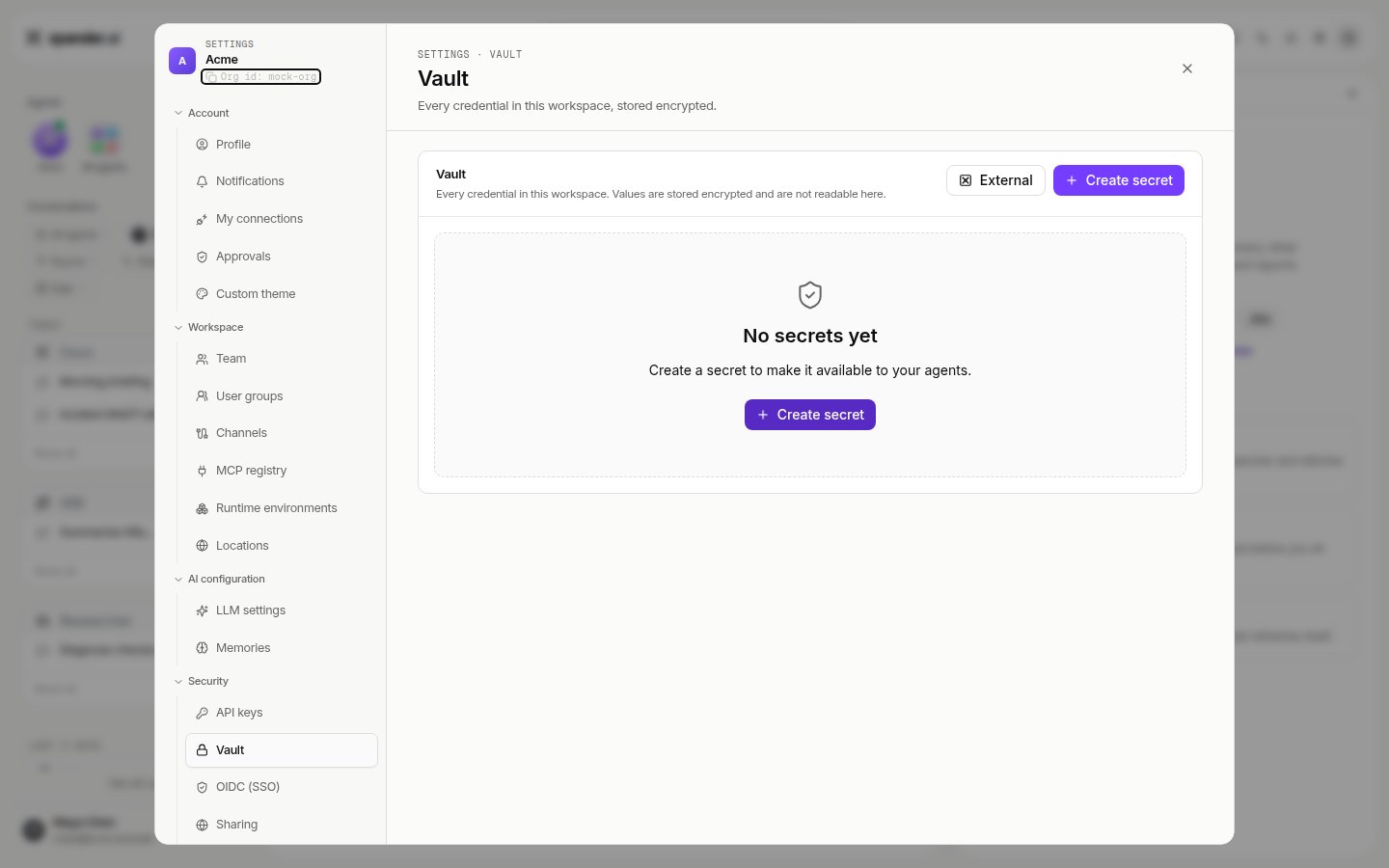
**Settings > Vault** holds every credential in the workspace, stored encrypted. Agents reference a secret; the value is injected at the moment of use and never appears in the agent's prompt, files or record. An external vault (Azure Key Vault today) can be the source instead of xpander's own store. Provider keys for models live under **Settings > LLM settings** and follow the same rule.
## Credentials: the agent never holds a secret
**Settings > Vault** holds every credential in the workspace, stored encrypted. Agents reference a secret; the value is injected at the moment of use and never appears in the agent's prompt, files or record. An external vault (Azure Key Vault today) can be the source instead of xpander's own store. Provider keys for models live under **Settings > LLM settings** and follow the same rule.
 ## Models
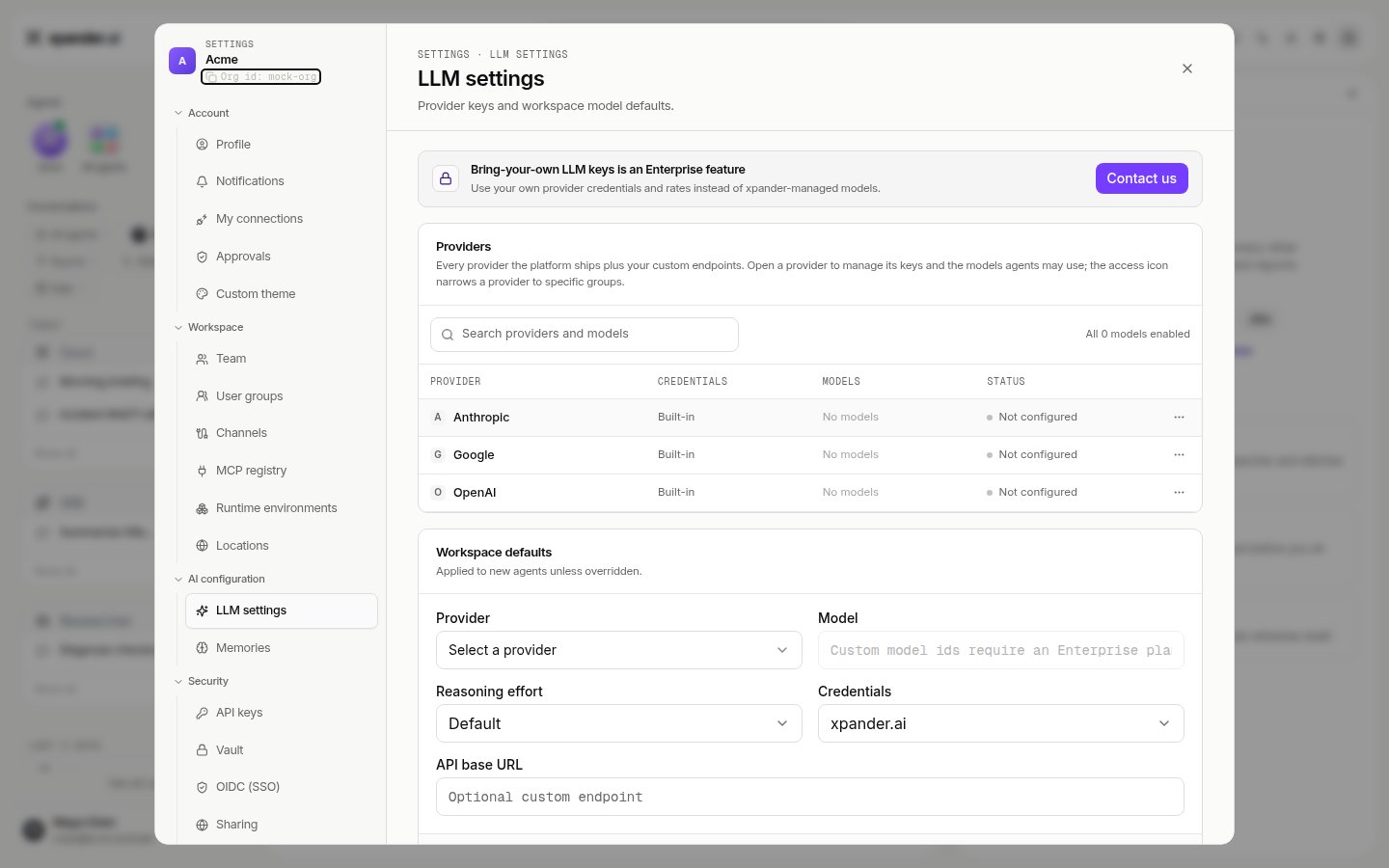
Every model call from every agent goes through xpander's AI gateway, so the providers, endpoints and models you configure here are the only ones an agent can reach. **Settings > LLM settings** lists the providers your organization uses, which are built in and which use your own keys, the default model new agents start on, and model access per group. Any provider, frontier or open-weight; on a self-hosted install, in-network endpoints and Amazon Bedrock over VPC endpoints are documented under [Deploy](/self-hosted).
## Models
Every model call from every agent goes through xpander's AI gateway, so the providers, endpoints and models you configure here are the only ones an agent can reach. **Settings > LLM settings** lists the providers your organization uses, which are built in and which use your own keys, the default model new agents start on, and model access per group. Any provider, frontier or open-weight; on a self-hosted install, in-network endpoints and Amazon Bedrock over VPC endpoints are documented under [Deploy](/self-hosted).
 ## Budgets
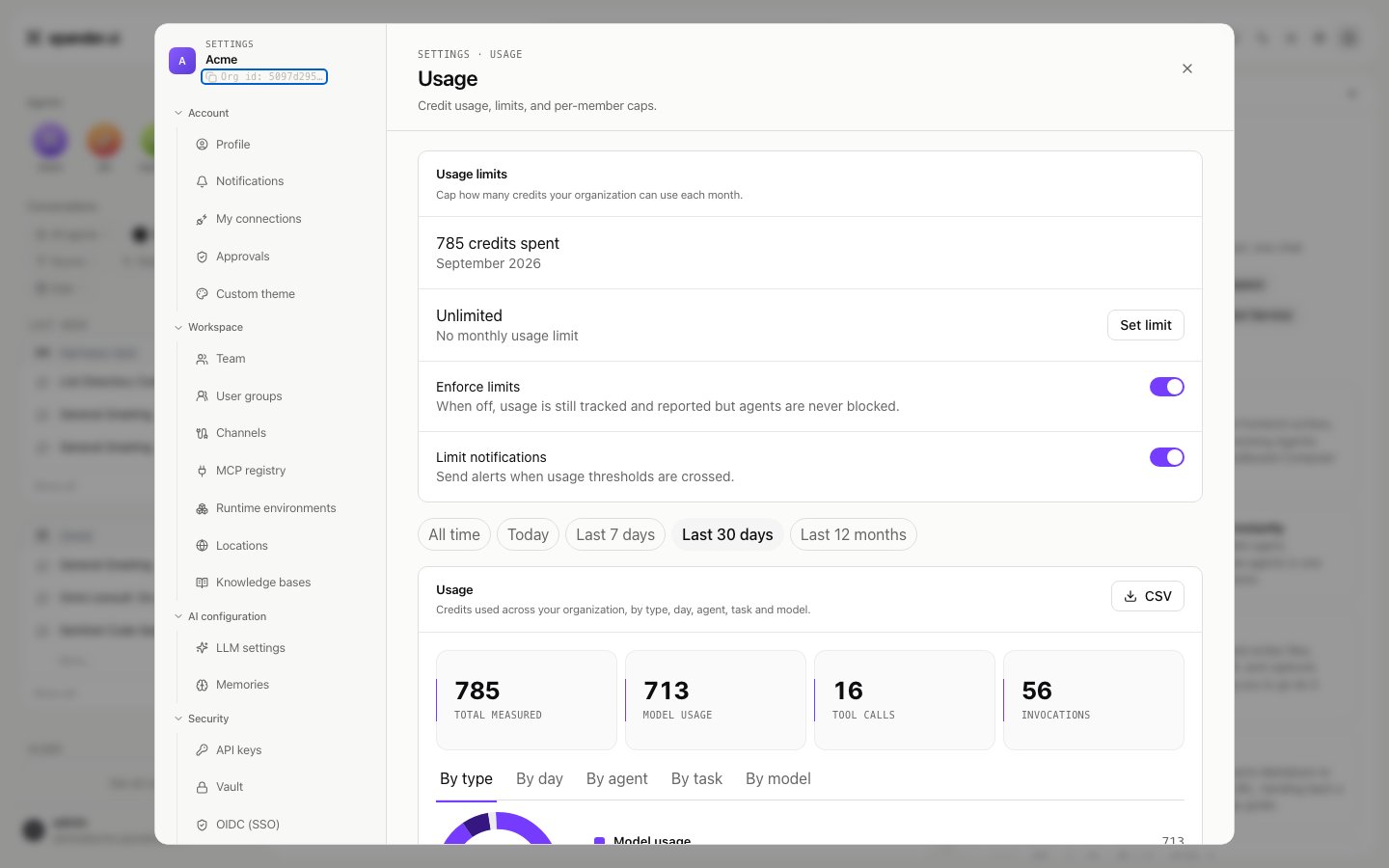
**Settings > Usage** sets an organization spending limit: a monthly amount, with enforcement on or off. It also sets a ceiling for any single agent's budget, and who is notified. Alongside these sits the usage breakdown, per agent, per person, and on each agent's card. Every model call and skill call counts against these limits; a run that would exceed one stops and says so.
## Budgets
**Settings > Usage** sets an organization spending limit: a monthly amount, with enforcement on or off. It also sets a ceiling for any single agent's budget, and who is notified. Alongside these sits the usage breakdown, per agent, per person, and on each agent's card. Every model call and skill call counts against these limits; a run that would exceed one stops and says so.
 ## Access to agents and what leaves the workspace
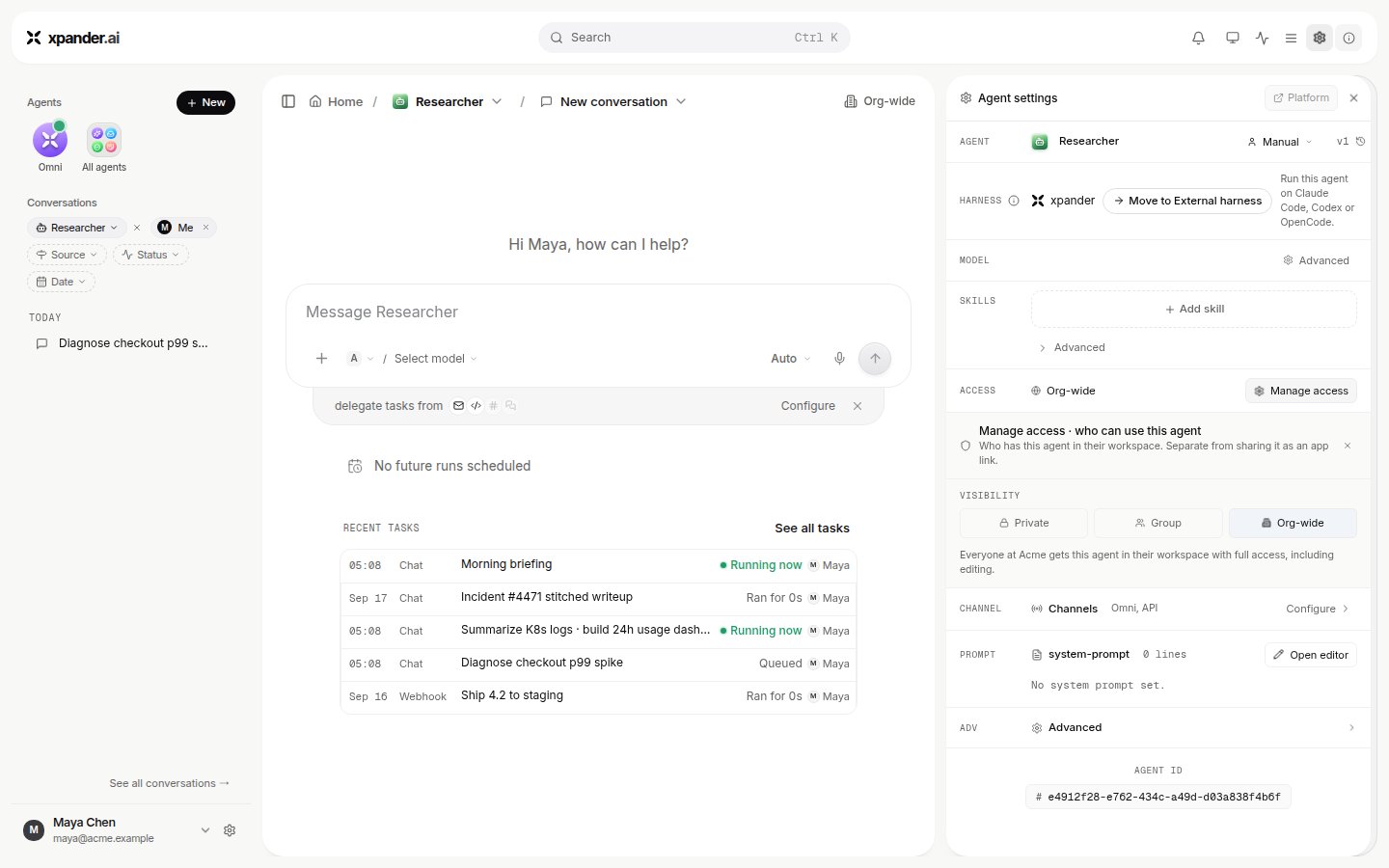
Each agent's **ACCESS** row is Private, a group, or **Org-wide**; **Manage access** names who may use it. **Settings > Sharing** decides whether public links to shared apps and live surfaces are allowed at all; a public link works for anyone on the internet who has it.
## Access to agents and what leaves the workspace
Each agent's **ACCESS** row is Private, a group, or **Org-wide**; **Manage access** names who may use it. **Settings > Sharing** decides whether public links to shared apps and live surfaces are allowed at all; a public link works for anyone on the internet who has it.
 ## The record
Two places hold it.
**Every task.** The Task Manager lists what agents did; a task's thread holds every message, every skill call with its parameters and result, and every model call with its cost, under the person who asked. The same thread is available over the API (`GET /v1/tasks/{id}/thread` and `/llm_usage`).
**Settings > Audit logs** records these organization-level events as they happen, with the person who did them. Events are filterable by type and exportable as CSV or JSON; see [Audit and debugging](/use/agents/audit) for detail. Events cover:
* agents: created, updated, deployed, deleted, shared, skills added
* skills: created, connected, connection changed or removed
* vault: secrets created, read, used, changed
* users and invitations
* user groups and OIDC group sync
* conversations: shared, revoked, deleted, renamed, files shared, workspace commands invoked
* organization settings
Where these records live depends on the deployment: xpander's cloud, or your cluster for hybrid and air-gapped installs. See [Access control](/resources/security-compliance/access-control).
## Where each control lives
| Control | Setting |
| ---------------------------------------- | ----------------------------------------------------------------------------------------- |
| Roles and members | Settings > Team; Settings > User groups |
| Sign-in and identity provider | Settings > OIDC (SSO); self-hosted: [SSO](/self-hosted/sso) |
| Approved skills, including MCP endpoints | Add skill on the agent; Settings > MCP registry; Settings > My connections |
| Approvals, gated commands, hold time | Skill panel; Agent settings > Advanced > Commands; Settings > Approvals |
| Credentials | Settings > Vault; workspace secrets on the agent ([Credentials](/use/agents/credentials)) |
| Models and provider keys | Settings > LLM settings |
| Budgets and usage | Settings > Usage |
| Who may use an agent; public links | ACCESS row and Manage access; Settings > Sharing |
| Record | Task Manager and task threads; Settings > Audit logs |
| Where agents run | Sidebar ENVIRONMENTS switcher; Settings > Locations; Settings > Runtime environments |
## The record
Two places hold it.
**Every task.** The Task Manager lists what agents did; a task's thread holds every message, every skill call with its parameters and result, and every model call with its cost, under the person who asked. The same thread is available over the API (`GET /v1/tasks/{id}/thread` and `/llm_usage`).
**Settings > Audit logs** records these organization-level events as they happen, with the person who did them. Events are filterable by type and exportable as CSV or JSON; see [Audit and debugging](/use/agents/audit) for detail. Events cover:
* agents: created, updated, deployed, deleted, shared, skills added
* skills: created, connected, connection changed or removed
* vault: secrets created, read, used, changed
* users and invitations
* user groups and OIDC group sync
* conversations: shared, revoked, deleted, renamed, files shared, workspace commands invoked
* organization settings
Where these records live depends on the deployment: xpander's cloud, or your cluster for hybrid and air-gapped installs. See [Access control](/resources/security-compliance/access-control).
## Where each control lives
| Control | Setting |
| ---------------------------------------- | ----------------------------------------------------------------------------------------- |
| Roles and members | Settings > Team; Settings > User groups |
| Sign-in and identity provider | Settings > OIDC (SSO); self-hosted: [SSO](/self-hosted/sso) |
| Approved skills, including MCP endpoints | Add skill on the agent; Settings > MCP registry; Settings > My connections |
| Approvals, gated commands, hold time | Skill panel; Agent settings > Advanced > Commands; Settings > Approvals |
| Credentials | Settings > Vault; workspace secrets on the agent ([Credentials](/use/agents/credentials)) |
| Models and provider keys | Settings > LLM settings |
| Budgets and usage | Settings > Usage |
| Who may use an agent; public links | ACCESS row and Manage access; Settings > Sharing |
| Record | Task Manager and task threads; Settings > Audit logs |
| Where agents run | Sidebar ENVIRONMENTS switcher; Settings > Locations; Settings > Runtime environments |