> ## Documentation Index
> Fetch the complete documentation index at: https://docs.xpander.ai/llms.txt
> Use this file to discover all available pages before exploring further.
# Vault providers
> Where credentials live on xpander, how an external vault is attached, and how xpander's keys are held on a self-hosted cluster.
An agent references a credential by name; xpander injects the value at the moment of use. Nothing in the agent's prompt, files or record holds it.
## The Vault
**Settings > Vault** (admins) lists every credential in the workspace: environment secrets, environment files and credentials shared across the organization, each with its kind, a masked value, its access (`Org-wide`, `Groups and people`, `Private`) and its location. Agents receive values as environment variables at run time and never see the Vault itself. Workspace secrets scoped to one agent live under the agent's **Secrets** view, and a person's own connections live under **My connections**; the full model is on [Credentials](/use/agents/credentials).
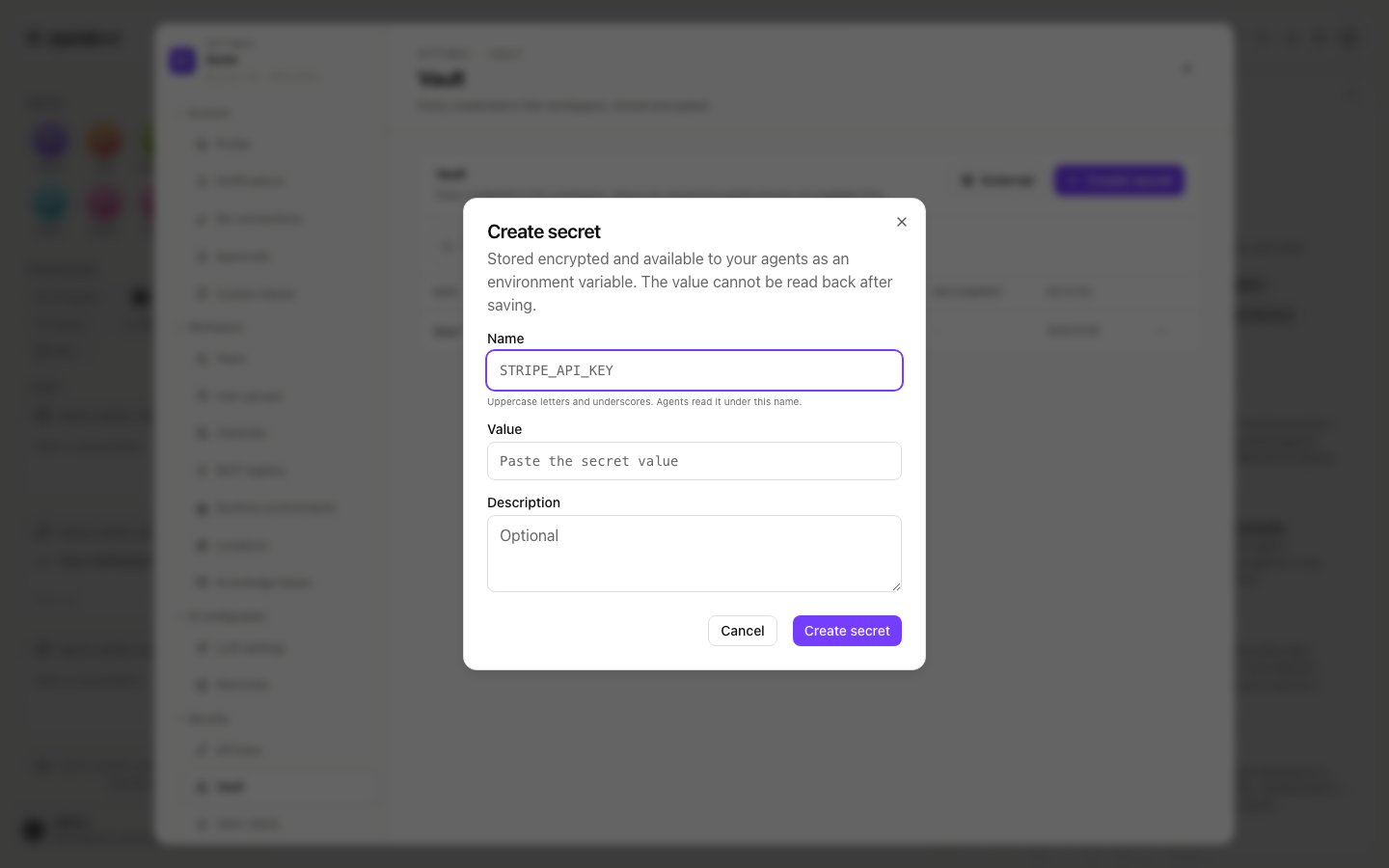
**Create secret** stores a name and a value: the name is uppercase letters and underscores (agents read it under that name), the value cannot be read back after saving, and a description is optional.
 ## An external vault
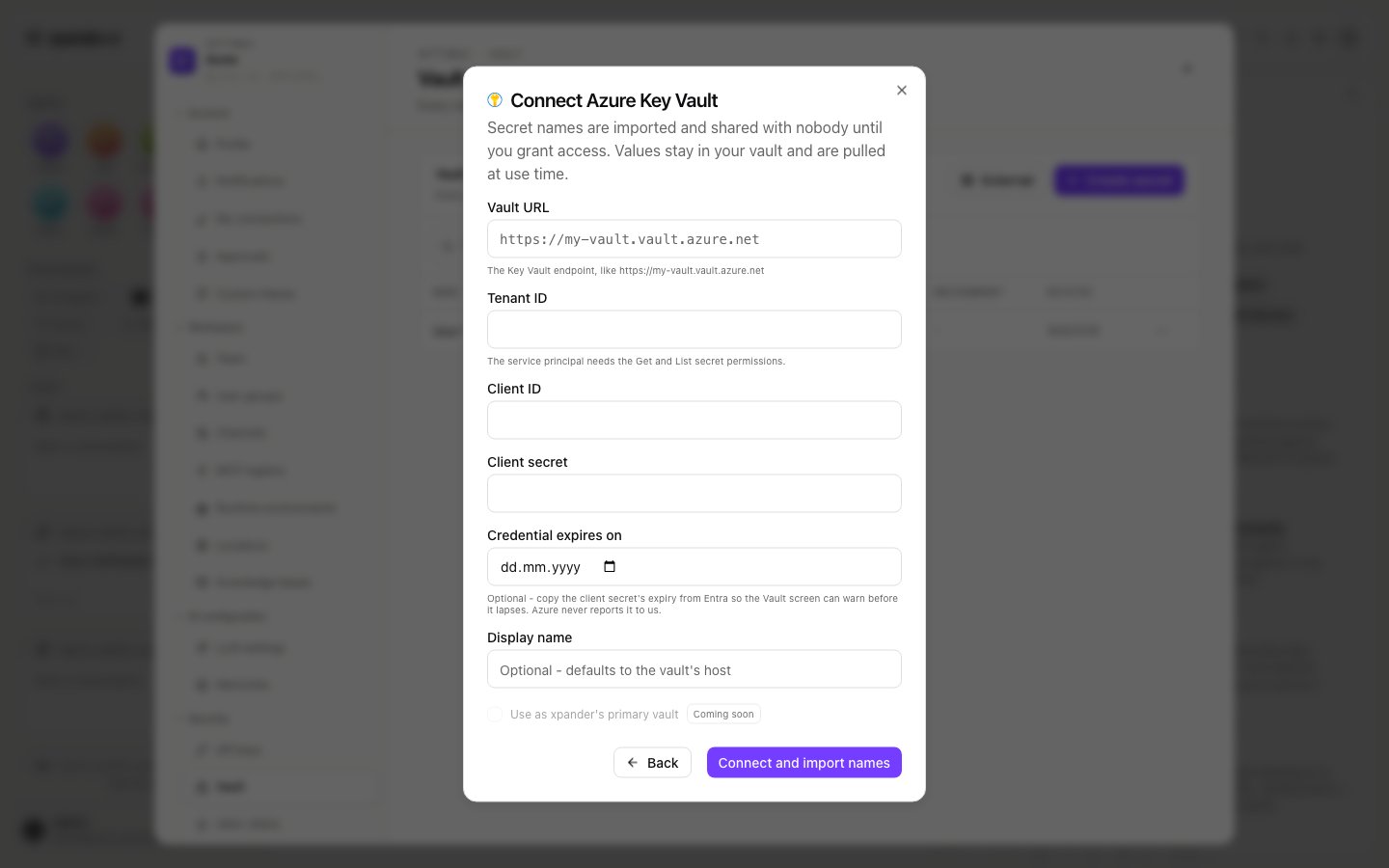
Click **External** in the Vault to attach a vault your organization already runs. xpander imports the secret **names** and leaves the values where they are; a reference written as `${ext:NAME}` pulls the value when the workspace starts.
| Provider | Status | What you enter |
| --------------- | --------------------------- | ----------------------------------------------------------------------------------------------------------------------------------------------------------------------------- |
| Azure Key Vault | Available | Vault URL, tenant ID, the client ID and client secret of a service principal with the `Get` and `List` secret permissions, an optional expiry for that secret, a display name |
| Others | Marked `Soon` in the dialog | |
The attached vault shows its status and last sync. Its menu offers **Refresh secret names**, **Update credential** after you rotate the service principal's secret, and **Detach vault**, which removes the imported names without touching the values.
## An external vault
Click **External** in the Vault to attach a vault your organization already runs. xpander imports the secret **names** and leaves the values where they are; a reference written as `${ext:NAME}` pulls the value when the workspace starts.
| Provider | Status | What you enter |
| --------------- | --------------------------- | ----------------------------------------------------------------------------------------------------------------------------------------------------------------------------- |
| Azure Key Vault | Available | Vault URL, tenant ID, the client ID and client secret of a service principal with the `Get` and `List` secret permissions, an optional expiry for that secret, a display name |
| Others | Marked `Soon` in the dialog | |
The attached vault shows its status and last sync. Its menu offers **Refresh secret names**, **Update credential** after you rotate the service principal's secret, and **Detach vault**, which removes the imported names without touching the values.
 ## xpander's keys on a self-hosted cluster
Provider keys and xpander's own secrets are Kubernetes secrets in the release namespace:
* Chart values `secrets.static.*` render into the `xpander-static` secret; the mapping is on [Hybrid: managing LLM API keys](/self-hosted/hybrid#managing-llm-api-keys).
* A secret you manage yourself is referenced with `envFromSecretKeys` on the service that needs it.
* The generated bootstrap values live in `xpander-generated-keys`; `keygen.overrides.` wins over any generated value, which is how xpander learns a password you set on an external database.
* Skill credentials, OAuth tokens and IAM session credentials stay in Kubernetes secrets in your cluster and are injected by the skill relay at invocation time. Skills that reach AWS can use AWS Secrets Manager in your account; see [AWS Operator: credential management](/self-hosted/aws-operator#credential-management-with-aws-secrets-manager).
## xpander's keys on a self-hosted cluster
Provider keys and xpander's own secrets are Kubernetes secrets in the release namespace:
* Chart values `secrets.static.*` render into the `xpander-static` secret; the mapping is on [Hybrid: managing LLM API keys](/self-hosted/hybrid#managing-llm-api-keys).
* A secret you manage yourself is referenced with `envFromSecretKeys` on the service that needs it.
* The generated bootstrap values live in `xpander-generated-keys`; `keygen.overrides.` wins over any generated value, which is how xpander learns a password you set on an external database.
* Skill credentials, OAuth tokens and IAM session credentials stay in Kubernetes secrets in your cluster and are injected by the skill relay at invocation time. Skills that reach AWS can use AWS Secrets Manager in your account; see [AWS Operator: credential management](/self-hosted/aws-operator#credential-management-with-aws-secrets-manager).