> ## Documentation Index
> Fetch the complete documentation index at: https://docs.xpander.ai/llms.txt
> Use this file to discover all available pages before exploring further.
# Budgets and usage
> What a run costs in credits, how budgets cap an agent, a task, a person or an organization, what happens when one is reached, where usage is shown, and how the outcome of a run is reported.
## What a run costs
On xpander's cloud, usage is paid in credits; one credit is one cent. A turn costs one credit when the agent wakes, one credit per skill call, and the model's tokens at the provider's public price plus a quarter, per model. Calls on a key you brought, whether an agent-level credential or the organization's key under Settings > LLM settings, are measured the same way but not charged. Every new organization starts with a grant of credits; the balance is the chip in the top bar, and a task's cost grows on its card as it runs. A turn in flight always finishes, even below zero; the next one is refused until an admin tops up, and members see the balance but cannot buy. On a self-hosted installation usage is measured and shown identically and never charged.
## Budgets
A budget is a cap in dollars with thresholds. Each threshold is a percentage with an action, **warn** or **stop**; with **Budget alerts** on, a notification fires once per threshold per period.
| Budget | Set where | Resets |
| ---------------- | -------------------------------------------------------------------------------------------------------------------------------------------------------- | --------------------------------------------------- |
| **Agent** | Agent settings > Advanced > **Per-agent budget**, "a recurring roll-up cap across every task this agent runs". Daily, weekly or monthly, several at once | At midnight UTC at the period boundary; no rollover |
| **Task** | Agent settings > Advanced > **Per-task budget**, one cap that halts a single task once its spend crosses it | Never; a depleted task budget is final |
| **Person** | Settings > Usage, an organization default and per-person overrides | Per period |
| **Organization** | Set by a parent organization on a sub-organization; read-only there | Per period |
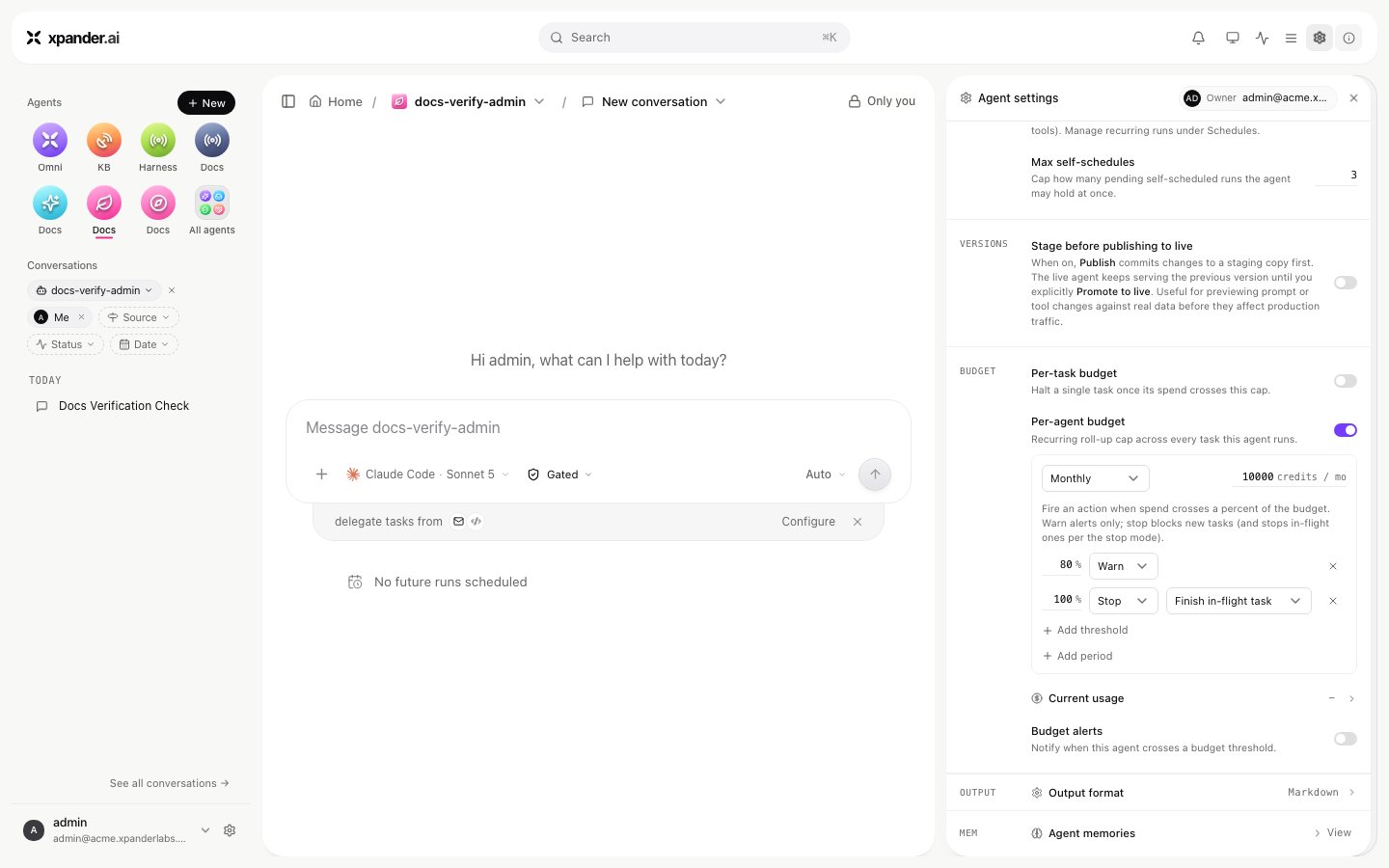 A task's spend counts toward the agent's budgets, and toward the person's. When a **stop** threshold is reached, the stop mode decides. **Finish in-flight task**, the default, lets the running task complete and refuses new ones. **Stop in-flight task** stops the running task at its next model call, which ends as `stopped` with "Execution stopped: budget exceeded." A refused run says which budget it hit and to raise it or wait for the next period. Raising an agent budget lifts its block at once. A task budget cannot be raised after the fact.
Budgets count charged model spend. On an installation where every model call runs on a key or identity you brought, usage is measured as a nominal amount but nothing is charged, so a budget reports and never stops a run. A one-credit per-task budget with **Enforce limits** on did not stop turns on an install's own Bedrock identity. Use gated commands and approval rules for control there.
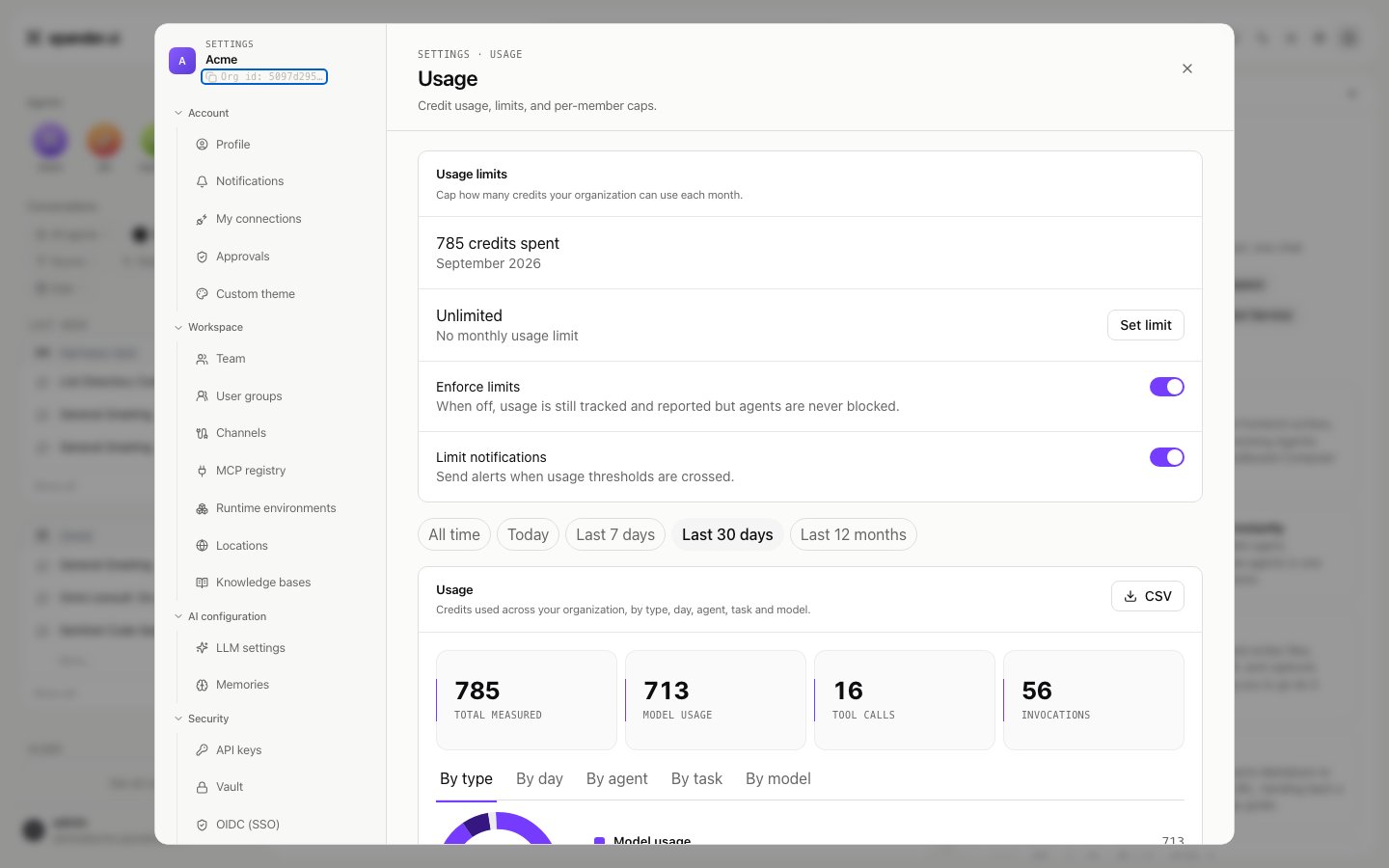
Budgets act only while the organization's **Enforce limits** switch (Settings > Usage) is on. Off, spend still accrues, usage is still shown and alerts still fire, but nothing blocks a run; an agent's budget editor shows a banner while that is the case. A **maximum budget per agent** ceiling under the same settings caps how high anyone may set an agent or task budget. Budgets are a cost guardrail, not a security boundary: an infrastructure fault lets a run proceed rather than blocking every agent. Agent creators set budgets on their agents; admins set them anywhere.
A task's spend counts toward the agent's budgets, and toward the person's. When a **stop** threshold is reached, the stop mode decides. **Finish in-flight task**, the default, lets the running task complete and refuses new ones. **Stop in-flight task** stops the running task at its next model call, which ends as `stopped` with "Execution stopped: budget exceeded." A refused run says which budget it hit and to raise it or wait for the next period. Raising an agent budget lifts its block at once. A task budget cannot be raised after the fact.
Budgets count charged model spend. On an installation where every model call runs on a key or identity you brought, usage is measured as a nominal amount but nothing is charged, so a budget reports and never stops a run. A one-credit per-task budget with **Enforce limits** on did not stop turns on an install's own Bedrock identity. Use gated commands and approval rules for control there.
Budgets act only while the organization's **Enforce limits** switch (Settings > Usage) is on. Off, spend still accrues, usage is still shown and alerts still fire, but nothing blocks a run; an agent's budget editor shows a banner while that is the case. A **maximum budget per agent** ceiling under the same settings caps how high anyone may set an agent or task budget. Budgets are a cost guardrail, not a security boundary: an infrastructure fault lets a run proceed rather than blocking every agent. Agent creators set budgets on their agents; admins set them anywhere.
 ## Usage
**Settings > Usage** shows the credits spent this month, the limits in force, and a breakdown for a range (**All time**, **Today**, **Last 7 days**, **Last 30 days**, **Last 12 months**) in five views: **By type**, **By day**, **By agent**, **By task** and **By model**. **CSV** exports the breakdown. A task's own panel shows its tokens (input, output, cache read and cache write), cost and model.
`GET /v1/tasks/{task_id}/llm_usage` returns the token-level record of one task: `tokens` (the total), `input`, `output`, `cache_write`, `is_byok`, `cost` and `ai_model`. On a key you brought, `is_byok` is `true` and `cost` is `0.0` while the tokens are still counted. The record is written a few seconds after the turn ends; a call made within seconds of the reply can read zeros.
## Usage
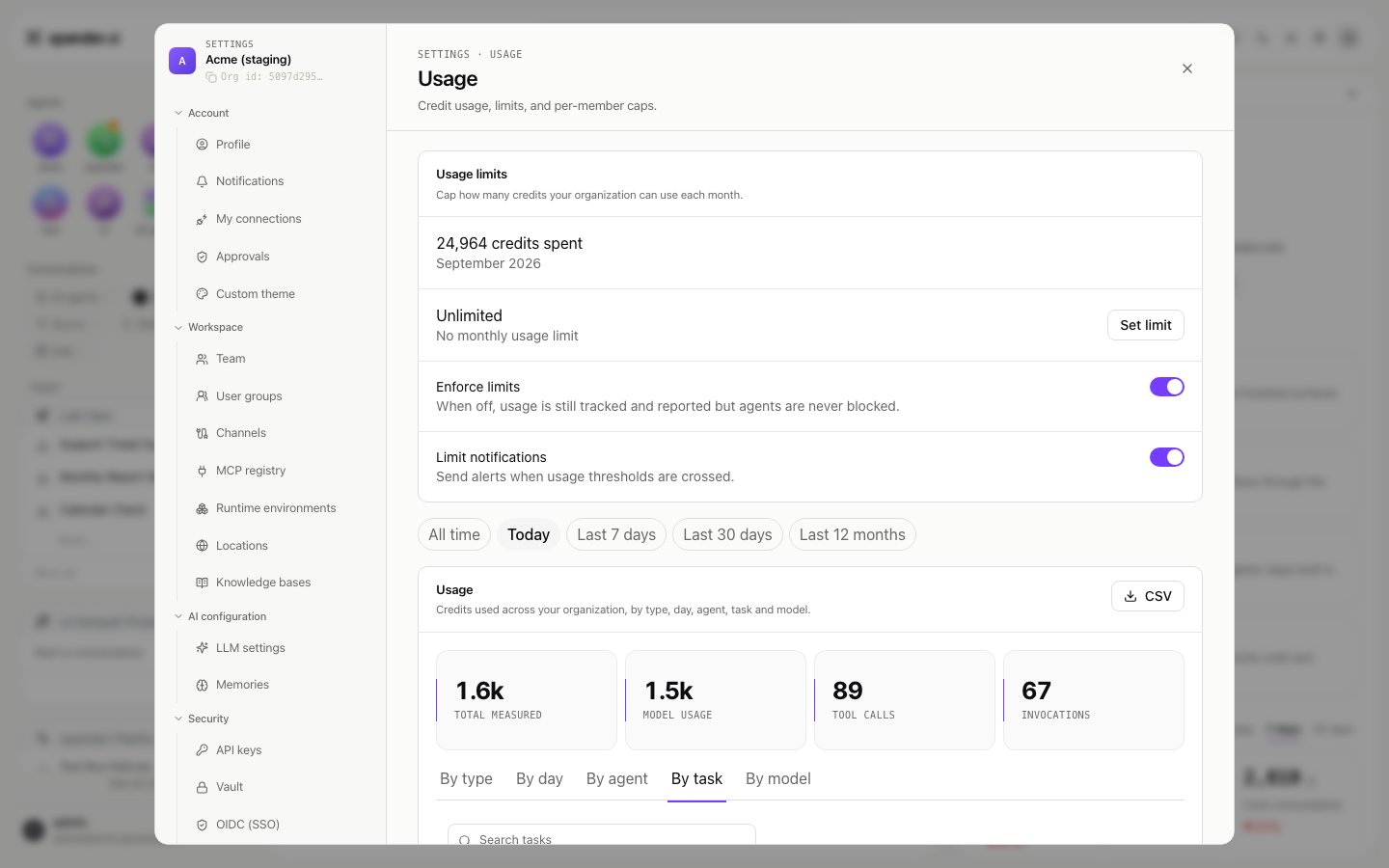
**Settings > Usage** shows the credits spent this month, the limits in force, and a breakdown for a range (**All time**, **Today**, **Last 7 days**, **Last 30 days**, **Last 12 months**) in five views: **By type**, **By day**, **By agent**, **By task** and **By model**. **CSV** exports the breakdown. A task's own panel shows its tokens (input, output, cache read and cache write), cost and model.
`GET /v1/tasks/{task_id}/llm_usage` returns the token-level record of one task: `tokens` (the total), `input`, `output`, `cache_write`, `is_byok`, `cost` and `ai_model`. On a key you brought, `is_byok` is `true` and `cost` is `0.0` while the tokens are still counted. The record is written a few seconds after the turn ends; a call made within seconds of the reply can read zeros.
 ## Notifications
**Budget alerts** on the agent notify you when it crosses a threshold. Beyond that, an agent's `notification_settings` on the API name where the outcome of a run goes: `on_success`, `on_error` (a task that failed or was stopped) and `on_budget`. Each can go to email, Slack or a webhook, with the amount reached and the cap. The setting has no screen of its own yet; set it with `PATCH /v1/agents/{agent_id}`. Approval requests reach their named approvers separately, in Xpander Chat, by email, in Slack, Telegram or WhatsApp.
## Notifications
**Budget alerts** on the agent notify you when it crosses a threshold. Beyond that, an agent's `notification_settings` on the API name where the outcome of a run goes: `on_success`, `on_error` (a task that failed or was stopped) and `on_budget`. Each can go to email, Slack or a webhook, with the amount reached and the cap. The setting has no screen of its own yet; set it with `PATCH /v1/agents/{agent_id}`. Approval requests reach their named approvers separately, in Xpander Chat, by email, in Slack, Telegram or WhatsApp.