> ## Documentation Index
> Fetch the complete documentation index at: https://docs.xpander.ai/llms.txt
> Use this file to discover all available pages before exploring further.
# Workflows
> A workflow is an agent whose behavior is a graph of nodes rather than a single loop: node types, branching, human steps, retries, triggers, staged versus live, and how runs are monitored. In preview.
**Preview.** Workflows are available to organizations with preview features enabled and can be hidden per user group. Open **All agents** and filter by **Workflows**, or go to `/workflows`; ask your admin if neither shows.
A workflow is an agent of type orchestration. It has a name, a model and skills like any agent, but instead of one reasoning loop its behavior is a graph of nodes that xpander walks one by one, so you decide the order, the branches and where a person steps in. Each run is a task like any other, with the same record, budget and approvals.
## Nodes
| Node | What it does |
| ------------------------------- | ---------------------------------------------------------------------------------------------- |
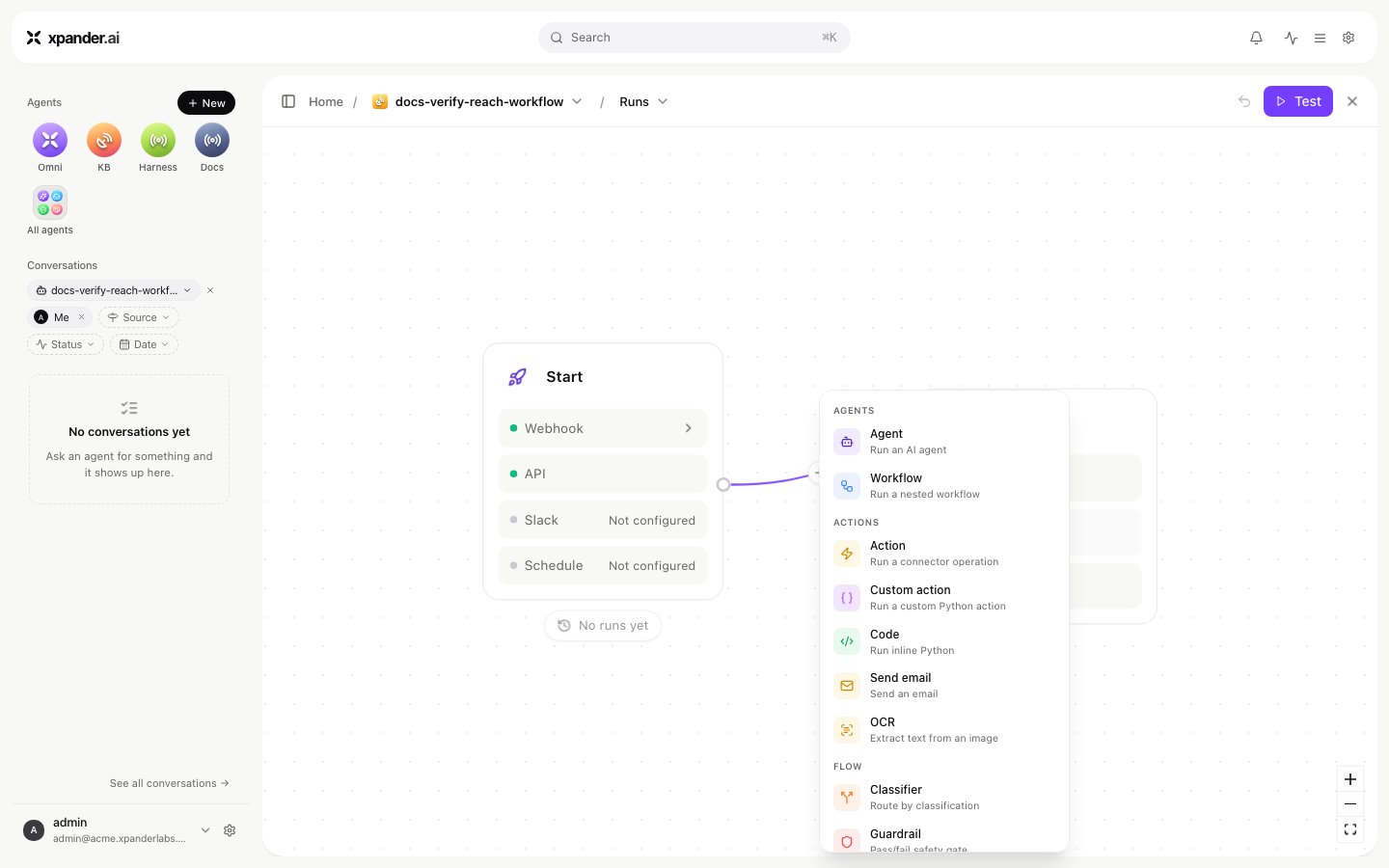
| **Agent** | Runs one of your agents on the current input |
| **Workflow** | Runs another workflow |
| **Action** | Calls one skill action directly |
| **Custom action**, **Code** | Runs a custom action or a code snippet |
| **Send email** | Sends an email |
| **OCR** | Extracts text from an image |
| **Classifier** | Sorts the input into groups; downstream nodes attach to a group |
| **Guardrail** | Checks the input against a rule and routes to **pass** or **fail** |
| **Condition** | Routes on a rule |
| **Wait** | Pauses the run for a webhook or for a person, for days if needed, then continues |
| **Parallel** | Runs branches at the same time |
| **Summarizer**, **Send to end** | Shape or short-circuit the final answer |
| **Schedule** | Books the run's next step for later, forward or back in the graph, up to a set number of times |
Edges are ordered lists of next nodes; the first regular node is the entry, and a special end summarizer produces the output. Branching conditions are regex, contains, equals, greater or less than, not empty, and else. Each node can carry a retry strategy (up to a set number of retries), an iterative strategy (repeat until a condition), a stop strategy (stop on failure or on a condition) and duplicate prevention (ignore the same input again within a window).
 ## Triggers
The Start node lists four triggers and whether each is live: **API** (always, at the workflow's id), **Webhook** (a URL that is itself the credential), **Slack** (the channels routed to the workflow) and **Schedule** (a cron in UTC). Triggers publish the moment they are switched on.
## Staged and live
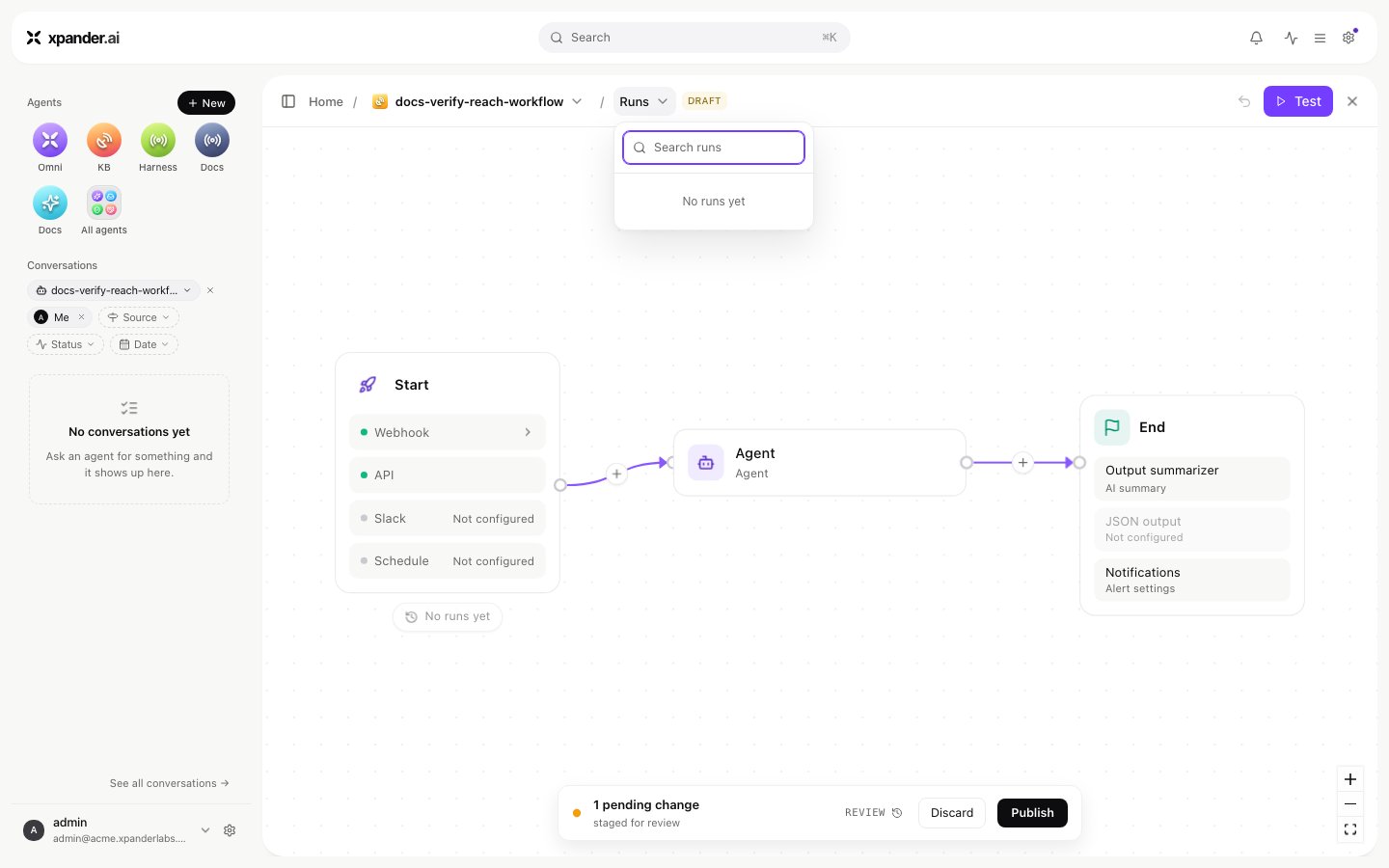
Edits to a workflow are staged: the API's `PATCH /v1/workflows/{workflow_id}` changes the draft, `PUT` deploys it, and `?version=draft` runs the draft on `POST /v1/workflows/{workflow_id}/invoke`. In Xpander Chat the editor is the draft and **Publish** makes it live. A workflow is not listed among agents; `GET /v1/workflows` lists workflows, and asking the workflow endpoint for an agent id says so.
## Triggers
The Start node lists four triggers and whether each is live: **API** (always, at the workflow's id), **Webhook** (a URL that is itself the credential), **Slack** (the channels routed to the workflow) and **Schedule** (a cron in UTC). Triggers publish the moment they are switched on.
## Staged and live
Edits to a workflow are staged: the API's `PATCH /v1/workflows/{workflow_id}` changes the draft, `PUT` deploys it, and `?version=draft` runs the draft on `POST /v1/workflows/{workflow_id}/invoke`. In Xpander Chat the editor is the draft and **Publish** makes it live. A workflow is not listed among agents; `GET /v1/workflows` lists workflows, and asking the workflow endpoint for an agent id says so.
 ## Runs
Every run of the workflow appears under **Runs** in the editor as it happens, with its status. Each node shows its recent runs. Opening a run shows its task record: the execution log, the files and the cost. A run paused at a wait node holds its state for up to thirty days. It resumes when the webhook arrives or the person decides.
## Runs
Every run of the workflow appears under **Runs** in the editor as it happens, with its status. Each node shows its recent runs. Opening a run shows its task record: the execution log, the files and the cost. A run paused at a wait node holds its state for up to thirty days. It resumes when the webhook arrives or the person decides.