> ## Documentation Index
> Fetch the complete documentation index at: https://docs.xpander.ai/llms.txt
> Use this file to discover all available pages before exploring further.
# Approvals
> Risky actions wait for a named person's sign-off. What waits, who decides, and what happens meanwhile.
## When a run waits
The agent stops at the action and posts a card in the conversation. The card names the action, what the agent wants to do with it, the parameters it will send, and who started the run. Two buttons: **Decline** and **Approve**.
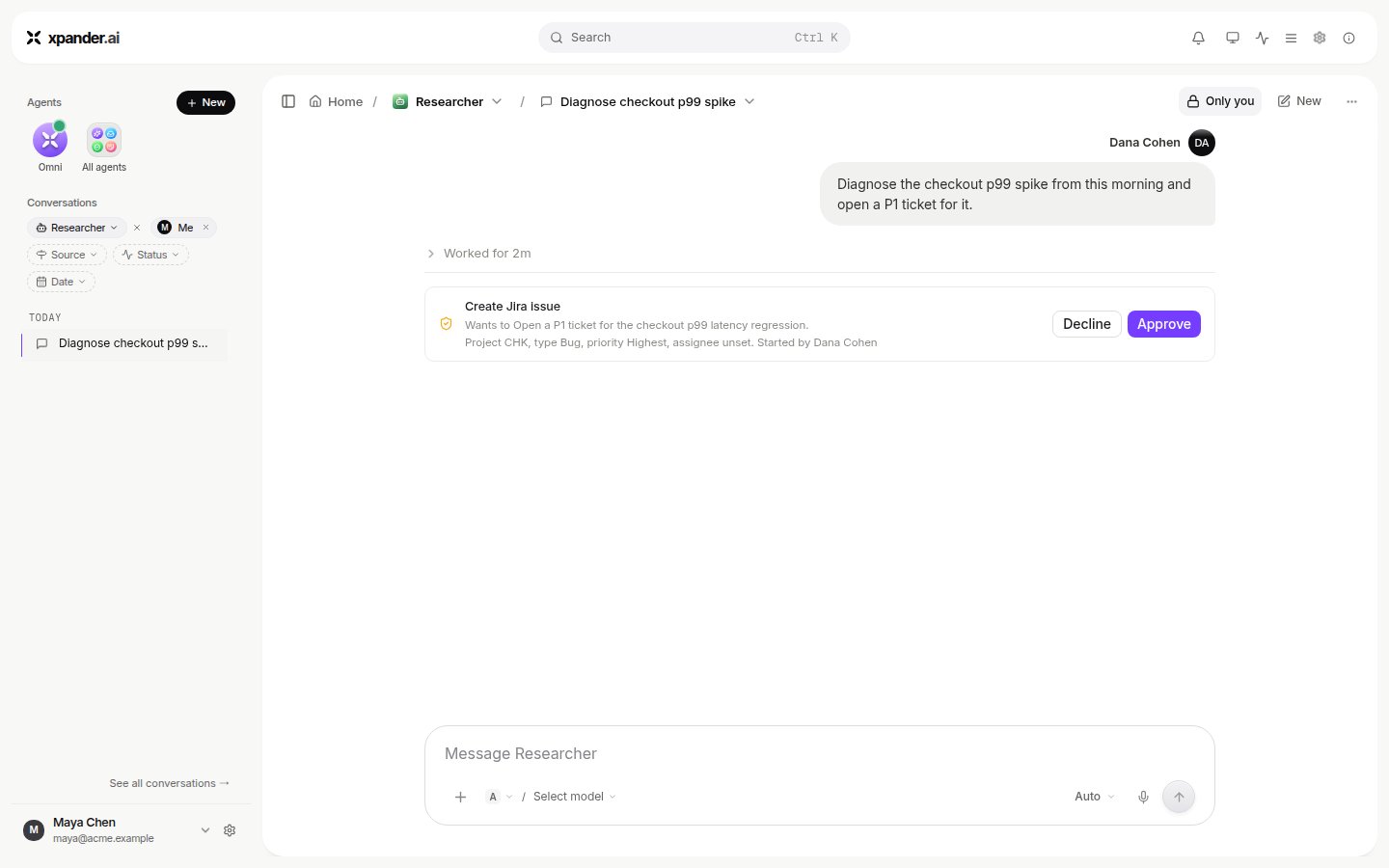 Approve runs the action and the agent continues on its own. Decline stops that action; the agent is told and continues without it. Nothing runs while the card waits.
## Where to find everything that is waiting
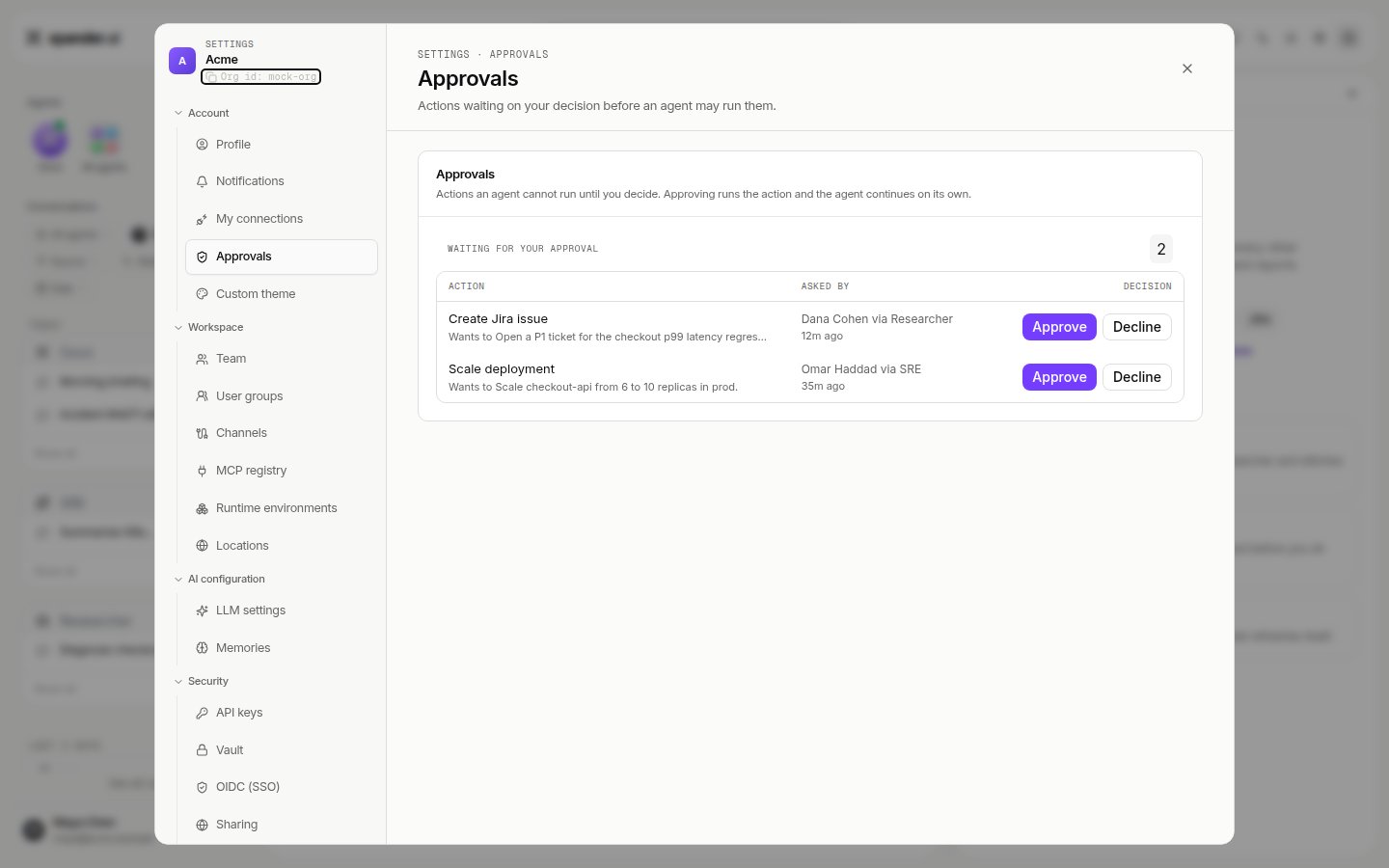
**Settings > Approvals** lists every action waiting for you across all agents, with the same Approve and Decline buttons. Approvals also arrive as notifications, and a person who is not signed in can be sent a link that opens one approval and nothing else.
Approve runs the action and the agent continues on its own. Decline stops that action; the agent is told and continues without it. Nothing runs while the card waits.
## Where to find everything that is waiting
**Settings > Approvals** lists every action waiting for you across all agents, with the same Approve and Decline buttons. Approvals also arrive as notifications, and a person who is not signed in can be sent a link that opens one approval and nothing else.
 ## How long a run waits
An agent running on Claude Code, Codex or OpenCode holds a waiting action for a set number of hours, four by default. If nobody decides in that time the run stops and reports that it did. The hold length is an agent setting, `approval_hold_hours` on the API, from one to seventy-two hours.
## What gets held
Three things can put an action on hold:
* **A skill that needs approval.** When someone adds a skill to an agent, the skill panel shows "These actions need approval" with the actions and who approves. Anyone with edit rights on the agent can change it there.
* **Gated commands.** For agents on Claude Code, Codex or OpenCode, a list of text patterns. A shell command that contains one of them waits for approval. Found under **Advanced > Commands** on the Agent settings card.
## How long a run waits
An agent running on Claude Code, Codex or OpenCode holds a waiting action for a set number of hours, four by default. If nobody decides in that time the run stops and reports that it did. The hold length is an agent setting, `approval_hold_hours` on the API, from one to seventy-two hours.
## What gets held
Three things can put an action on hold:
* **A skill that needs approval.** When someone adds a skill to an agent, the skill panel shows "These actions need approval" with the actions and who approves. Anyone with edit rights on the agent can change it there.
* **Gated commands.** For agents on Claude Code, Codex or OpenCode, a list of text patterns. A shell command that contains one of them waits for approval. Found under **Advanced > Commands** on the Agent settings card.
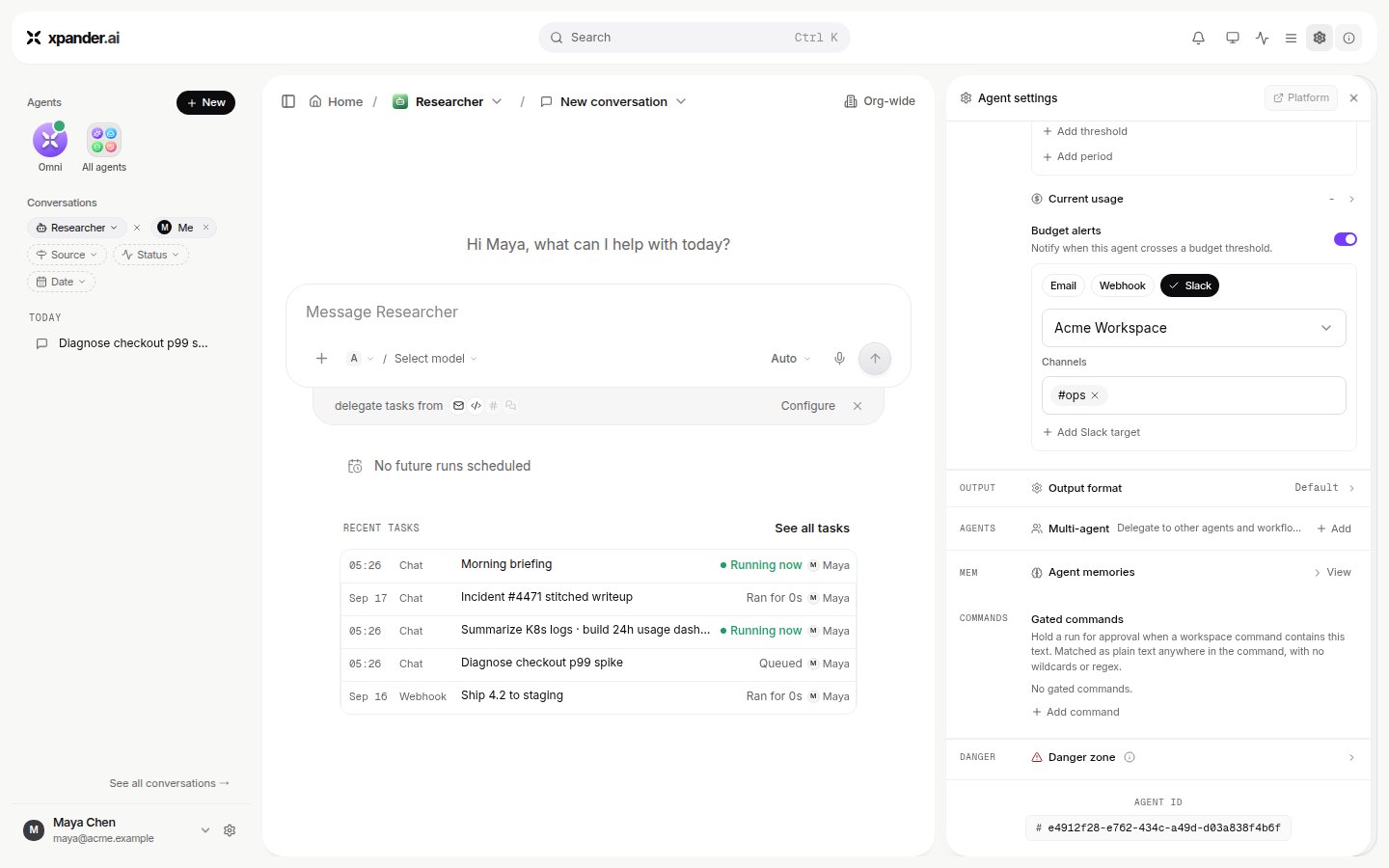 * **The permission mode of a run.** The composer offers **Full** and **Gated** for an agent on Claude Code, Codex or OpenCode. Gated holds every command that matches the list above; Full runs them.
## Who may approve
The skill panel names the approvers for each held action. An agent can be set to approve its own runs for a given action ("SELF APPROVE"), which is how a fully unattended agent is allowed to proceed on actions your organization has decided are safe. Every decision, including a self-approval, is in the record with the name of who made it.
## Next
* [Permissions and access](/use/agents/permissions): the full settings behind this page.
* [Skills](/use/skills): marking a skill's actions as needing approval.
* **The permission mode of a run.** The composer offers **Full** and **Gated** for an agent on Claude Code, Codex or OpenCode. Gated holds every command that matches the list above; Full runs them.
## Who may approve
The skill panel names the approvers for each held action. An agent can be set to approve its own runs for a given action ("SELF APPROVE"), which is how a fully unattended agent is allowed to proceed on actions your organization has decided are safe. Every decision, including a self-approval, is in the record with the name of who made it.
## Next
* [Permissions and access](/use/agents/permissions): the full settings behind this page.
* [Skills](/use/skills): marking a skill's actions as needing approval.