

Workflows in new UI, redesigned Platform and sidebar, debug logs for support, personal Claude plans, agent workspace copy and move
New Features:
- Workflows are generally available on the new UI: No preview entitlement needed.
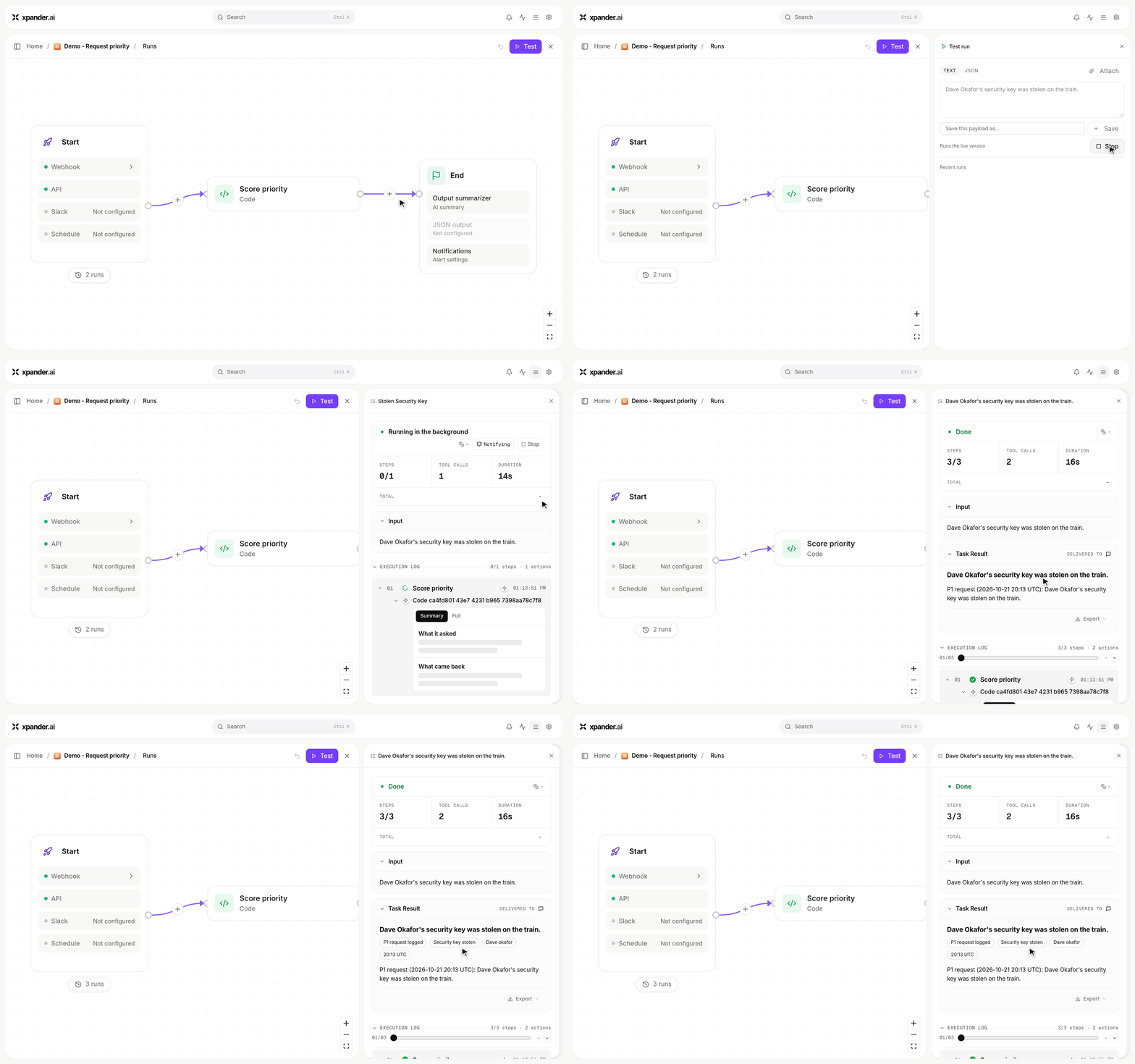
A two-step workflow: Test with a request, Run, and the result comes back marked P1.
- UI updates: The Platform settings pages are rebuilt on the chat design system, with details opening in a right-hand card. The sidebar is now a flat nav (New chat, Agents, Workflows, Scheduled) over one filterable conversation list, and it is resizable.
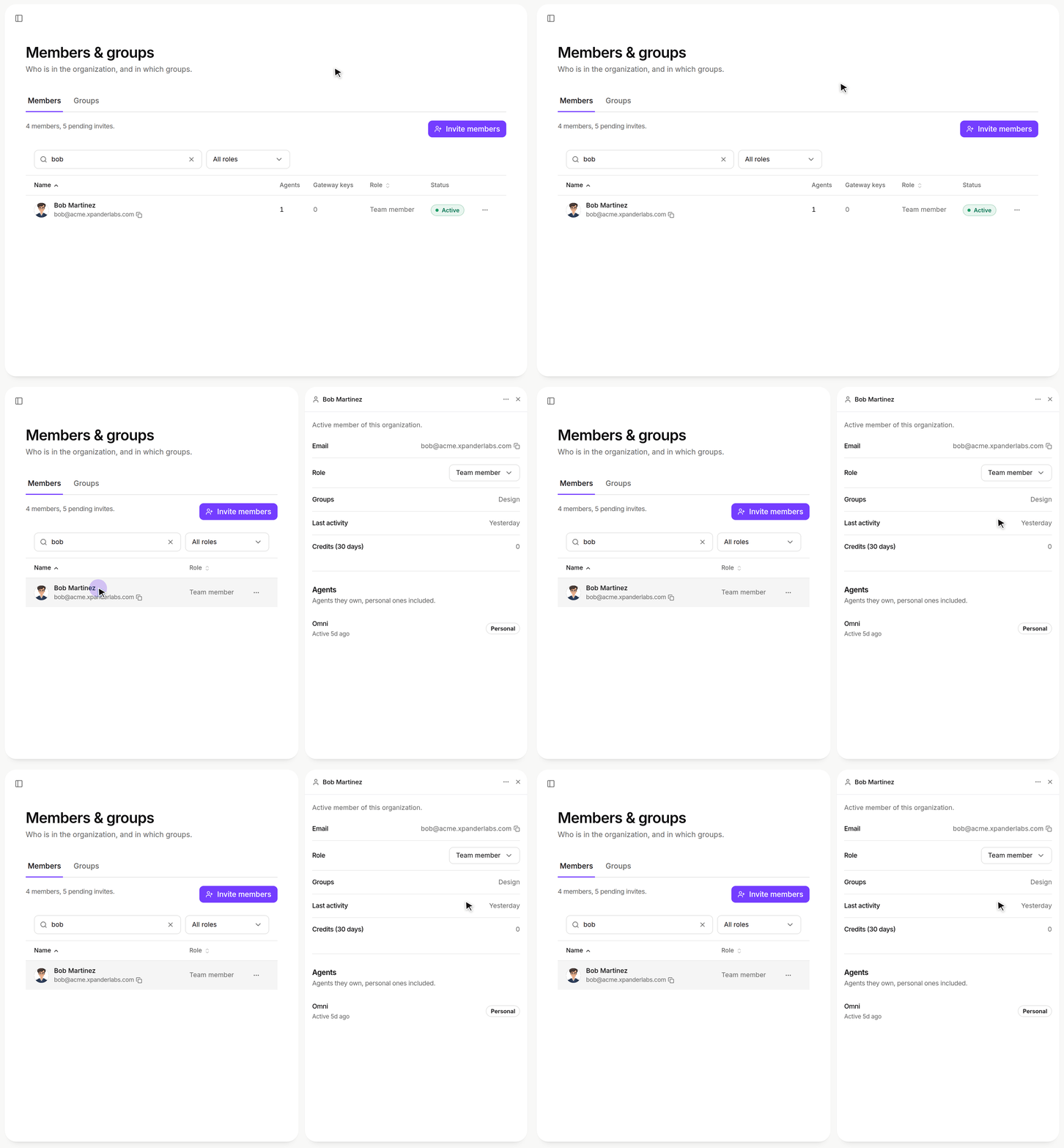
Platform > Organization > Members & groups: a member's details open in a right-hand card.
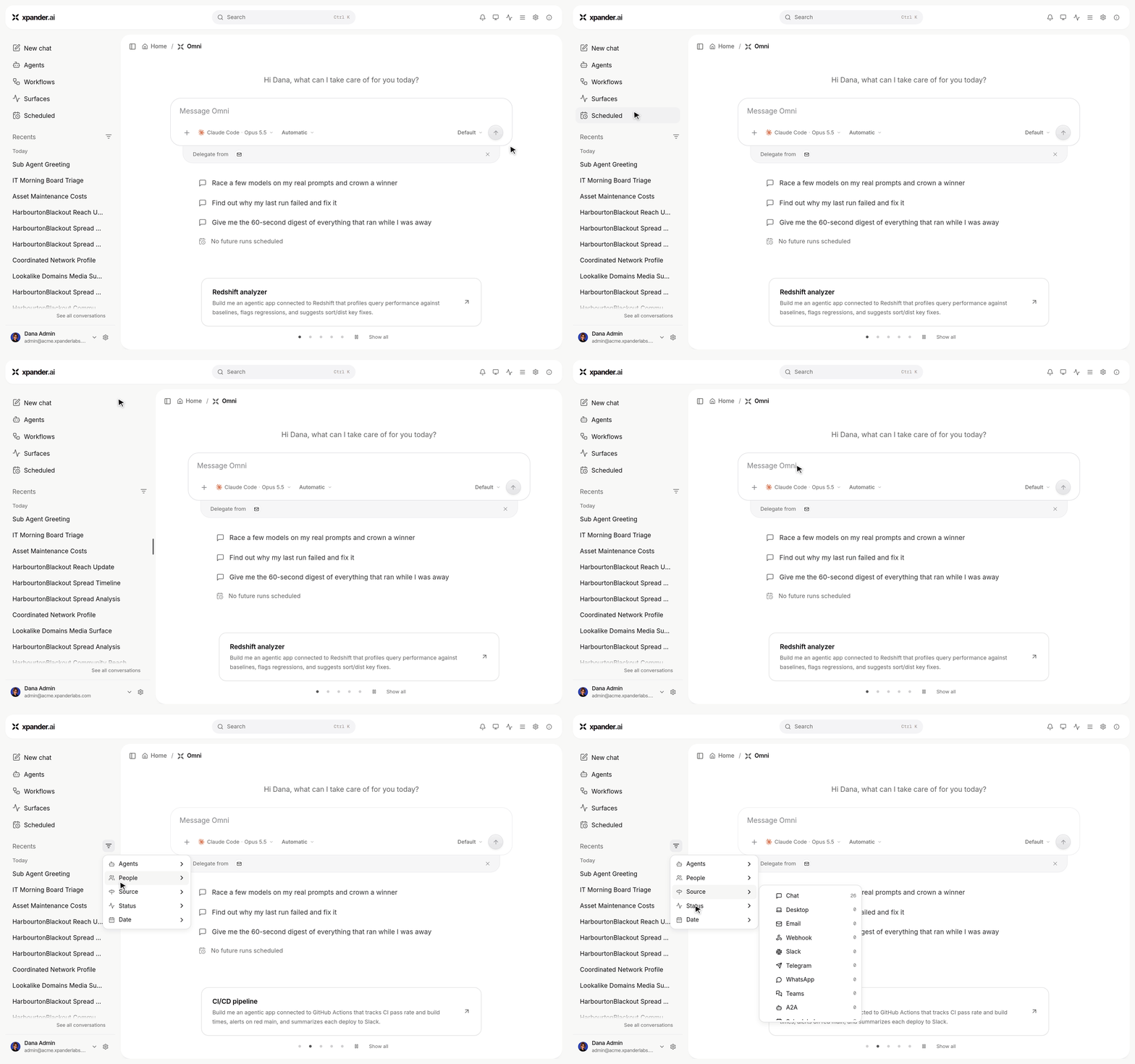
The sidebar: New chat, Agents, Workflows, Surfaces and Scheduled over one conversation list. Drag its edge to resize it; Filters narrows the list.
- Debug logs for support: Download a debug-logs zip from the Support dialog or the thumbs-down note. Feedback reports redact credentials, and sharing with xpander support is opt-in.
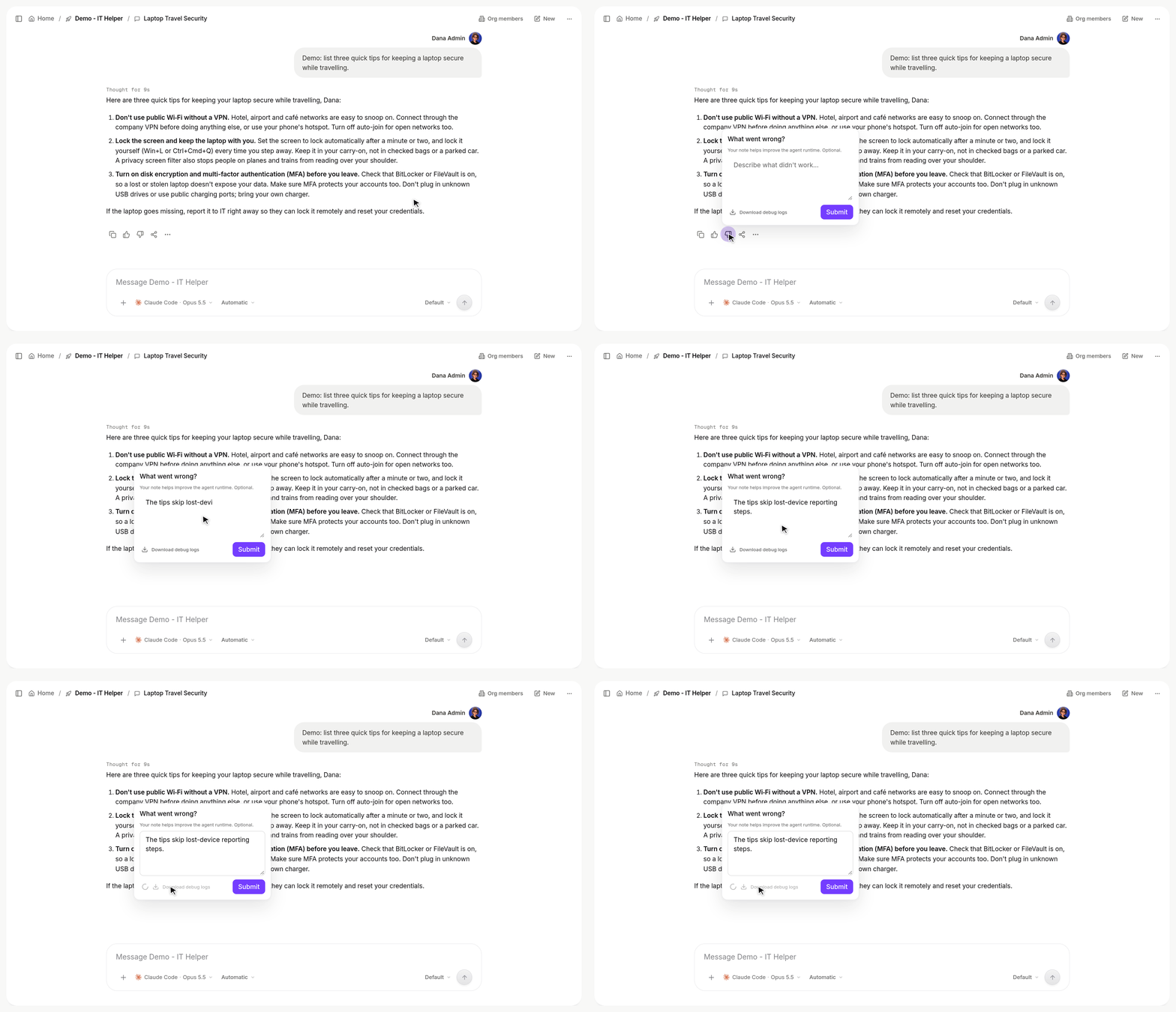
Thumbs-down on a reply, add a note, then Download debug logs saves that conversation's zip.
- Copy and move agent workspaces: Duplicating an agent, or moving it to an external harness, now copies its whole workspace and keeps its model.
- Agent directory layout: Harness agents get per-conversation
sessions/folders and ashared/folder, migrated automatically. The Computer view browses the whole agent directory. - Schedules in agent settings: Create and edit an agent’s schedules from inside any conversation. Scheduling for Claude Code, Codex and OpenCode agents is now managed by xpander.
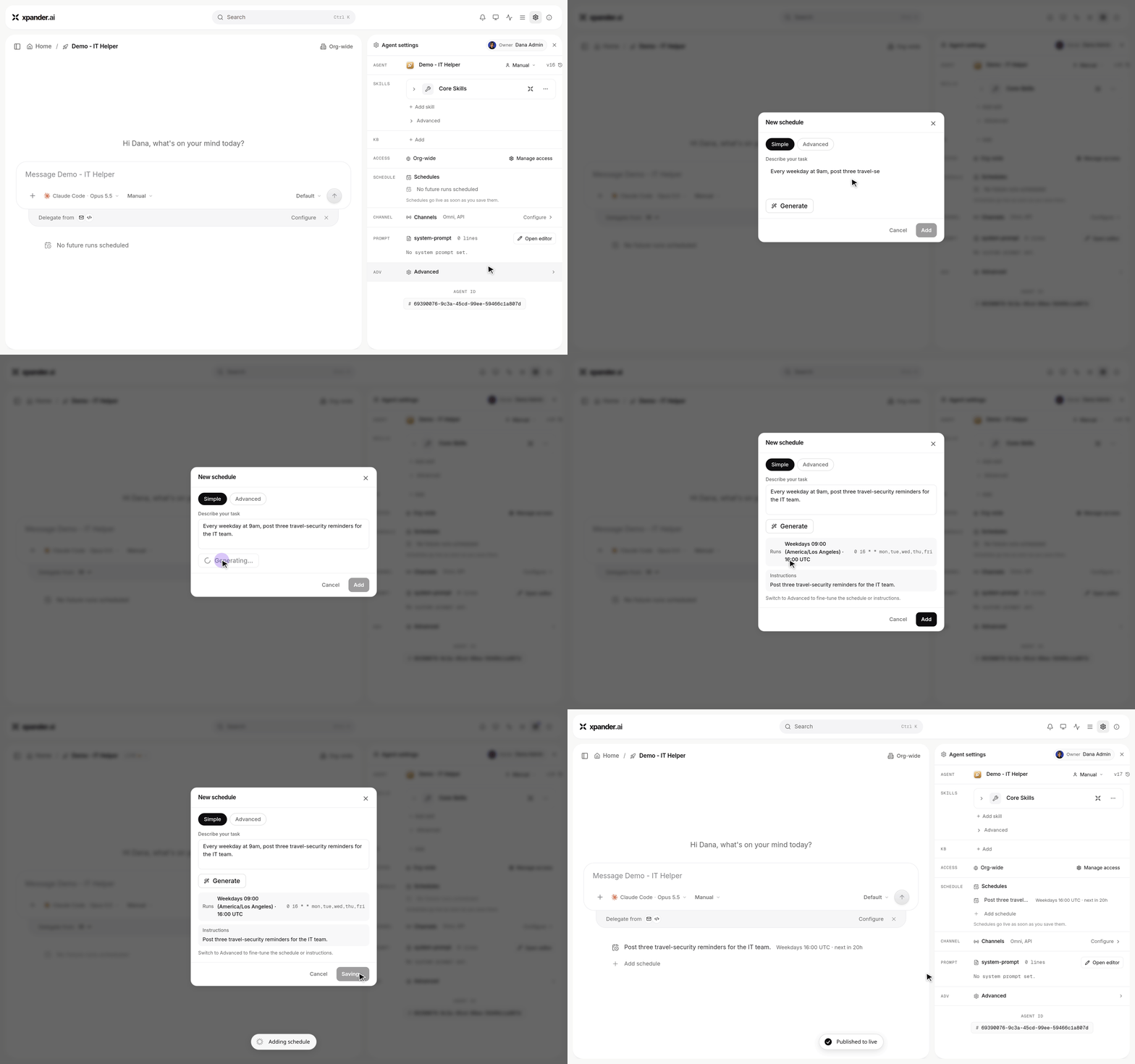
Agent settings > Schedules: describe the task, Generate fills in when it runs, then Add.
- Slack questions as thread messages: An agent’s follow-up questions arrive as a new message with buttons that mentions you.
Improvements:
- Faster, more scalable agent runs: Shorter cold starts, no per-user process caps, better spread across executors, and the fleet rolls itself after a new harness image.
- Claude Code runs at the 1M-token context window, and Claude Sonnet 5.5 pricing is added.
- Sub-agent steps nest under their Agent row, and Stop cuts only the running turn of a live process.
- Harness agents start with the Playwright browser on, pick up newly added connectors mid-session, and get image text from Slack as context instead of in your message.
- Self-hosted and air-gapped: Claude Code on Bedrock, the custom theme included, private-range MCP servers, and working skill bundle downloads.
Bug Fixes:
- Fixed Slack system messages triggering auto-engagement, and stuck hourglasses or lost replies on steered Slack messages.
- Fixed the pending-changes bar being invisible in light mode and the queue chip showing for files-only sends.
- Fixed the sidebar pinning Omni on the platform home, and “Agent not published yet” appearing on real load errors.
- Fixed duplicated agents switching runtime, and an MCP token under two identities forcing a sign-in.
- Fixed a racing follow-up being answered twice, a lost steer from a finished child, and the answer before Finish process being replaced by “Done.”
- Fixed unreadable skill bundle files, Add model missing on keyless providers, and connectors with unusual tool schemas failing on harness agents.
- As always, our agents and humans continuously fix various bugs, and sometimes create new ones (that will be fixed in the next update.)