1. Launch a cloud session
Open Xpander Chat, pick an agent, and give it a task. On xpander cloud it lives at chat.xpander.ai: your organization’s admin invites you, and a new organization is activated by the xpander team after a short call booked from the sign-in page. A self-hosted install serves it on your organization’s own address. xpander launches a session of Claude Code, Codex or OpenCode for that run in its own isolated sandbox, with your organization’s policies applied: the approved skills, the models and budget set for you, approvals on risky actions, and the record. You shape the session in the composer:-
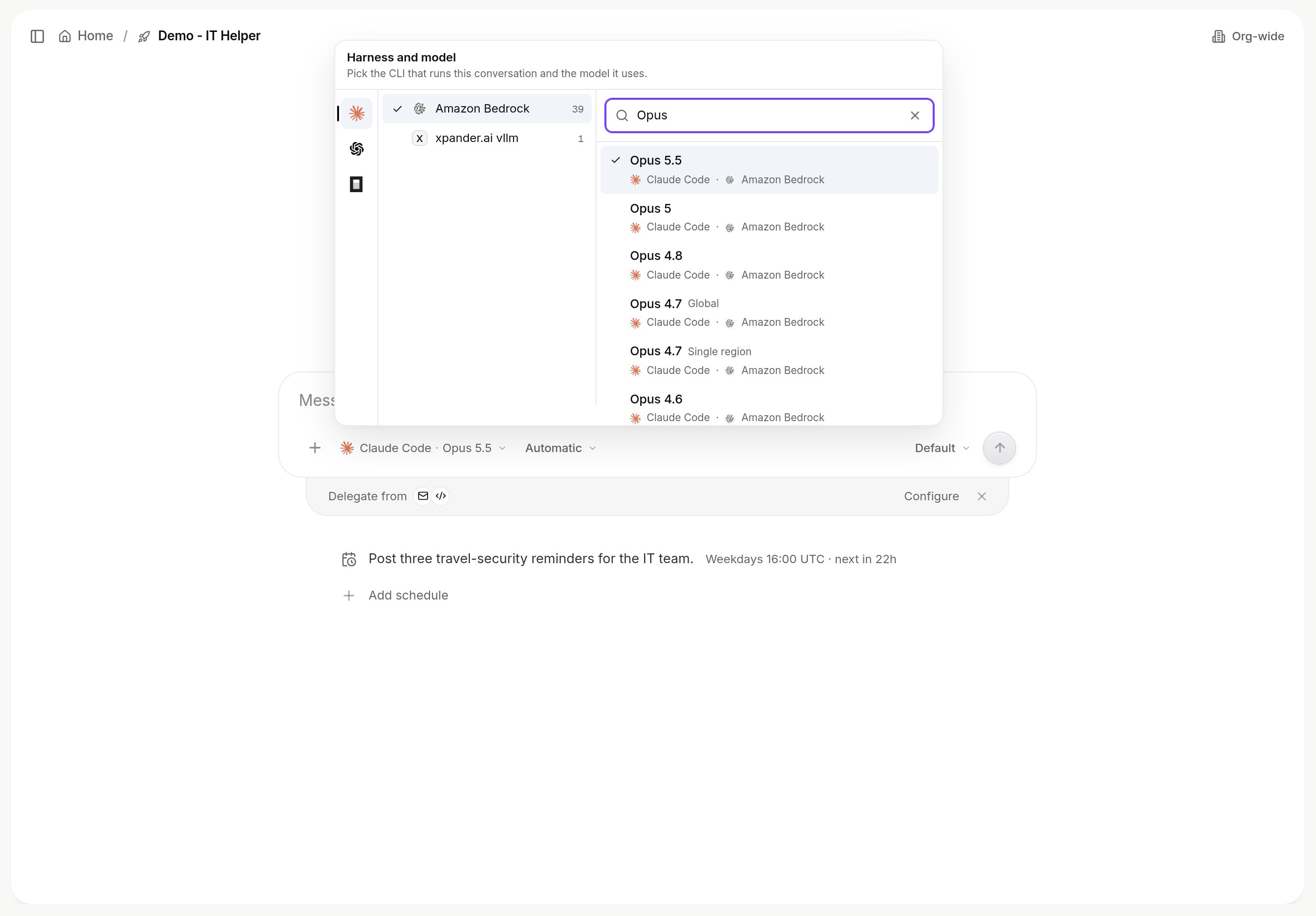
Harness and model: the picker lists the providers your organization enabled and every model with the harness it runs on. Switching keeps the conversation; the new harness receives the history.

The Harness and model picker: harnesses on the left, providers and models on the right.
-
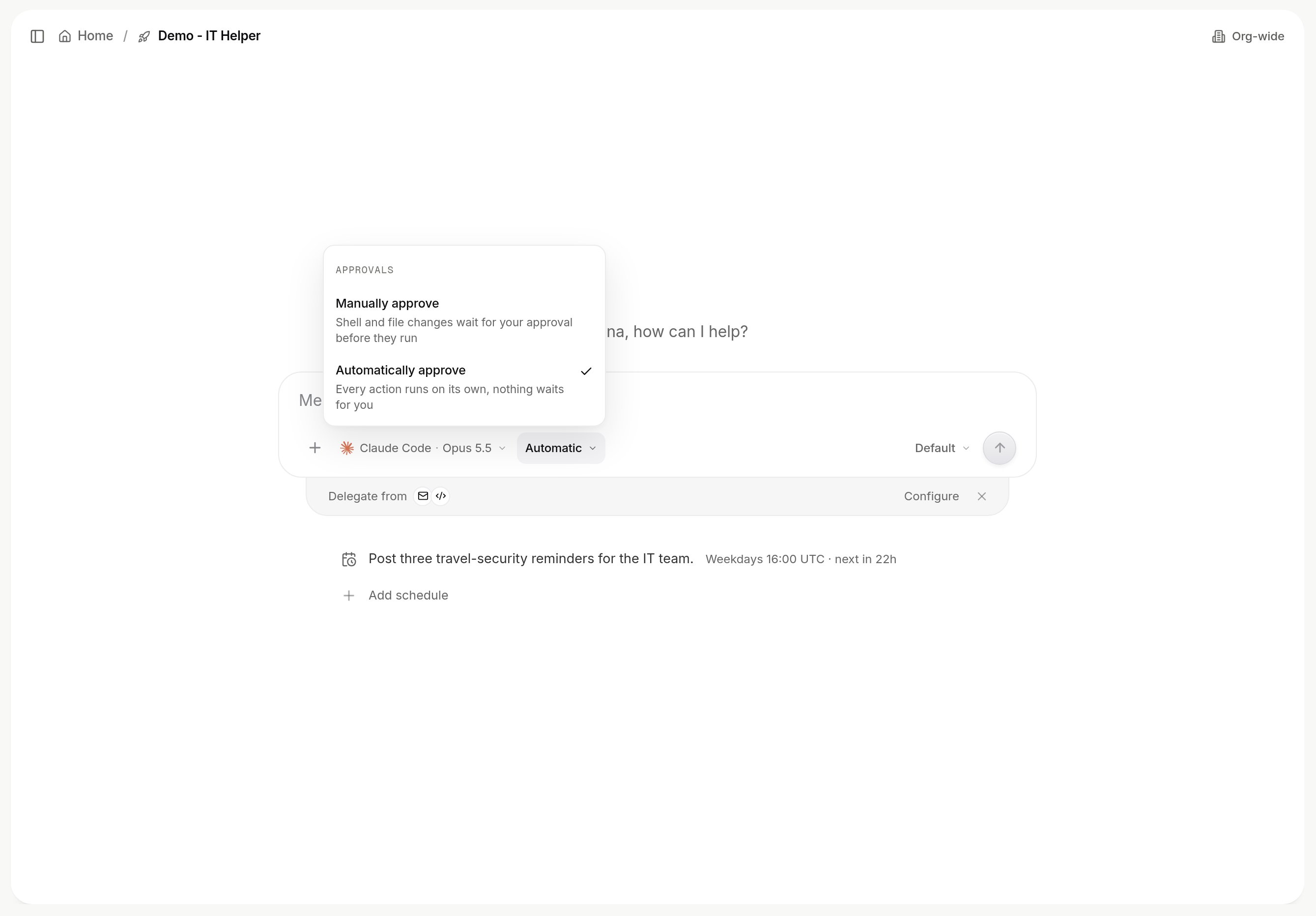
Permission mode: Full runs every command the agent decides on; Gated holds shell commands, file edits and web fetches for approval. Gated commands your admins set always wait.

Full and Gated permission modes in the composer.
POST /v1/agents/{agent_id}/invoke. See Xpander Chat, Tasks and Approvals.
2. Use your desktop harness
Keep working in Claude Code, Codex, Cursor or OpenCode on your laptop. Connect the client to xpander once, athttps://omni.xpander.ai/mcp (OAuth in the browser, no key to paste). On a self-hosted install your platform team gives you the address once the install exposes an MCP origin. The endpoint is served by Omni, the built-in agent, so from your client you can:
- Task the organization’s agents and read their results, with the skills and permissions your admins set for them.
- Search the organization’s knowledge, and have an agent assembled from the skills your admins approved.
- Hand a job to the cloud. When a job should not depend on your laptop, ask in plain words: “Deploy this agent to xpander as a scheduled task.” xpander creates the agent, imports the skills it needs, starts it as a cloud session and tells you where it lives. From then on it runs and answers in Xpander Chat, Slack, Teams or email.
Which harness a session gets
A new agent starts on Claude Code, Codex or OpenCode, following your organization’s default model: an Anthropic default gives Claude Code, an OpenAI default gives Codex, any other provider gives OpenCode on that model. The composer’s Harness and model picker shows the choice and lets you change it. Cursor is not selectable as a harness yet; it connects as a desktop client.Next
- Agents and conversations: what an agent is, what launching one does, and what is isolated.
- Xpander Chat: what is on the screen.
- Skills: what an agent can reach, and how to connect your own account where systems allow.
- Approvals: what waits, who decides, what happens meanwhile.