

Add a skill
Add skill in an agent’s settings lists everything the agent may reach.FILTERS narrow to Connectors (API and MCP connectors) or Skills (skill bundles and the built-in skills, Powered by Xpander); SCOPE splits All, Organization and Mine (what you created). Search covers names and descriptions. Browse everything in the skills catalog, and see Add a skill for the steps per kind.
xpander’s own skills install in one click. A registry skill opens a preview of its SKILL.md first. Per skill, you choose which actions are enabled and which wait for approval.
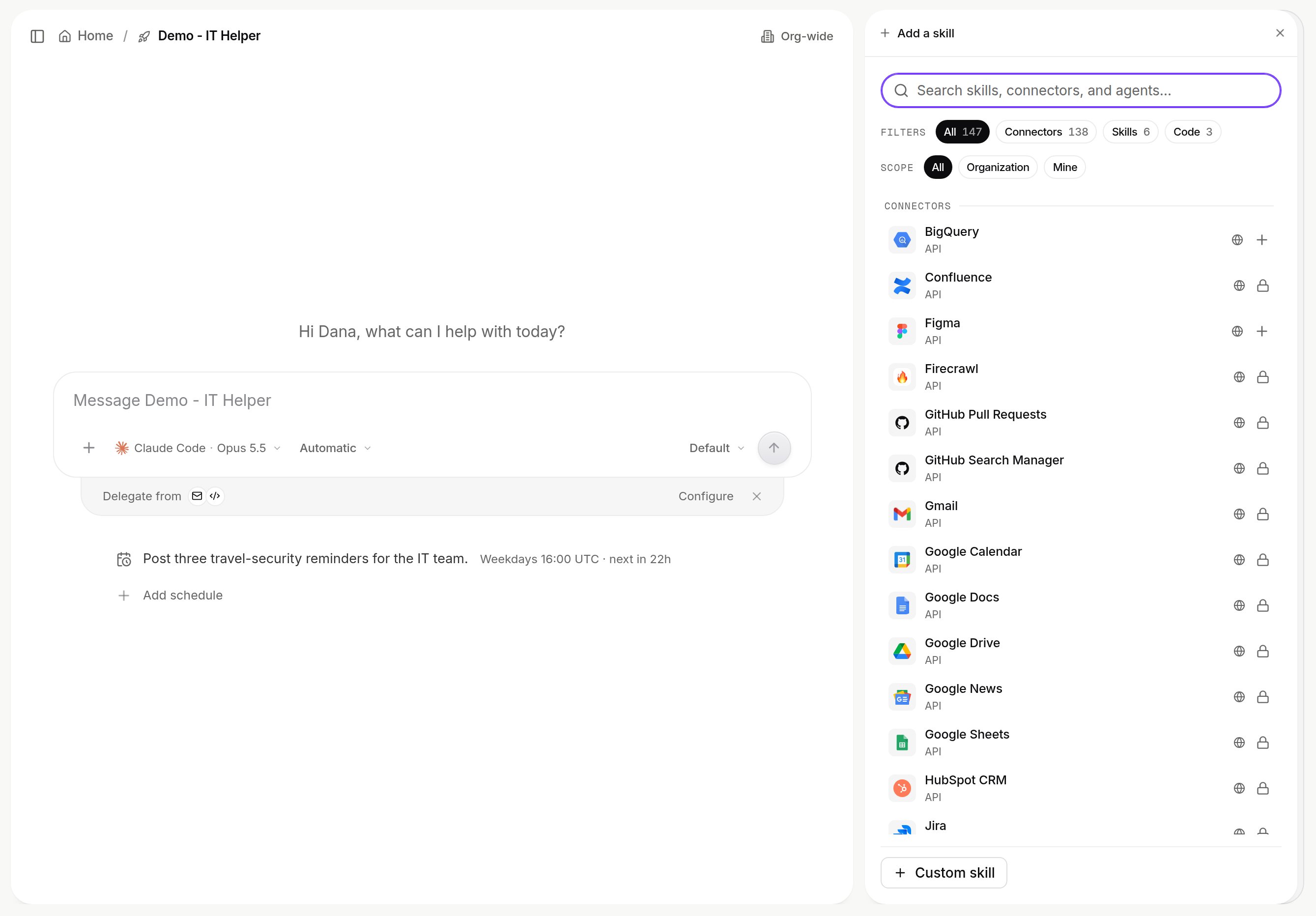
Add skill on an agent. Skill bundles carry a provenance icon; a registry skill opens a preview of its SKILL.md before you add it. Shown with sample data.
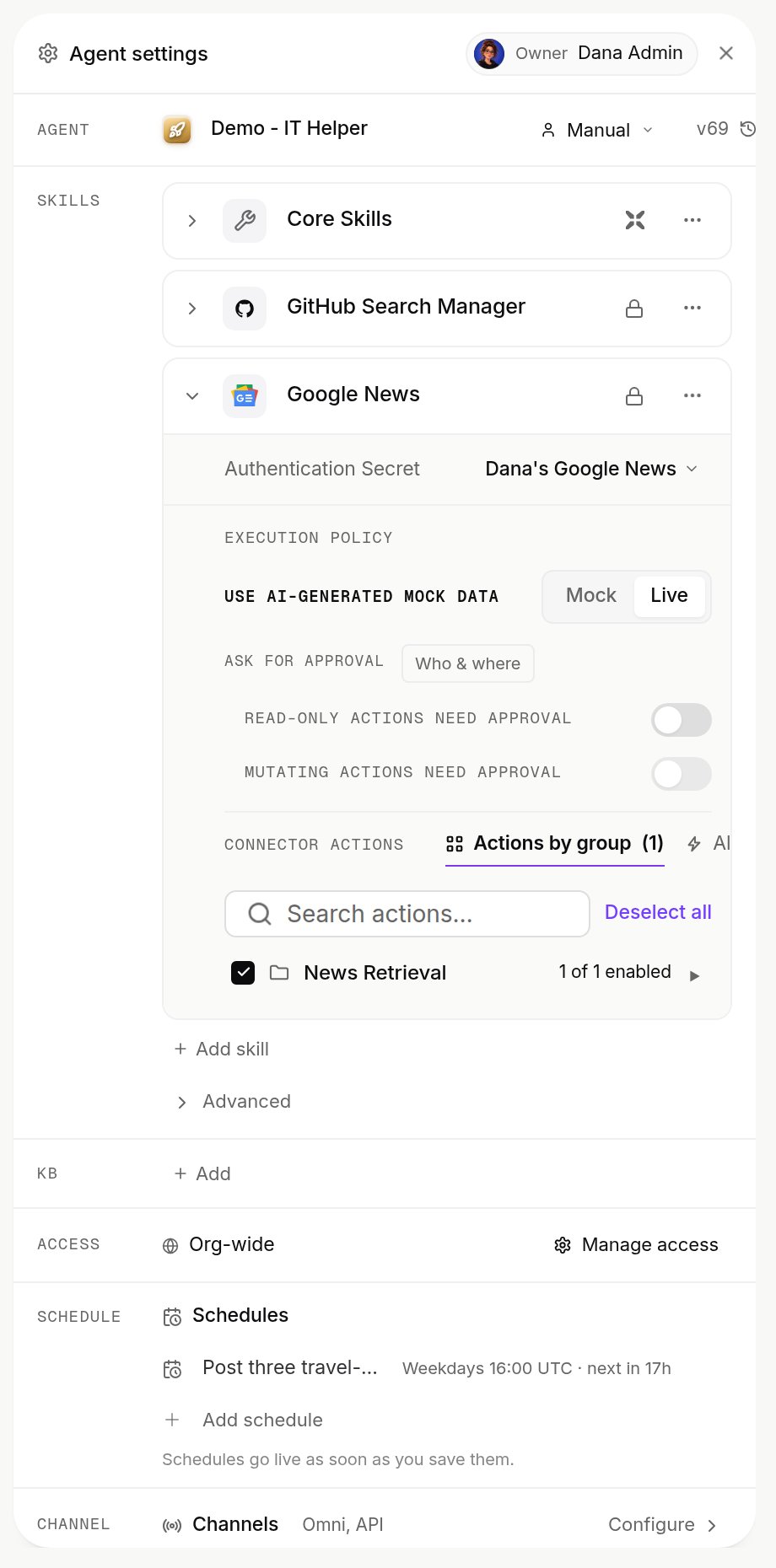
A skill on an agent: its connection, Mock or Live data, approval switches and its actions by group. Shown with sample data.
Badges on a skill
Badges on a skill
Which skills are already on an agent
Each registry item has an organization setting, shown in Platform > Agents > Skills registry (your own skills show there as Personal):Skill visibility
A skill’s Shared with setting decides who can see and attach it:
Attaching a skill to an agent outside its allowlist is refused: share it with that agent first (Shared with > One agent), or ask its creator or an org admin.
Skills published from a repository
Skills published from a repository
A skill published from a repository with
xpander.yaml (Publish Skills) sets its visibility there: org (any agent in the organization), restricted (only the agents on its allowlist) or agent (its one owner agent). You see the org catalog plus skills scoped to agents you manage. Enforcement and audit events: Skill visibility.Create a skill
A skill bundle is aSKILL.md document, plus any scripts and files it points to, that tells an agent when and how to do one job. In the Add skill panel, choose Custom skill > Skill (or Create a skill when the list is empty).
1
SKILL: name it
Lowercase letters and digits with single hyphens, unique in the organization.
anthropic and claude are not allowed.2
ABOUT: describe it
One line. Left empty, the document’s first line is used.
3
SKILL.md: write the document
Front-matter
name: and description: stay in sync with the rows above. Keep it short: SKILL.md loads fully into the agent, so long procedures belong in bundled files.4
Save
Creates version
1.0.0 and attaches it to the agent you started from.Import a skill instead
Import a skill instead
Use Import file or zip (a
.md, or a zip with SKILL.md and other files, the only way to add extra files) or From URL. Adjusted imports show an Imported with warnings banner. Claude Code skills use the same format, and Omni can import them from Claude. See Get started.Manage a skill you created
The library is also in Settings > Skills (Code skills tab, with Import skill and New skill). Open a skill there to edit Name, Description, Shared with and SKILL.md (Save changes bumps the version). The ⋯ menu has Download bundle, Replace files and Delete, which removes the skill from every agent using it and can’t be undone. On someone else’s skill you get Remove from agent only.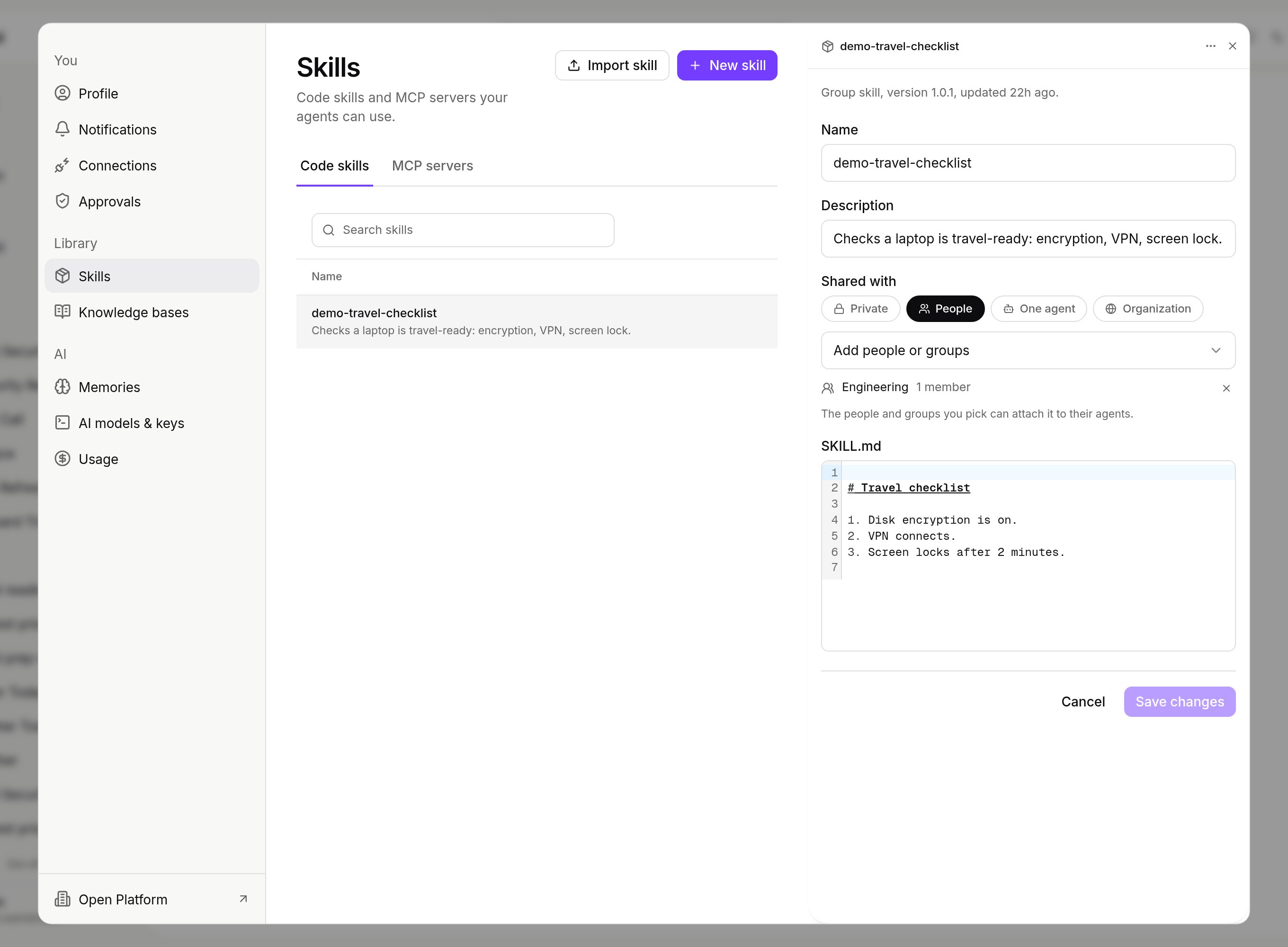
A skill opened from Settings > Skills: name, description, Shared with and its SKILL.md. Shown with sample data.
Skills that agents build
A skill an agent builds starts as a Draft and joins the library only after a passing test, and an admin’s approval unless Publish without approval is on.Drafts, review and the switches
Drafts, review and the switches
A skill or custom code an agent builds starts as a Draft, usable only by that agent and the person it was built for. It joins the library only with a passing test report. With Publish without approval off, an organization admin reviews it in the registry: the header counts waiting items, Test reruns the recorded test, Approve adds it to the library and Reject returns it to the agent as a draft. The switches Agents build skills and Publish without approval are under Agent-built skills (Govern).
What is governed and recorded
Who may add or manage skills is set per group with theAdd skills and Manage skills toggles in Platform > Organization > Members & groups. Every skill carries its version and provider badge, so an agent’s skills list reads as a bill of materials. An action the registry marks Ask for approval waits for approval on every call, also one made without an agent through the API or MCP (Ask for approval). The audit log records Skill Created and Skill Added under the Agent category, with who did it, and each skill call is in the task record.
Next steps
Browse the skills catalog
Every skill you can add.
Set whose account a skill uses
Sign-in, allowed actions and approvals (admins).