

Conversations
Start one with New chat, or pick an agent under Agents. Several people can write in the same conversation, and Manage access sets who can see it. Past conversations are in the left column, with filters by agent, user, source, status and date. The composer sets the Harness and model and the permission mode for the next message:
Admins choose which models appear, under Platform > AI governance > Models.
Every action is logged
Every run is a task with a full execution log. Open it from Session Manager (the list icon in the top bar). See Tasks.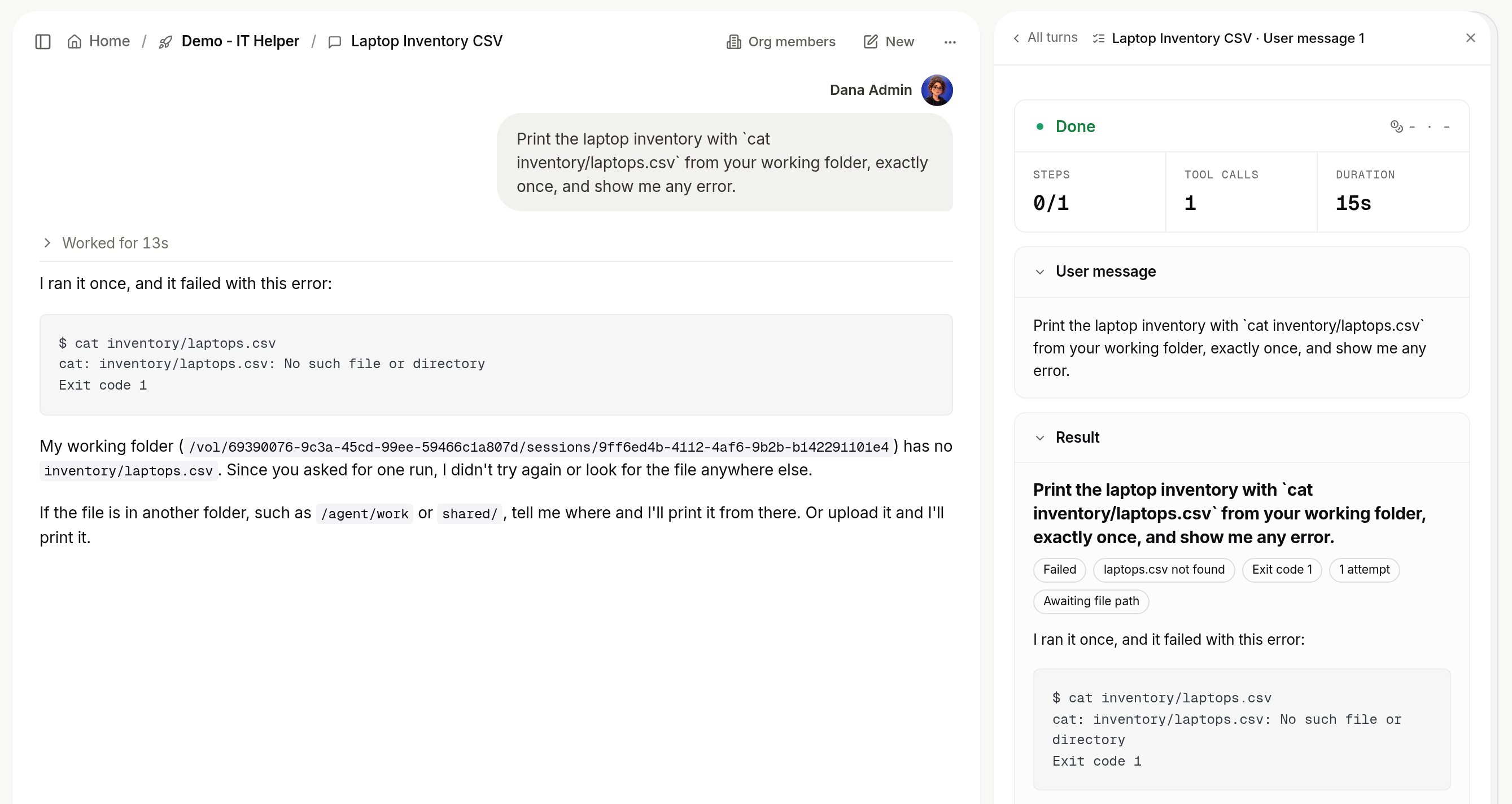
A turn opened in the Session Manager: status, steps, calls and duration, the user message and the result; the execution log follows below. Shown with sample data.
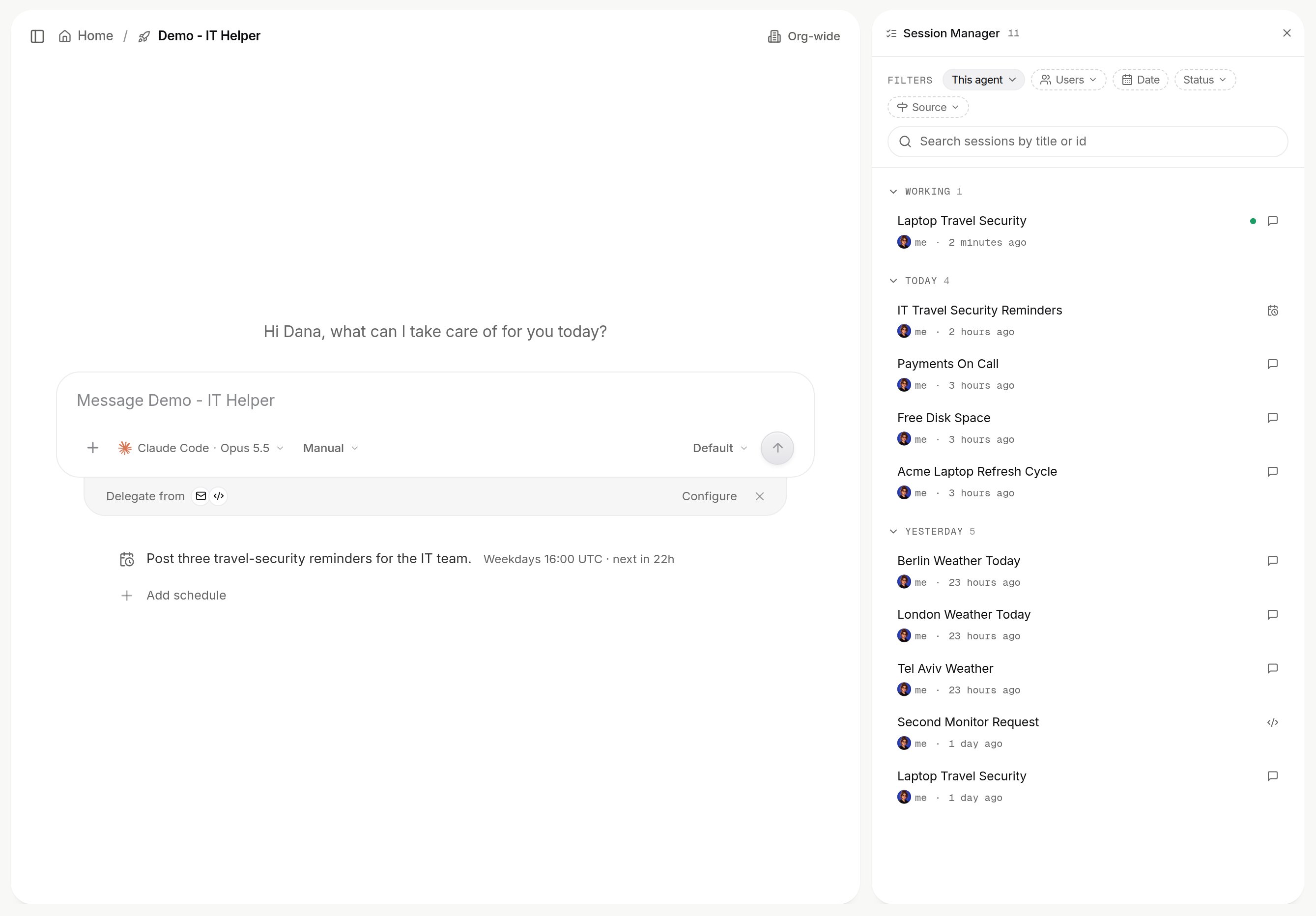
Session Manager: every task for an agent, filtered by This agent, Users, Date, Status or Source, and searchable by title or id. Shown with sample data.
Approvals
Waiting requests appear in the conversation and under Settings > Approvals. With no decision in four hours (the default), the action does not run and the run continues. See Approvals.Results and sharing
Files an agent creates are in its Agent workspace. Make live turns a file into a live surface that the agent updates on each run. Share opens a conversation to people, groups, your organization or the public. Manage access on an agent shares the agent itself.Omni, the built-in agent
Omni is the personal agentic FDE every employee gets. Ask it to find an agent or skill, run a task, explain a run, or build a new agent. It answers in xpander Chat, Slack, Teams, email, WhatsApp and Telegram (on xpander cloud), and over MCP. From code, Get Omni Agent returns your Omni’s agent ID. The Omni button in the bottom corner opens the Omni sidekick. Omni can also propose changes to an agent you can edit. Nothing changes until you approve:- Improve instructions: rewrites them from failed runs and marked-down answers.
- Check the impact of a skill change: lists the agents that use a skill, read only.
Search and settings
Search is⌘K. The gear opens your Settings: profile, connections, approvals, skills, knowledge bases, memories, AI models & keys and usage. Organization settings are in Platform. See Govern every agent.
Next steps
Approve an agent's actions
What waits and who decides.
Ask Omni about any page
Use the Omni sidekick.