

- Harness built-in tools: the coding CLI’s own shell, file read, write and edit, search, web fetch and search, sub-agents and plan mode.
- xpander built-in tools: what xpander gives every agent, such as memory, knowledge base search, web search, email, schedules, tasks to other agents, secrets, Slack, chat cards, screenshots, the browser, live surfaces, the services desk and
tell_userprogress updates.
Set it in Agent settings
Open Agent settings from the gear in the conversation header, then Advanced > Tools:- Switch off Harness built-in tools to remove the CLI’s own shell, file and web commands. A note under the switch confirms that the agent can’t run commands or read and write files, and names what it still works through.
- Switch off xpander built-in tools to remove xpander’s.
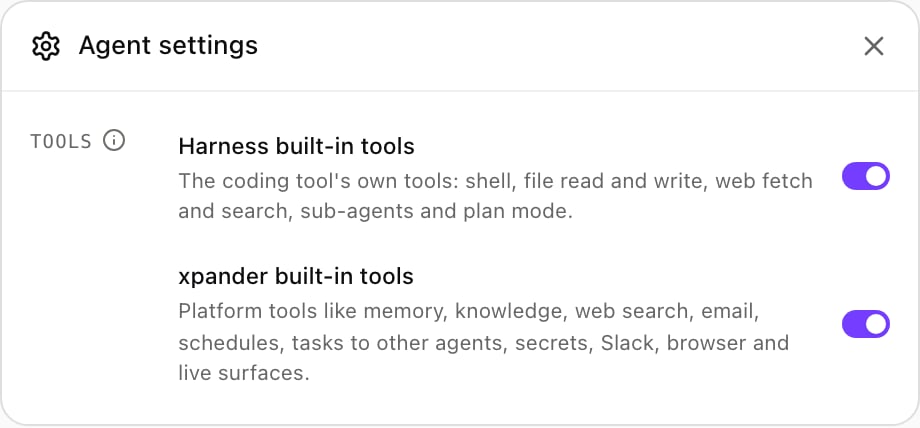
Agent settings, Advanced, with both built-in tools switches on. Shown with sample data.
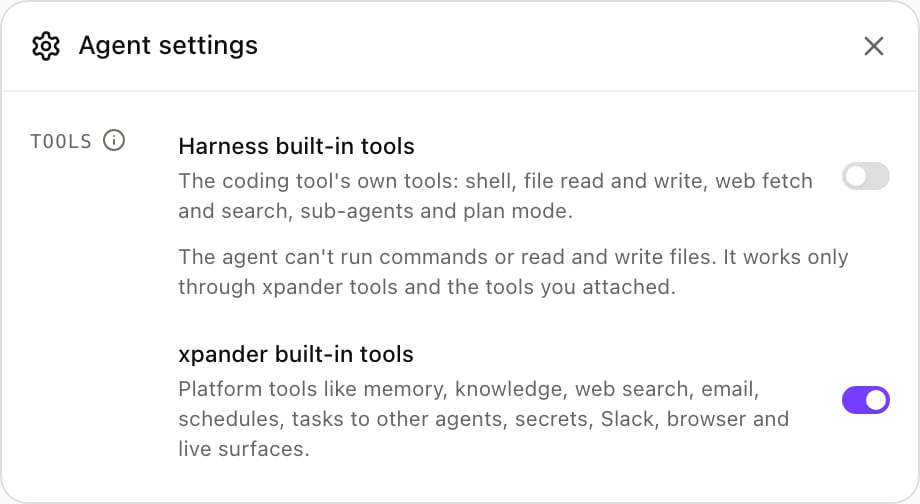
Harness built-in tools switched off: the note under it says what the agent still works through. Shown with sample data.
What each switch removes
The agent’s instructions follow the switches: with a set off, the agent is not told about what it no longer has.
Codex and Harness built-in tools
With Harness built-in tools off, Codex keepsrequest_user_input and its read-only MCP resource helpers (list_mcp_resources, list_mcp_resource_templates, read_mcp_resource). Codex has no switch for them. The helpers only read from the MCP connectors already attached to the agent; nobody answers request_user_input during a run. Shell, file edits (apply_patch), web search, code mode and Codex sub-agents are removed. Claude Code and OpenCode keep none of their own built-in tools.
Set it over the API
The agent setting isharness_settings.builtin_tools. Each half is {"enabled": true} or {"enabled": false}; a missing half is on. Send it with Update Agent and deploy=true so it applies right away:
builtin_tools as it is. This turns xpander built-in tools back on and leaves the harness half alone:
Override for one call
The invoke endpoints (/invoke, /invoke/async and /invoke/stream) take builtin_tools in the body with the same shape. It overrides the agent setting for that call, in either direction, and either half can be named alone; the agent setting itself does not change. This turns harness built-in tools on for one run of an agent whose setting has them off:
builtin_tools is ignored.
See what a run used
GET /v1/tasks/{task_id} returns the value the run resolved, with both halves filled in:
Which value a turn uses
Each half is resolved on its own, first match wins:- The call’s
builtin_tools. - The conversation’s value.
- The agent’s
harness_settings.builtin_tools. - On.
id) and names a half changes that half for the conversation from then on, the way it would have been set on the first message; the half it does not name keeps the conversation’s value.