

Recurring schedules
Add schedule has two tabs: Simple (describe it in a sentence) and Advanced (Interval, Daily or Weekly, at a time in your time zone, shown in UTC and as cron). Schedules are stored in UTC and do not follow daylight saving. A 09:00 Los Angeles schedule saved in October runs at 08:00 after the clocks change in November, so edit it after a clock change if local time matters. The shortest interval is five minutes. Every edit publishes, and a schedule fires only once it is live.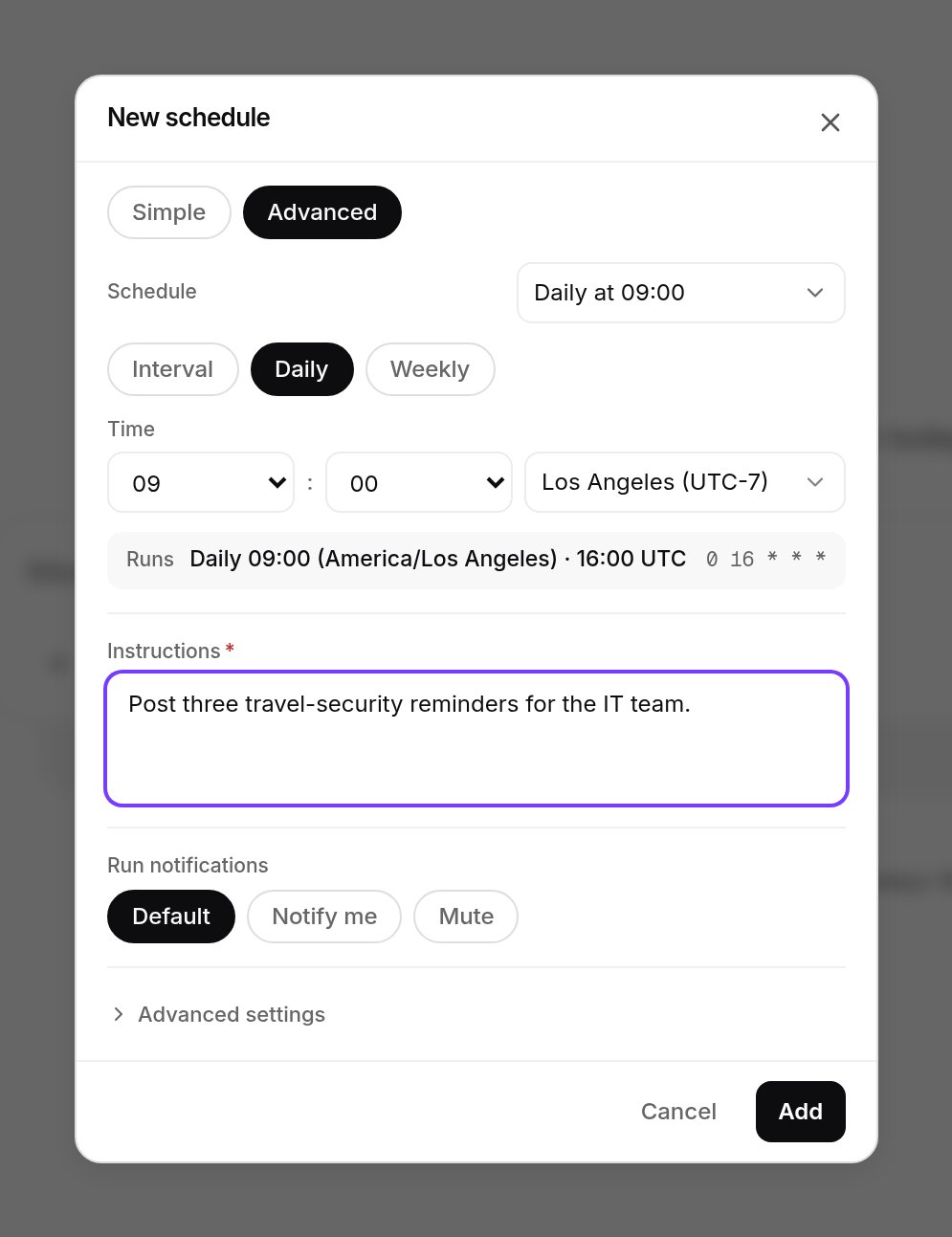
Add schedule, Advanced tab: daily at 09:00 Los Angeles time, which the Runs line shows as 16:00 UTC and 0 16 * * *. Shown with sample data.
/v1/agents/{agent_id}/scheduled-tasks (GET, POST, PATCH, DELETE). Fields are cron, prompt, title, enabled and an optional model. POST /{task_id}/run fires one now, and enabled: false pauses it. Managed schedules that xpander owns, such as a heartbeat, can be paused or run but not edited or deleted.
Re-checks the agent books itself
An agent can book a one-off run to look again later. It shows in the conversation as a Next run line with a countdown, Show prompt and Cancel. You can also cancel withDELETE /v1/agents/{agent_id}/self-schedules/{schedule_id}.
This is a per-agent switch, with a cap of three pending runs per task by default. A repeating re-check is a chain of one-off runs the agent renews, never a loop it cannot leave.
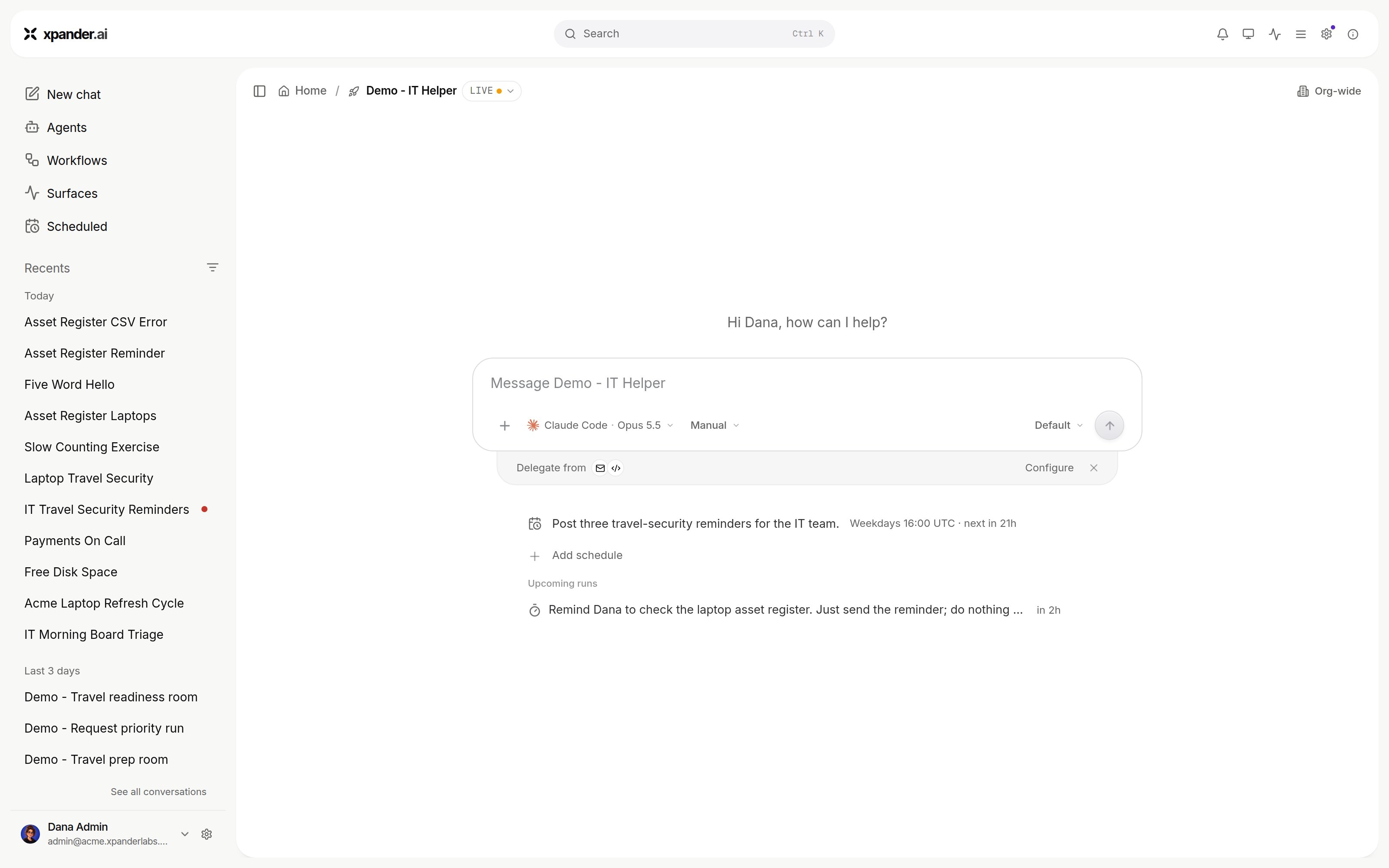
A recurring schedule and a booked re-check under Upcoming runs, on the agent's home. Shown with sample data.
How a scheduled run reports
Each fire is a turn with source Schedule in the Session Manager. On a coding-CLI agent, if a booked run comes due while the agent is still working in that conversation, the prompt reaches the running process as its next message (“The follow-up scheduled earlier in this task is due now”). Otherwise it starts a new turn. A schedule created from a Slack channel binding replies in that channel. A failed fire is not retried: the next fire is the retry. While the agent isINACTIVE, fires are skipped and booked re-checks are marked failed. Notifications follow the agent’s settings, and a schedule can opt in to its own.
What an unattended run may use
The run acts as the agent’s background user.
Budgets and approval windows apply as on any run. See Permissions.
Next steps
Set what an agent may do
Budgets, approvals and access.
Use per-person sign-in on unattended runs
Behaviour with nobody signed in.