

What a run costs
On xpander cloud, one credit is one cent. A turn costs:
Calls on a key you brought, whether an agent-level credential or the organization’s key under Platform > AI governance > Models, are measured the same way but not charged. On a self-hosted installation, usage is measured and never charged.
New organizations start with a grant of credits. The balance is the chip in the top bar. A turn in flight always finishes, even below zero. The next turn is refused until an admin tops up. Members see the balance but cannot buy credits.
Budgets
A budget is a cap in credits with thresholds. Each threshold is a percentage with an action, Warn or Stop. On xpander cloud, with Budget alerts on and a channel and destination added, a notification fires once per threshold per period.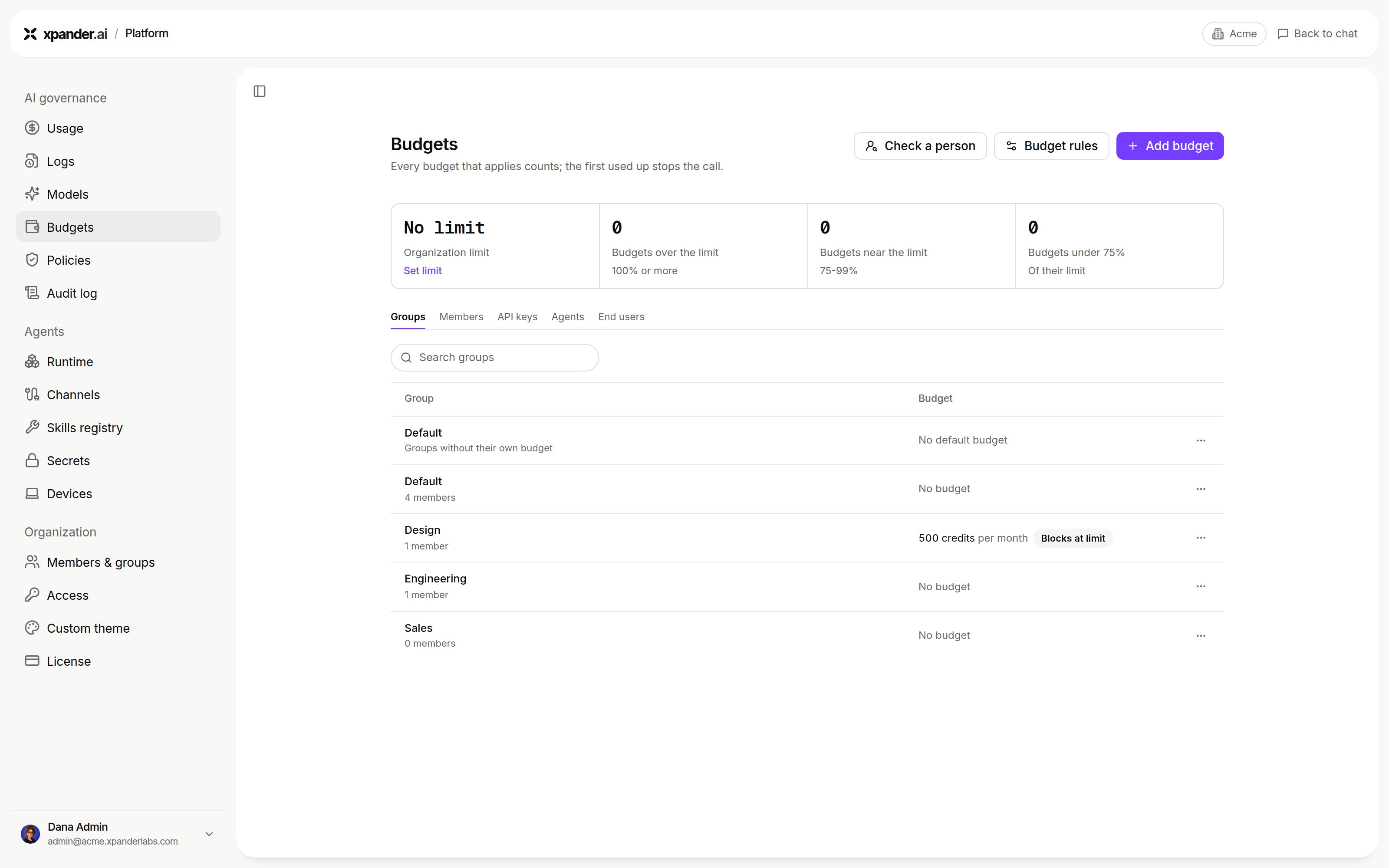
Platform > AI governance > Budgets: overview and spending limits by scope. Shown with sample data.
A turn’s spend counts toward both the agent’s and the person’s budgets.
Budgets count model usage at its nominal cost, including usage on keys you brought: the agent’s Budget section says so. A budget stops a run on your own key too. In Logs, the call shows its cost in credits, and Subscription: names your key’s kind.
What happens at a stop threshold
A refused run names the budget it hit. Raising an agent budget lifts its block at once. A turn budget cannot be raised after the fact.
When budgets do not stop a run
- Enforcement off: agent, turn and member budgets block only while Enforce agent, turn and member budgets is on, in Budget rules on Platform > AI governance > Budgets. Off, spend and alerts continue but nothing blocks, and the agent’s budget editor says Budget limits only warn.
- Infrastructure faults: budgets are a cost guardrail, not a security boundary. On a fault, a run proceeds rather than every agent being blocked.
Usage
system:llm-gateway-watchdog is xpander’s health check of your custom model endpoints, every 2 minutes. It costs 0 credits and counts toward no budget.
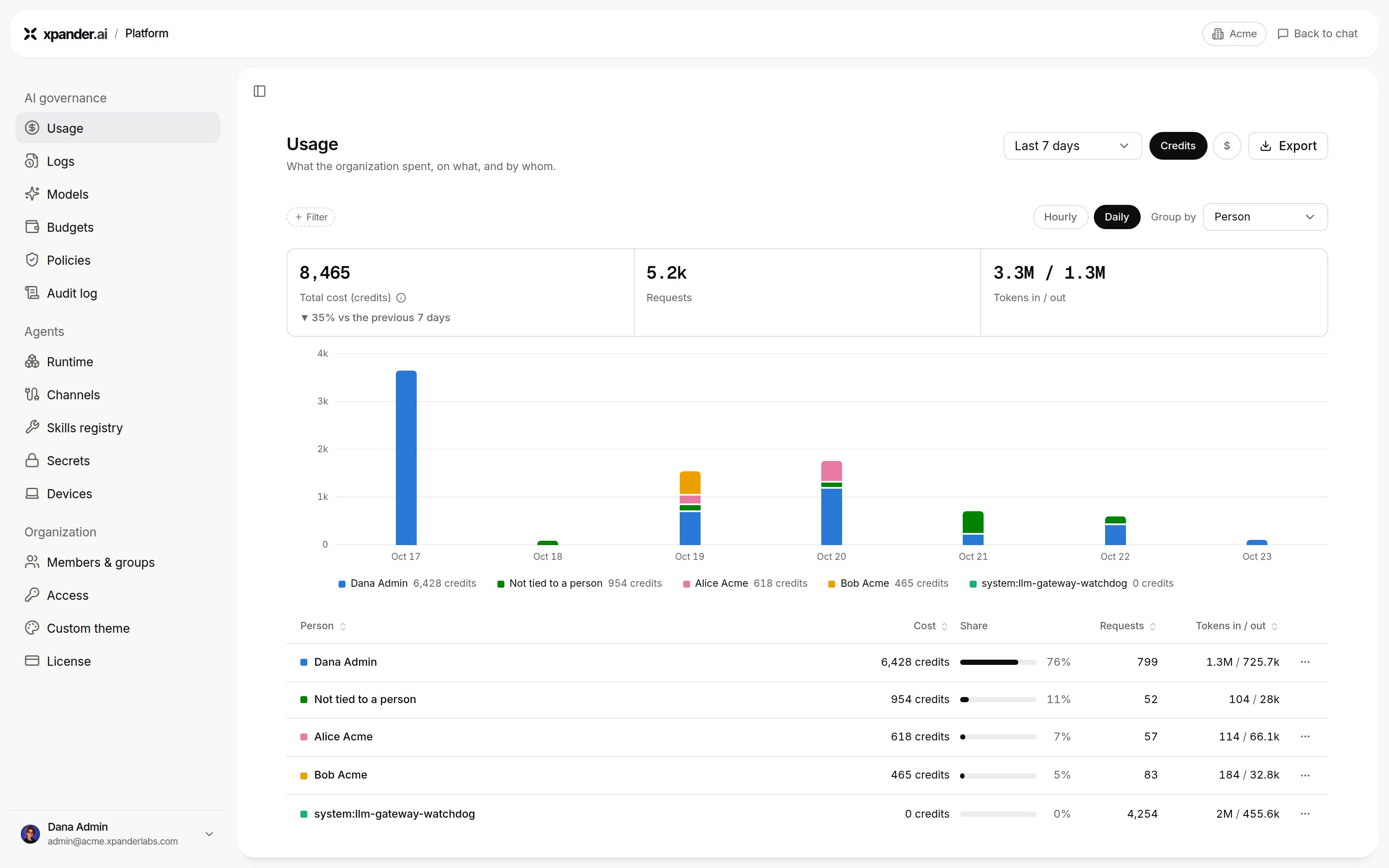
Platform > AI governance > Usage in credits, grouped by person. Shown with sample data.
Read a task’s usage from the API
GET /v1/tasks/{task_id}/llm_usage returns tokens, input, output, cache_write, is_byok, cost and ai_model. On a key you brought, is_byok is true and cost is 0.0, while tokens are still counted. The record is written a few seconds after the turn ends, so an immediate call can read zeros.
Notifications
Budget alerts on the agent is the screen foron_budget: it notifies you when the agent crosses a threshold. On the API, an agent’s notification_settings also send run outcomes to email, Slack or a webhook: on_success and on_error (failed or stopped). These two have no screen. Set them with PATCH /v1/agents/{agent_id}.
Approval requests reach their approvers separately, in xpander Chat, by email, in Slack, Telegram or WhatsApp.
Next steps
Set organization and group budgets
Organization, group and key budgets.
Read usage and logs
Spend by person, agent and model.