

Where credentials live
The Vault
Platform > Agents > Secrets lists every credential in the workspace. Values are encrypted and never shown again. Agents receive them as environment variables at run time and never see the Vault itself. Bulk add imports several at once.Add a secret
Click Add secret and fill in:- Secret name: saved in uppercase and underscores, for example
STRIPE_API_KEY. Agents read it under this name. Names xpander reserves are refused. - Type: API key or token for a single-line value (one environment variable), or Multi-line text for a private key, certificate or config file (a file, line breaks kept).
- Value: usable once saved, never shown again.
- Who can use it: Everyone, Groups and people (plus admins) or Owner only (you and organization admins).
- Variable name (optional): the name agents read, if it should differ from the secret name.
Manage action opens the tab that owns them. Provider keys live under Platform > AI governance > Models, and the runtime’s model proxy holds them, never an agent’s workspace.
Attach an external vault
xpander can import secret names from your own vault and leave the values there. Click Storage locations, then Attach vault. Azure Key Vault is supported today. The built-in xpander vault is the default for new secrets.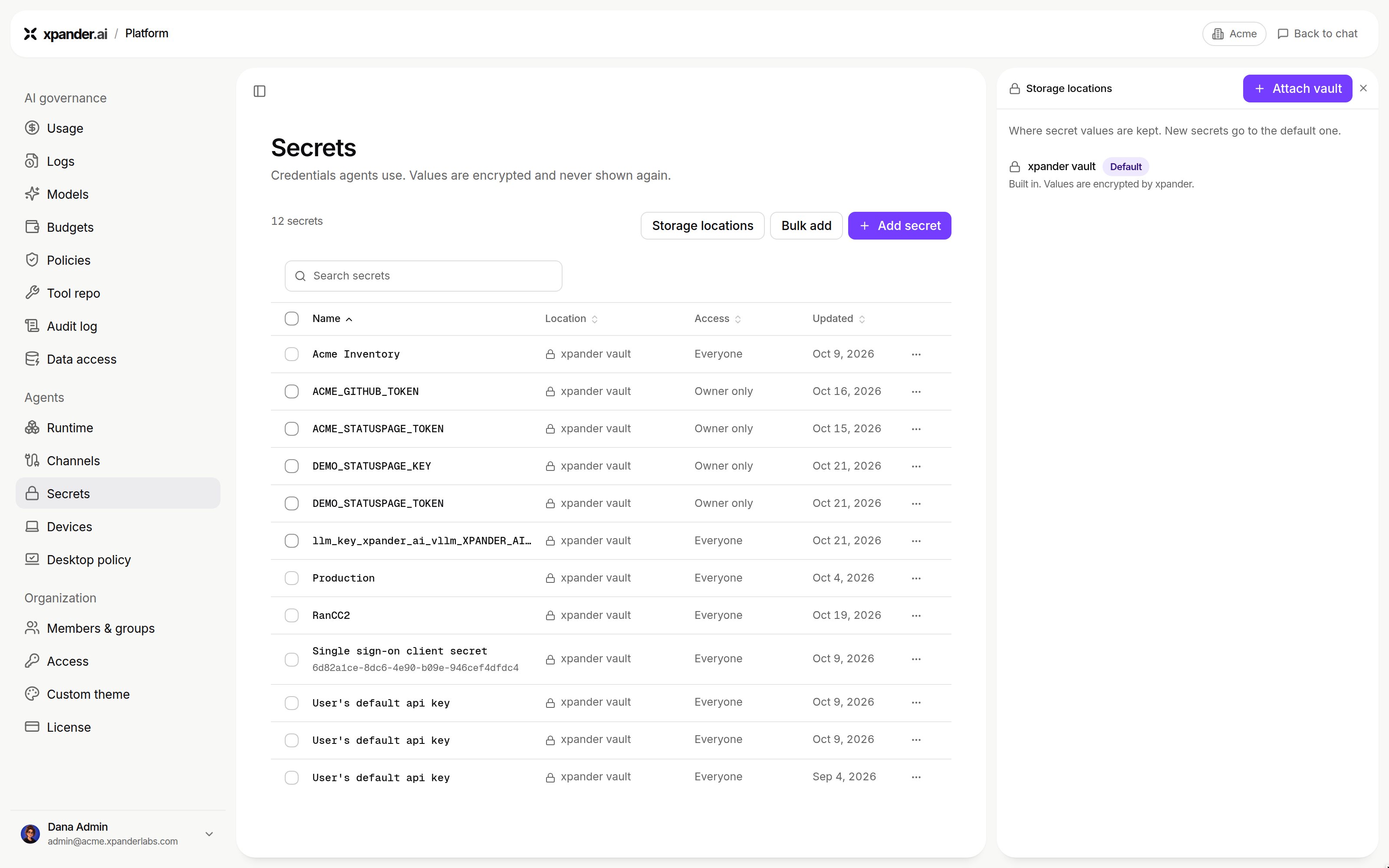
Storage locations: the built-in xpander vault, the default for new secrets, and Attach vault. Shown with sample data.
Get and List secret permissions, an optional expiry date for that secret, a display name, and whether to Use this vault for new secrets. Connect and import names imports the names with access off until you grant it. Values are pulled at use time.
The vault’s menu offers Refresh secret names, Update credential (after you rotate the secret in Entra) and Detach vault (removes the imported names without touching the vault). The expiry date lets the Vault warn you before the credential lapses.
Your own credentials
When you connect a skill with Personal access, your credential is stored in the Vault under your name, used for your requests only, and never shown again. If a skill requires each person’s own sign-in, xpander asks you the first time the agent needs it.What an agent declares
An agent can declare the secrets it needs, such asGITHUB_TOKEN. Declarations are versioned on the agent’s draft with its skills and instructions, so teammates see what it needs before running it.
Each requirement shows Satisfied for everyone (a shared secret is bound), Satisfied for you (your credential is bound) or Missing (the agent asks when it needs it). A Vault secret bound under the variable name an agent reads satisfies a shared requirement, so one entry can serve two agents under different names. Each name is exported once, so a second secret under a used name is refused. The agent owner never binds a personal credential for someone else.
The per-agent Secrets section, where an owner reviews declared requirements and binds Vault entries to the agent by hand, is not switched on in every organization yet. Where it is off, the Vault’s access levels, the secret card below and workspace secrets are how an agent gets its values, and the secret card makes the bindings described here.
Workspace secrets on an agent
Workspace secrets belong to one agent. Open the agent’s workspace, choose Workspace settings from its menu, then the Secrets view.- Key: uppercase letters, digits and underscores. Runtime-reserved prefixes are refused.
- Value: a literal, or an external-vault reference written as
${ext:NAME}, pulled when the workspace starts.
When a secret is missing
The agent asks with a secret card in the conversation, or a single-use link to aProvide secrets page. The card names the secret, says what it is for and offers a masked field. The value goes straight to the Vault or the workspace, never to the agent or the transcript. For each name the card reports saved and bound, saved but not bound, or not saved, and a Saved chip confirms what was stored. The agent continues on its next turn.
A matching entry you already hold satisfies the requirement, and no card is raised. An agent can also see the names, never the values, of Vault secrets not yet bound to it, and send you a link to bind one.
Which value wins
- Your personal credential
- A secret bound to the agent
- The agent’s workspace secrets
For administrators: which secrets reach an agent
Every use of a secret is a
use_secret event in Platform > AI governance > Audit log, so you can see which agents still rely on the whole set and bind their secrets directly. Workspace secrets and external vault references are unaffected.
Good practices
- Declare requirements with a description on every agent you publish.
- Use per user scope for anything that acts in a person’s name (source control, calendars, ticketing), and shared for service accounts and third-party API keys.
- Keep the variable names vendor command-line programs expect, such as
GITHUB_TOKENandGITLAB_TOKEN. - Rotate expiring credentials in Settings > Connections. The next conversation uses the new value.
What is governed and recorded
Where a skill signs in with a person’s own account rather than a stored secret, the agent acts with that person’s permissions where systems allow.
Next steps
Govern every agent
Organization controls.