

Nodes
To jump to a step already in the graph, use Go to existing node or Pick on canvas.
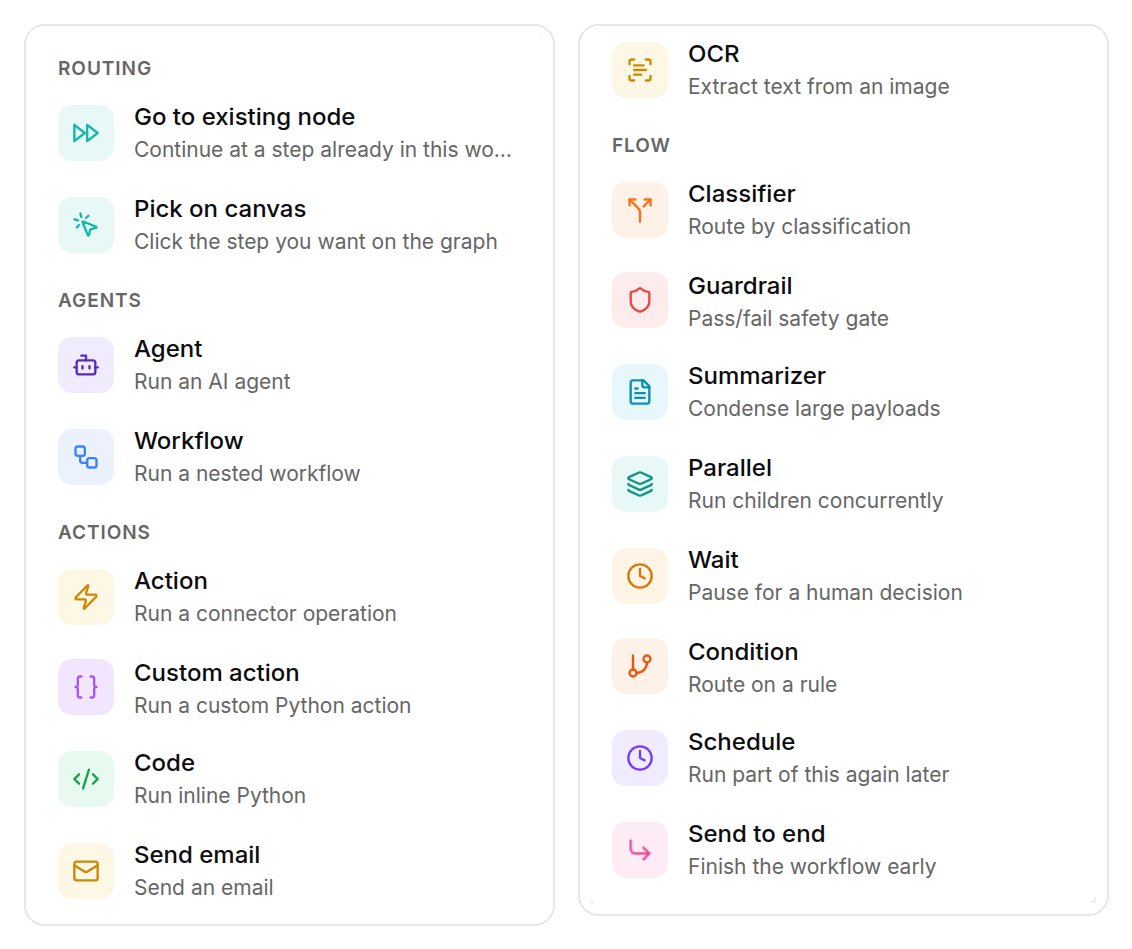
The node picker in the workflow editor, grouped as Routing, Agents, Actions and Flow. The list scrolls; shown here in two parts. Shown with sample data.
How the graph runs
Edges are ordered lists of next nodes. The first regular node is the entry, and an end summarizer produces the output. Branch conditions are regex, contains, equals, greater or less than, not empty, and else. Each node can retry up to a set count, repeat until a condition, stop on failure or a condition, and ignore duplicate input within a window.Triggers
The Start node shows each trigger and whether it is live: API (always on, at the workflow’s id), Webhook (the URL is itself the credential), Slack (channels routed to the workflow) and Schedule (a cron in UTC). Triggers publish the moment you switch them on. An incoming email can also start a run.Staged and live
Edits are staged. In xpander Chat, a change marks the workflow DRAFT and shows “1 pending change, Staged for review” with Review (the diff), Publish and Discard (back to the live workflow). On the API,PATCH /v1/workflows/{workflow_id} changes the draft, PUT deploys it, and ?version=draft on POST /v1/workflows/{workflow_id}/invoke runs the draft.
Workflows are not listed among agents. GET /v1/workflows lists them, and asking the workflow endpoint for an agent id says so.
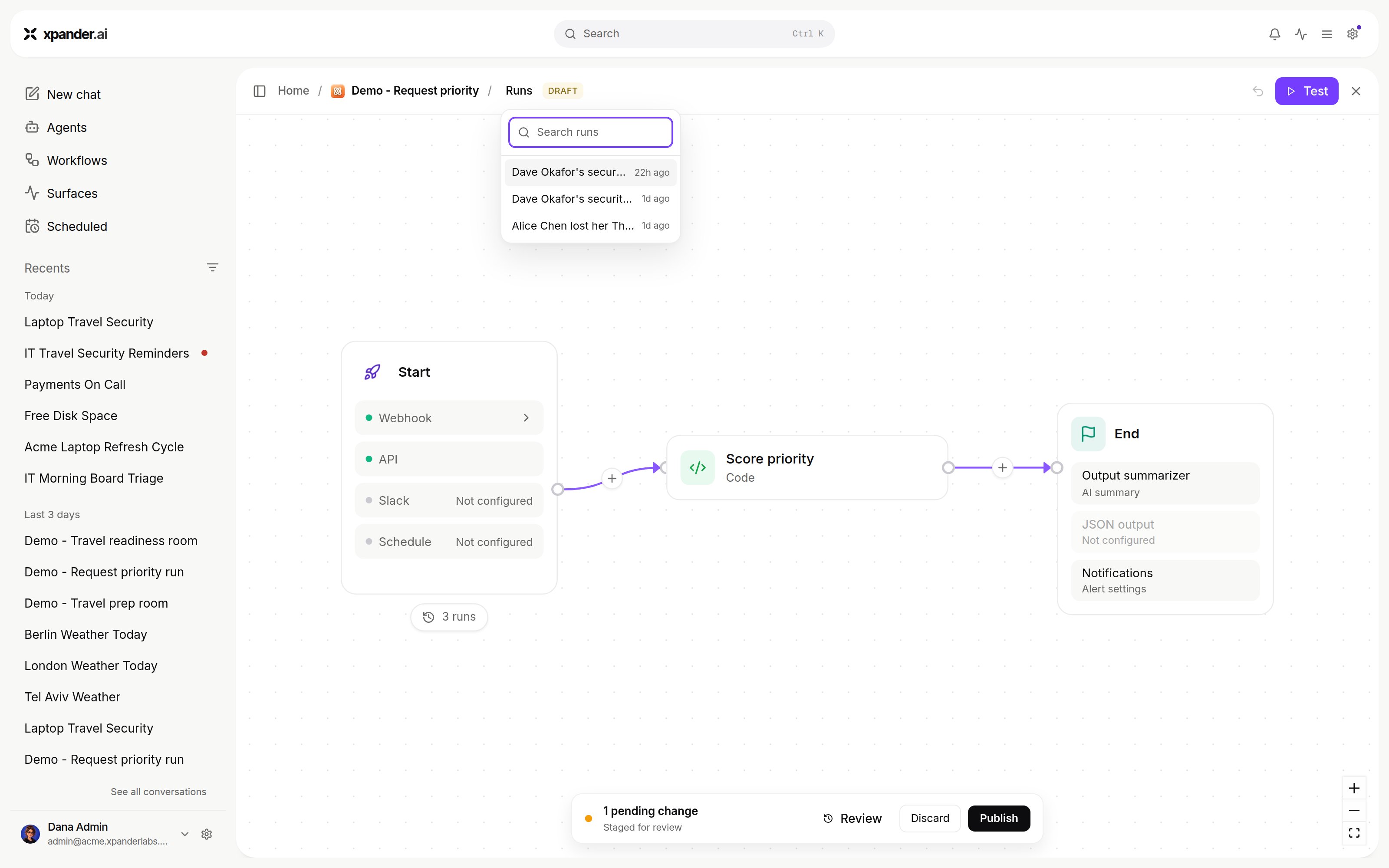
A staged workflow with a pending change, ready to publish.