

Start a run
Authenticate with
x-api-key and an organization API key from Platform > Organization > Access. A key can be limited to named agents.
The Developer access row also shows POST /v1/agents/{agent_id}/conversations/invoke. It sends a message in a conversation and returns the reply with the conversation record, and it is what xpander Chat uses. Continue with the next message’s conversation_id. /invoke starts a one-shot task and returns the task record. Pass an existing conversation id to continue. Both take the same key.
A dropped stream doesn’t stop the run. The answer lands in the task. On a self-hosted location, use that location’s API address.
Read tasks
GET /v1/tasks lists tasks (filter by agent, user, parent task, status, dates). GET /v1/tasks/{task_id} returns one, and /thread, /thread/full (with sub-tasks) and /llm_usage (model calls with cost) add detail. POST /v1/tasks/{task_id}/stop stops it. Statuses: pending, executing, paused, error, failed, completed, stopped. Full reference: REST API.
Get told when a run ends
Set the agent’snotification_settings with PATCH /v1/agents/{agent_id} to send the outcome to email, Slack or your webhook, on success, error and budget events. The webhook gets the task’s name, subject, body, type, duration, result and link, with your headers:
Structured output
Four ways to get the same shape every time. Start with the first:- The agent’s output format. In Agent settings > Advanced > Output format, choose Structured output and give a JSON Schema (Generate with AI drafts one). Every answer is validated and repaired when possible, on every channel. The API returns the JSON as
result. Chat channels show prose and keep the JSON in the record. Use this when a system parses the answer.
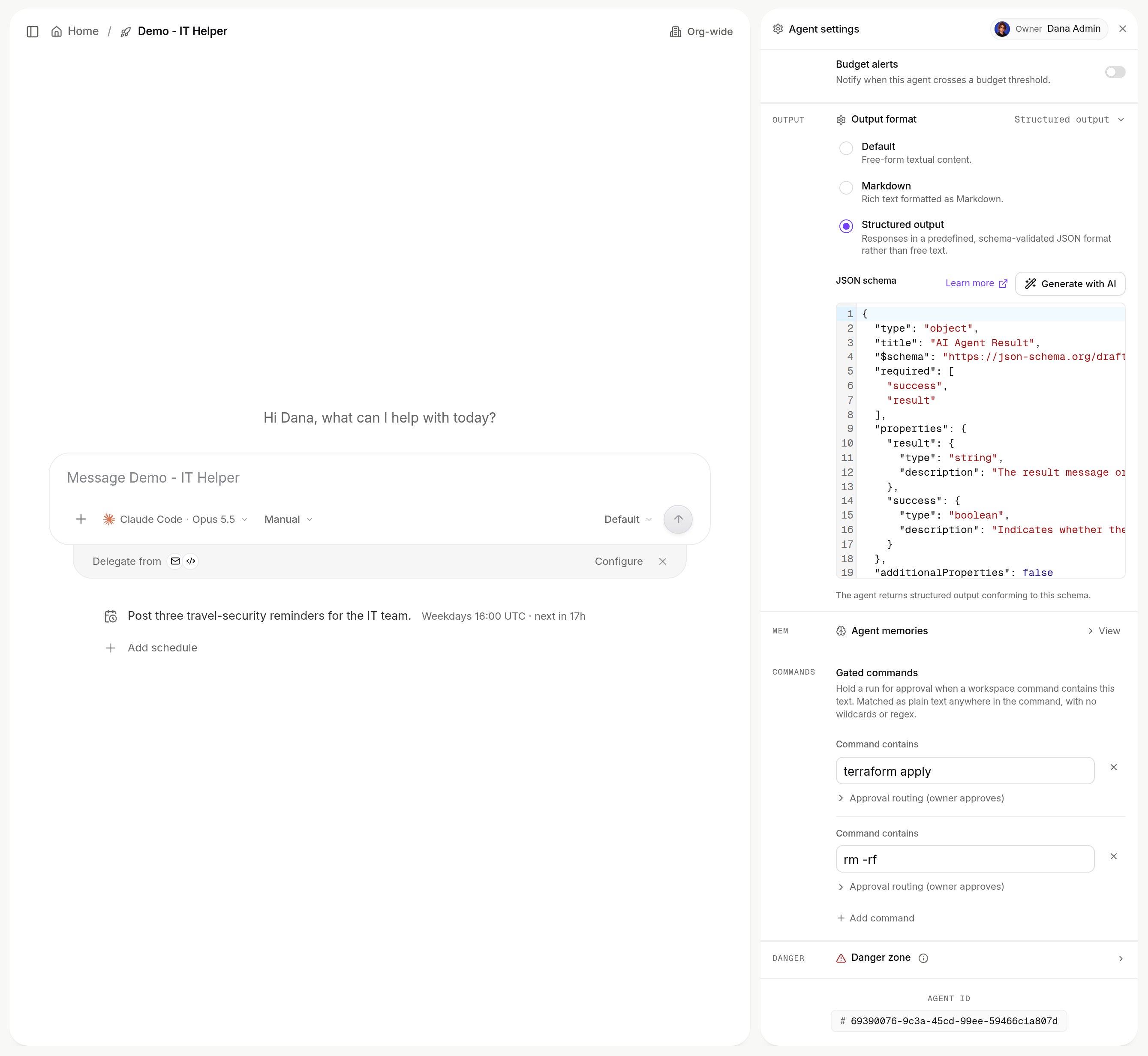
Output format set to Structured output, with the seeded schema. Shown with sample data.
- Required sections in the instructions. For a human-readable answer with fixed sections, write them into the static prompt. Instructions are never trimmed.
- A format per channel. A routed Slack channel can carry its own format, overriding the agent’s. See Channels.
- A schema per call.
output_formatandoutput_schemain the invoke body apply to that run only. Turns through the agent’s conversation use the agent-level schema, so prefer the agent setting.
?getter=result.<field> extracts one field.
Workflows
All of this also works for workflows, atPOST /v1/workflows/{workflow_id}/invoke.
Next steps
Browse the REST API
Every endpoint.
Run an agent from a webhook
No key needed.