

Read a task
A task keeps every action in order: for each skill call, the input, output, duration, failure, the credential and mode it used, and any approval it waited for. For the run, the model and provider, tokens, cost, attempts, plan updates and the result. Open it from the conversation, the Session Manager orGET /v1/tasks/{task_id}. /thread/full includes sub-tasks.
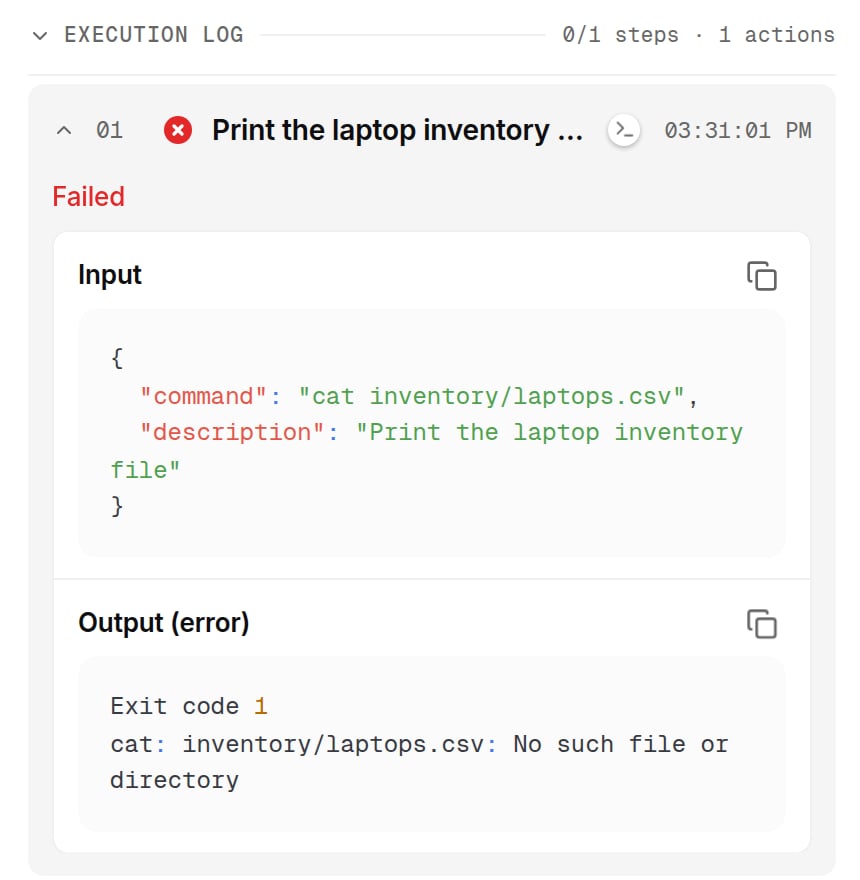
The execution log of a turn: each action with its status, time, the input it sent and the output it got back. Shown with sample data.
Tell what went wrong
Export a conversation as PDF, HTML or Markdown from its menu.
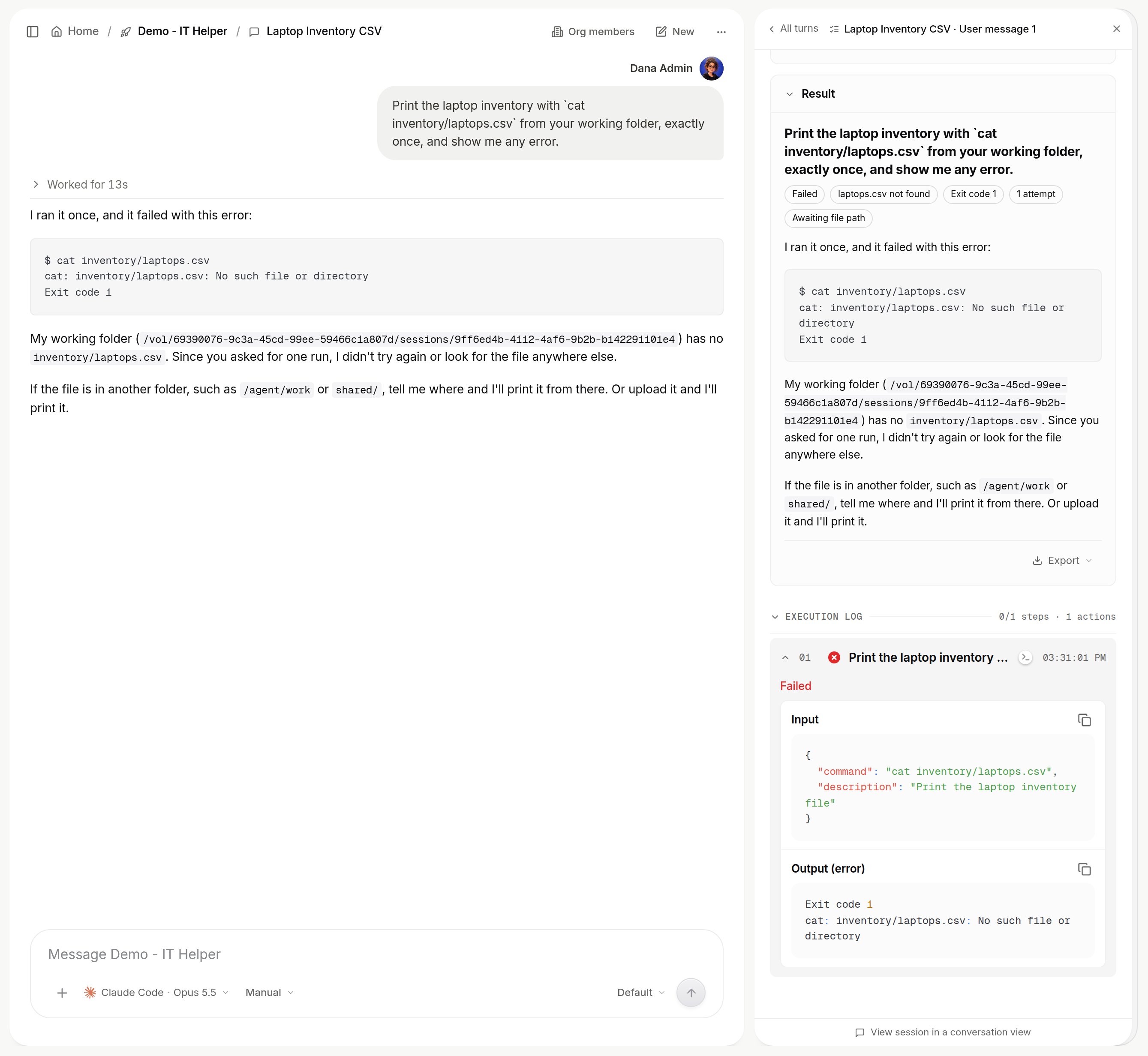
A failed action: the conversation explains it, and the turn details in the Session Manager keep the raw error. Shown with sample data.
The audit log
Platform > AI governance > Audit log (admins) records every governed action as it happens, with who did it. Filter by event type, user or text, expand a row for the raw record, and export the current filter as CSV or JSON. To stream every event to your own bucket or OpenTelemetry collector, set up Log destinations.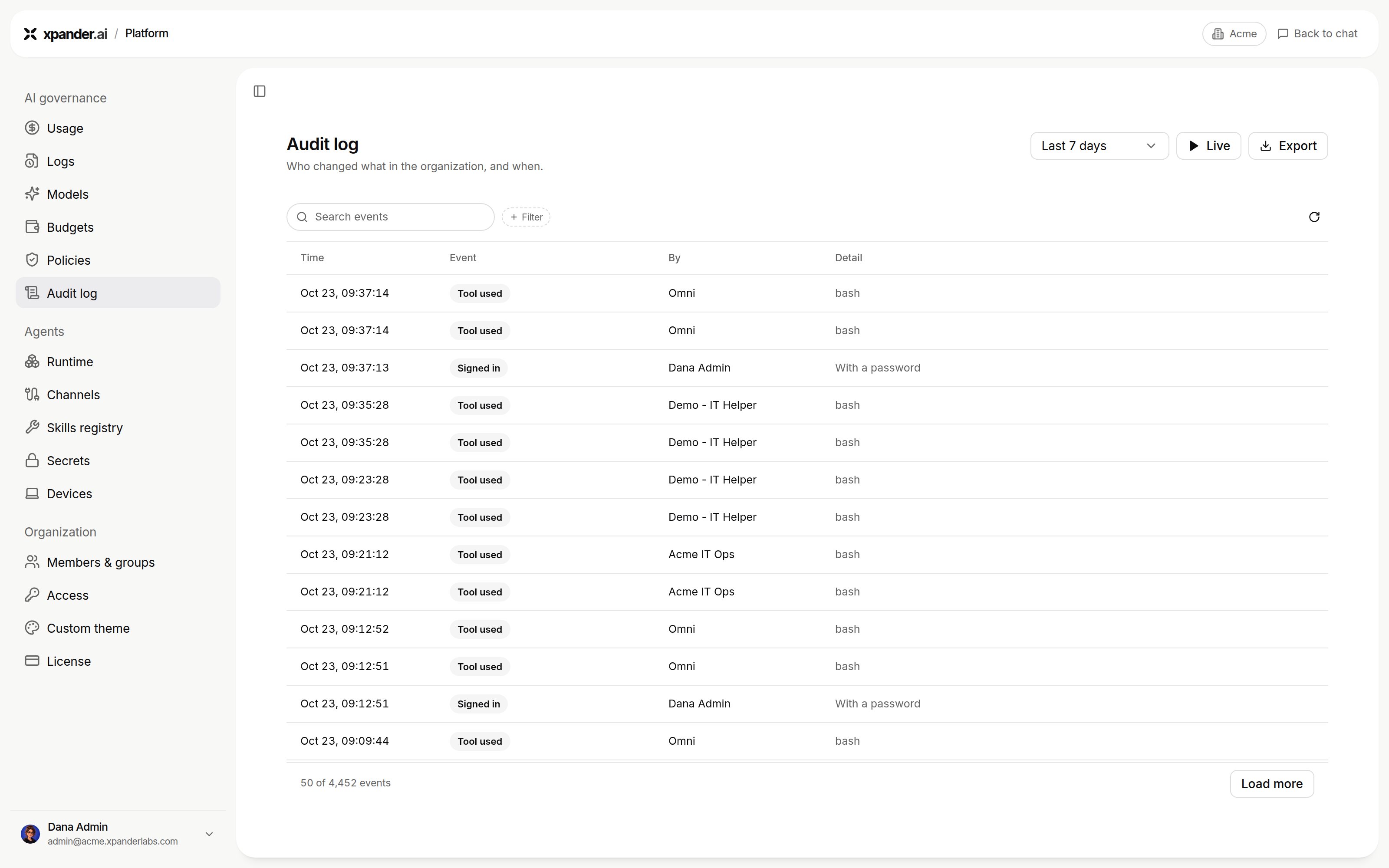
Platform > AI governance > Audit log. Shown with sample data.
Approval decisions are recorded on their task, not in this log.
Use Secret, Read Secret, blocked uses and workspace actions are kept 90 days, every other event 400 days. On a self-hosted installation, workspace actions record the action and outcome, not the raw command.
What the audit log answers today
To see which agent used which system, when and on whose behalf, filter onUse Secret and search the system’s name, or open a secret in the Vault and read its activity. To see what a person created and touched, filter by that user. There is no per-system or per-person dashboard yet.
Next steps
Read the task record
Where to read a task.
Send audit events to your own store
Bucket or OpenTelemetry.