

Each destination starts from the moment you save it. Earlier requests are not sent. If it can’t be reached, sending pauses and resumes where it stopped, without losing data.
OpenTelemetry
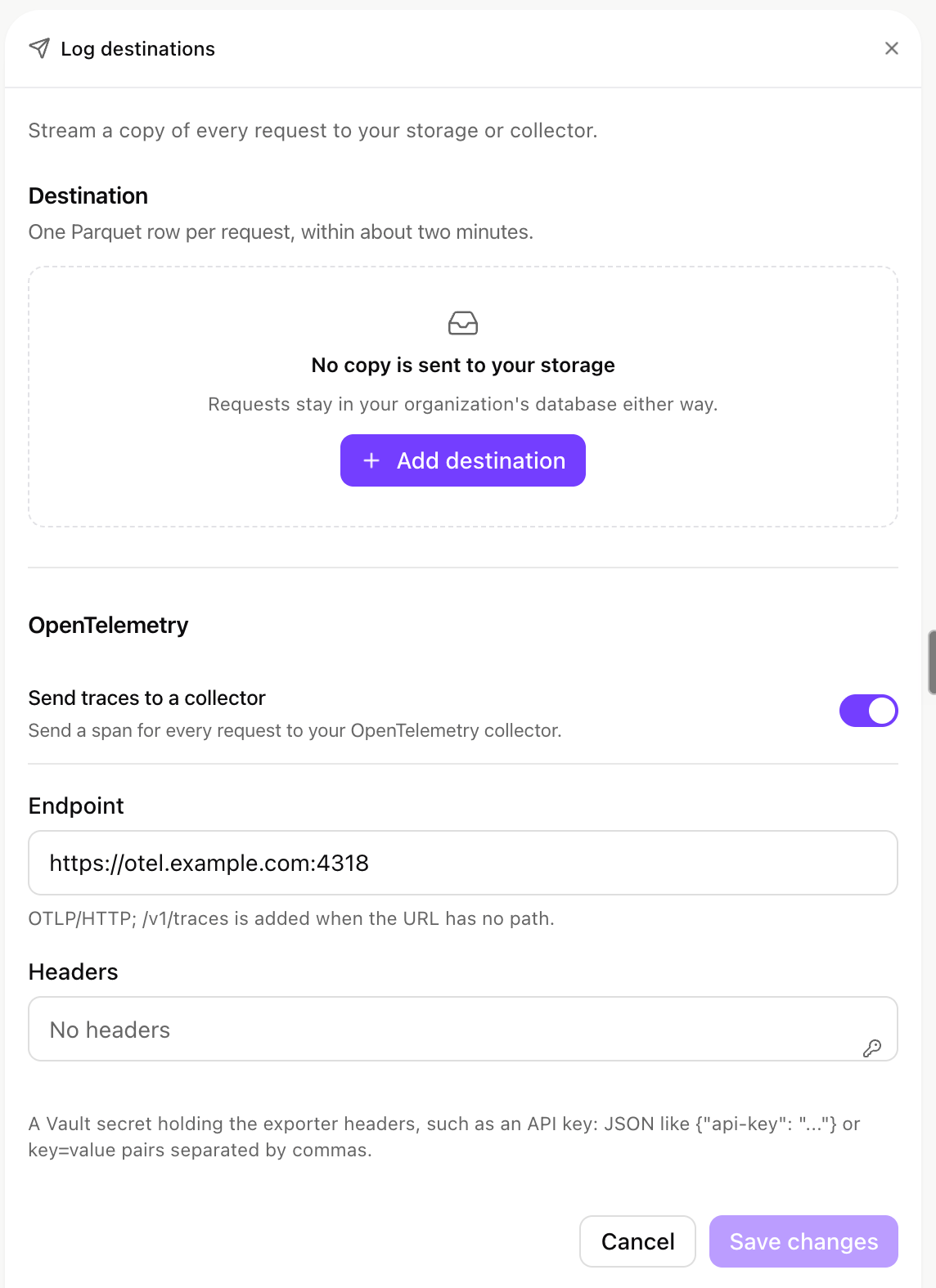
Log destinations: a storage bucket and an OpenTelemetry collector.
1
Store the collector's headers
In Secrets, store the headers, such as the API key, as JSON (
{"api-key": "..."}) or comma-separated key=value pairs.2
Point at the collector
Under OpenTelemetry, turn on Send traces to a collector, enter the Endpoint (the HTTP port, usually
4318; /v1/traces is added when the URL has no path), pick the secret under Headers, and save.What each span carries
What each span carries
Each span follows the OpenTelemetry GenAI conventions and carries the provider and models, tokens (input, output, cache, reasoning), cost in USD, timings, the IDs of the person, group, agent, task and conversation, the key name, client, trigger, license model and status. It never carries prompt or response text, an email address or error text. Calls of one agent run or coding session share a trace ID.
Coralogix
Coralogix
Create a Send-Your-Data API key in Coralogix, then store this secret in xpander. The application and subsystem names are yours to choose:Set Endpoint to
https://ingress.<your Coralogix domain>/v1/traces, such as https://ingress.eu2.coralogix.com/v1/traces. Spans arrive with the service name xpander-llm-gateway, grouped by your application and subsystem names.Grafana Cloud, Honeycomb, Datadog and your own collector
Grafana Cloud, Honeycomb, Datadog and your own collector
Storage bucket
Store a write credential in Secrets (formats under Bucket credentials below). Then, under Destination, choose Add destination, pick the storage, and fill in Bucket (Container for Azure), an optional Prefix such asgateway/ (no leading slash), the Region (S3 only) and the Credential. Send test writes <prefix>/_xpander_test.json and reports Test row written, or The test failed with the reason: missing bucket, wrong region (it names the right one), access denied, a rejected key, or a blocked storage address. Save. Turn off stops the copy.
Files land under <prefix>/dt=YYYY-MM-DD/hour=HH/ (UTC hour of the call), one row per request. Changing the bucket or prefix restarts the export from that moment. Retention in Policies does not delete exported files: set a lifecycle rule on the bucket.
Bucket credentials
Bucket credentials
Parquet columns
Parquet columns
Rows never hold prompt or response text, email addresses, IP addresses or error text.
The audit log
Every destination also receives the organization’s audit log: sign-ins, setting changes, credential use, and a data access row for each call that reads or writes your data. That covers skill calls agents make through xpander (API connectors, custom functions, knowledge bases, file storage) and calls people make through the MCP gateway with their own key. A data access row names who acted, on whose behalf, the skill, the action, read or write, the result, the client and the time, never the request or response.
The audit export runs only when the AI Gateway is on for the organization. Skills served over MCP that an agent’s runtime calls directly are in the task’s record, but write no data access row, so they don’t reach log destinations.
Self-hosted installs
On Hybrid and Air-Gapped, both destinations are sent from inside your install and only need to be reachable from your cluster. Air-Gapped can use S3-compatible storage in your network throughendpoint_url.
Next steps
Read requests in Logs
Usage and every request.
Store the destination's credential
Add it as a secret.