

Agents that can start sessions
New agents accept sessions from is Any agent or No agents. Set a group’s own default gives a group its own starting point. When a member’s groups disagree, the organization default applies. Owners can still change it per agent (Who can send tasks).License model
Each way of paying for model calls has a switch:
The last one that is on can’t be turned off and shows Stays on: calls fall back to it. Exceptions lets groups and agents use fewer license models than the organization.
- Default license model (when both Bring your own key and Xpander AI Credits are on): Bring your own key uses your stored key when there is one and xpander’s key otherwise. Xpander AI Credits always uses xpander’s key, billed.
- When someone’s plan hits its limit (when Bring your own subscription is on): Fall back to company models (the default) until the plan resets, or Pause, which holds their calls until then. Fallback calls are paid like any company call: per token on your stored key, or in credits on xpander’s key, and they count toward budgets.
Key lifetime
Longest lifetime for a new API key caps the expiry people can give keys in AI models & keys: 30 days, 90 days, 180 days, 1 year or No limit. With a cap, the form says Your organization allows up to … and does not offer Never. Existing keys keep their expiry.Request retention
Keep requests for sets how long request records and their saved text are kept: 30 days, 90 days, 180 days, 1 year, or Default (90 days). Self-hosted installs also offer No limit, which applies until you set a period.Conversation retention
Conversation retention deletes finished conversations a set time after their last activity, with every turn in them. Admins set it under Delete conversations after: Keep forever (the default), 7 days, 30 days, 90 days, 1 year or Custom (1 to 3,650 days). The panel counts the conversations the next run will delete and asks you to confirm a shorter period.- Kept: running conversations, files the agent created and files people uploaded, usage, billing, the audit log and gateway request records. Pinned and shared conversations are kept too, unless you turn on Also delete pinned and shared conversations.
- When: a nightly run at 02:30 UTC. Deleted conversations cannot be restored.
- One agent’s own period: in the agent’s settings, under Advanced > Retention: Follow organization (the default), Custom for this agent or Keep forever. Agents that override in the panel lists them. A person who cannot change policies can only set a shorter period than the organization’s.
- Record: every change of either period, and every run that deletes conversations, is in the Audit log.
Prompt and response text
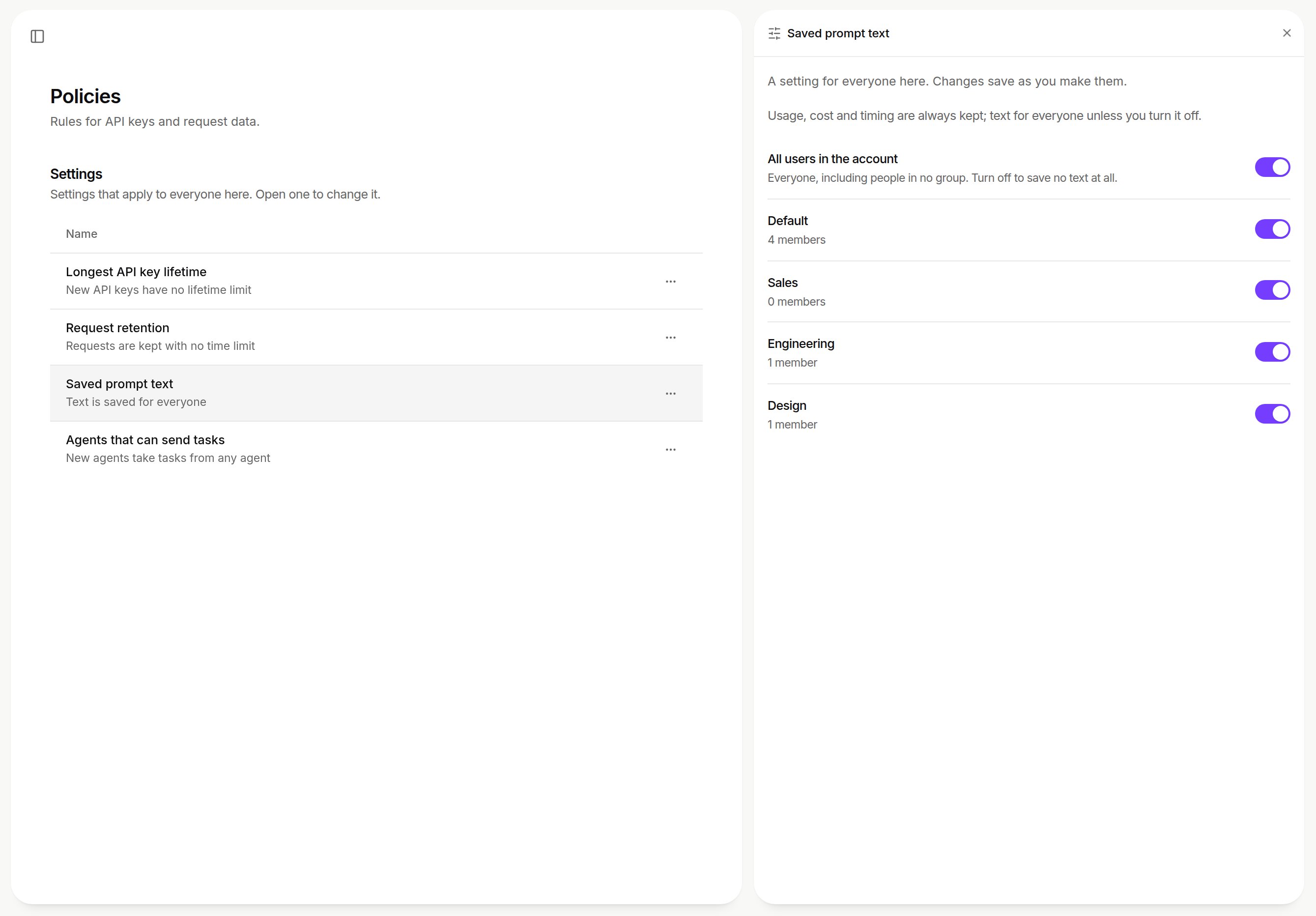
Saved prompt text: one switch for all users in the account and one per group. Shown with sample data.
On Hybrid, these switches cover agents in your environment. Coding tools on your people’s computers connect to xpander cloud, which never saves their text.
Next steps
See who pays for each call
The order on every call.
Read requests and their cost
What a request record holds.