

xpander’s harness test
xpander runs each harness against each catalog model from another vendor with four checks: a plain answer, a tool call and its result, a streamed answer in the harness’s own format, and a long prompt. A harness always lists its own vendor’s models. For the picker rules, see Any model on any harness.Test model
Admins who may manage models open it in Models:1
Open the provider
In Platform > AI governance > Models, open a connected provider.
2
Open Test model
In the model row’s ⋯ menu, choose Test model.
3
Run the agent checks
On Agent checks, pick Claude Code, Codex or OpenCode, then choose Run checks.
Agent checks
Each run checks that the model:- Is reachable through the gateway
- Streams in the harness’s own format
- Makes a function call and continues after the result
- Accepts the harness’s system prompt layout
- Accepts the harness’s thinking and effort settings
- Accepts the harness’s full list of function definitions
- Reports a full context in the harness’s own error. This check is Skipped when the model’s context length is not known yet
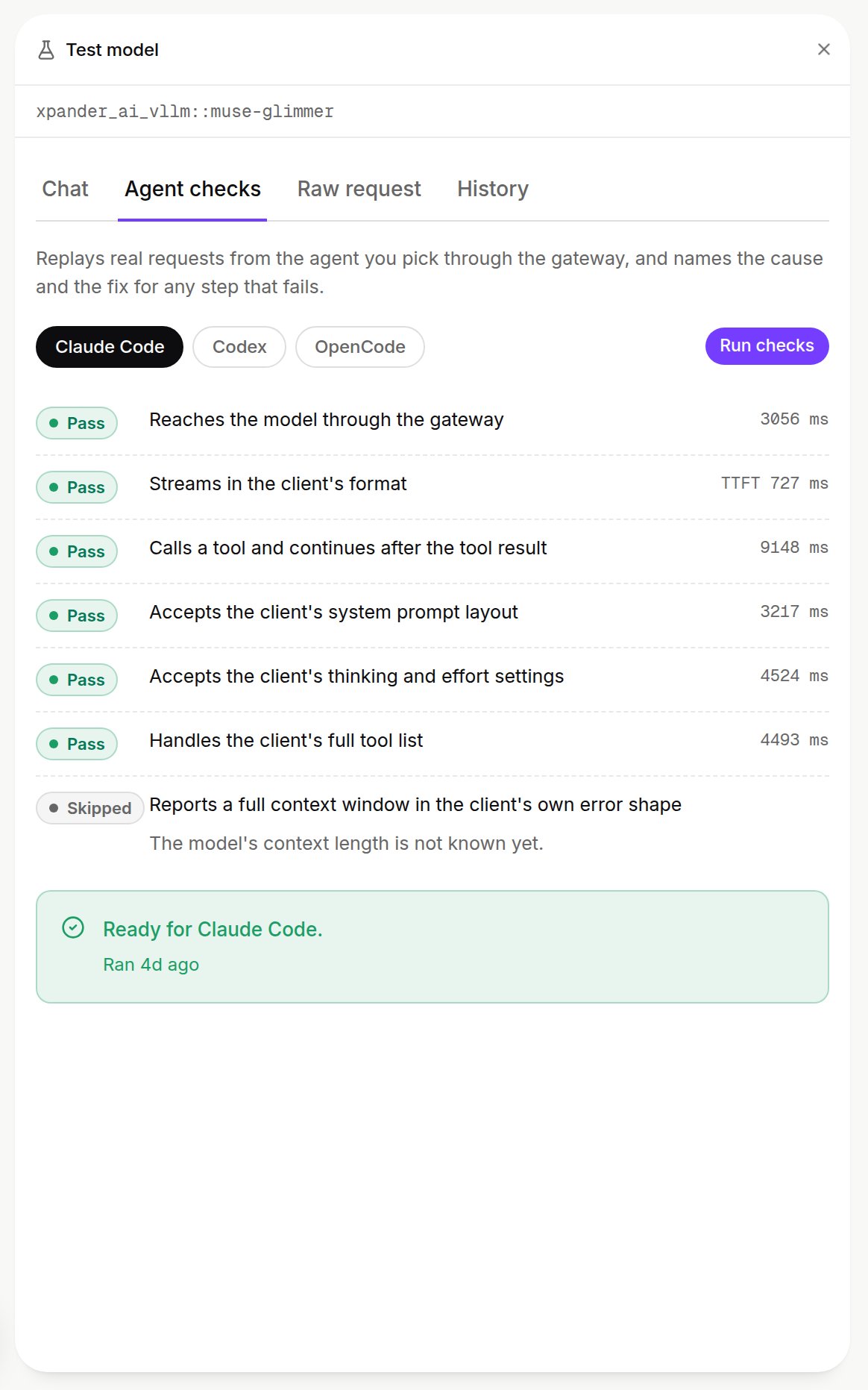
Agent checks for Claude Code on a vLLM model: six checks passed, the context check skipped, and the result card. Shown with sample data.
After the test
- A model from your own provider shows in the picker for each harness whose checks are ready.
- Every 2 minutes the gateway runs the same agent check on one model of each custom endpoint. See Endpoint health checks.
Next steps
Add your own provider
Connect an endpoint and pick its models.
Pick a harness and model
Choose what an agent runs on.