

Set the organization’s period
- Open Policies (Platform > AI governance > Policies).
- Select the Conversation retention row.
- Under Delete conversations after, choose Keep forever, 7 days, 30 days, 90 days, 1 year or Custom (1 to 3,650 days). Next to the option you pick, the card says how many conversations will be deleted at the next run.
- Confirm. A change that deletes more (a shorter period, or a period where there was none) first opens Delete conversations older than 30 days? (with the period you picked). It says how many conversations the next run deletes, and when. Typed Custom days save when you press Enter or choose Save.
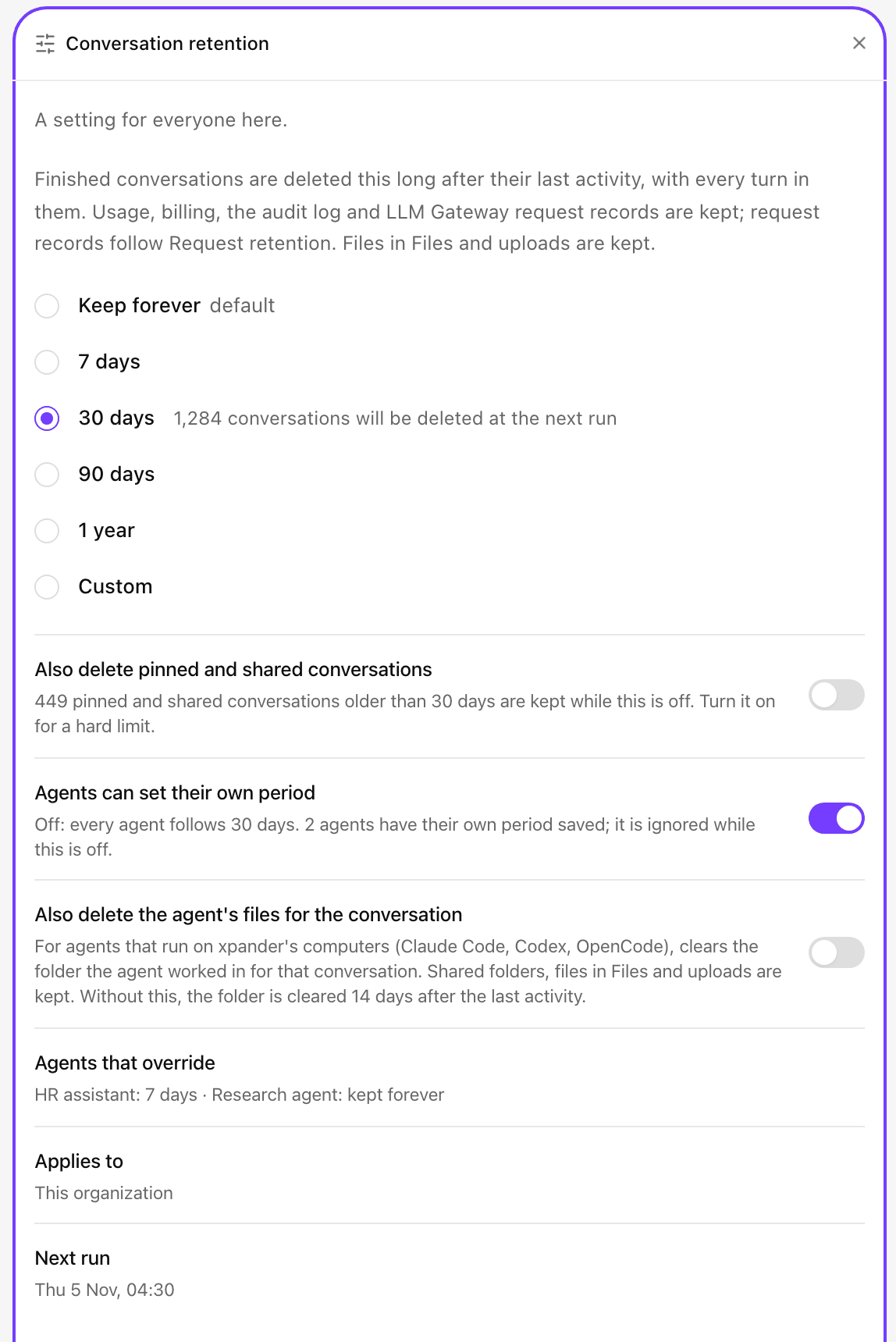
The Conversation retention card with a 30-day period. Shown with sample data.
What is kept
- Pinned and shared conversations. Kept by default, including conversations in a shared session. Turn on Also delete pinned and shared conversations to delete them with the rest. xpander asks you to confirm first (Delete pinned and shared conversations too?).
- Running conversations. A conversation that is running, waiting or paused is never deleted. Its age counts from its last activity, so a conversation someone keeps using is never due.
- Files. Files in Files and uploads are kept. The folder an agent worked in for the conversation is deleted with it only when you turn on the agent’s files.
- Everything outside the conversation: usage, credits and invoices, LLM Gateway request records (they follow Request retention), the audit log, memories, agents and schedules.
Conversation retention or request retention?
Both settings are on Policies. They delete different things and never touch each other’s data.
For example, with conversations at 30 days and requests at 1 year, a conversation from February is gone from the history in March. Its model calls still show in Requests until next February. The reverse also holds: a conversation kept forever can show model calls whose request records were deleted after 90 days.
Override the period for one agent
An agent can keep its conversations for a shorter or a longer time than the organization, or forever. In the agent’s settings, open Advanced > Retention and choose:
In the agent’s settings, a person whose role may not edit policies can pick at most the organization’s period. A pick that deletes more asks to confirm first.
The Conversation retention card lists every agent with its own period under Agents that override. An agent with its own period deletes on that period even while the organization is on Keep forever.
Let agents set their own period
Agents can set their own period is on by default, so the choices above apply. Turn it off when one period must apply to every agent:- Every agent follows the organization’s period, including agents set to Keep forever.
- The periods agents saved are kept, not cleared. Agents that override lists them as Not applied, and they apply again if you turn the switch back on.
- In the agent’s settings, Custom for this agent and Keep forever can’t be picked, and a saved period shows as (saved: 7 days, not applied). The note says Your organization applies one period to every agent. and who can change it. Clear the saved period removes the agent’s own period, so it follows the organization when the switch is back on.
- Turning it off while an agent keeps conversations longer than the organization opens Apply one period to every agent?. It says how many more conversations the next run deletes.
- Turning it on while an agent has a shorter period saved opens Let agents set their own period?. The next run deletes those agents’ older conversations.
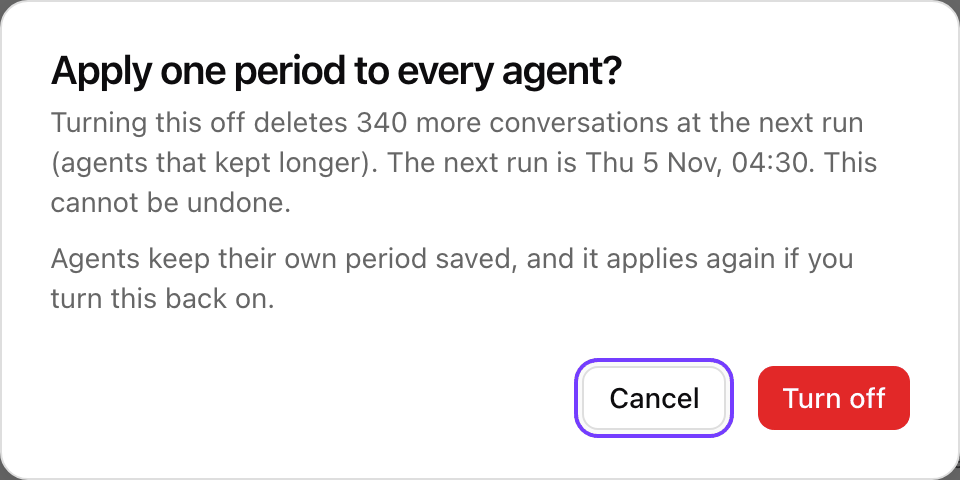
Turning the switch off counts the conversations that agents with a longer period of their own lose at the next run. Shown with sample data.
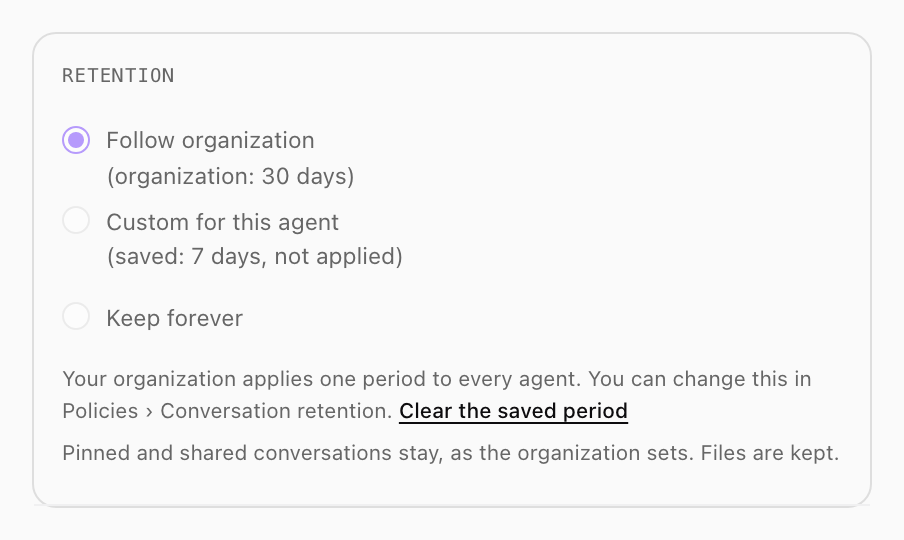
With the switch off, an agent's own saved period stays, and is not applied. Shown with sample data.
Agent files
Agents that run on xpander’s computers (Claude Code, Codex, OpenCode) keep a folder for each conversation on the agent’s computer: plans, attachments, code checkouts and folders moved from a laptop. Without the switch below, that folder is cleared 14 days after the conversation’s last activity. The agent’s own session record for the conversation (its Claude Code or Codex transcript) stays on the agent’s computer. Turn on Also delete the agent’s files for the conversation to delete them together with the conversation:- When: at the nightly run, and when a person deletes a conversation themselves.
- Removed: the conversation’s folder on the agent’s computer and the agent’s own session record of that conversation.
- Kept: shared folders, skills, files in Files and uploads, and every other conversation’s folder.
- Other agents: agents that do not run on xpander’s computers have no folder per conversation. The switch does not change anything for them.
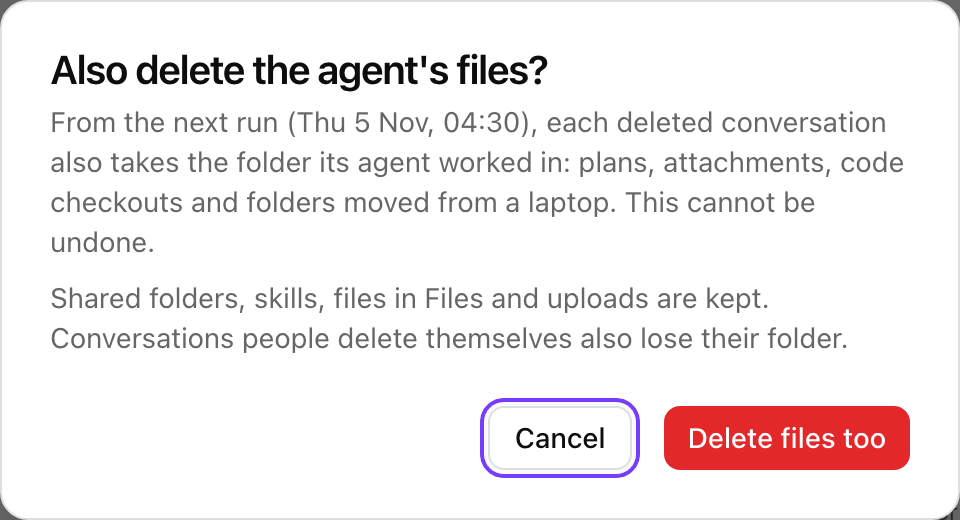
Confirming the files switch: what goes with each deleted conversation, and what is kept. Shown with sample data.
Accounts
A main account can apply its period to its accounts under Applies to. An account’s own period can then only be shorter: the shortest wins. When the main account’s shorter period applies, the card shows a Limited by badge with the main account’s name, and This account’s own with the period the account set for itself. Within one account, the period on the card is the default for its agents, not a maximum. An agent with its own period keeps it. To make one period apply to every agent, turn off Agents can set their own period.What people see
In the last 7 days before its deletion date, a conversation in the list says when it goes, such as deleted in 3 days or deleted tonight. Narrow lists show 3d left or tonight, with the full words on hover. While pinned and shared conversations are kept, the words are may be deleted in 3 days, because a teammate may have pinned or shared it. A running conversation, or one you pinned, says kept once its date has passed. The conversations panel shows the period in a note at the top, such as Conversations are deleted 30 days after their last activity. Pinned and shared ones are kept. Filtered to one agent, it names that agent and its period. A person can still delete their own conversation at any time, pinned or not. That delete removes it from every store at once, like the nightly run does, and with the files switch on, the agent’s folder for it too.Cloud, Hybrid and Air-Gapped
The same setting applies on every deployment. Each install deletes what it stores.- xpander cloud: xpander deletes the conversation from every store, and the agent’s folder when the files switch is on.
- Hybrid: conversation content and the agents’ computers are in your cluster, and your install deletes them there. Your install then reports the deleted conversation IDs to xpander cloud, which deletes the conversation list entries it keeps. Only IDs and counts leave your cluster, never content (Calls that run through xpander cloud). If your install has not deleted a conversation a week past its cutoff, xpander cloud deletes its own list entry anyway.
- Air-Gapped: your install does everything inside the perimeter and never calls xpander. Each account in the install sets or inherits its own period.
Self-hosted install values
These values control the nightly run on a self-hosted install.enabled: false and dryRun: true stop deletion whatever period is set in Policies. defaultDays applies only where no period is set; a period an admin picks in Policies wins over it.
enabled and dryRun came with Hybrid chart 0.22.8 and Air-Gapped chart 0.17.6. defaultDays and defaultIncludePinned need Hybrid chart 0.23.5 or later, or Air-Gapped chart 0.17.30 or later. An older chart ignores them without an error.
With no period for the organization, its main account or any agent, and no
defaultDays, the run deletes nothing for age. It still finishes deletes people already made.
Install default
defaultDays gives a period to every organization that never picked one of its own and inherits none from a main account. It is a default, not a lock. Admins see it on the card, marked install default, with Set by saying This install’s default. Pick another option to set your own. They can change it, including back to Keep forever. The Policies list shows it as Conversations are kept for 90 days (install default).
030 as 24, and the install uses 24 days.
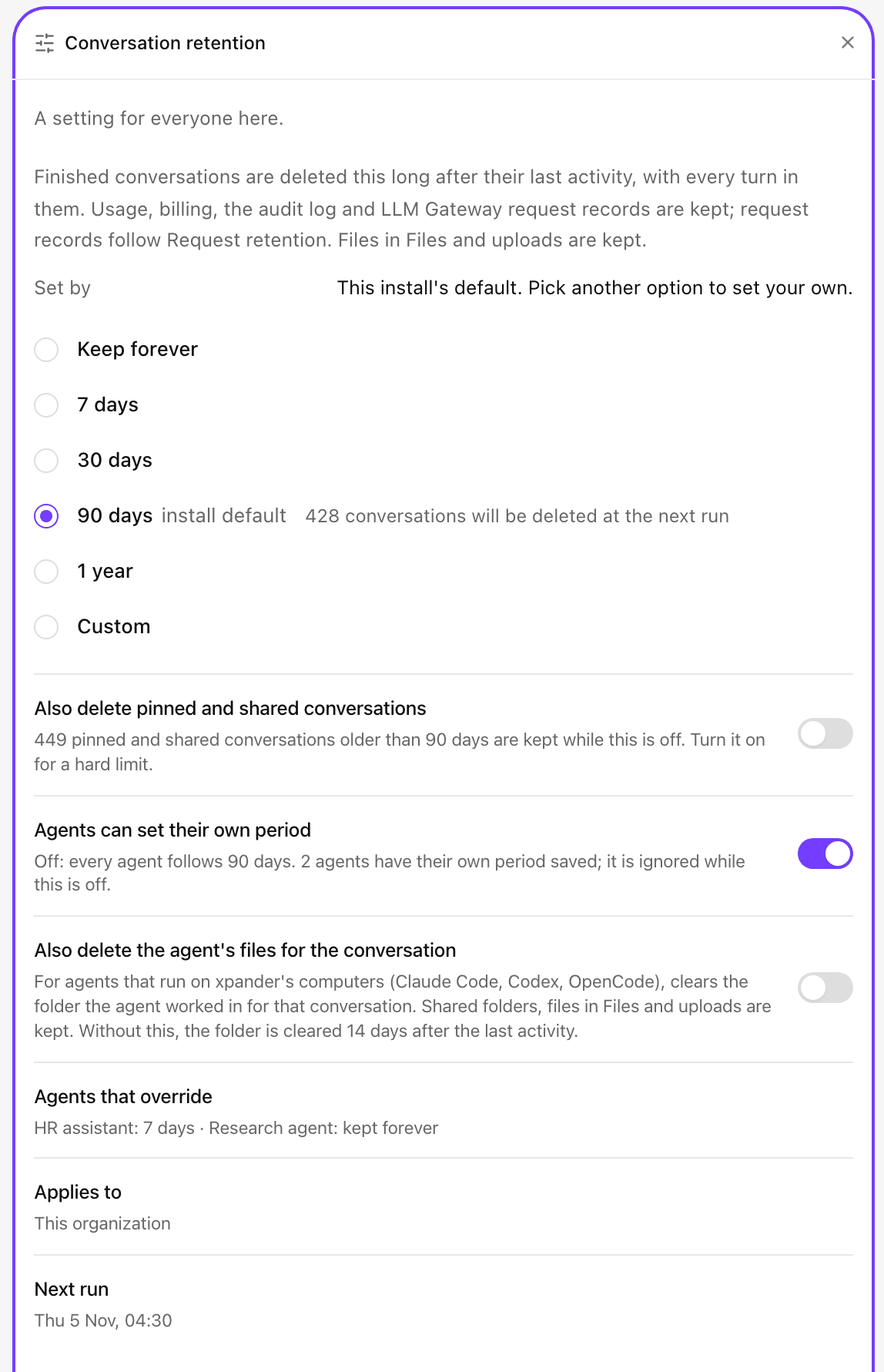
An organization with no period of its own on an install whose default is 90 days. Shown with sample data.