

supabase.auth.extraEnv in the chart); SSO is a separate path, and this page is about that path.
How a sign-in works
- The user opens the login page, clicks SSO and types their work email under Sign in with SSO. The email only picks the organization; it is never sent to the IdP.
- The
client-authcomponent builds the authorization URL from the organization’s OIDC config and redirects the browser to your IdP. Scopes areopenid profile emailplus any extra scopes you add. The client is confidential:client_idandclient_secret, no PKCE. - Your IdP redirects back to
https://<app-host>/oidc/<organization-id>/callbackwith a code. client-authexchanges the code at the IdP’s token endpoint and reads the user from the IdP’s userinfo endpoint. Token and userinfo calls run from inside the cluster, so the IdP must be reachable from the pods, not only from browsers.- xpander finds or creates the user by email in the in-cluster auth (GoTrue), then mints the session.
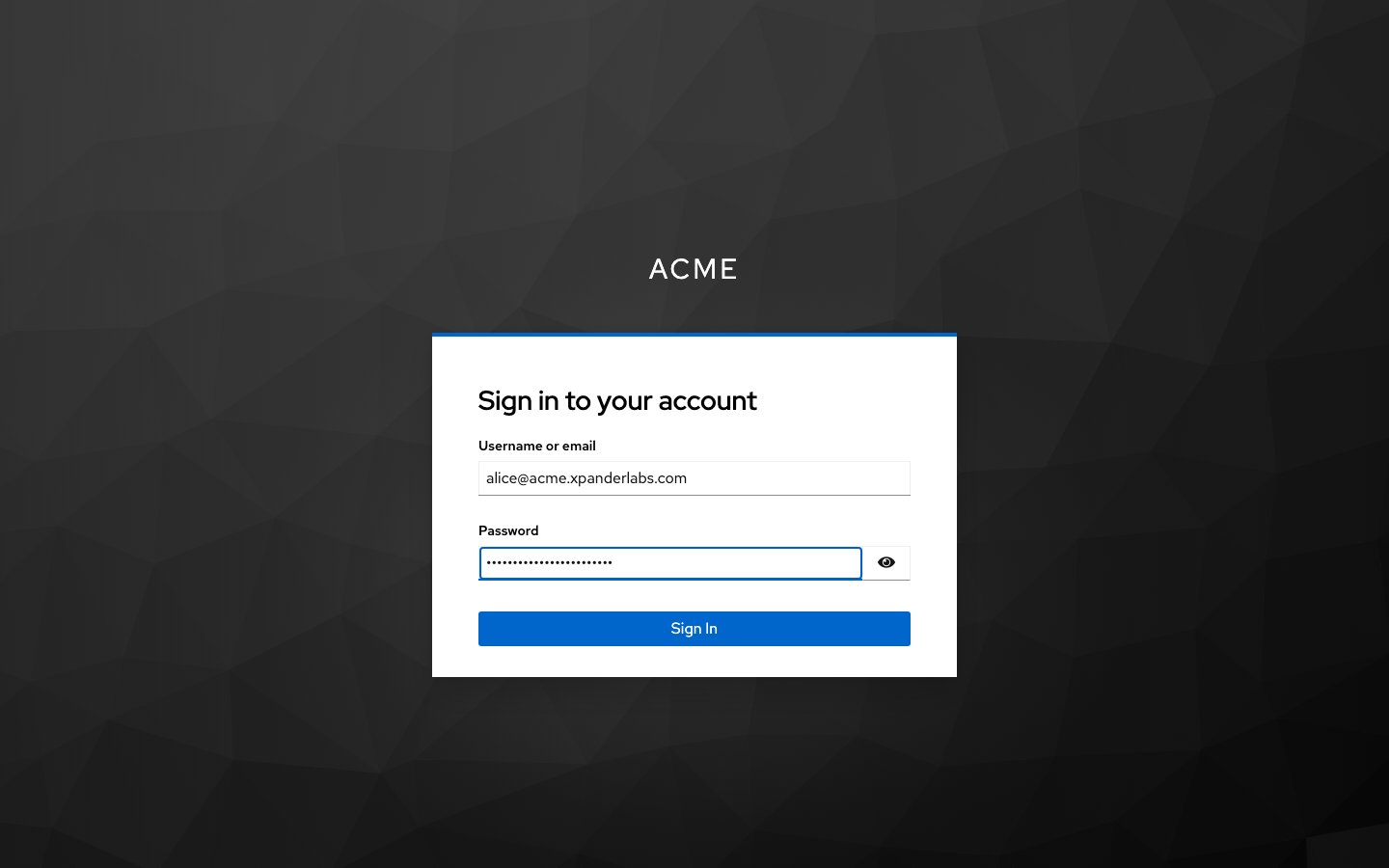
After the SSO button: the identity provider's own sign-in page, here Keycloak. Shown with sample data.
What to configure
In your identity provider
Create an OIDC client for xpander with:
The pods need a routable path to the IdP. Step 4 above runs from inside the cluster, and node egress addresses change. An IdP whose public entry point is IP-restricted refuses the token and userinfo calls, even though the browser redirect worked. Give the pods their own path: a private-zone record and an internal load balancer entry for the IdP. The reference install publishes Keycloak as
keycloak.internal.<domain> on an internal ingress class. Resolve that record from inside the cluster, so the issuer hostname still matches what the IdP advertises.
For agent pre-authentication (the token-exchange option in the OIDC settings), the Keycloak client needs more than the sign-in flow:
- Standard token exchange enabled (Keycloak 26: the client attribute
standard.token.exchange.enabled=true) - Direct access grants enabled
- An audience client that represents the system agents call with the user’s own token, where that system allows it
- A client scope carrying an audience mapper for that client
preferred_username. The login reads the user from Keycloak’s userinfo and expects preferred_username to carry the email. Keycloak sends the account username by default, so the auth service is asked to create a user called, for example, usman and refuses it (Unable to validate email address: invalid format). Fix it in Keycloak, on the client you created for xpander: Client scopes, the client’s dedicated scope, Add mapper, By configuration, User Property. Name preferred_username, Property email, Token Claim Name preferred_username, type String, “Add to userinfo” on. Then retry the SSO sign-in. Realm-wide alternative: Realm settings, Login, “Email as username”. Nothing changes on the xpander side; if the redirect round trip already works, your issuer, client and redirect URIs are correct.
Releases with the September 2026 edge-functions image or later read email first and use preferred_username only when it is an address and email is absent, so on those releases the mapper is a safeguard rather than a requirement. Add it anyway; it works on every release.
In xpander (Platform > Organization > Access)
In the chart
client-auth is one of the published hosts (client-auth.<domain>); it also serves the OAuth redirects for skills.
When it fails
Logs to read: the
client-auth pod (token and userinfo exchange), the auth (GoTrue) pod (user creation), and the edge-runtime pod (the oidc-callback function).
Group sync with Keycloak
Group membership from the identity provider maps to xpander user groups. Four steps: two at the IdP, two in xpander.- A client scope named
groups. In Keycloak: Client scopes, Create client scope, namegroups, type Optional. On that scope: Mappers, Add mapper, By configuration, Group Membership; namegroups, Token Claim Namegroups, Full group path off, Add to userinfo on. Then Clients, your xpander client, Client scopes, Add client scope,groupsas Optional. A protocol mapper on the client’s dedicated scope alone is not enough: xpander requestsscope=groupsat sign-in, and Keycloak answerserror=invalid_scopewhen no client scope of that name is assigned. - Ask for the scope. In the OIDC settings (Platform > Organization > Access), Additional sign-in scopes: click Add, type
groups, then Save configuration. xpander records the claim namegroups, the sourceuserinfoand the extra scopegroupsfor the organization. - Sign in once. Each value the IdP sends in the
groupsclaim is recorded for the organization, with when it was first and last seen. - Link a group. Platform > Organization > Members & groups, the group row’s menu (three dots), Link SSO groups. The panel, Link SSO groups to followed by the group name, lists the values your identity provider has sent so far. Until it has sent any, it says so. Add a group by name or ID with Add to list takes one that has not been seen yet. Click Save links. The row then carries an SSO badge and reads “Linked to the Keycloak … group” with the linked value.
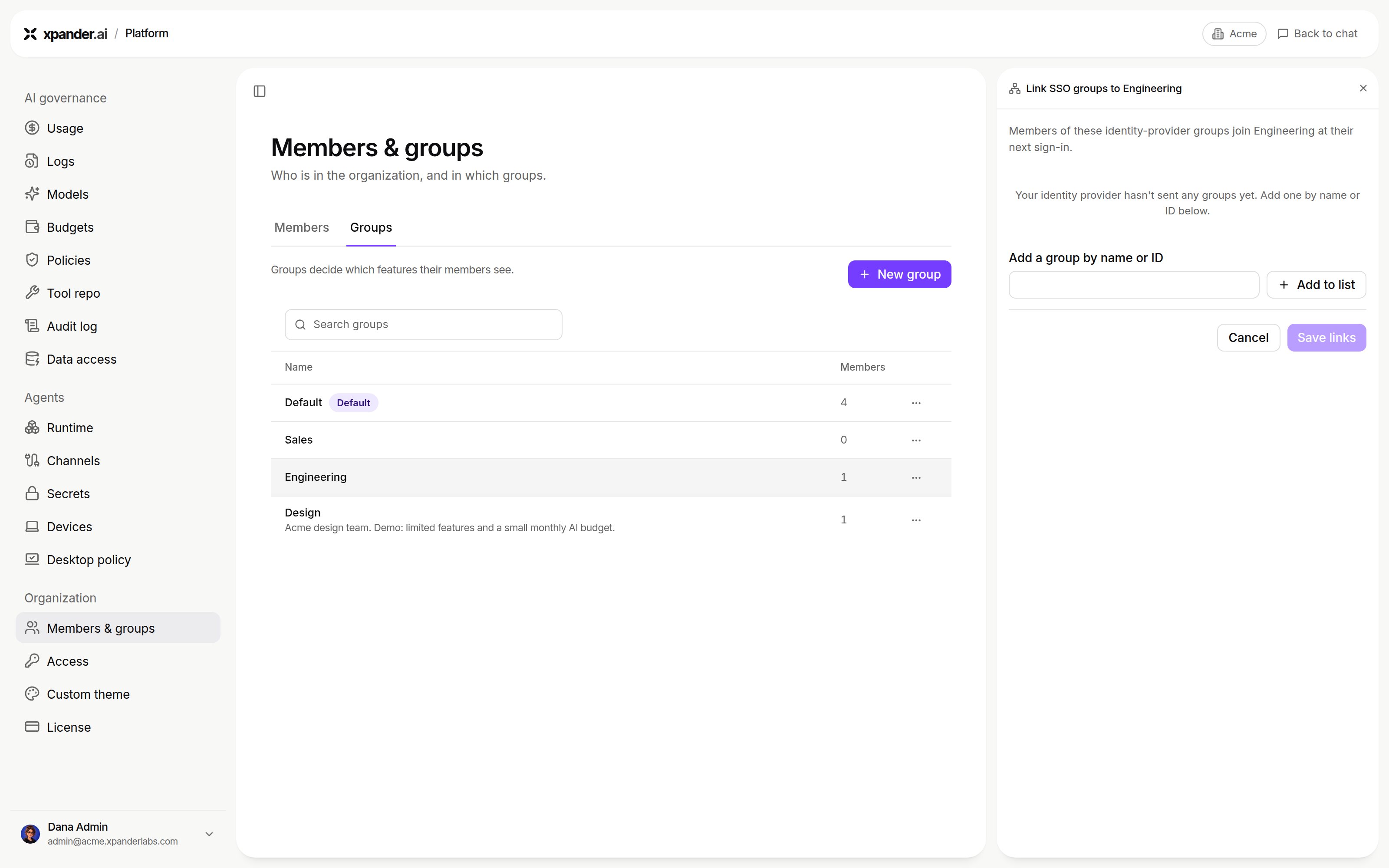
Link SSO groups, before the identity provider has sent any groups: add one by name or ID, then Save links. Shown with sample data.
GET /oidc/<org-id>/groups) exists for Okta and Entra ID only. With Keycloak it answers 400; nothing depends on it, so the answer is harmless.
A failed callback is silent. When the IdP answers the callback with an error, invalid_scope for example, the browser lands on / signed out and no message is shown. Read the error= parameter on the callback request in the browser’s network log, or the identity provider’s event log.
Running Keycloak yourself
If the identity provider is a Keycloak you install next to xpander, three server settings decide whether the discovery document works from inside the cluster:--hostname=https://<keycloak host>/auth. A pathless hostname advertises endpoints the server then refuses.--hostname-backchannel-dynamic=true, so pods can reach it on an internal name while browsers use the public one.--proxy-headers=xforwarded, behind a load balancer.
kcadm.sh: each admin call starts a second JVM in the same cgroup. Install Keycloak only after its database, role and admin secret exist, or the release deadlocks waiting for a database that is not there.
Agent pre-authentication
Agent pre-authentication lets an agent act with the asking person’s own permissions where systems allow. At the moment of a call, xpander exchanges that person’s sign-in token (OIDC token exchange, RFC 8693) for a token scoped to a target system. At the IdP, the xpander client needs, beyond the sign-in flow:- Standard token exchange enabled. On Keycloak 26 that is the client attribute
standard.token.exchange.enabled=true. - Direct access grants enabled.
- An audience client that represents the system agents call with the person’s own token.
- A client scope carrying an audience mapper for that client.
acme-inventory) and Token exchange scopes (for example the audience’s scope and openid). Click Save configuration. Leave the switch off until plain sign-in works.