

Sign-in per deployment
Roles are Root access, Admin and Member. See Govern every agent.
The OIDC client
Create a confidential client at the identity provider:What you enter in xpander
The token and userinfo calls run from inside the cluster, so the IdP must be reachable from the pods, not only from the browser.
Group sync
1
Create the groups client scope at the IdP
In Keycloak, create a client scope named
groups with a Group Membership mapper (claim groups, full path off, in userinfo), and assign it to the client as optional. A mapper on the client alone fails with error=invalid_scope.2
Request the scope in xpander
Under OIDC, Additional sign-in scopes, choose Add, type
groups, then Save configuration.3
Link the groups
After the next sign-in, open a group’s menu under Members & groups and choose Link SSO groups. Pick the values the IdP sent, or type one under Add a group by name or ID and choose Add to list. Save links adds an SSO badge. Members join at their next sign-in.
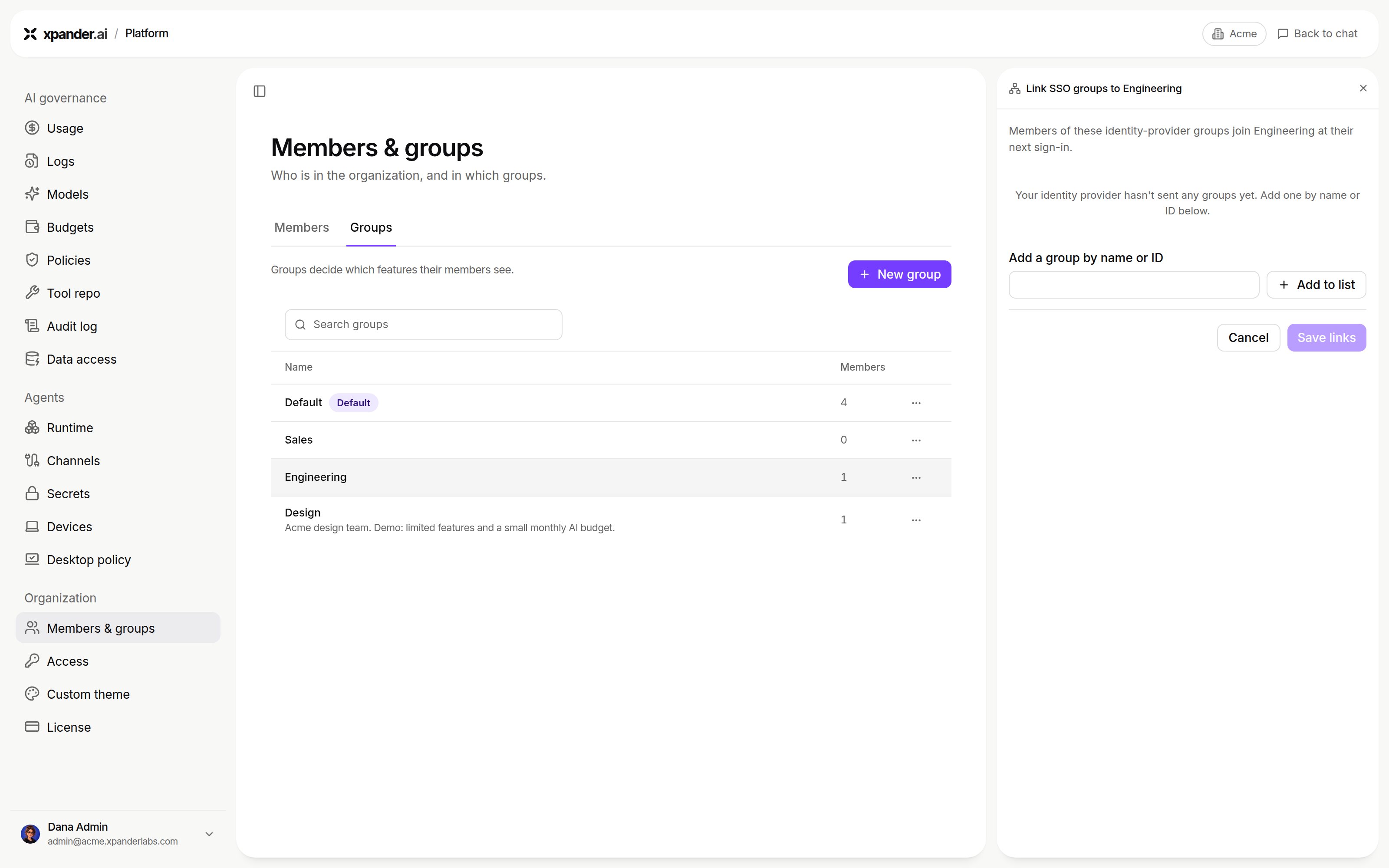
Link SSO groups, before the identity provider has sent any groups: add one by name or ID, then Save links. Shown with sample data.
/ signed out with no message. Look for error= on the callback request in the browser’s network log. More on SSO with your identity provider.
Agent pre-authentication
At the moment of a call, xpander exchanges the asking person’s sign-in token (OIDC token exchange) for one scoped to the target system. The agent then acts with that person’s permissions where the system allows.
Leave it off to start.
Air-Gapped chart values
Next steps
Set up SSO on a self-hosted install
Keycloak screens and troubleshooting
Decide who may do what
Roles and groups