

Agents keep two kinds of memories: Both are on by default.

Who can turn memory off

Each kind can be turned off at three levels. Any level that is off wins: an organization or group switch that is off cannot be turned back on by a person. A person can always turn their own user memories off, even while the organization has them on.

Turn memory off for the organization or a group

  1. Open Policies and select User memories or Agent memories in the Settings list.
  2. To turn it off for everyone, switch off On for the organization.
  3. To turn it off for some people only, leave the organization switch on and pick a group in Turn off for a group. Its members get them off, whatever their own switch says. Add as many groups as you need; the x next to a group turns memory back on for it.
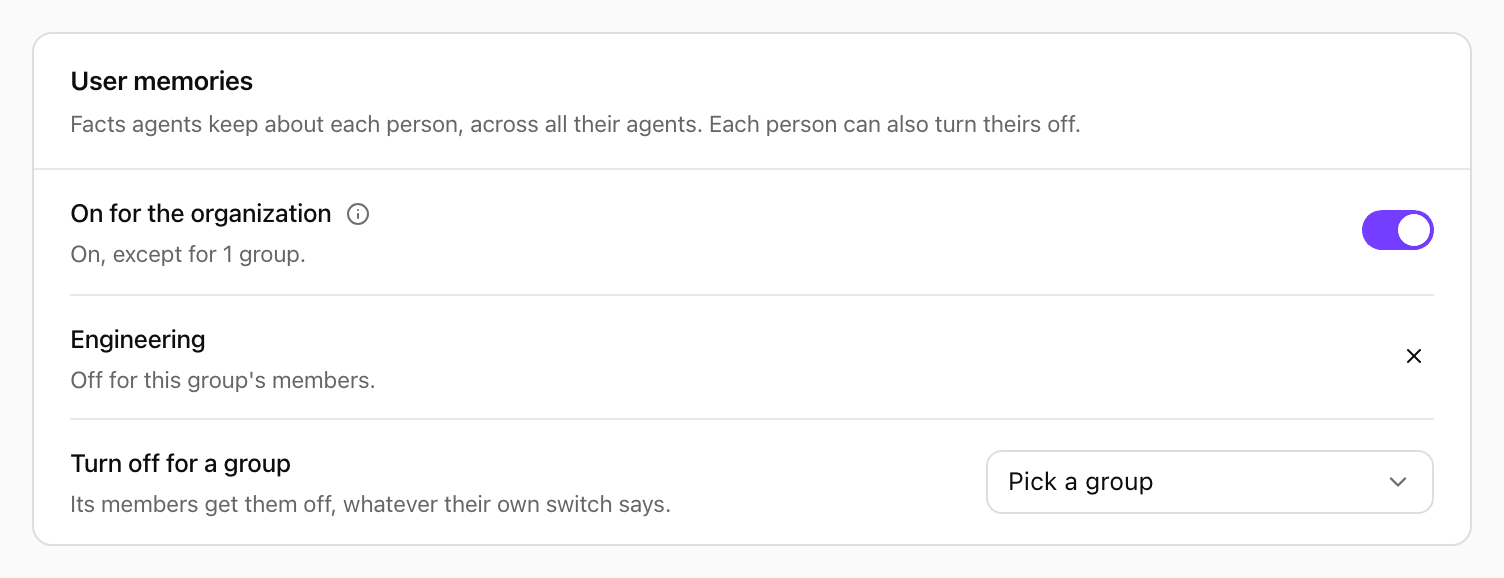
Changes save as you make them.
User memories card: On for the organization switched on, described as On, except for 1 group; the group Engineering, Off for this group's members; and the Turn off for a group picker

User memories with the organization switch on and one group turned off. Shown with sample data.

Runs that no person started, such as scheduled runs and API calls, follow the organization switch and the groups of the agent’s owner.

What off means

  • Agents neither save nor use memories of that kind.
  • Memories already saved are kept. They come back when the switch is turned on again.
  • People still see and manage their own memories in Settings > Memories.
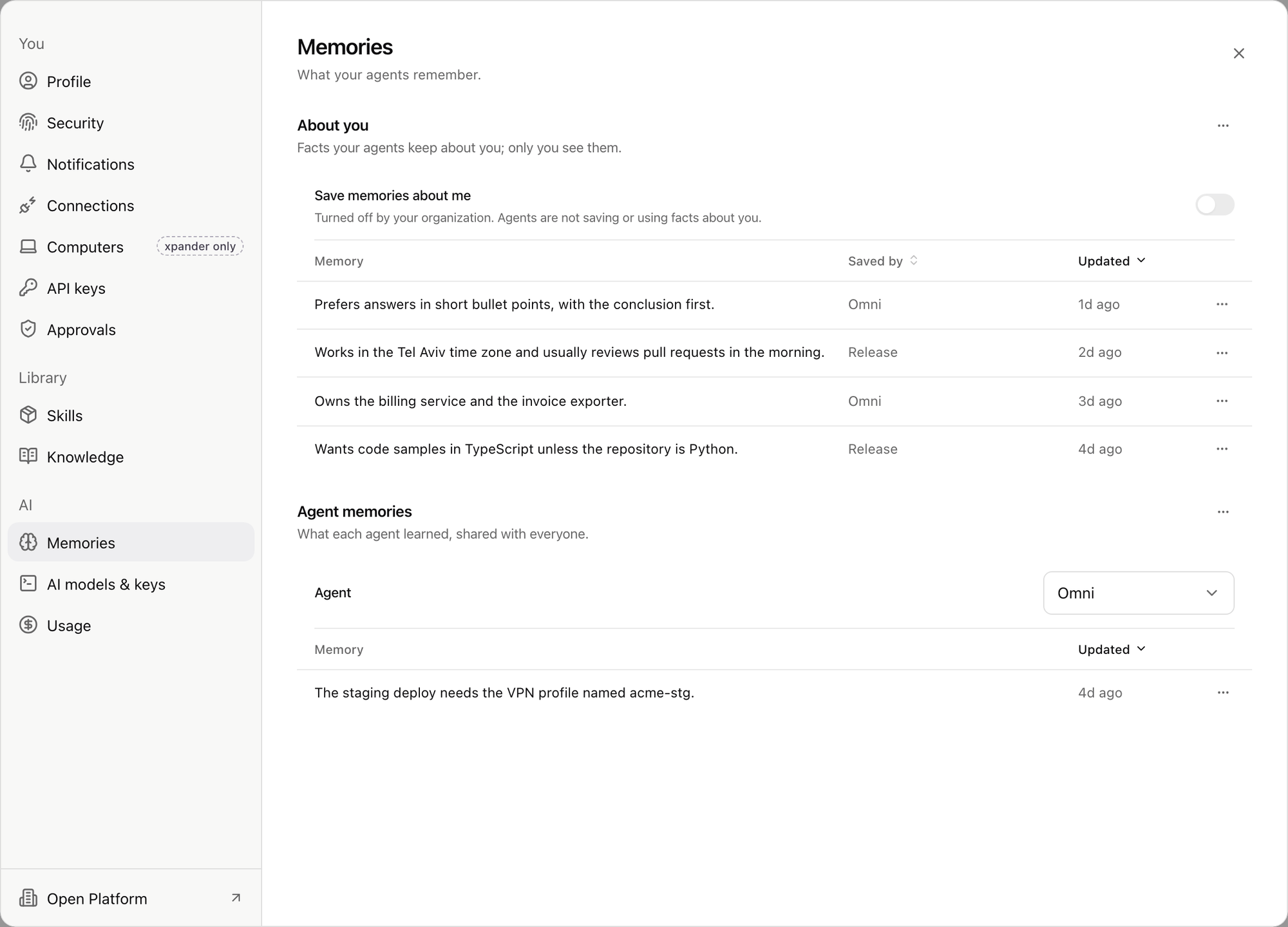
When the organization or a group has user memories off, Save memories about me shows why: Turned off by your organization., Turned off for your group. or Turned off for this installation. The switch cannot be turned on while it is off at a higher level.
Memories settings: Save memories about me switched off with the note Turned off by your organization. Agents are not saving or using facts about you.

Settings > Memories for someone whose organization turned user memories off. Shown with sample data.
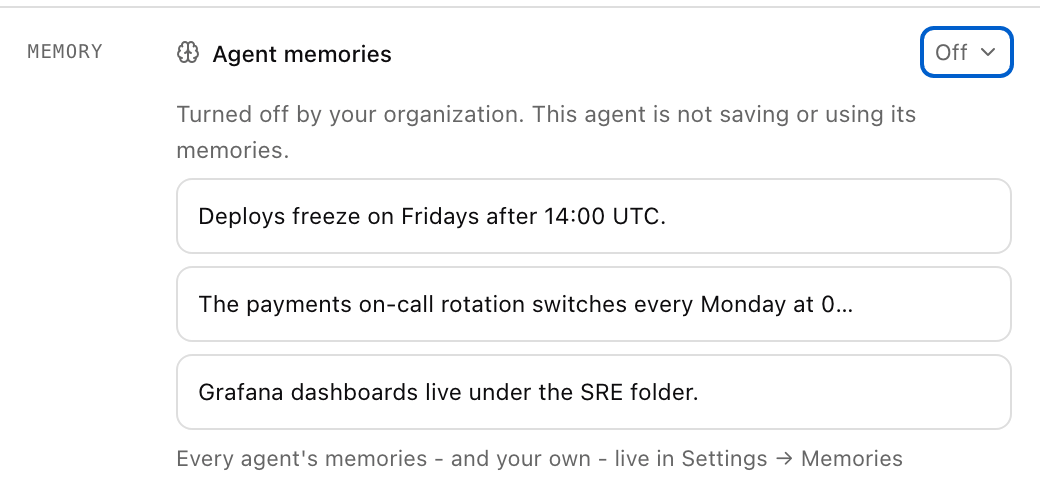
An agent whose memories are off shows Off next to Agent memories in its settings (Advanced), with the same note.
Agent memories row showing Off, with the note Turned off by your organization. This agent is not saving or using its memories.

An agent's settings when agent memories are off for the organization. Shown with sample data.

Clear memories

Turning memory off hides memories; it never deletes them. To delete them, use the menu next to About you (Clear my memories) or next to Agent memories (Clear agent memories, for the agent’s creator or an admin) in Settings > Memories. Clearing cannot be undone.