

Tutorial Summary
- Goal: Build a Smart Support Agent that answers docs questions, creates Notion tickets, and schedules Calendly calls
- Estimated Time: 20–30 minutes
- Prerequisites: Xpander.ai account, Mintlify documentation, Notion workspace, Calendly account, OpenAI API key
🗺️ What We’re Building: Automated Docs Helpdesk
✨ Key Features
1. Smart Documentation Search
- Answer First – Agent’s primary goal is to find answers directly within the documentation
- Confidence-based responses – Only provides answers when confidence ≥ 0.85
- Source citation – Always includes documentation URLs for transparency
2. Intelligent Escalation
- Smart ticket creation – Creates Notion tickets when unable to find relevant answers
- No guesswork – Never provides uncertain responses
- Human handoff – Seamless transition to human support when needed
3. Proactive Scheduling
- Calendly integration – Offers call scheduling after handling tickets
- Flexible booking – Users can schedule calls regardless of ticket status
- Multi-modal support – Combines chat, tickets, and calls for comprehensive support
🛠️ Prerequisites
- Xpander.ai account – For agent orchestration and deployment
- Mintlify documentation – Source of truth for agent responses
- Notion workspace – For ticket management and escalation
- Calendly account – For call scheduling integration
- OpenAI API key – For LLM inference (GPT-4o-mini recommended)
🧑💻 Step-by-Step Implementation
Step 1: Setting Up the Agent
Access the Xpander platform athttps://app.xpander.ai/ and click “New Agent” at the top right of the workspace.
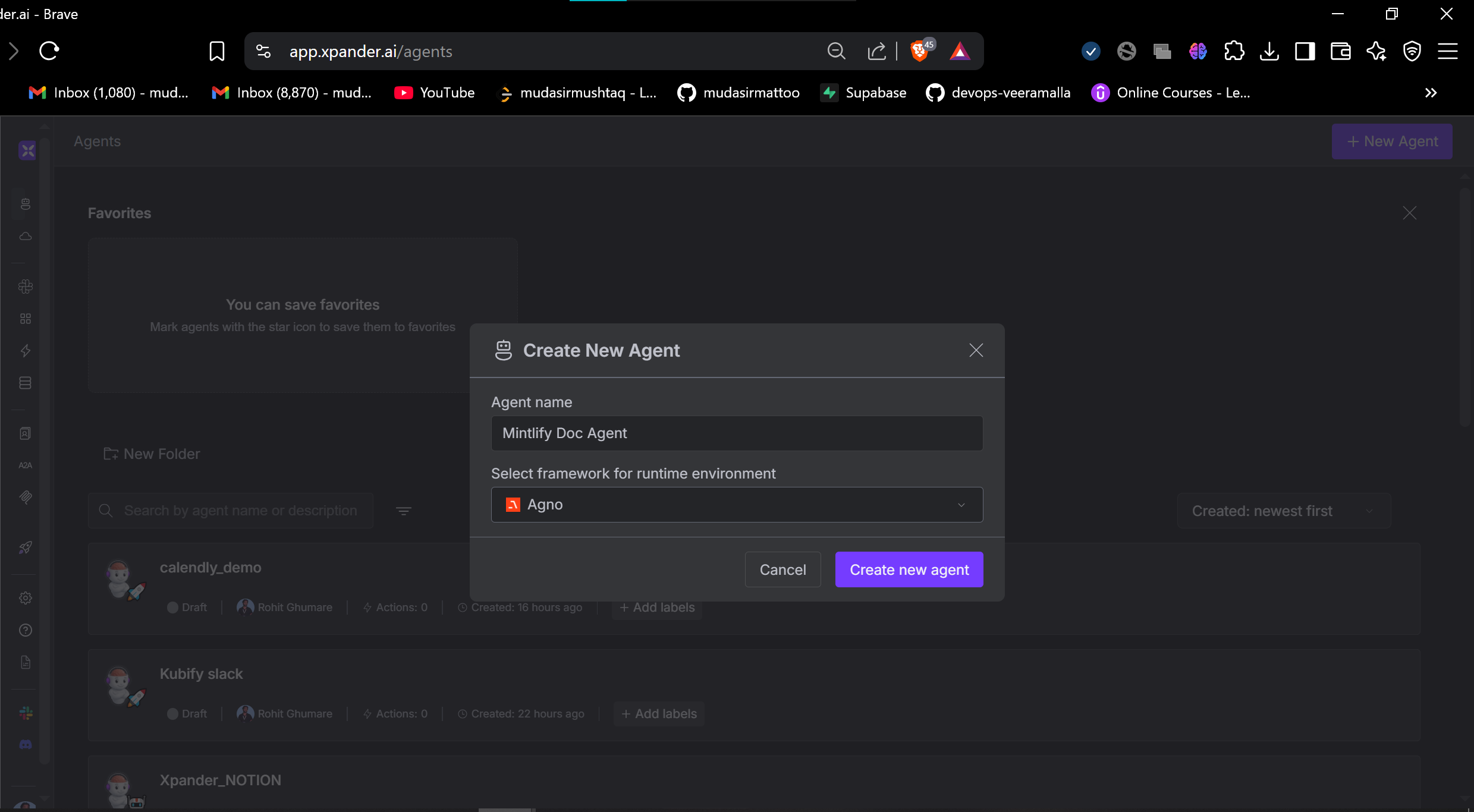
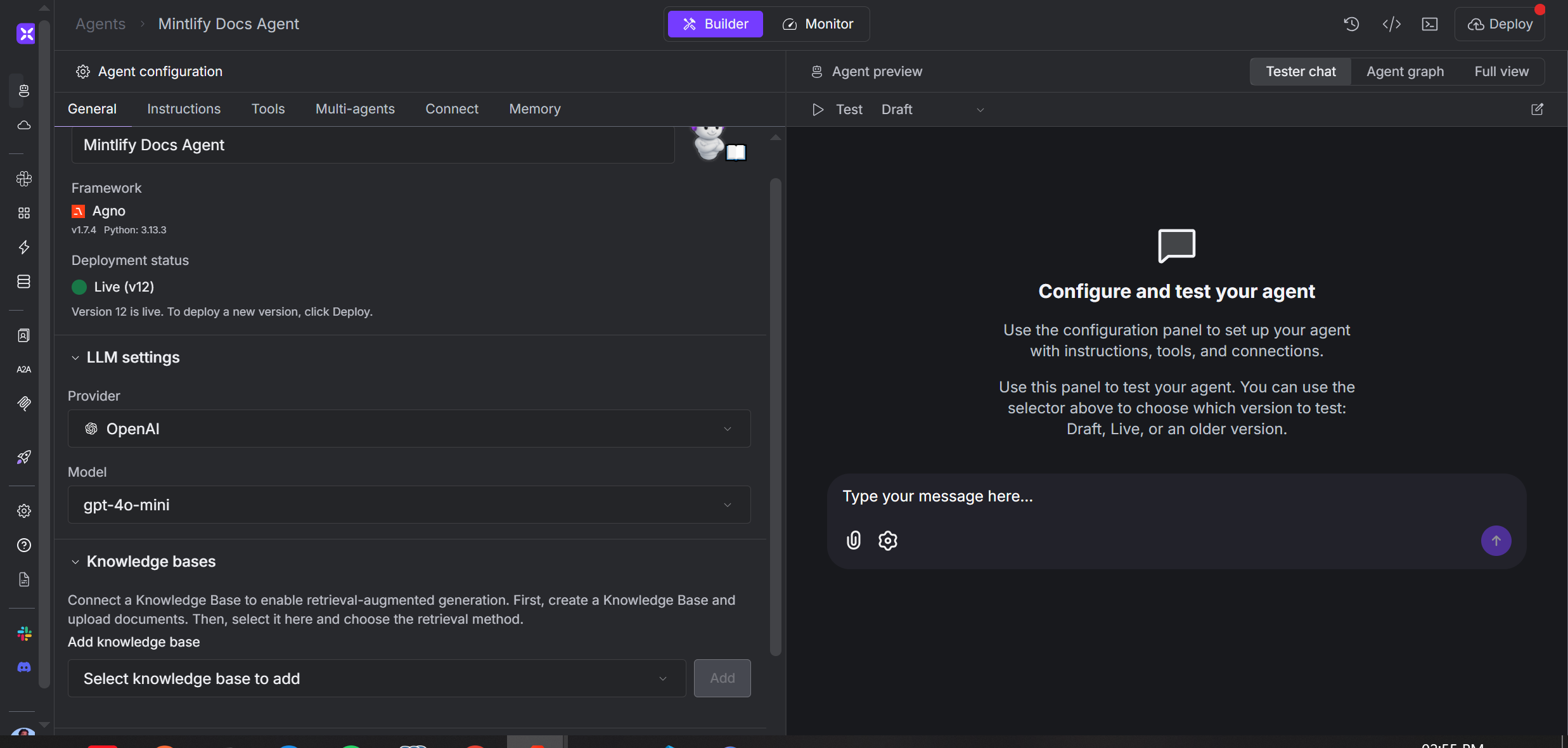
- Agent Name: Mintlify Docs Support Agent
- Framework: Agno (currently the only framework available on Xpander.ai)
- LLM Selection: GPT-4o-mini (recommended for speed and efficiency)
- Knowledge Base: Connect your Mintlify documentation files for RAG (Retrieval-Augmented Generation)
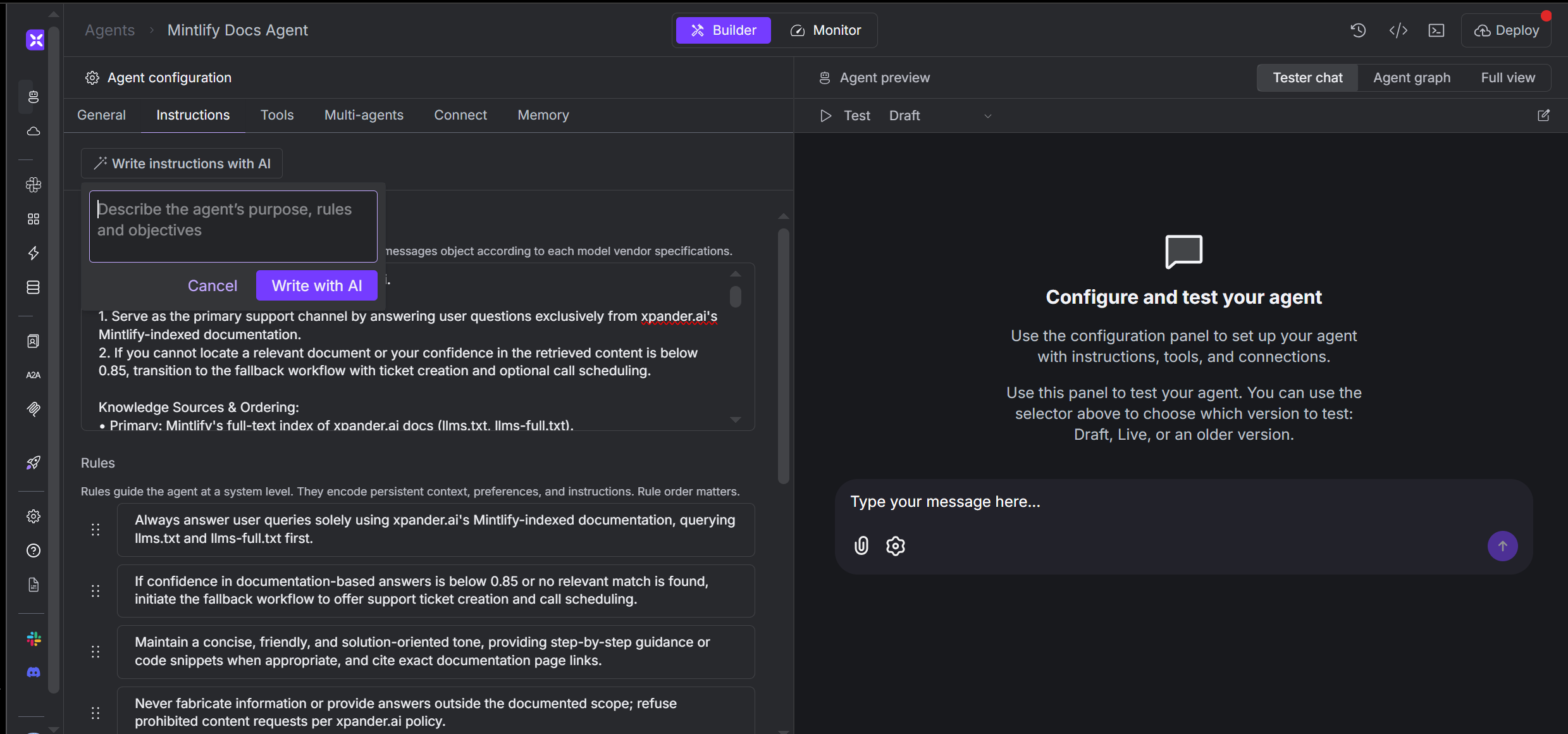
Step 2: Writing the System Prompt
The system prompt is critical as it determines the core instructions for the agent. Xpander.ai provides an in-built AI to help generate effective prompts. Our Approach: Mission Statement:- High Confidence (≥ 0.85): Paraphrase the answer concisely and cite the source URL
- Low Confidence (< 0.85): Start the fallback process (no guessing allowed)
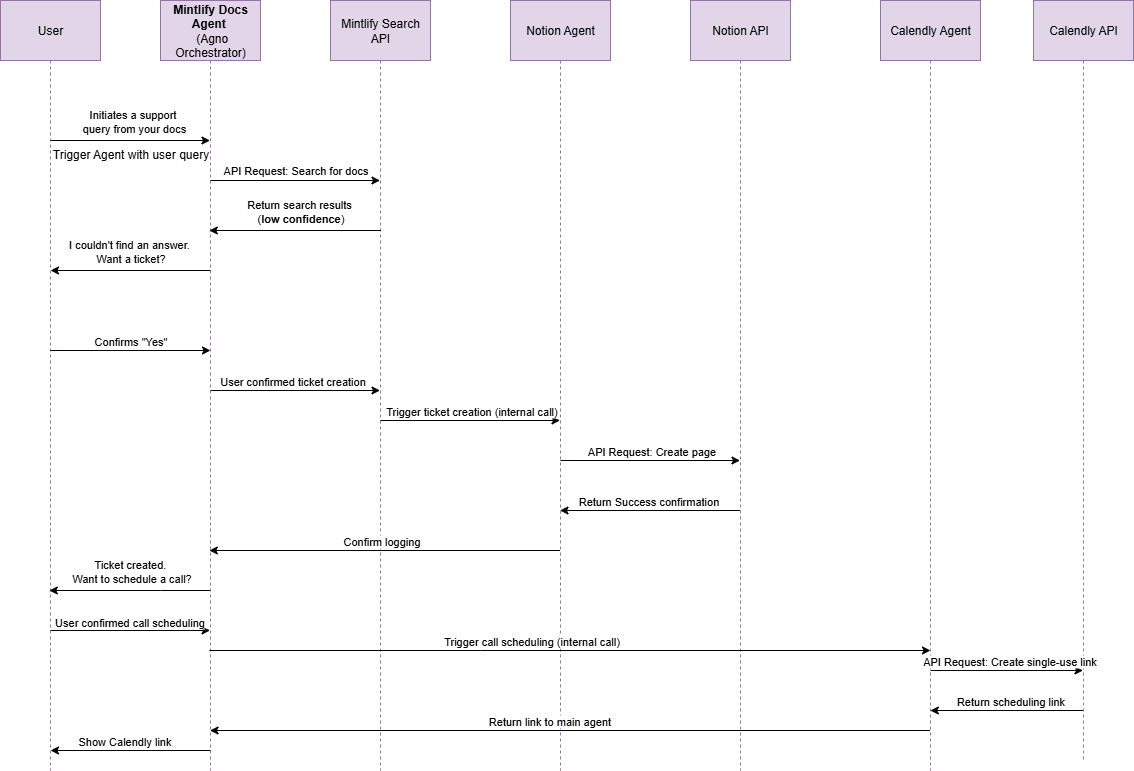
- Offer to create a support ticket through Notion
- After ticket creation or user preference, provide Calendly scheduling option
Step 3: Multi-Agent Coordination
Xpander.ai makes third-party tool integration completely hassle-free through ready-to-use connectors. Configuring Mintlify Search Tool: In the tools tab, configure the Mintlify Search tool with additional instructions for effective documentation querying.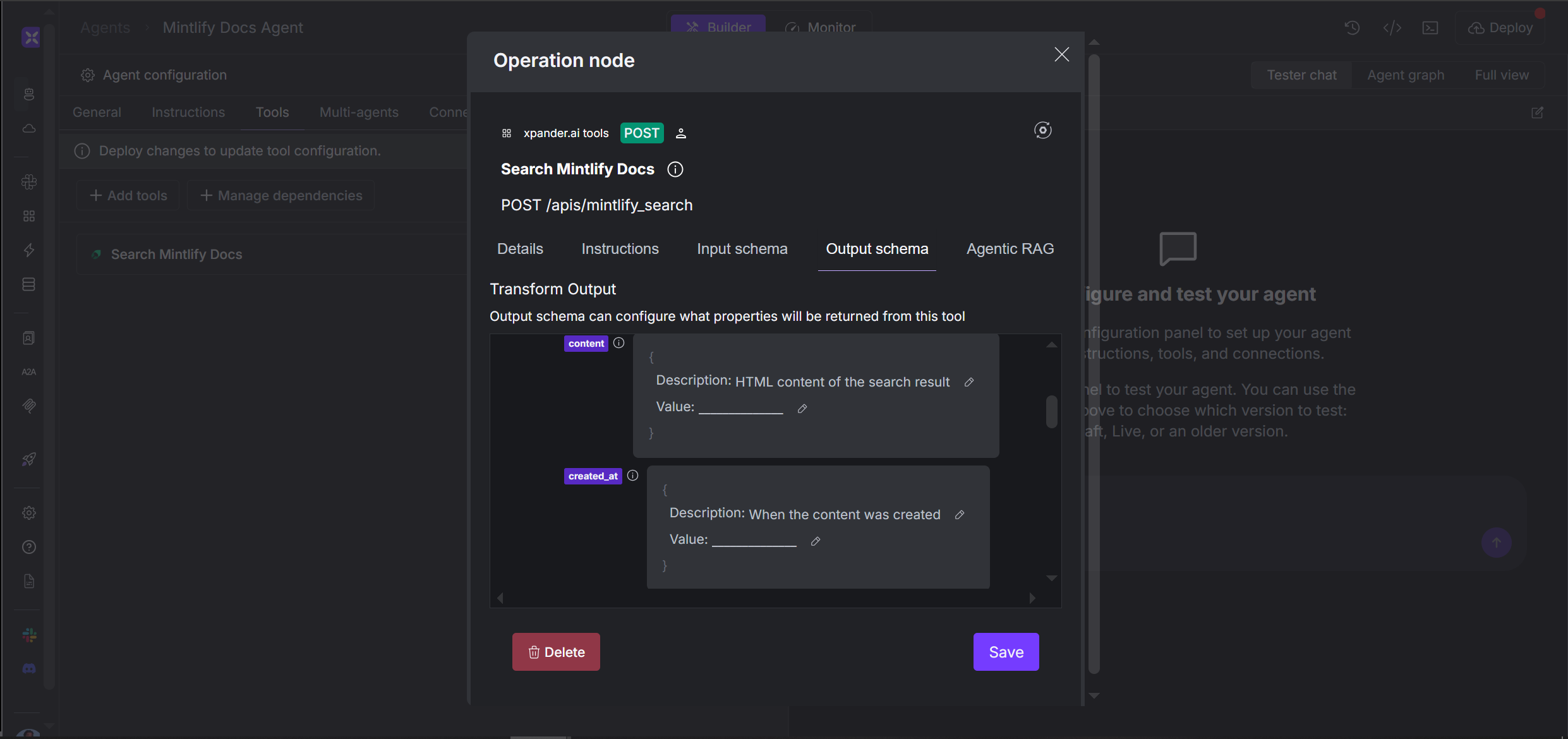
- Notion: API endpoint for creating support tickets
- Calendly: API endpoint for scheduling calls
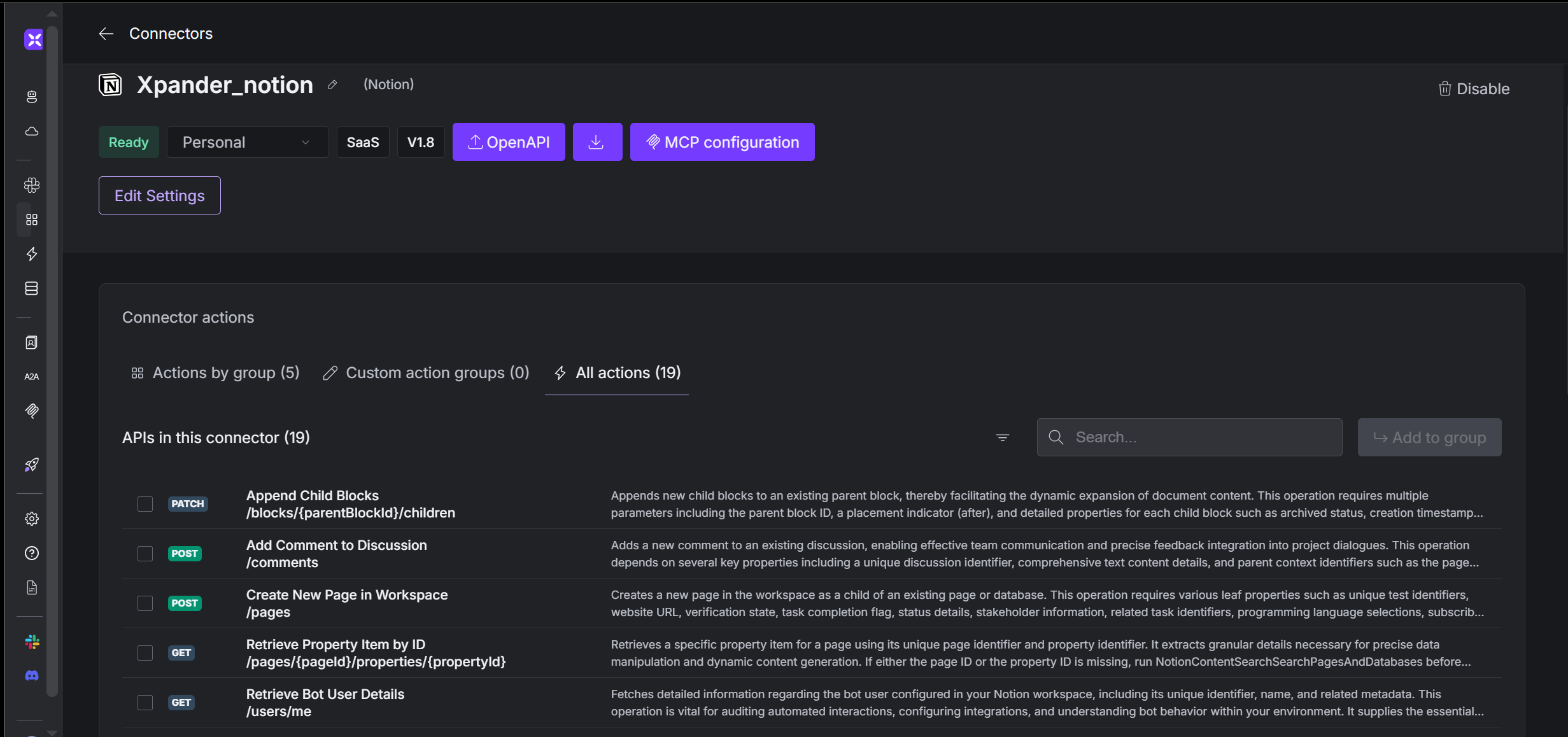
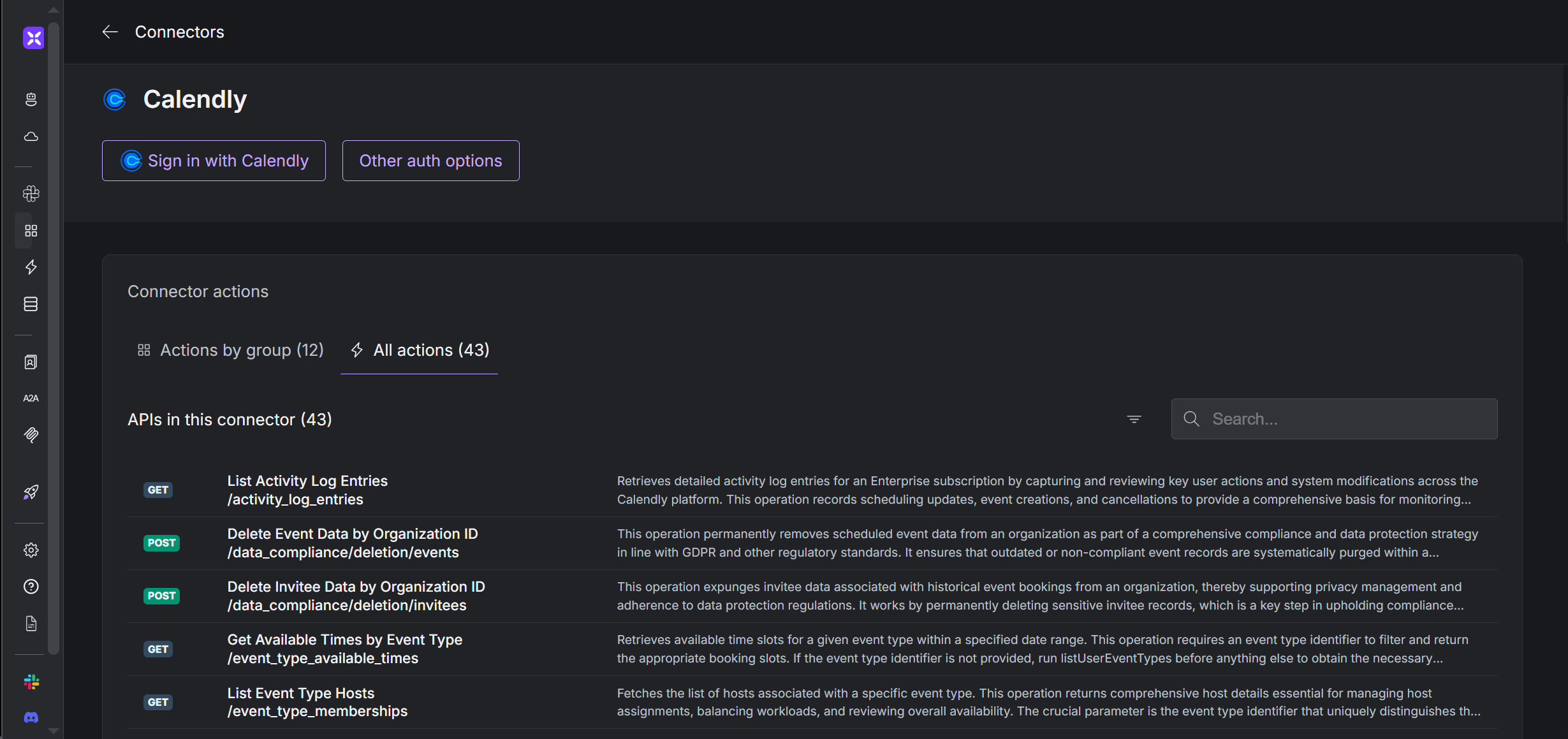
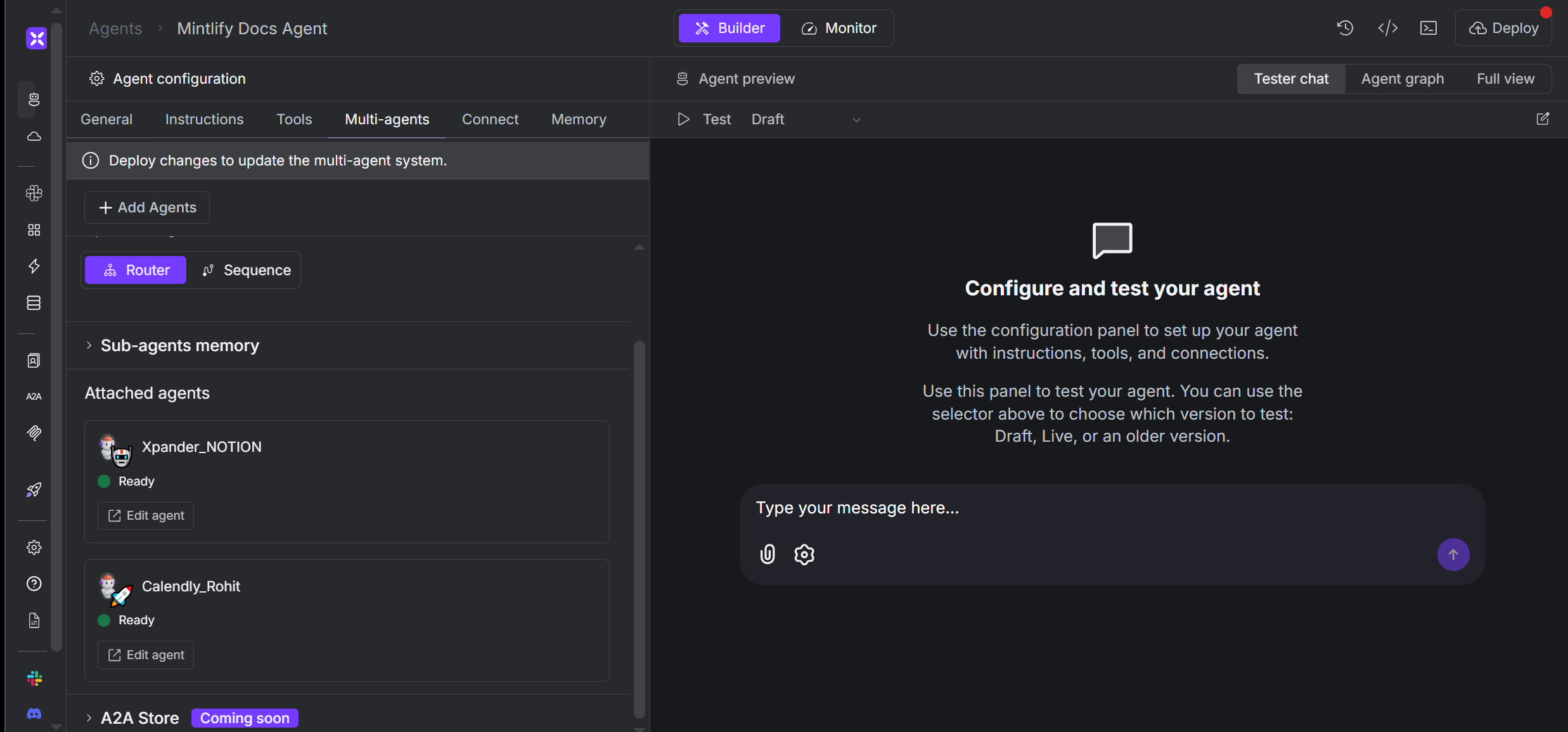
Step 4: Setting Rules and Goals
Encode the most important instructions as Rules and Goals for consistent behavior. Key Rule: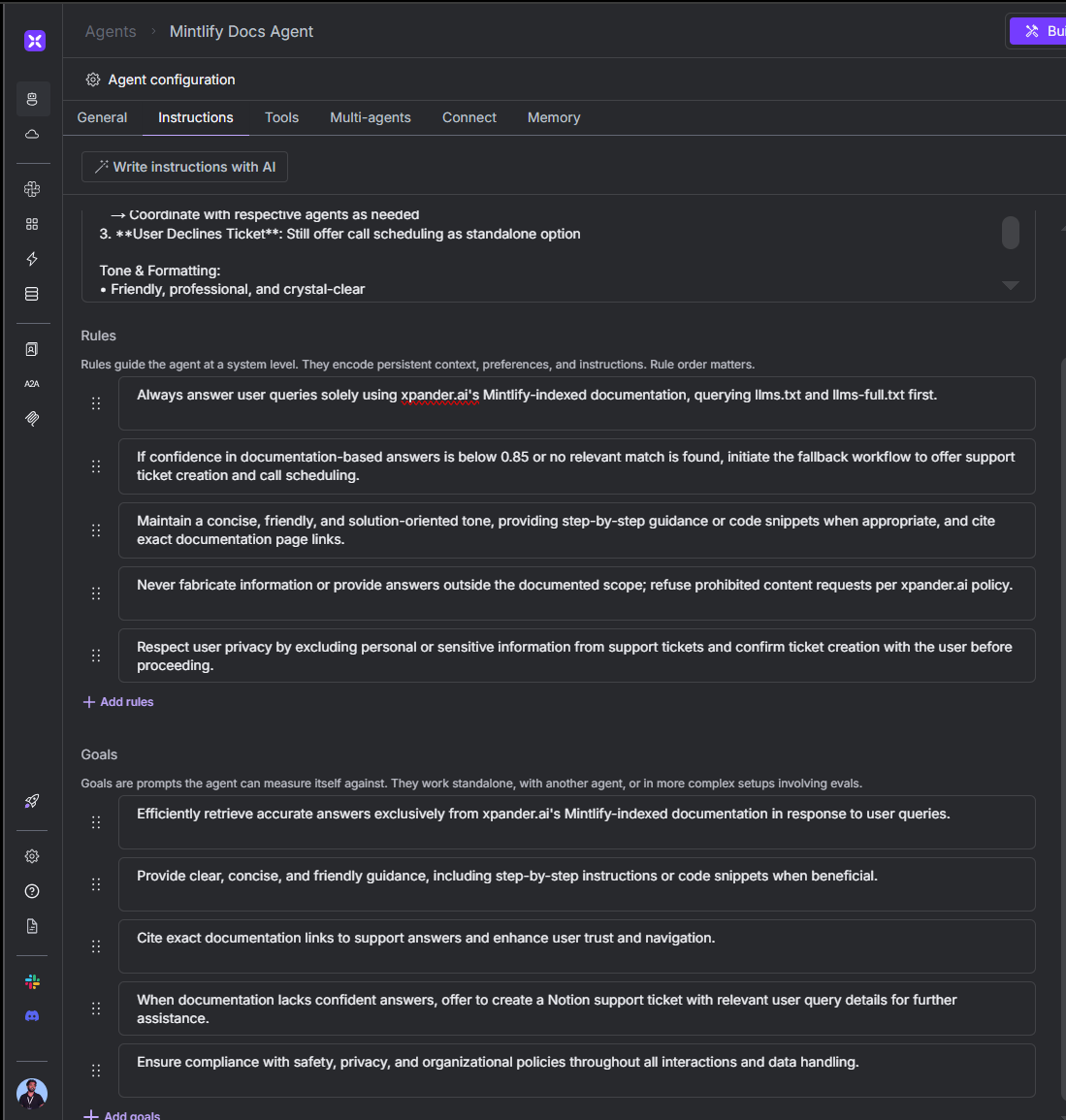
🧪 Agent in Action
Scenario 1: Answer Not Found (Escalation Flow)
User Query:- Initial Assessment: Agent searches documentation but finds no confident answer
- Escalation Offer: “I couldn’t locate a relevant entry in our documentation for that specific integration. Would you like to open a support ticket in Notion so our team can assist further?”
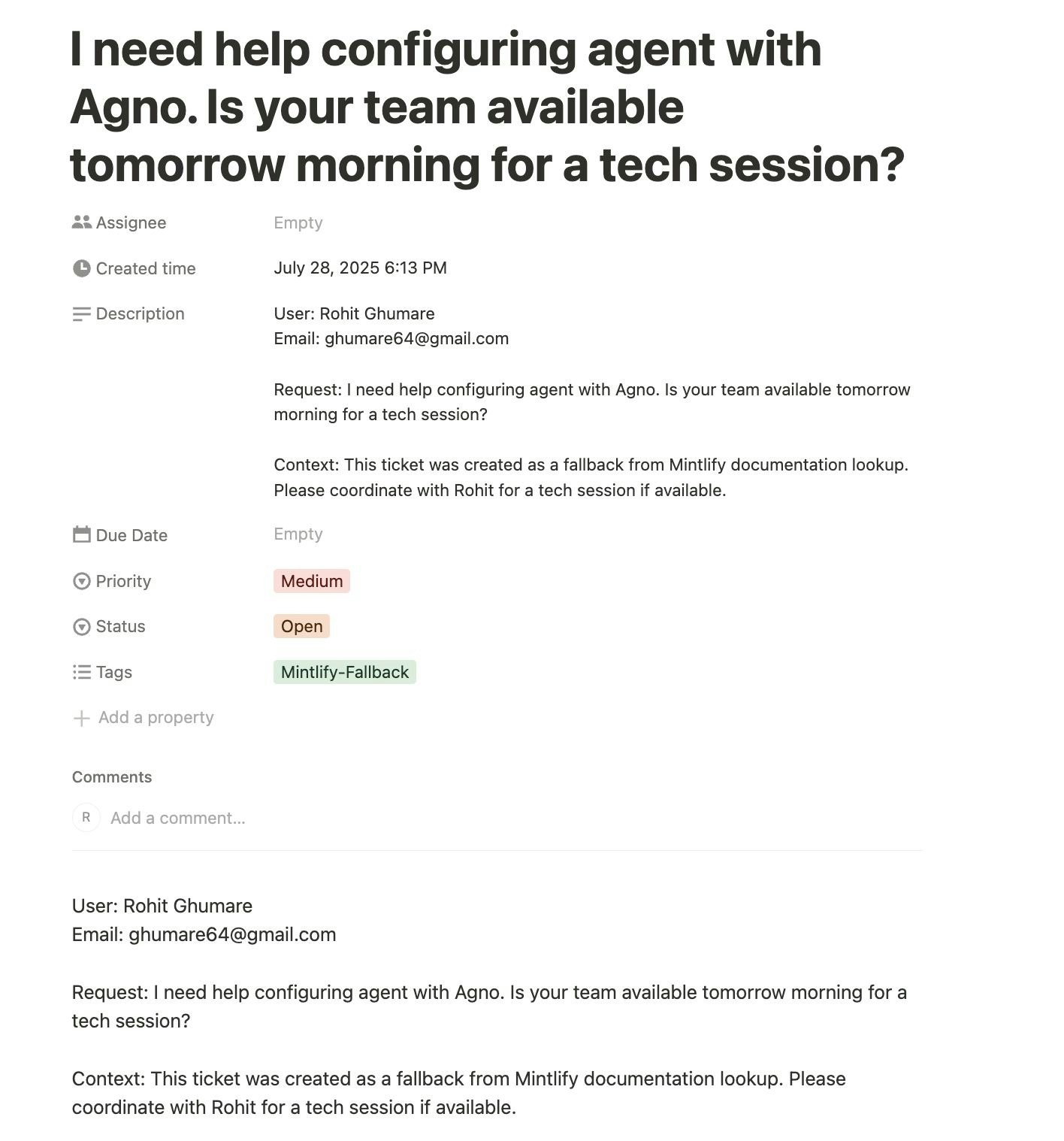
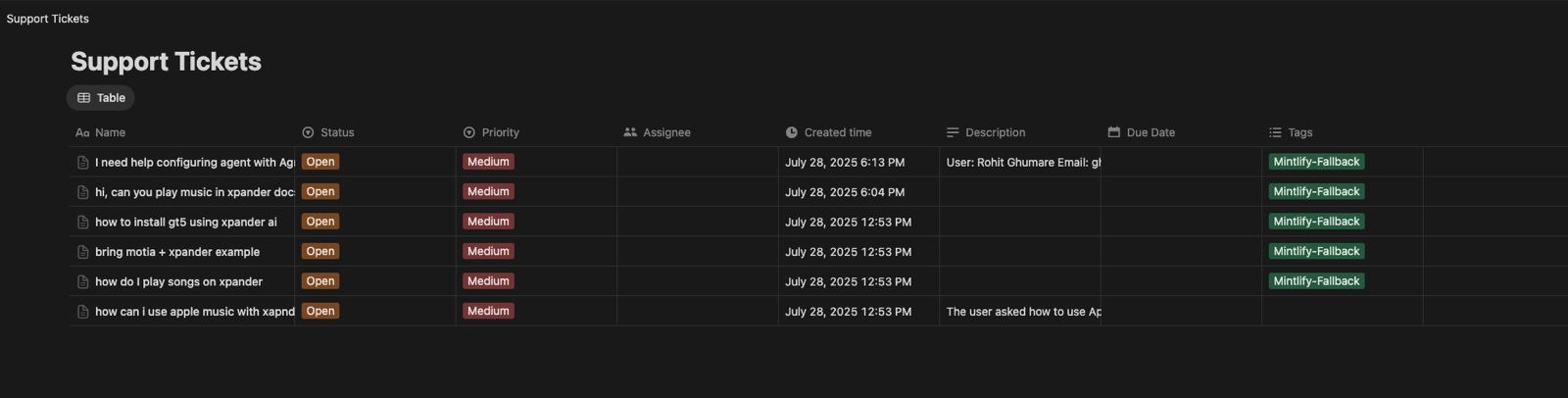
- Ticket Creation: Creates support ticket #12345 in Notion
- Follow-up: “Great, I’ve created a support ticket #12345 for you. Our team will be in touch shortly. Would you also like to schedule a call with our support team to discuss this issue?”
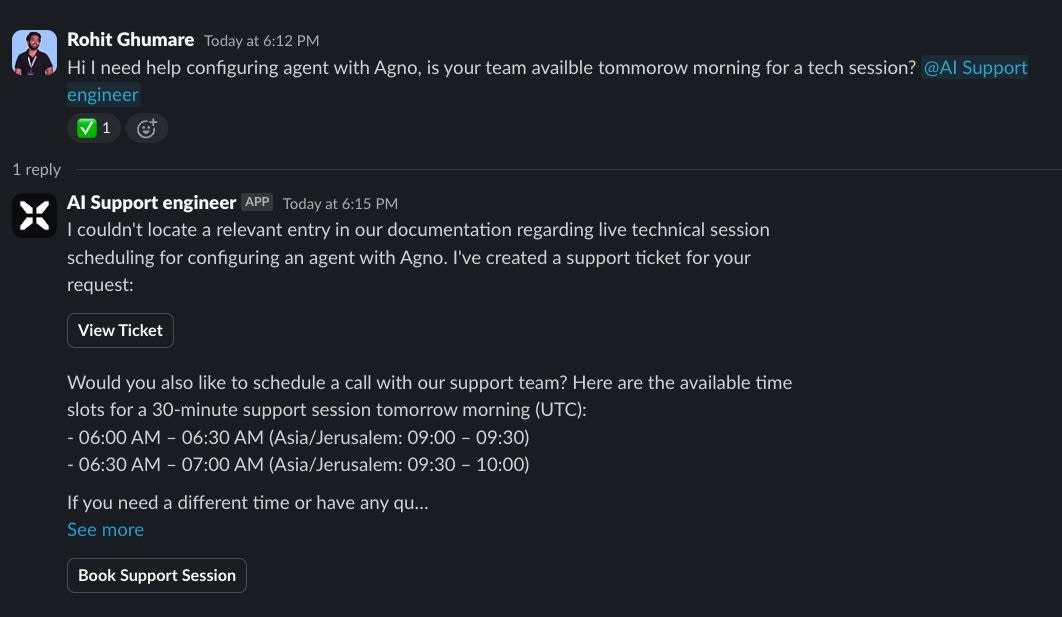

Observe the control-flow in Agent Graph during response generation - this shows how the multi-agent system coordinates between different tools and services.
- Notion Ticket Created:
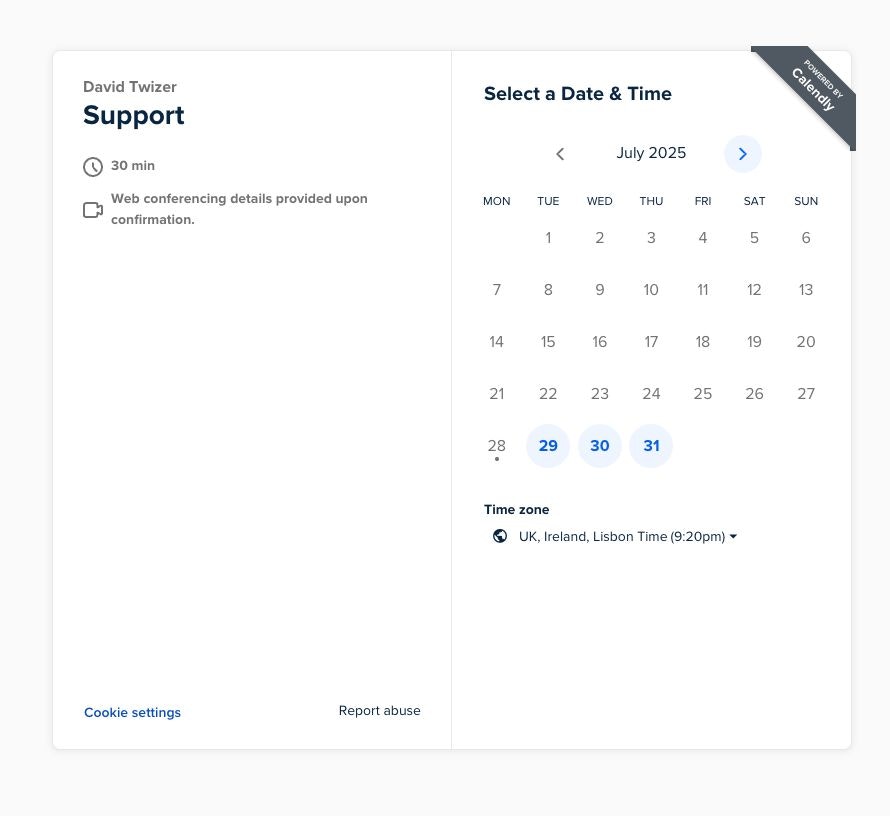
- Calendly Call Scheduled:
Scenario 2: Answer Found (Direct Response)
When the agent finds a high-confidence answer, the interaction is quick and efficient. It provides a direct response along with the source URL from the documentation.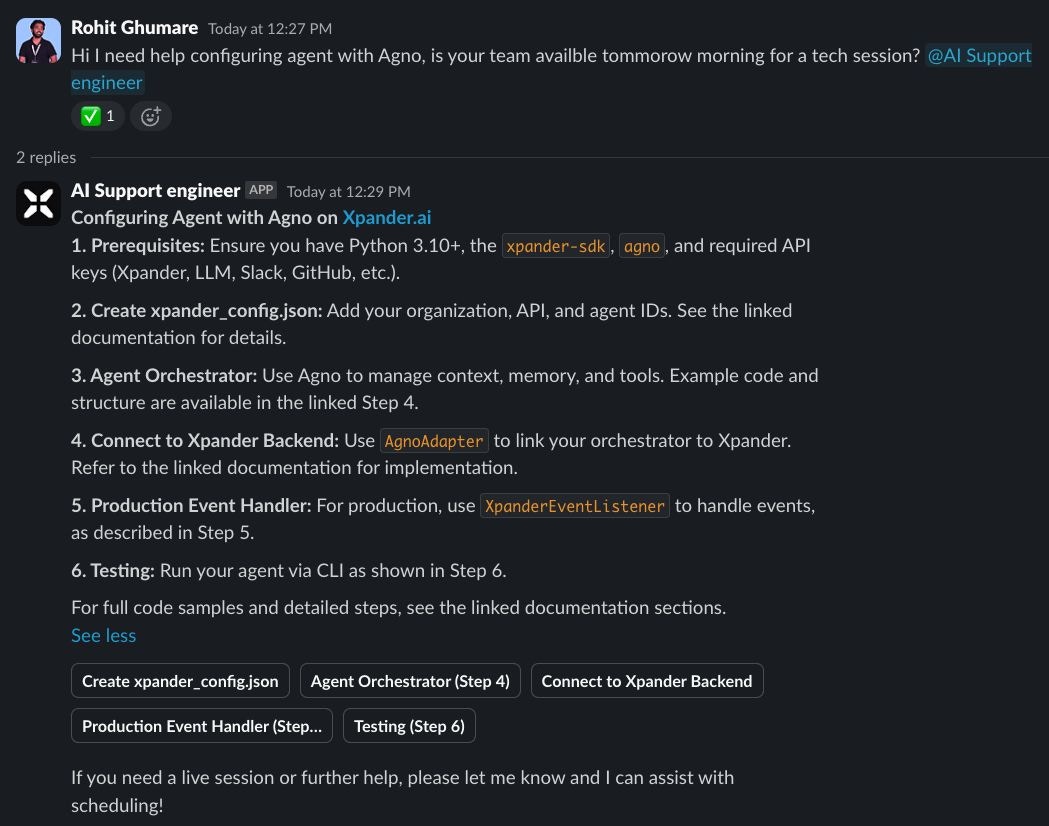
💻 Developer Support Capabilities
While the primary focus is on no-code workflow, Xpander.ai also excels at processing technical queries and providing comprehensive developer support. Example: Technical Integration Query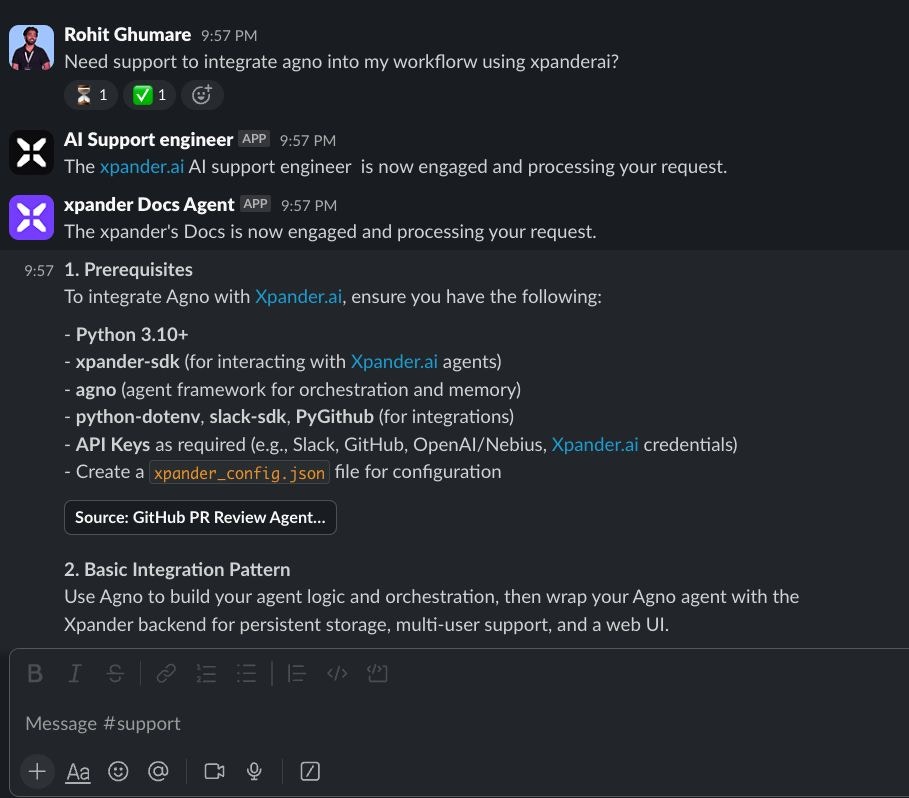
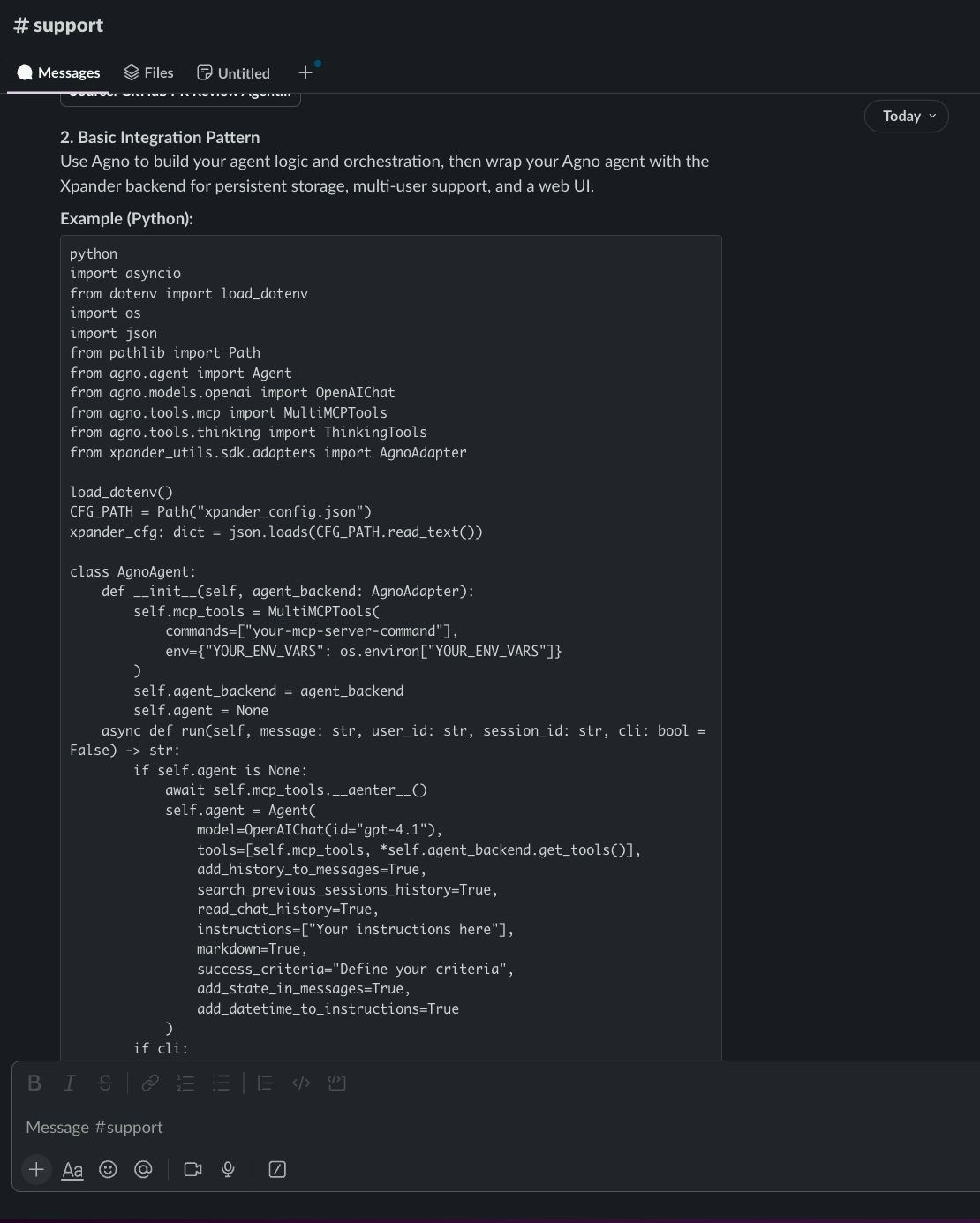
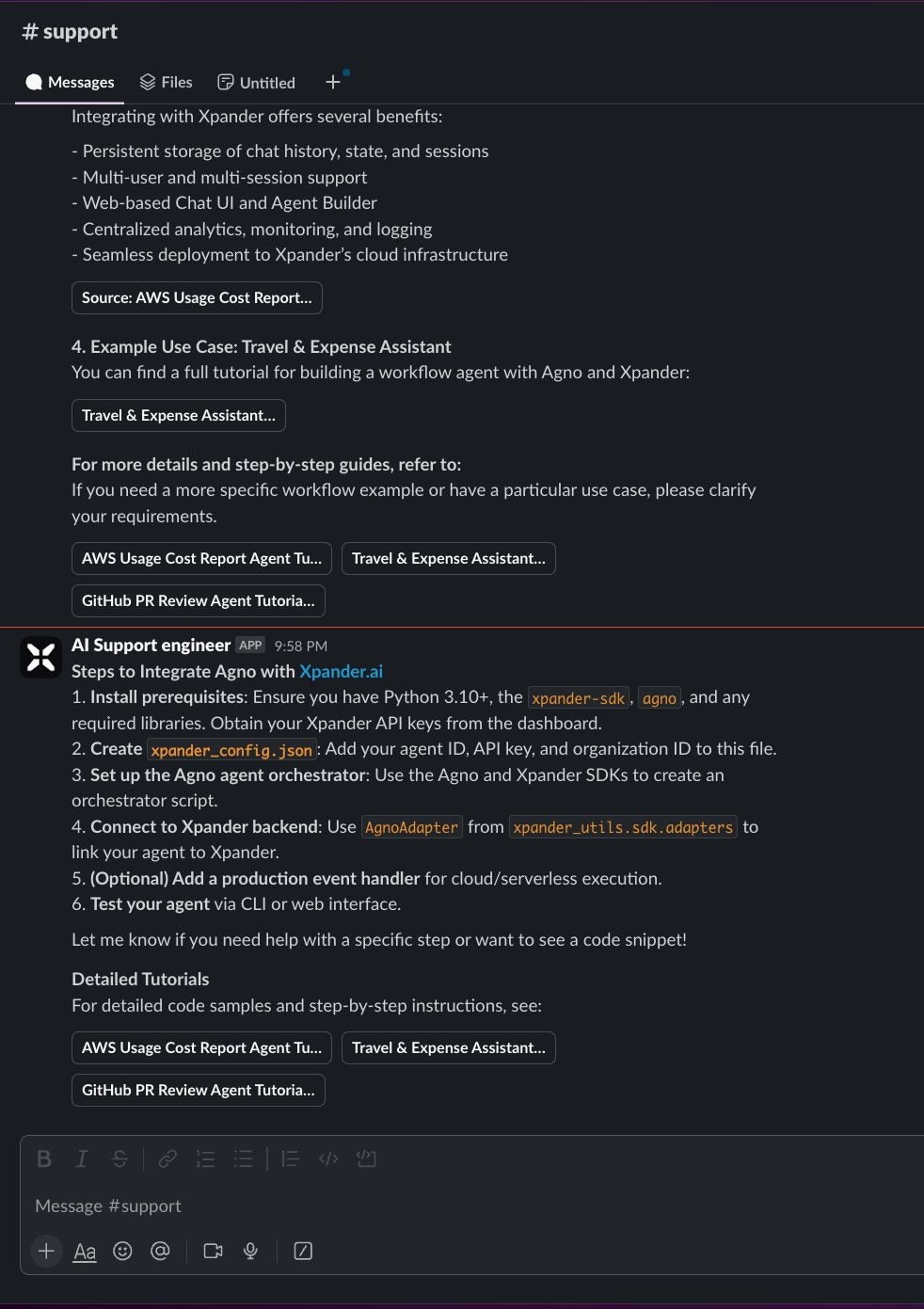
- Step-by-step descriptions of required integration steps
- Inline code snippets for specific integration patterns
- Best practices and troubleshooting guidance
- Source documentation links for deeper exploration
🎯 Final Thoughts
Building the Mintlify Docs Support Agent on Xpander.ai demonstrates how powerful automation can be achieved using no-code platforms. This level of support system automation is a game-changer that significantly reduces human workload while maintaining high-quality assistance. Key Benefits:- 24/7 Availability – Solves user queries in seconds, any time of day
- Smart Escalation – Knows exactly when human intervention is needed
- Seamless Integration – Connects documentation, ticketing, and scheduling in one workflow
- No Technical Expertise Required – Built entirely through no-code interfaces
- Reduced Support Load – Handles routine documentation queries automatically
- Faster Response Times – Instant answers for documented topics
- Better User Experience – Consistent, accurate responses with proper source attribution
- Efficient Escalation – Human agents only handle complex, undocumented issues
- Customize the confidence threshold based on your documentation quality
- Add more connectors for your specific toolstack (Jira, Zendesk, etc.)
- Implement custom escalation rules for different types of queries
- Set up analytics to track agent performance and user satisfaction