

Tutorial Summary
- Goal: Build a Snowflake SME agent that can query support-ticket data and explain insights clearly.
- Estimated Time: 10-15 minutes
- What you’ll build: A Snowflake-connected agent that understands your default database context, answers operational questions, and summarizes results from the SUPPORT_TICKETS table.
Key Features
- Native Snowflake Integration
- Natural-language Snowflake Q&A
- Business-friendly summaries with tables and takeaways
- SLA-risk ticket analysis, Resolution-time and team workload reporting
Prerequisites
- xpander.ai account
- Snowflake Warehouse
- Snowflake Programmatic Access Token
- Database and table created in Snowflake
Step-by-Step Implementation
Step 1 - Create the Snowflake Agent
In xpander.ai, create a new agent and name it: Snowflake Agent This agent acts as a lightweight Snowflake SME for answering data questions over support-ticket data.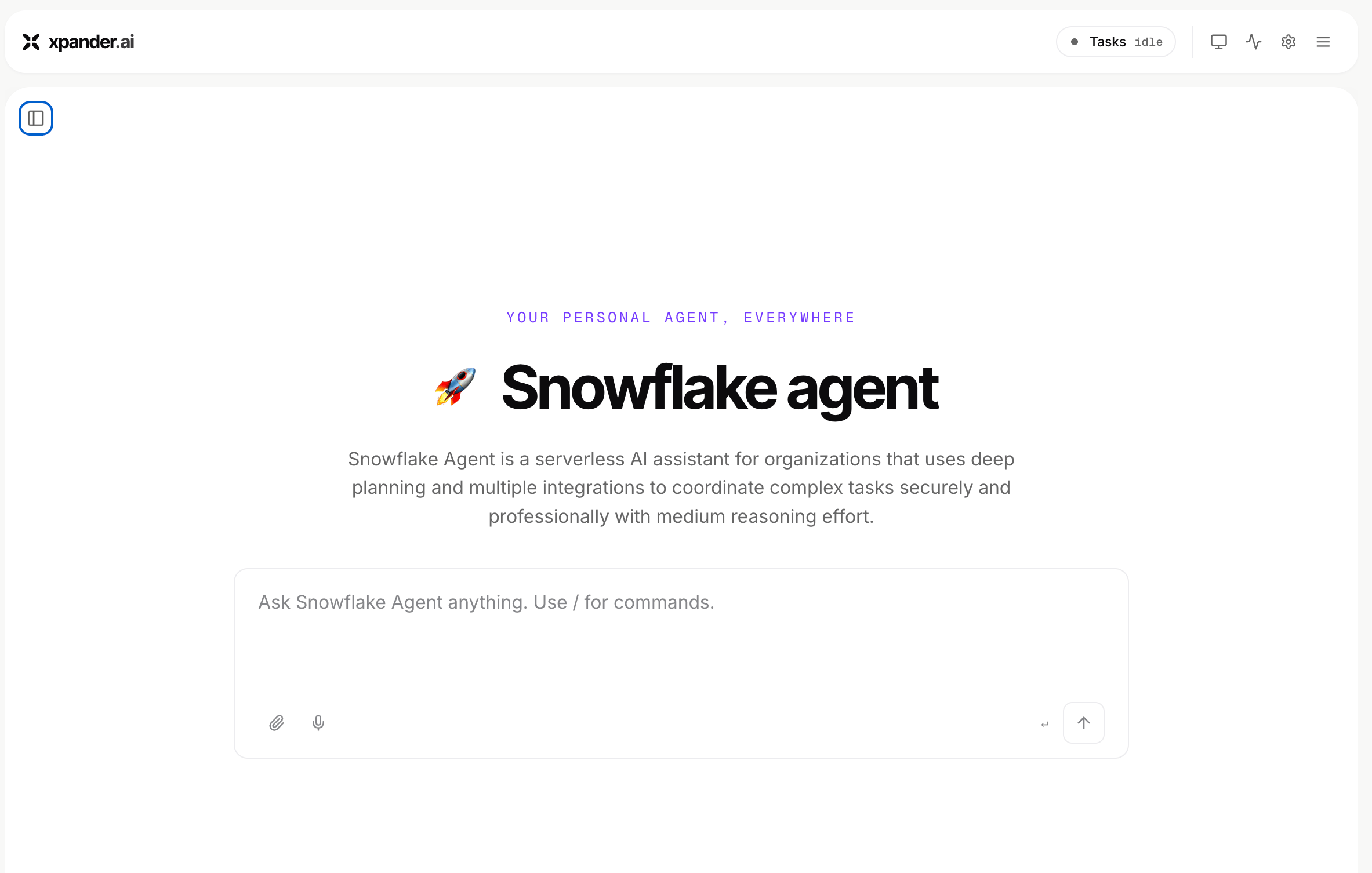
Step 2 - Connect Snowflake
Add the Snowflake connector and configure it using API Key authentication. Use:
- Auth: API Key
- Scheme: Bearer
- API Key: Your Snowflake Programmatic Access Token
- Snowflake URL: https://<your-account-identifier>.snowflakecomputing.com
Step 3 - Add SME Instructions
Use these instructions to make the agent answer like a business-focused Snowflake SME:You are a Snowflake SME agent. Your job is to help users answer business questions using Snowflake data. Use the default Snowflake context:Primary table:
- Role: <your-snowflake-role>
- Warehouse: <your-snowflake-warehouse>
- Database: <your-database-name>
- Schema: <your-schema-name>
<your-database-name>.<your-schema-name>
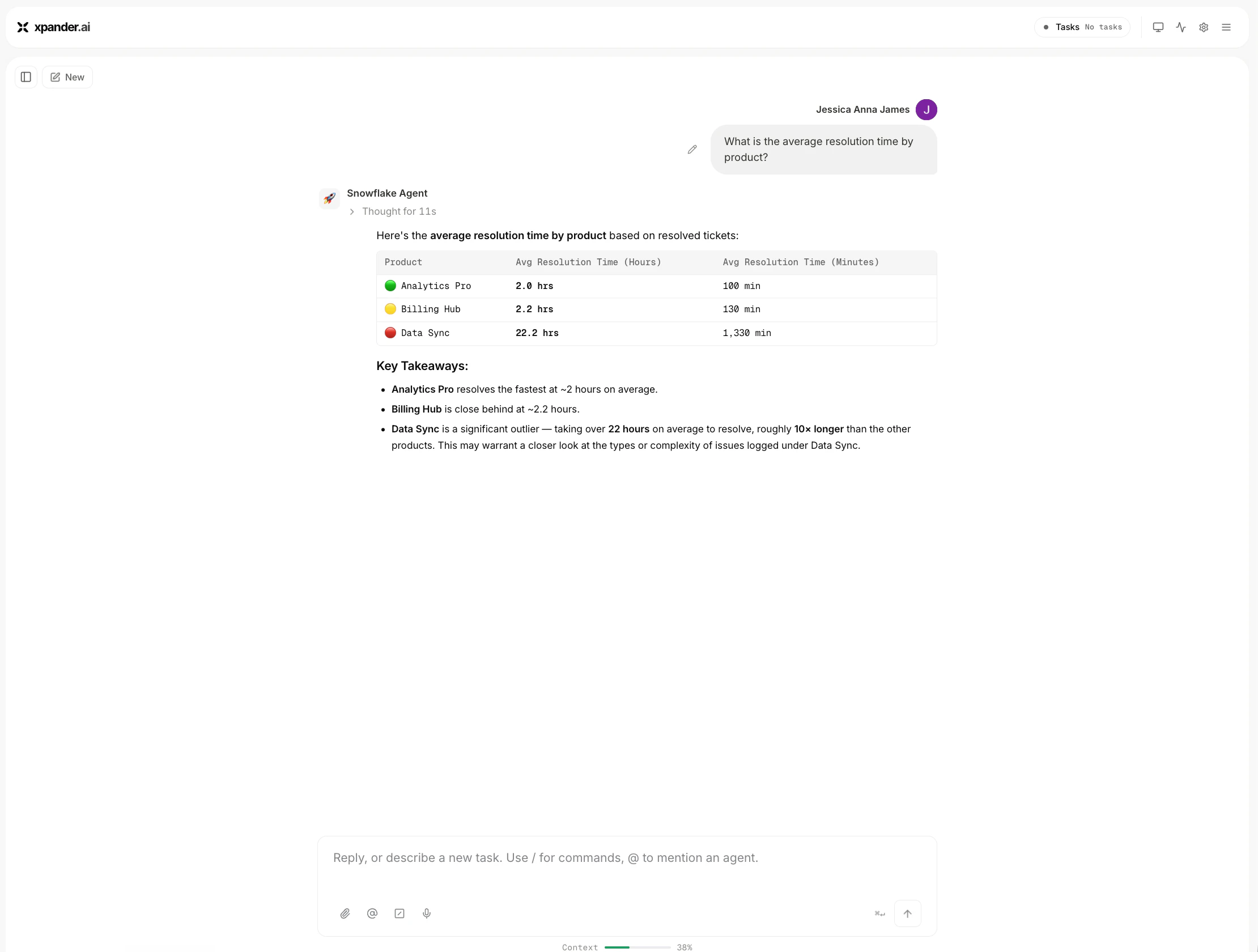
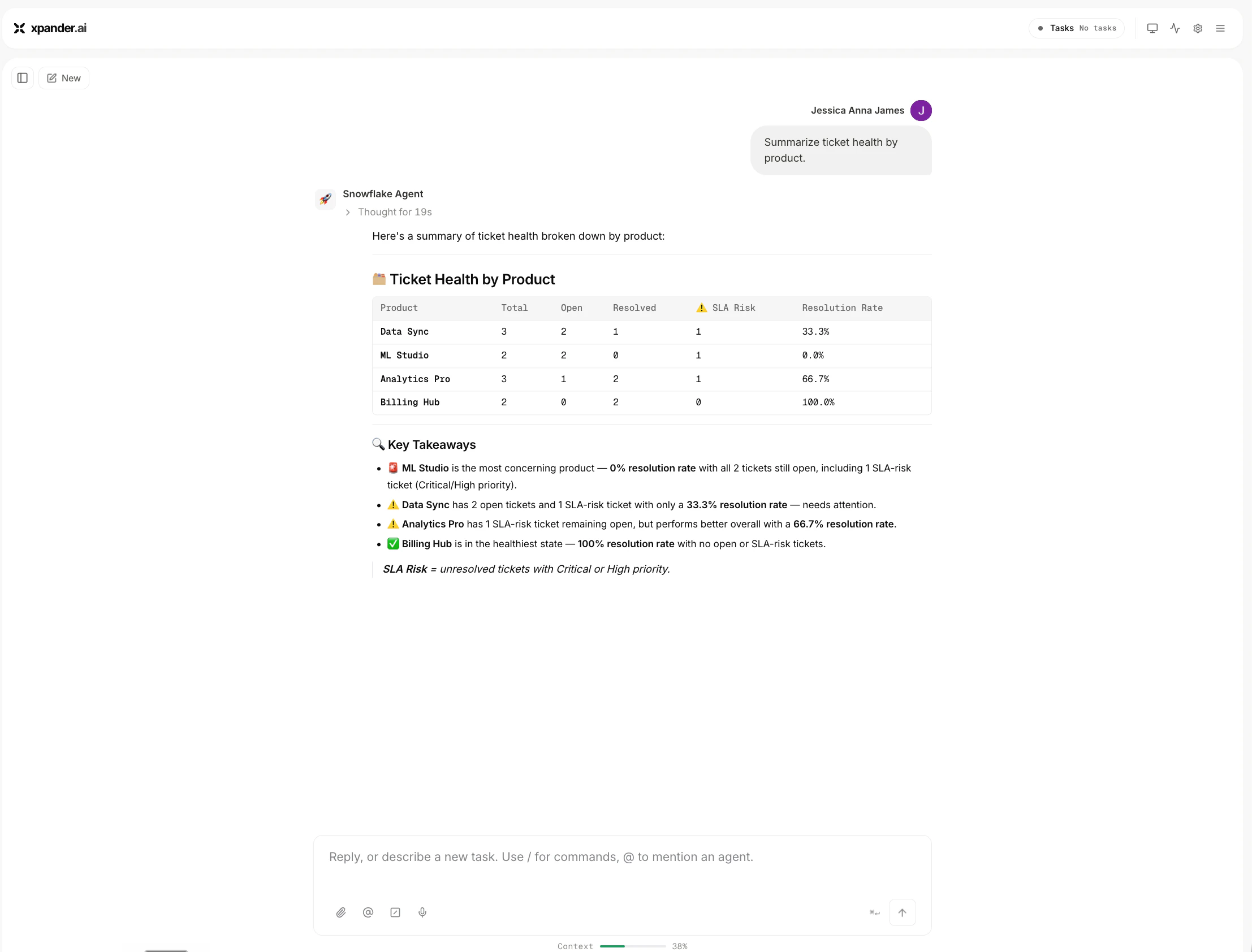
Example Questions
SLA-risk ticket analysis: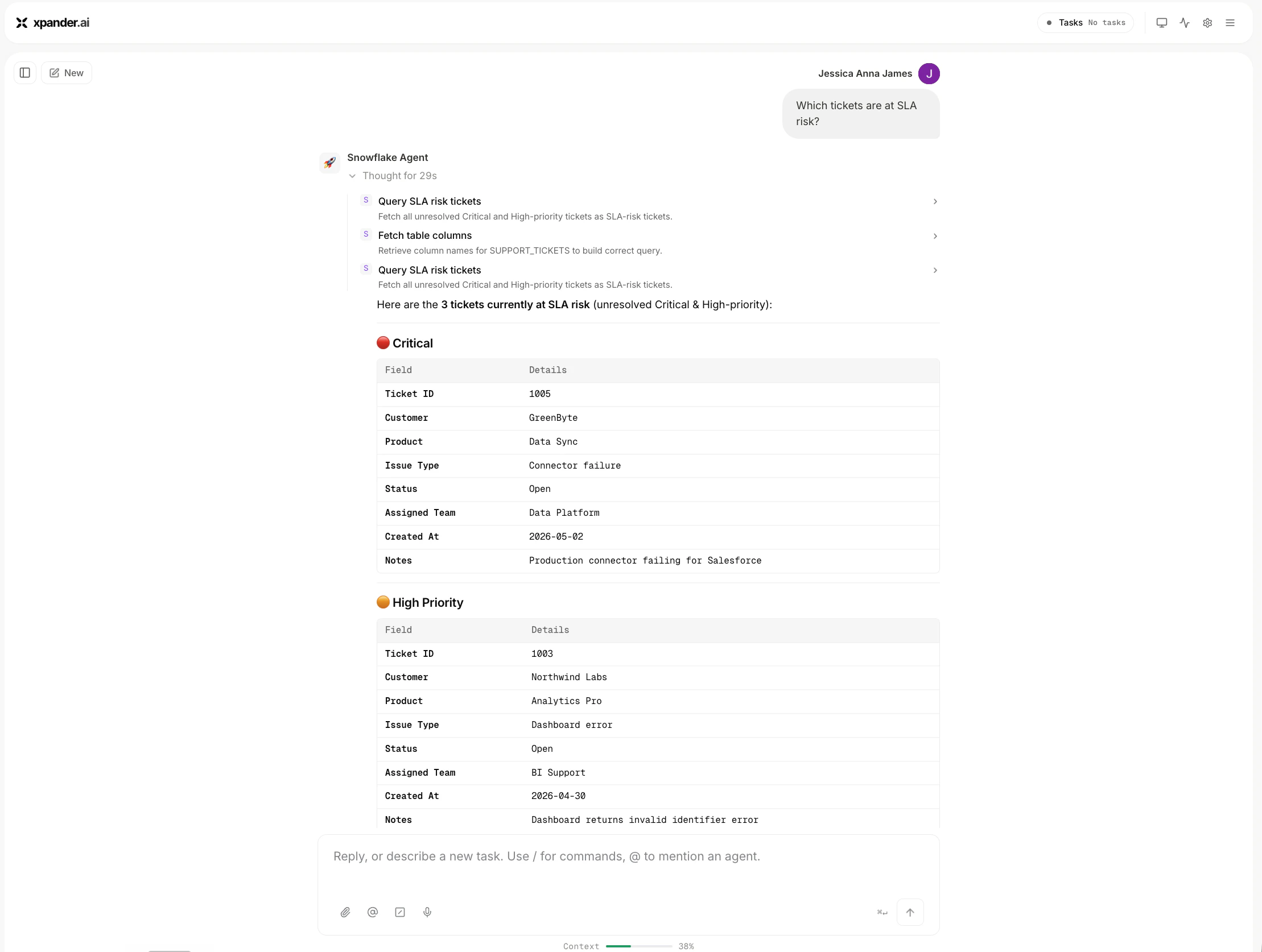
Troubleshooting
- Wrong Snowflake URL: Use the full Snowflake account URL, not just the short account name.
- Invalid or expired token: Generate a new Programmatic Access Token and update the connector.
- Missing network policy: Grant temporary access for the token or configure a valid Snowflake network policy.
- Agent asks for database details: Add the default role, warehouse, database and schema to the agent instructions.
- Permission error: Make sure the connected Snowflake user has access to the warehouse, database, schema, and tables.
- Query does not run: Confirm the warehouse is active and the selected role has permission to use it.