

Tutorial Summary
- Goal: Build an Amazon Redshift SME agent that can query healthcare appointment data and explain operational insights clearly.
- Estimated Time: 10-15 minutes
- What you’ll build: A Redshift-connected agent that understands your default workgroup, database, and schema context, answers healthcare operations questions, and summarizes results from the clinic appointments table.
Key Features
- Native Amazon Redshift Integration
- Natural-language Redshift Q&A
- Business-friendly summaries with tables and takeaways
Prerequisites
- xpander.ai account
- AWS account
- Amazon Redshift Serverless workgroup
- AWS IAM credentials configured in xpander.ai
- Active Redshift database
- Healthcare appointment table created in Redshift
Step-by-Step Implementation
Step 1 - Create the Agent In xpander.ai, create a new agent and name it: Amazon Redshift Agent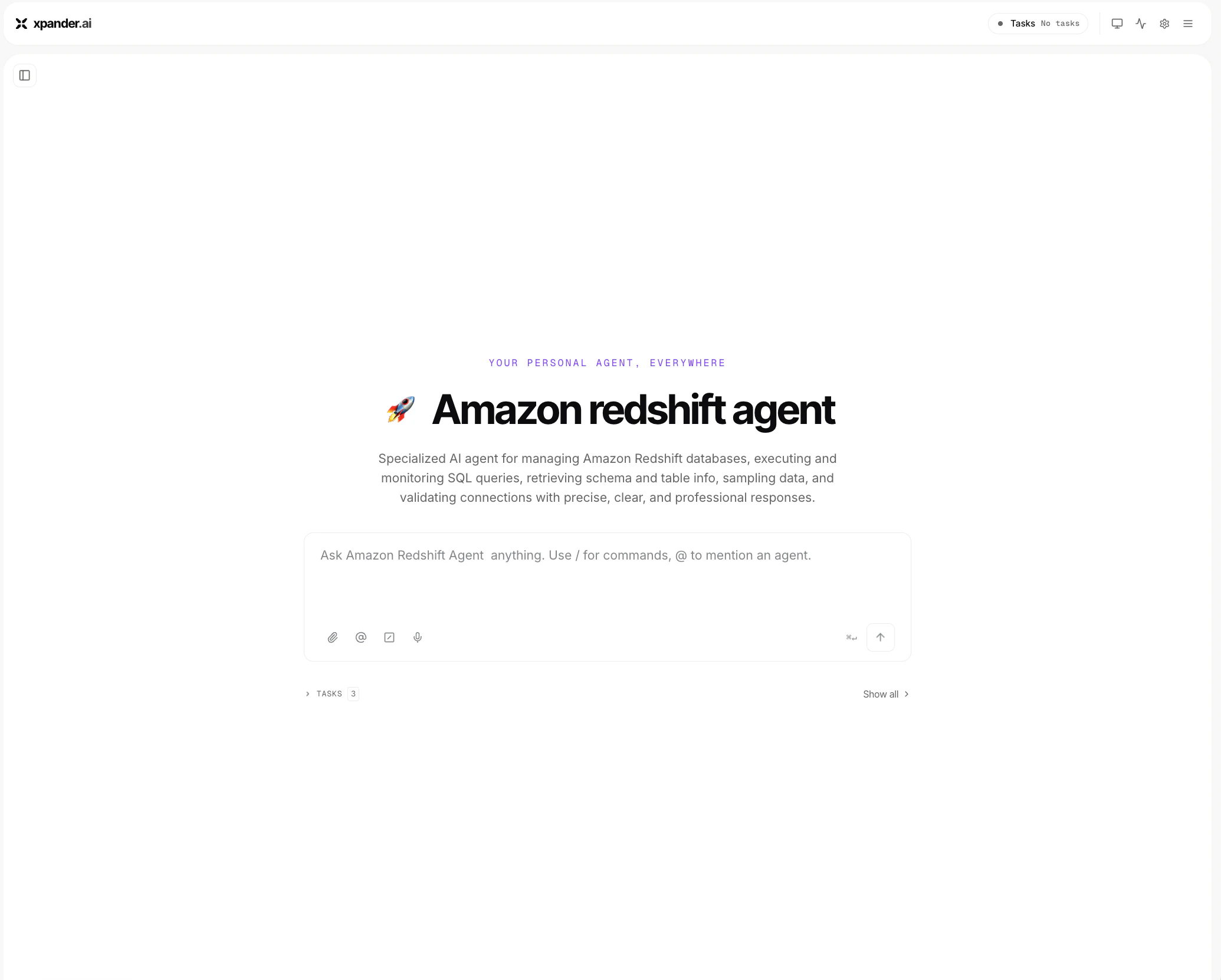
Primary table:
- Region: <your-aws-region>
- Authentication Method: IAM
- cluster_name: <your-redshift-workgroup-or-cluster-name>
- database_name: <your-redshift-database-name>
- catalog_name: <your-redshift-schema-or-catalog-name>
<your-schema-or-catalog-name>.<your-table-name>Step 3 - Add SME Instructions Use these instructions to make the agent respond like a business-focused Amazon Redshift SME:
You are an Amazon Redshift SME agent. Your job is to help users answer business questions using Redshift data. When answering:
- Use the Redshift connection and context configured in the connector.
- Infer the correct query when the user’s intent is clear.
- Explain results in plain English.
- Include a small result table when useful.
- Add key takeaways.
- Mention important caveats when relevant.
Example Questions
The agent ranks departments by average patient wait time: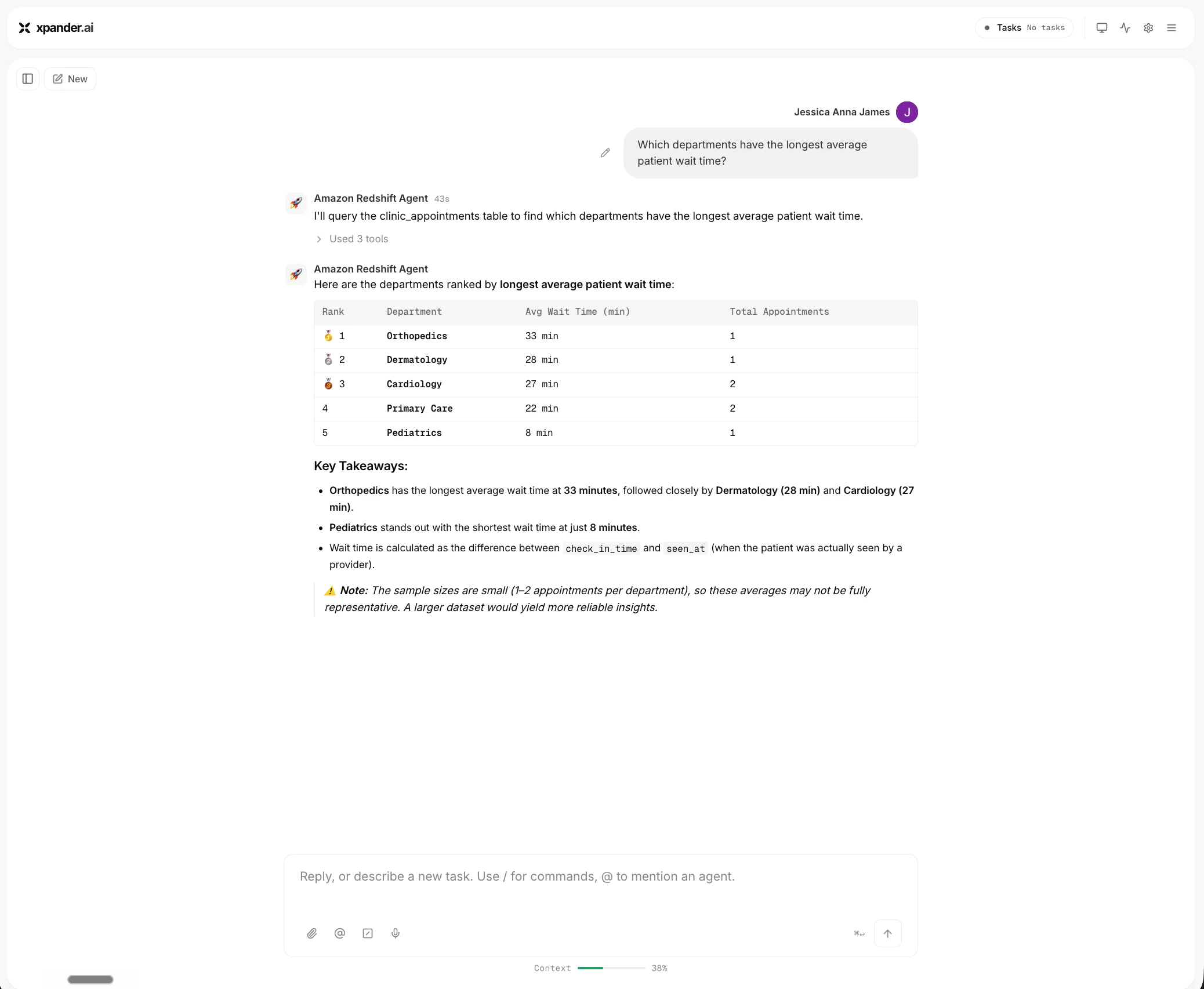
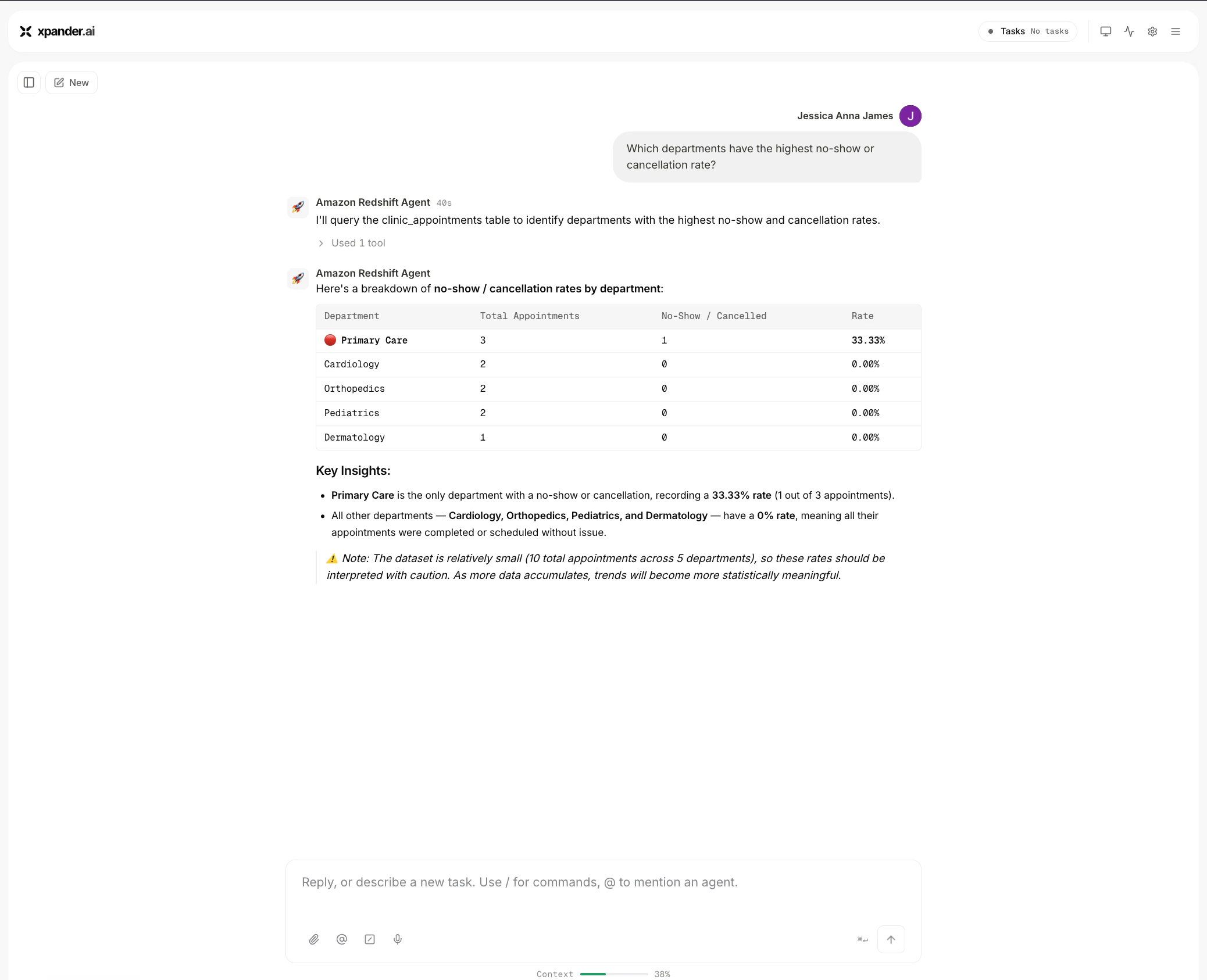
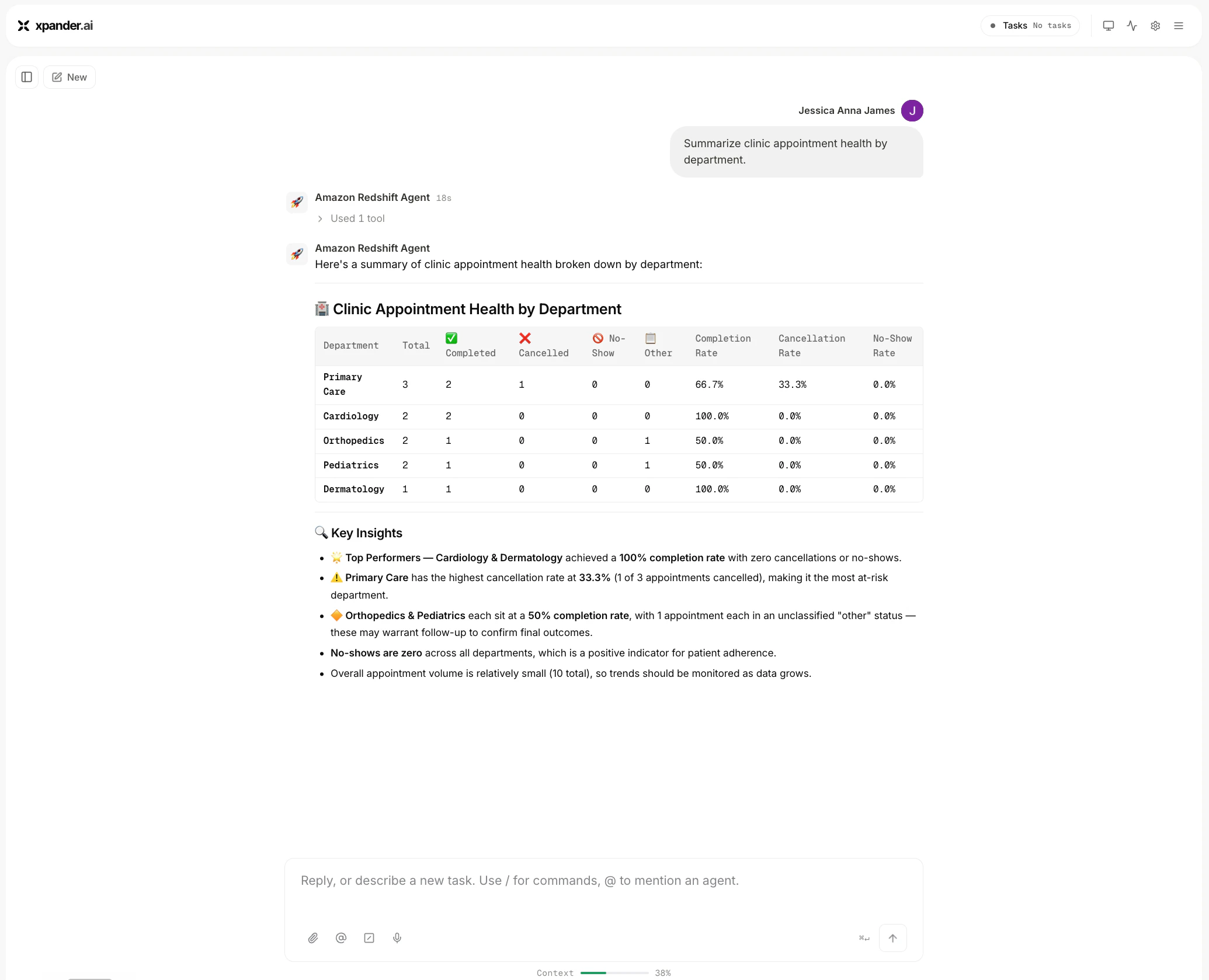
Conclusion
In this tutorial, you built an Amazon Redshift SME Agent that connects to Redshift Serverless, understands a default workgroup, database, and schema context, and answers healthcare operations questions in plain English. The agent can analyze patient wait times, identify no-show and cancellation patterns, summarize department-level appointment health, and explain results with business-friendly takeaways. Although this example uses a small healthcare operations dataset, the same pattern can be extended to larger Redshift environments by adding more schemas, richer clinical operations rules, scheduling data, provider capacity data, and specialized instructions for different domains.Troubleshooting
- Wrong region: Make sure the connector uses the same AWS region as the Redshift workgroup.
- Wrong workgroup name: Use the Redshift Serverless workgroup name in the connector’s cluster_name field.
- Missing database or schema context: Add the database_name and catalog_name values to the connector and agent instructions.
- Permission error: Grant the connector user access to the schema and table.
- Table not found: Check that the schema name, table name, and database name are correct.