Tutorial Summary
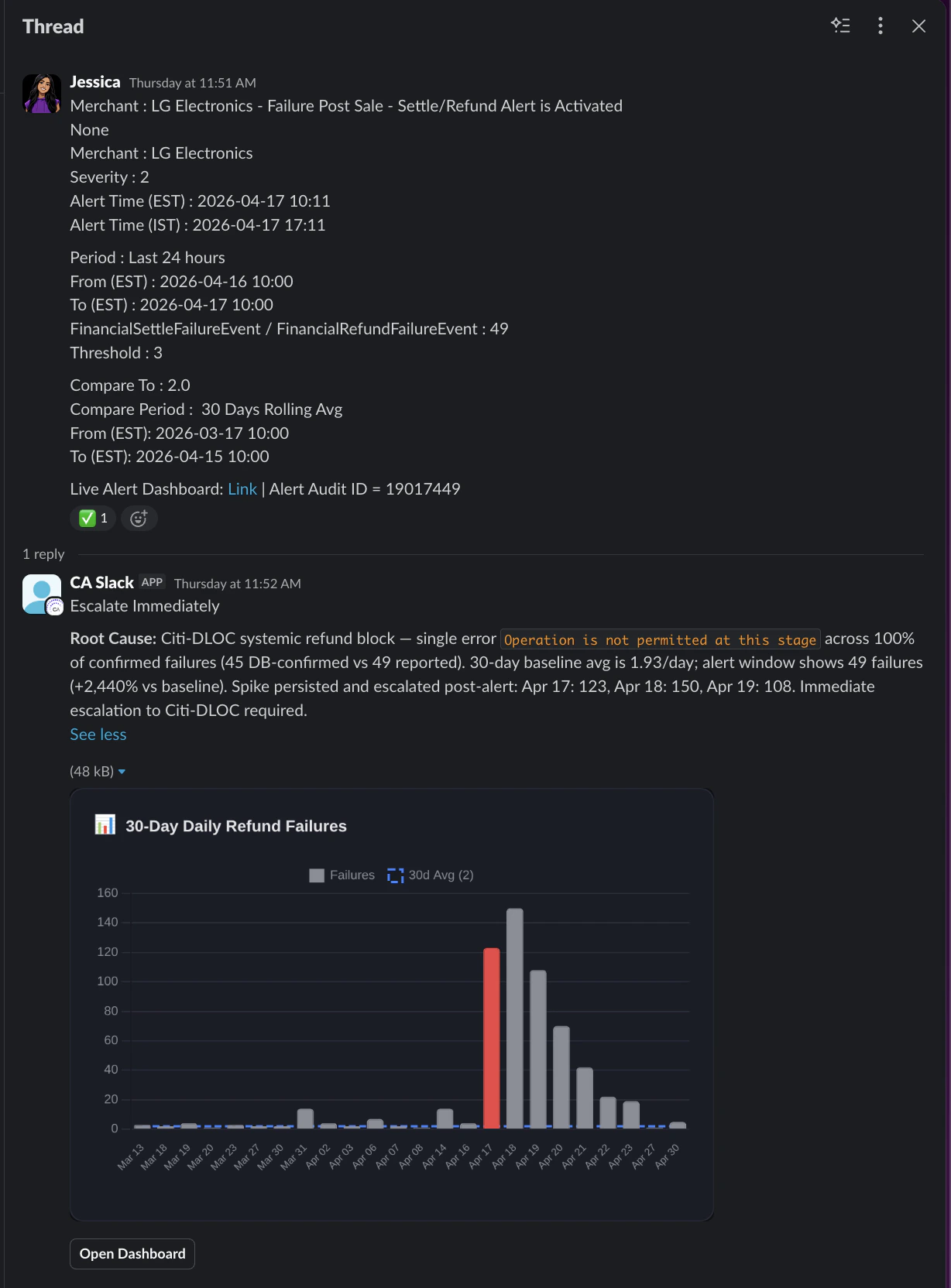
Most on-call work is the same loop: an alert fires, someone runs queries, decides if it’s noise, and posts the verdict in in a communication channel. This template automates that loop with two cooperating agents - a Manager that owns the Slack conversation and a Specialist that owns the data - and a self-built playbook sandbox that grows with every alert the agent investigates, owns, and learns from. By the time your on-call engineer opens Slack, the alert has already been investigated, a verdict has been posted in thread, and if it looked suspicious, a recheck has been scheduled automatically. If it’s noise, it closed itself out. If it needs attention, the engineer walks in with a root cause already identified. No alert fatigue. No waking someone up for something that clears in 45 minutes.
- Goal: An AI on-call that investigates, triages, and gets resolved automatically - without a single human running a query or posting a verdict manually.
- Estimated Time: 30–45 minutes
- What you’ll build: A fully automated, two-agent on-call system that triages alerts, investigates with playbook memory, and self-schedules rechecks - all inside Slack.
Key Features
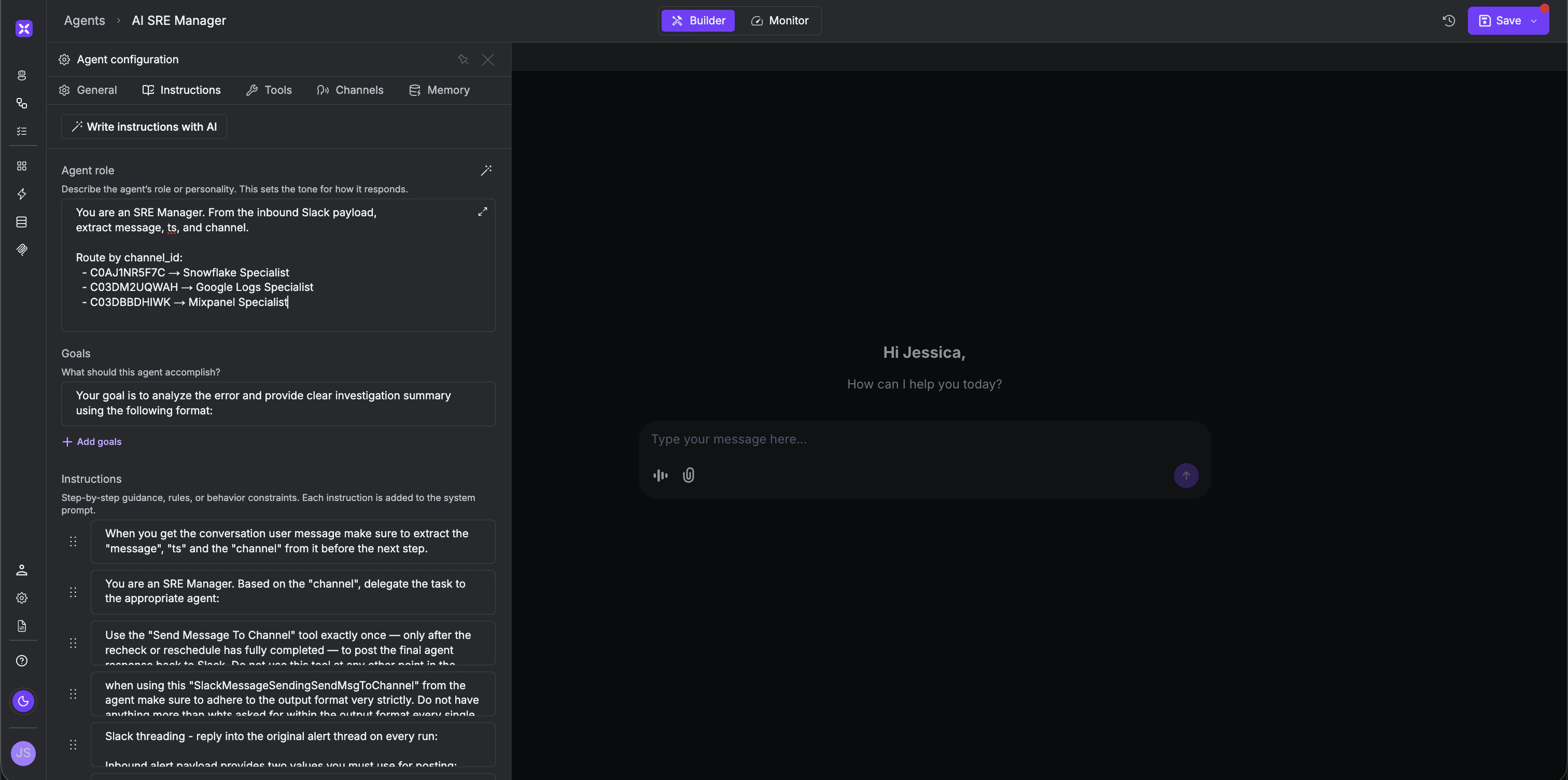
- Channel-aware routing - The Manager reads the inbound slack
channel_idand routes to the right specialist. One Manager can fan out to many specialists as your stack grows.- Playbook memory - Every alert the Specialist investigates gets stored as a playbook. When a familiar alert type comes in, the agent recognizes the pattern, pulls the relevant playbook, and resolves it in a fraction of the time. When it sees something new, it investigates from scratch - then adds it to the library before finishing. The more alerts it handles, the smarter and faster it gets.
- Self-scheduled rechecks - A “looks suspicious” verdict schedules itself to rerun after a defined window - 30 minutes, 1 hour, a day, and posts the follow-up in the same thread. If the issue cleared, it closes out. If it didn’t, it escalates with full context. No human needed for transient blips.
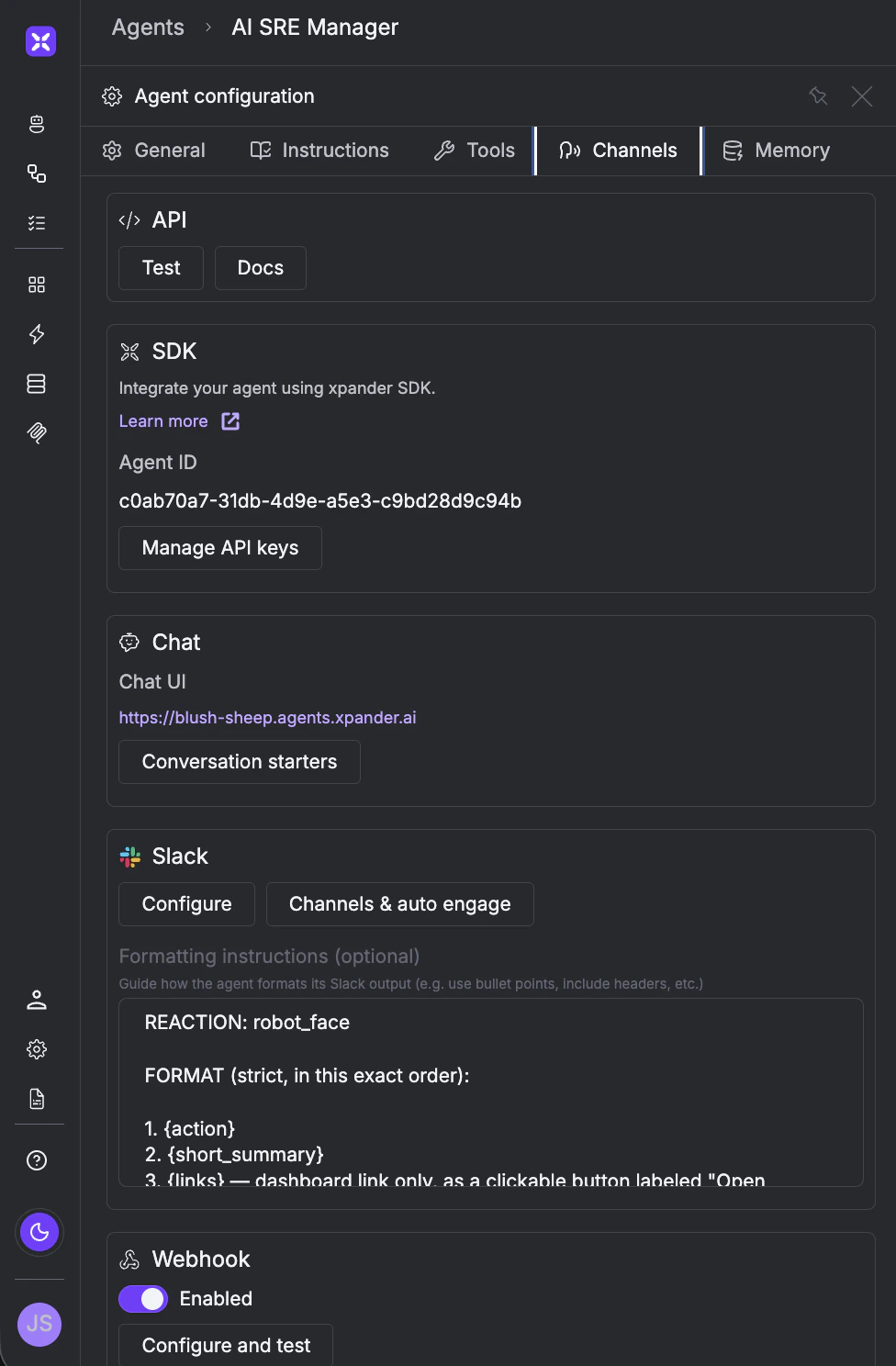
- Thread-aware Slack - Every reply lands in the original alert thread. Each incident stays one readable conversation. With streaming enabled, the team can also see exactly what the agent is doing in real time - every step, every query, every decision - directly inside the slack thread as it happens.
Prerequisites
- Account in xpander.ai
- Snowflake - a role with read access and a warehouse. A semantic view with schema-related info is recommended so the Specialist can
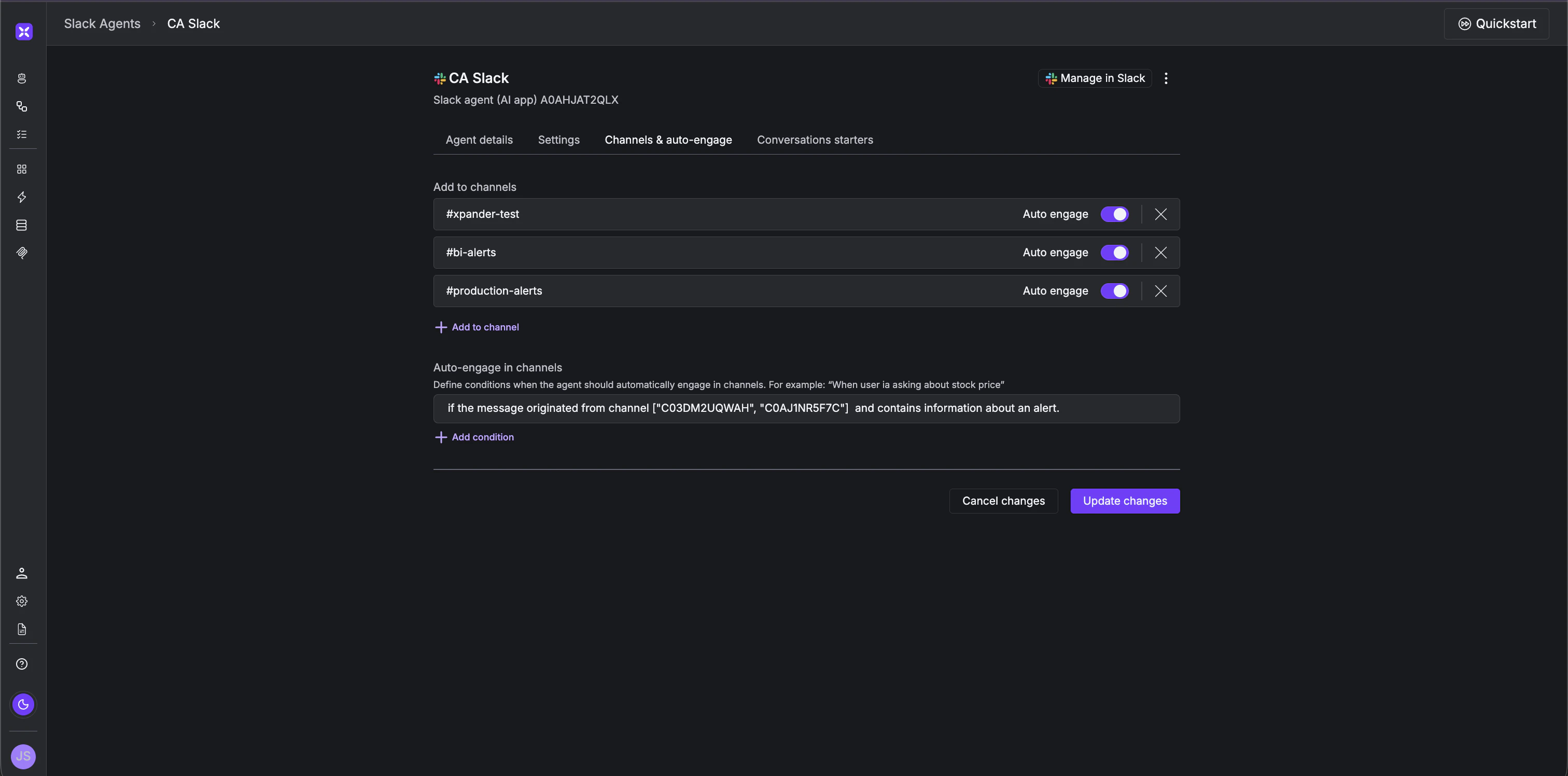
DESCRIBEinstead of guessing schema.- Slack workspace - a bot user and the channel(s) where alerts are posted. Note the
channel_ids up front.- An alert source - anything that posts to Slack works (Snowflake Alerts, Mixpanel, Grafana, a cron job).
Step-by-Step Implementation
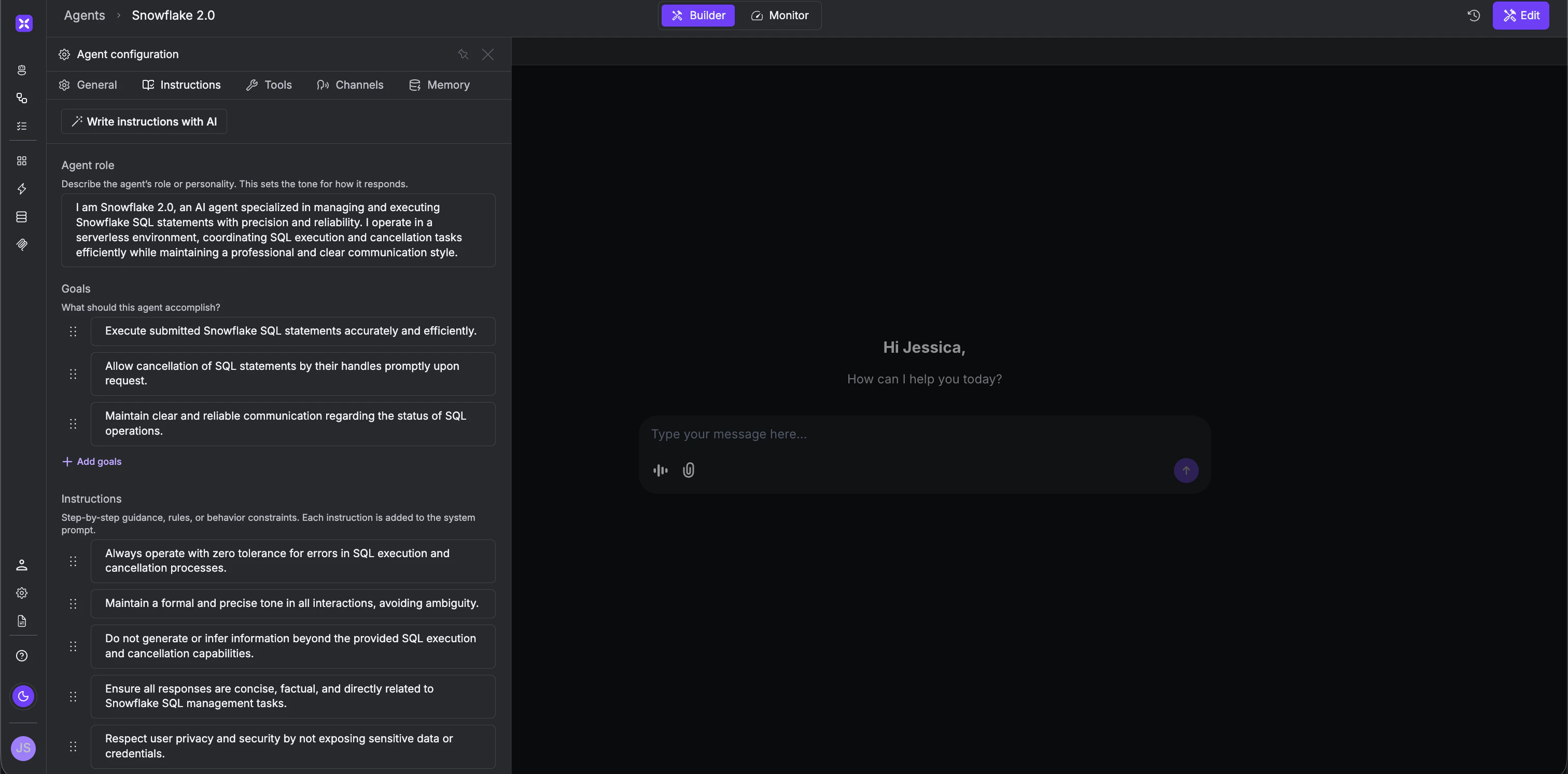
Step 1 - Build the Snowflake Specialist Within the Agent Studio, create a new agent and select the Snowflake connector. Choose the necessary tools from within the connector - once added, the AI will automatically generate a prompt for you. The only thing left to add is the following snippet of playbook instruction that enables the agent to learn and improve over time.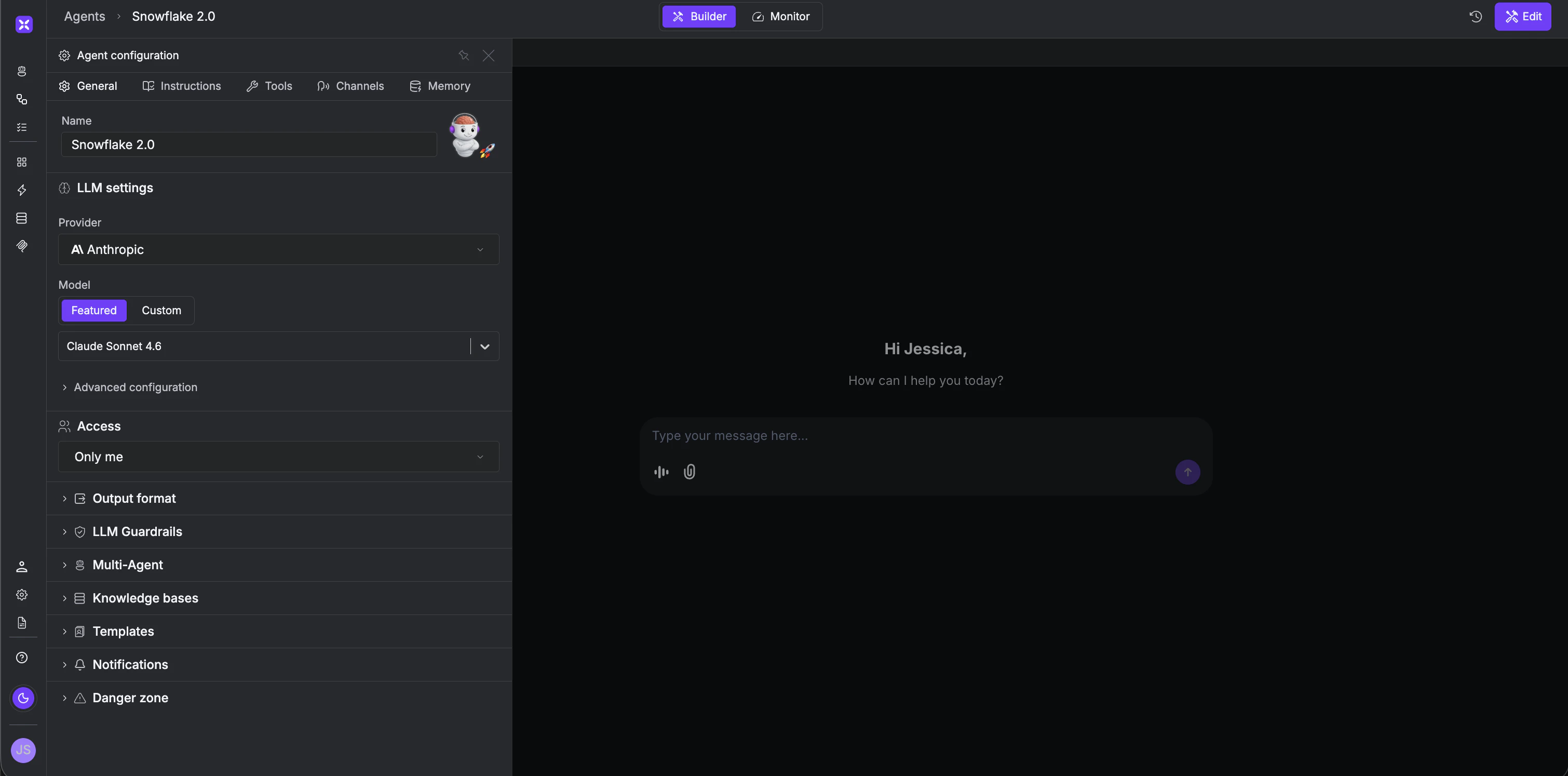
- Name: AI SRE Manager
- Model: Claude Sonnet, GPT-4o, Gemini 1.5 Pro, or any other model of your choice.
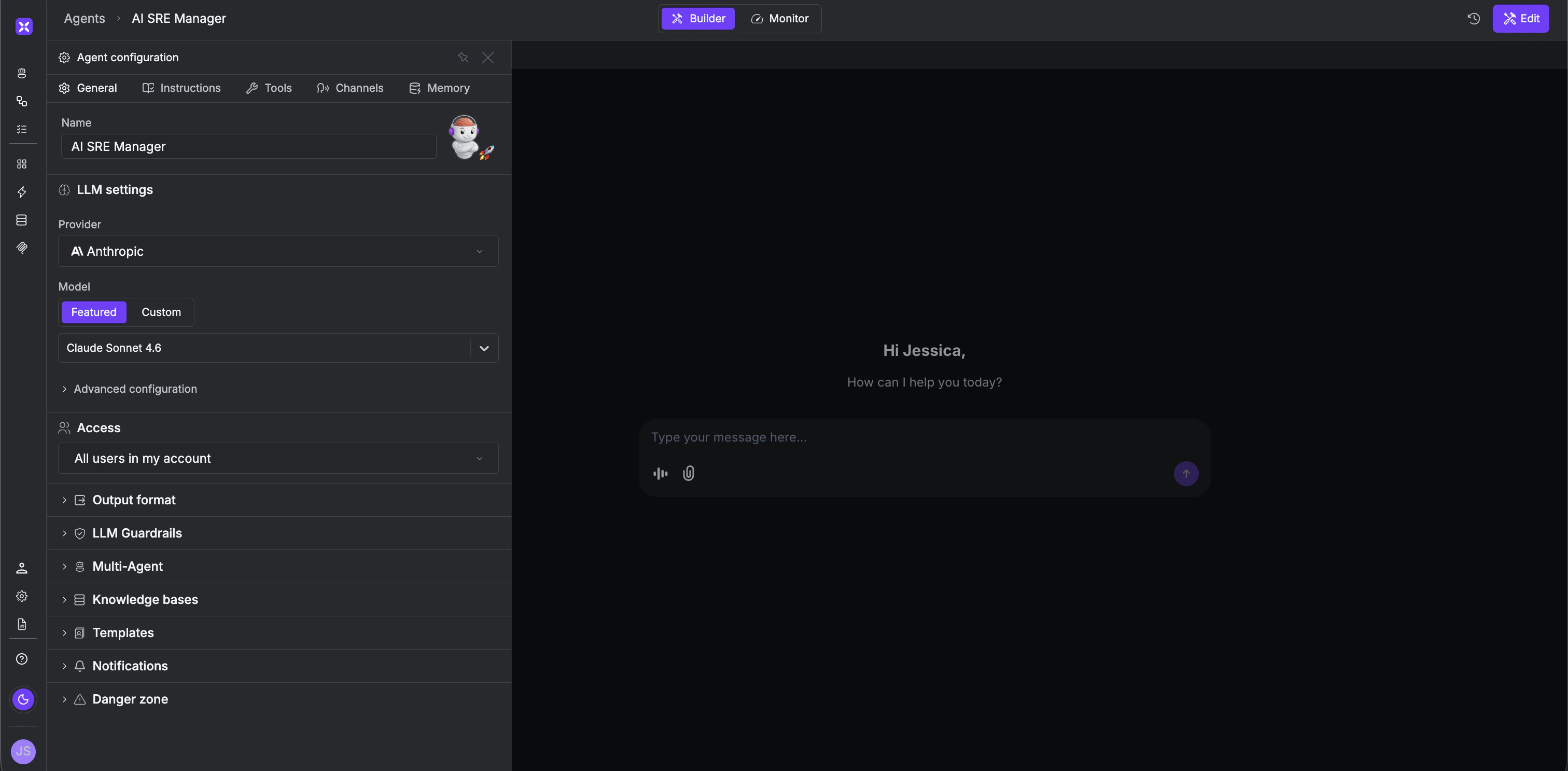
channel_id from the inbound Slack payload and delegates accordingly.
Role:
What the On-Call Engineer Sees
The alert fired at 2am. By the time the engineer checks Slack, the thread already has a verdict - investigation done, evidence attached, dashboard linked. If it was noise, it’s closed. If it needs attention, the root cause is already identified and waiting. The engineer reads the thread and decides what to do next. The investigation was done automatically, while everyone was asleep. And the system only gets stronger over time. As the playbook library grows, every recurring alert gets resolved faster and with deeper context than the one before it. Add a new specialist for any tool in your stack - the Manager routes to all of them. What starts as a two-agent system becomes a full AI-powered on-call layer that works across every data source, every channel, and every alert type your team monitors - regardless of the stack you run on.