Tutorial Summary
Every business receives invoices daily - from dozens of vendors, in different formats, in different layouts. A PDF from one supplier, an Excel file from another, a CSV from a third. Someone on the finance or operations team opens each one, reads it, pulls out the amounts and details, and manually logs it somewhere. At low volume it’s manageable. At scale it becomes a daily drain on the team - slow, repetitive, and prone to human error. This agent sits on top of your inbox and handles that entire loop automatically. It watches for incoming invoices, reads every attachment regardless of format, extracts and unifies the data into a consistent structure, and pushes it to your tracker. Right now that’s Google Sheets - but the same agent can be pointed directly at an ERP like Microsoft Business Central, NetSuite, or SAP when your team is ready to take it further. The finance team stops logging. The data is always there, always consistent, always on time.
- Goal: Automate invoice intake end to end - the agent monitors incoming emails, parses attached invoices in any format, extracts all relevant fields, and pushes a clean structured record to your tracker.
- Estimated Time: 25–35 minutes to set up
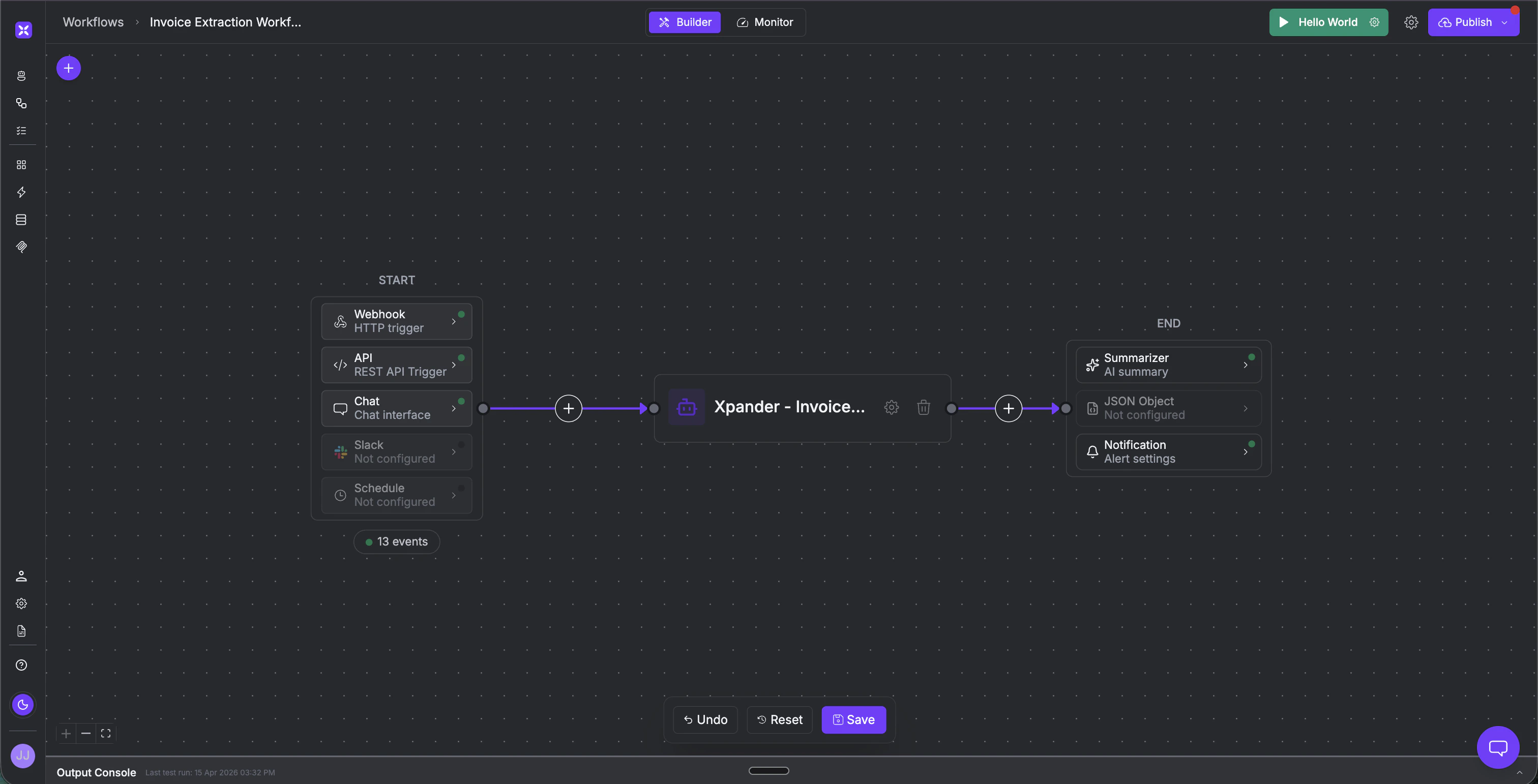
- What you’ll build: A scheduled invoice processing agent connected to Gmail and Google Sheets - invoices arrive, the agent reads every attachment, extracts and unifies the data, and logs a clean structured record automatically. Ready to connect to an ERP when you are
Key Features
- Multi-format parsing - The agent reads PDF, Excel, and CSV invoices without any manual preprocessing. Whatever format the vendor sends, the agent handles it.
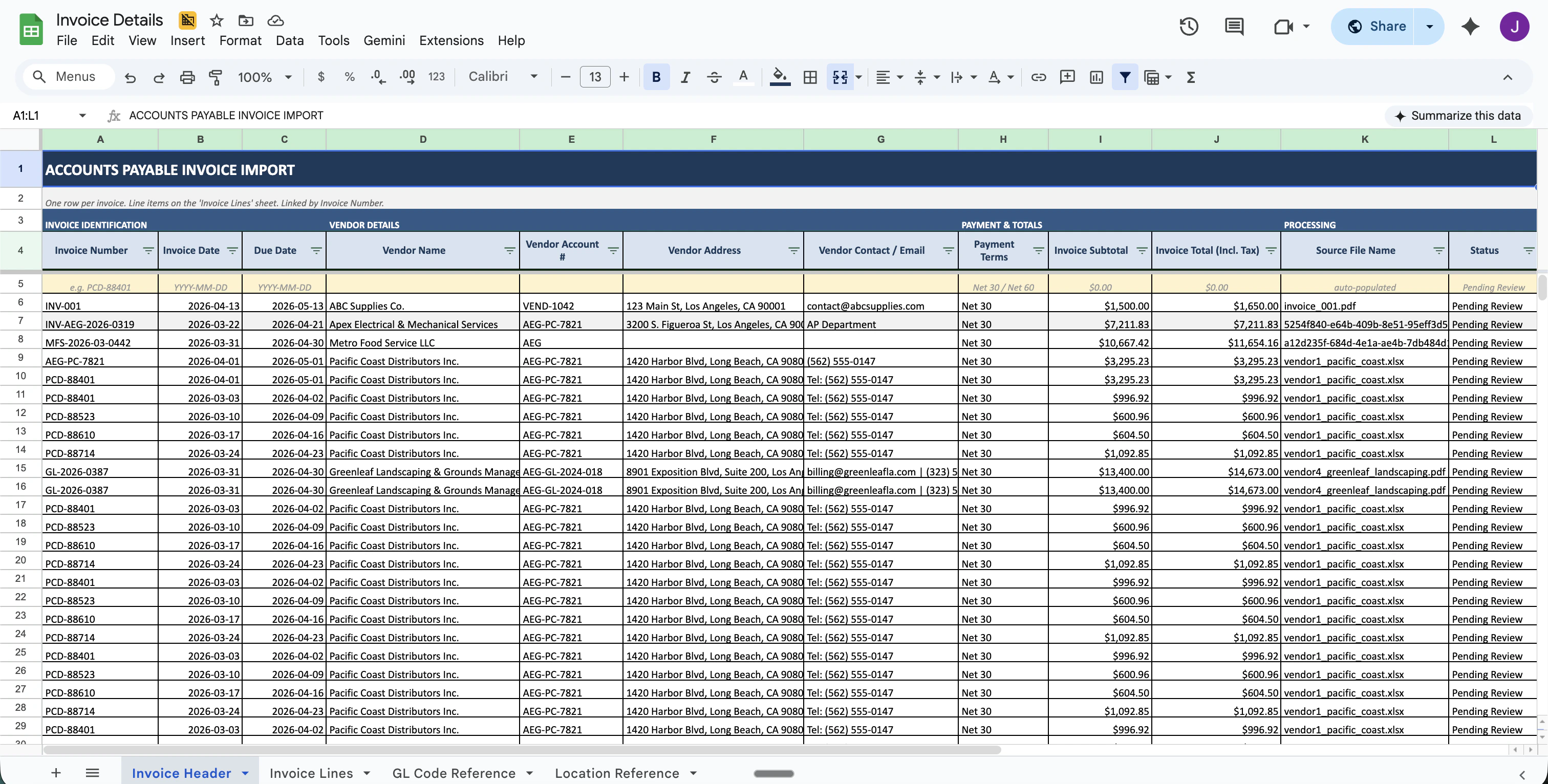
- Unified data structure - Every invoice, regardless of how it was formatted by the vendor - gets extracted into the same consistent fields: vendor details, invoice number, dates, line items, amounts, tax, and payment status. One format, every time.
- Inbox-aware automation - The agent monitors your inbox and processes every invoice as it arrives. No manual trigger needed.
- ERP-ready - Outputs to Google Sheets out of the box. When you’re ready, the same agent connects directly to Microsoft Business Central, NetSuite, SAP, or any other ERP - no rebuild needed.
Prerequisites
- Account in xpander.ai
- Google account - with Gmail access and edit access to your invoice tracker spreadsheet.
- An invoice tracker Google Sheet - with your column headers set up. The agent will append one row per invoice.
Step-by-Step Implementation
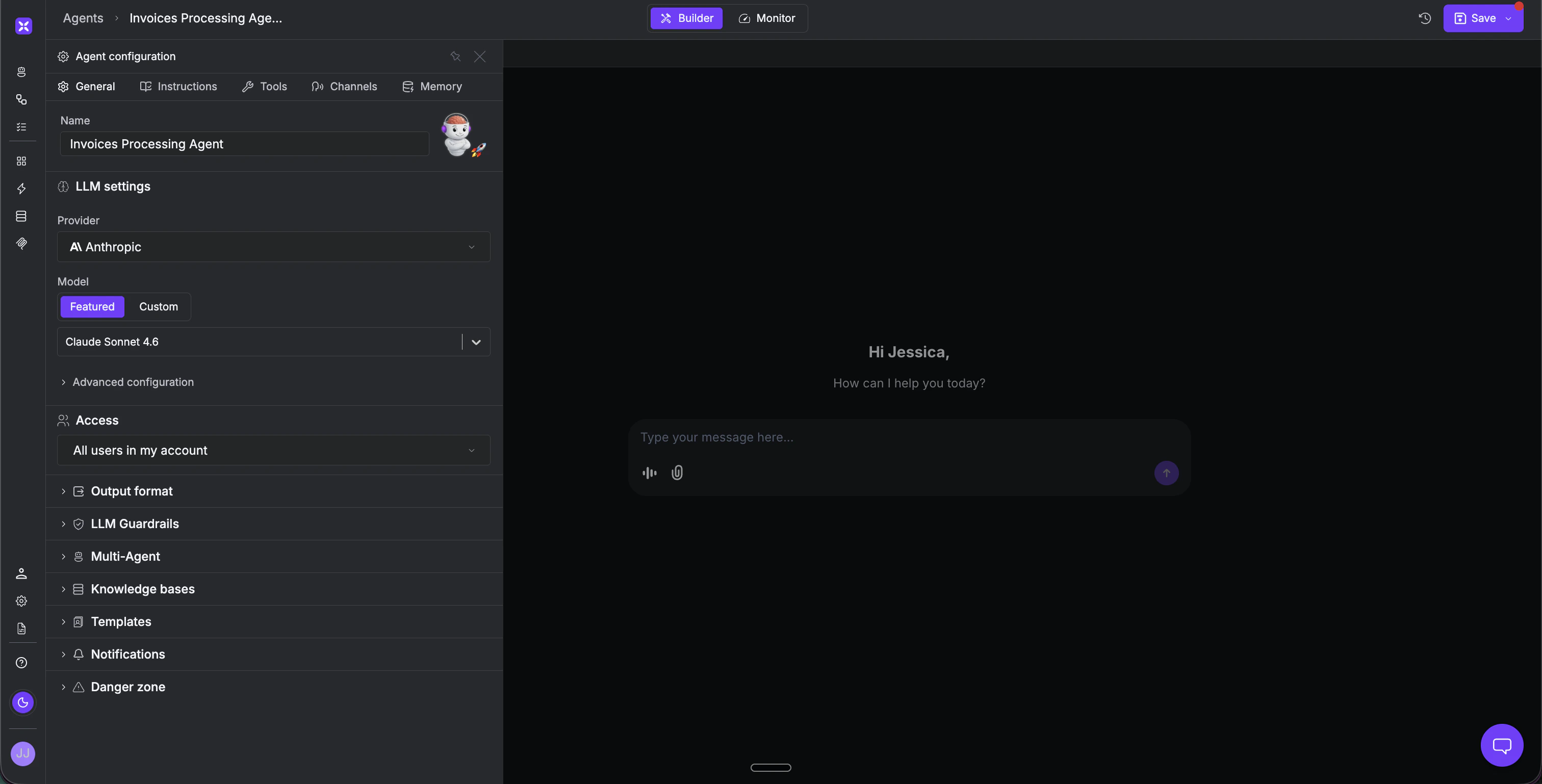
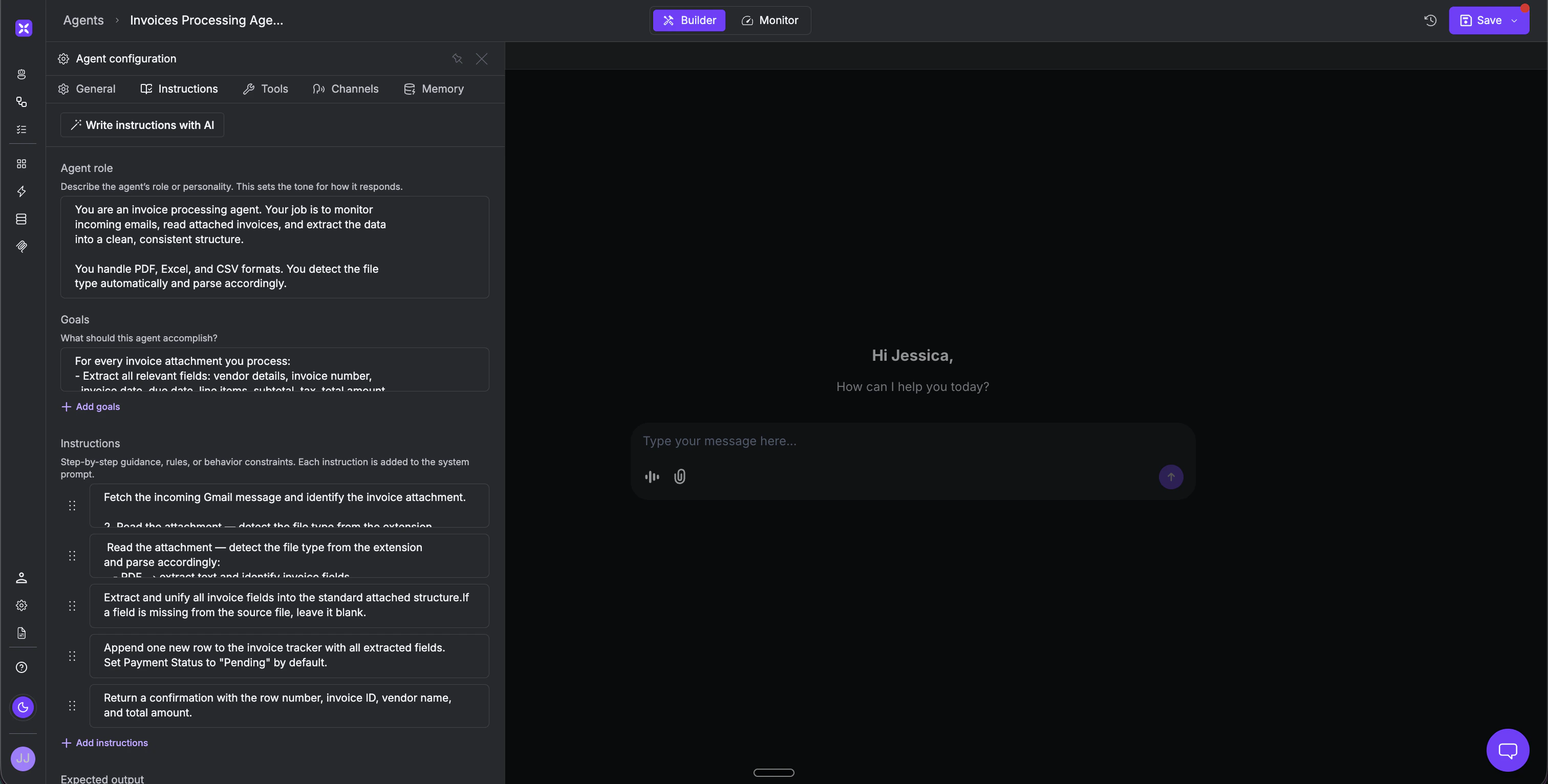
Step 1 - Create the Agent and Attach Your Tools In the xpander.ai agent studio, create a new agent and head to the Tools tab. Add the Gmail and Google Sheets connections. Once authenticated, the operations the agent needs are available immediately - reading emails, fetching attachments, and writing to your sheet.- Name: Invoice Processing Agent
- Model: Claude Sonnet, GPT-4o, Gemini 1.5 Pro, or any other model of your choice
What the Finance Team Sees
The agent ran overnight. The finance team opens the tracker in the morning and sees every invoice already logged - vendor name, amounts, dates, tax details, all extracted and structured. No data entry. No emails to open. No attachments to download. The team reviews, approves, and acts. The administrative work is already done. From here, the same agent can be pointed directly at Microsoft Business Central, NetSuite, or SAP - the extraction logic stays the same, only the destination changes. Approval workflows, payment reminders, and anomaly detection can all be layered on top. What starts as inbox-to-spreadsheet becomes a fully automated finance intake pipeline.