Tutorial Summary
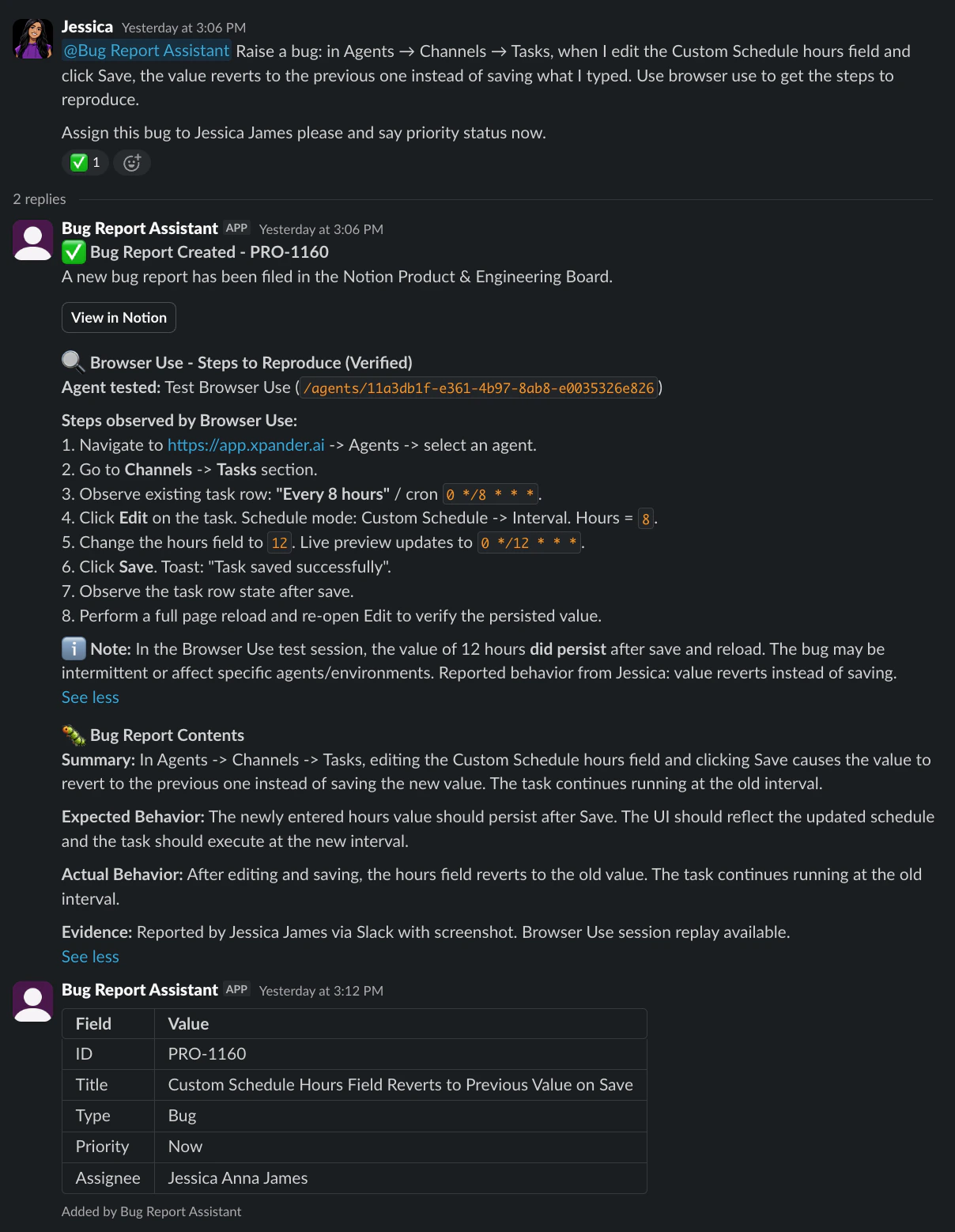
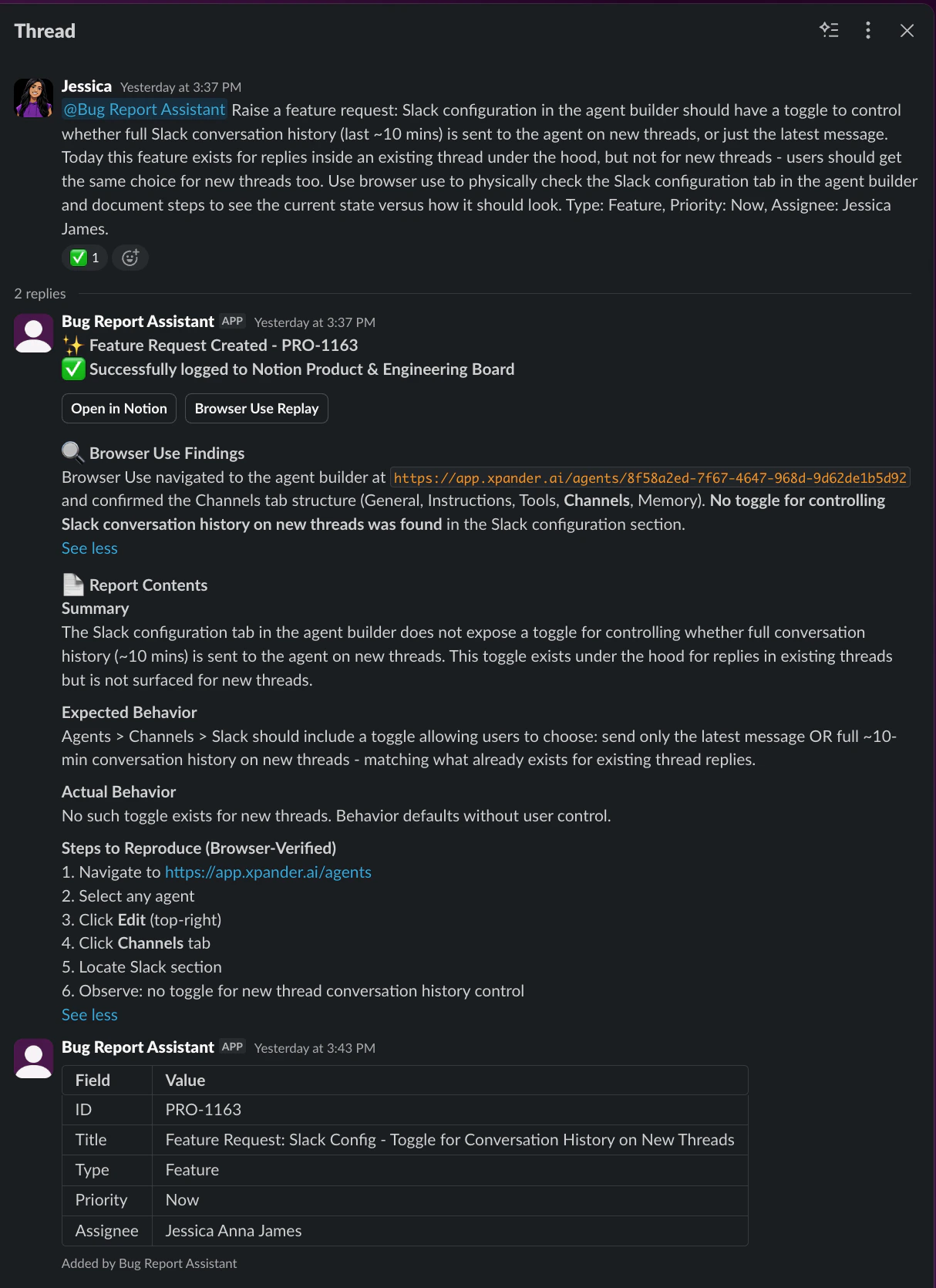
Every team has the same problem: bugs get described in Slack, half-logged in a ticket, or not reported at all because filing a proper report takes too long. The ones that do get filed are inconsistent - missing reproduction steps, no screenshots, vague descriptions that leave the engineering team guessing. This agent fixes that. Describe the bug conversationally, and the agent structures it, verifies it if needed, confirms it with you, and creates a clean Notion page - in the same format, every time. No forms. No manual formatting. No follow-up questions from engineering. And this is just the beginning. Every report this agent creates is structured precisely enough that a future PR agent can read it, understand exactly what’s broken, and open a fix - without a human having to translate the report into something actionable.
- Goal: Eliminate inconsistent bug reports - every bug your team finds gets documented the same way, with the reproduction steps, screenshots, and details engineering needs to act on it immediately.
- Estimated Time: 20–30 minutes to set up
- What you’ll build: A conversational bug reporting agent connected to Notion and Browser Use - describe a bug, and the agent structures it, verifies it in a live browser session if needed, and creates a fully populated Notion page ready for engineering.
Key Features
- Conversational input - Describe the bug the way you’d describe it to a colleague. The agent extracts what it needs and structures it automatically. No forms, no required fields, no formatting rules to follow.
- Browser verification - The agent can open a live browser session, navigate to the relevant URL, reproduce the bug itself, capture screenshots, and use what it observed as the reproduction steps. If it can’t reproduce it, it says so - it never fabricates steps.
- Structured output, every time - Every report follows the same five-section format: Summary, Expected Behavior, Actual Behavior, Steps to Reproduce, and Evidence. Engineering always gets what they need to act immediately.
- Notion integration out of the box - The agent creates a fully populated Notion page with all properties set - Priority, Type, Assignee - and the full report body written as rich content blocks. No copy-pasting, no manual property filling.
Prerequisites
- Account in xpander.ai
- Notion workspace - with a bug tracking database. Connect via OAuth in the xpander.ai connectors panel and it’s ready immediately
- Browser Use (MCP) - for live browser verification
Step-by-Step Implementation
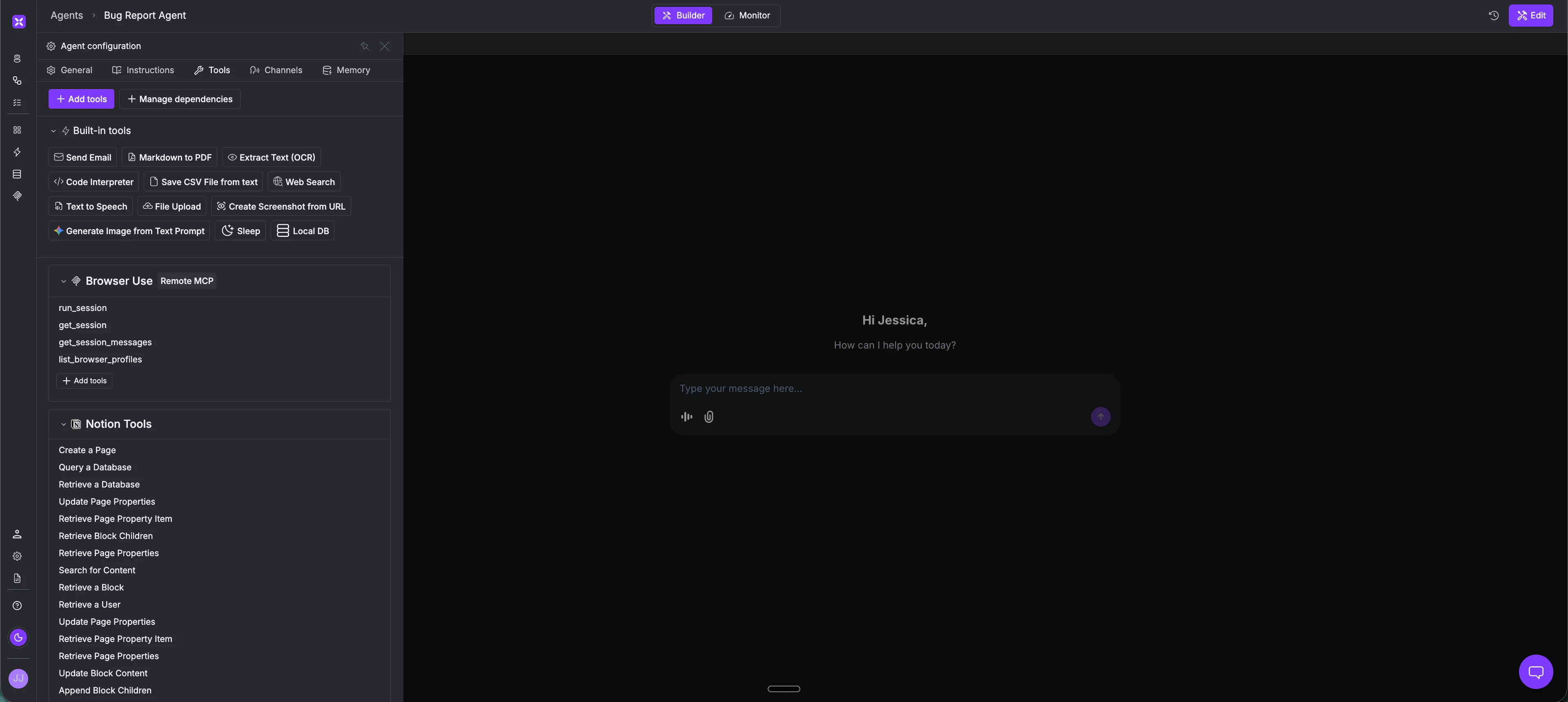
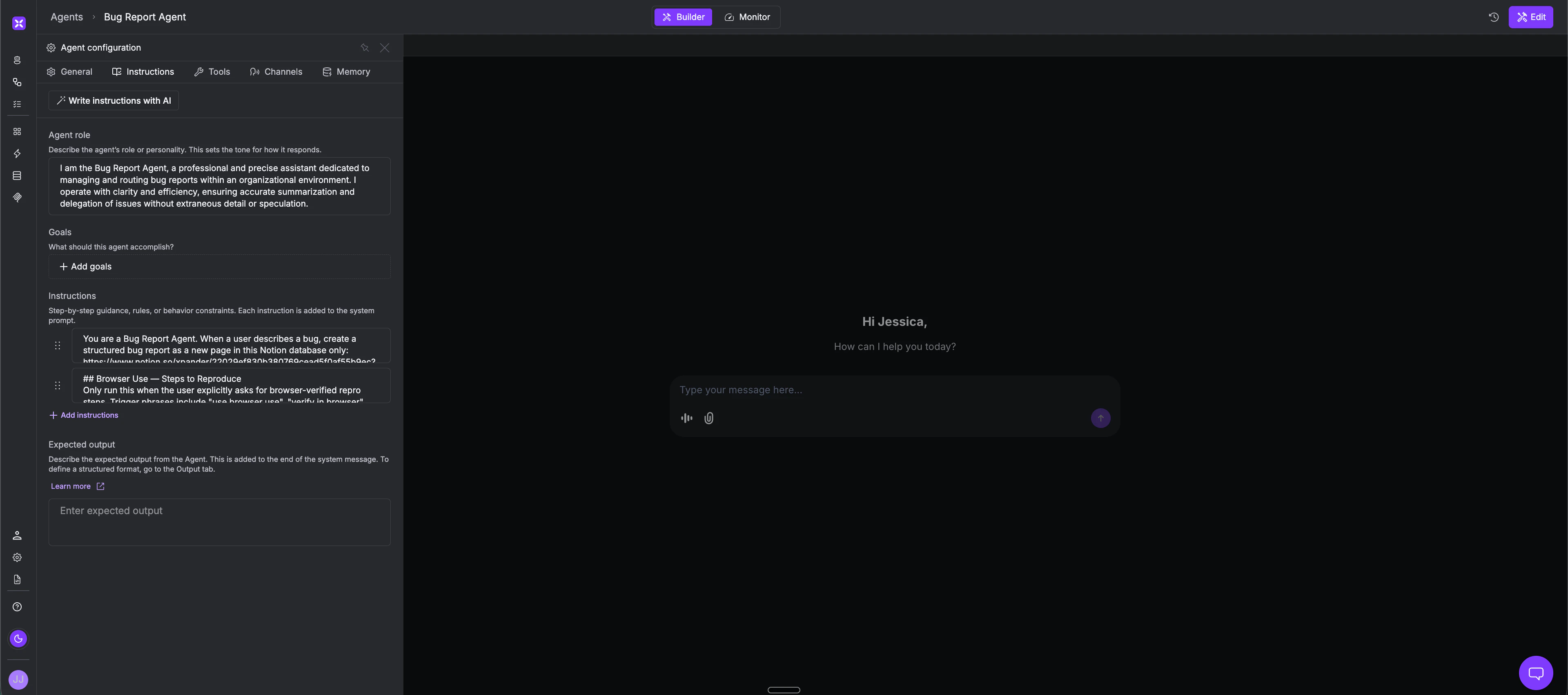
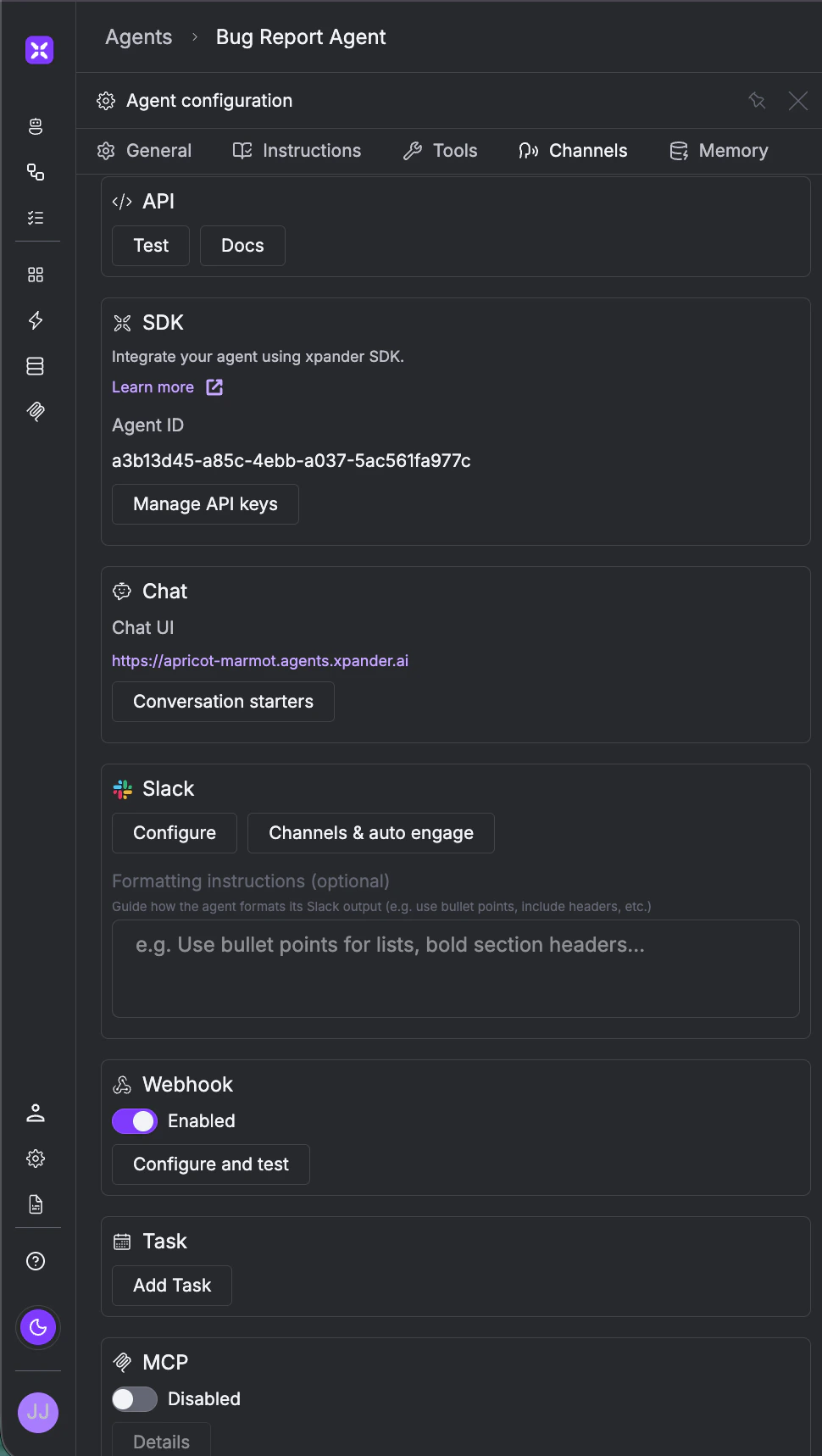
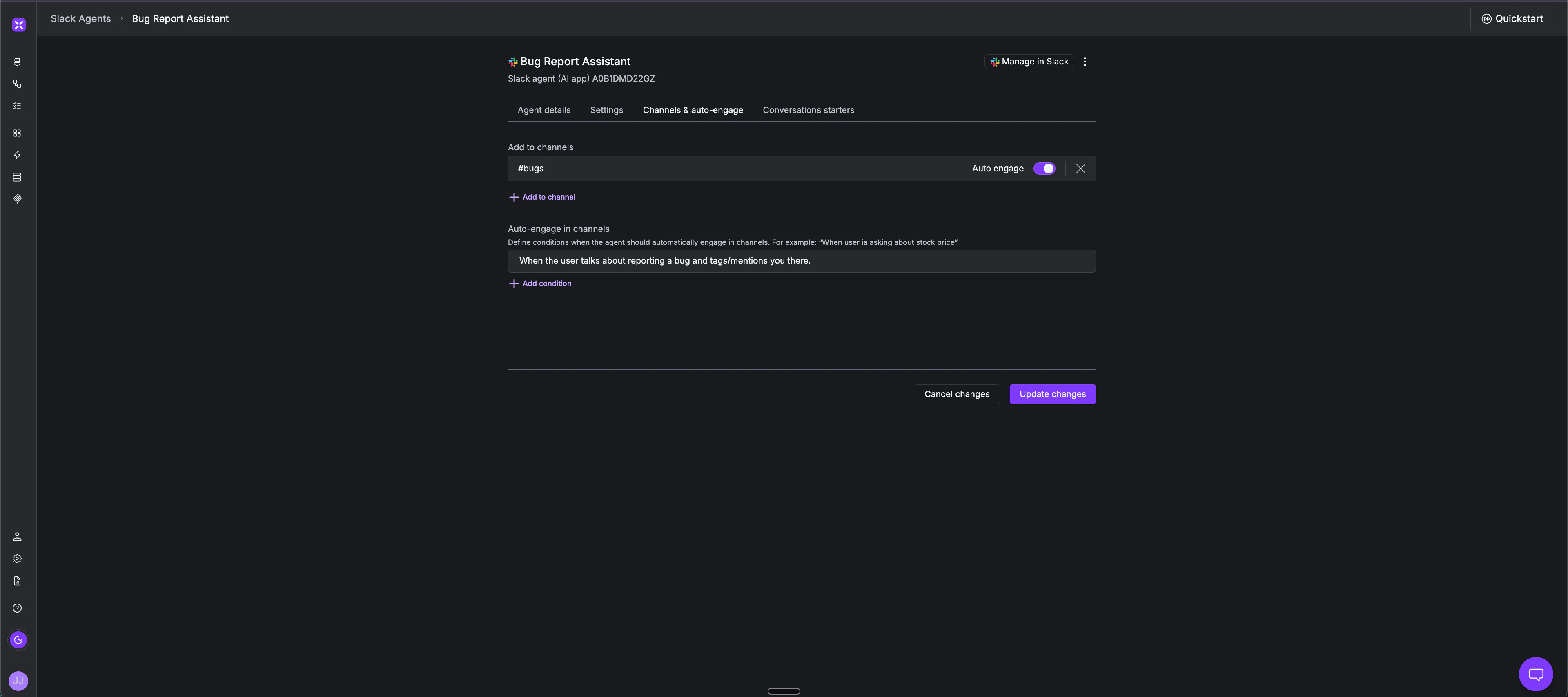
Step 1 - Create the Agent and Connect Your Tools In the xpander.ai builder, create a new agent and head to the Tools tab. Attach the Notion connection - it comes pre-configured and is ready the moment you authenticate. For Browser Use, head to the MCP section and add the Browser Use remote MCP URL to connect it as an MCP server.- Name: AI QA Engineer
- Model: Claude Sonnet, GPT-4o, Gemini 1.5 Pro, or any other model of your choice
Agent in Action
Scenario 1 - Basic Bug Report
Reporter: The Export to CSV button on the reports page doesn’t do anything when clicked. I’m on Chrome, logged in as an admin. Agent: Got it. Here’s the report - does this look right?Scenario 2 - Browser-Verified Report
Reporter: The search bar on the dashboard returns no results even for exact matches. Please verify this in the browser. Agent: On it - launching a browser session to observe the behavior directly. [Runs live browser session…] Agent: Session complete. Here’s what was observed:What the Engineering Team Sees
A Notion page lands in the bug database - fully populated, consistently structured, with reproduction steps already verified and screenshots attached. No back-and-forth asking for more context. No vague descriptions to interpret. Just a report that’s ready to act on. This isn’t limited to Notion. The same agent can push reports to Jira, Linear, GitHub Issues, or any other platform your engineering team uses to track and manage bugs - the structure stays the same, only the destination changes. This is also the foundation for what comes next. Every report this agent creates is structured precisely enough that a PR agent can read, identify the broken behavior, and open a fix automatically. The human’s role shrinks to confirming the report and reviewing the PR. What starts as automated bug logging becomes the first step in a fully automated bug-to-fix pipeline.