

The Agent Workspace is Omni’s working area. It stores the files, folders, generated outputs, and reference material that help Omni understand your work. Instead of asking you to repeat context every time, Omni can use the workspace to keep projects organized across tasks.

What Lives in the Workspace

The Agent Workspace can contain:
  • Uploaded files
  • Generated files
  • Reports and exports
  • Drafts and working documents
  • Reference material
  • Project folders
  • Skill files
  • Templates and schemas

Why It Matters

Agents work better when they have the right context. The workspace gives Omni a durable place to read from and write to. That means Omni can create an HTML report, generate a JSON file, inspect a previous output, or reuse project instructions without starting from scratch each time.

Common Workflows

Use the Agent Workspace for:
  • Long-running projects
  • Repeated reporting workflows
  • Team-specific templates
  • Agent skill development
  • Generated dashboards or files
  • Structured data used by an agent
  • Context that should survive across tasks
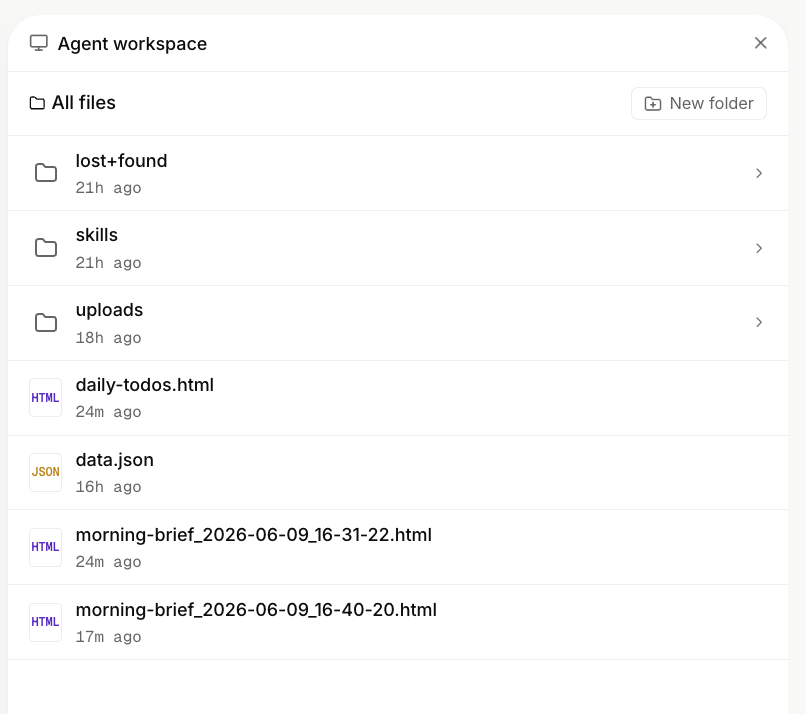
Agent Workspace overview

Skills and Context

Omni can also use skills to follow repeatable instructions. A skill can tell Omni how to perform a specific workflow, which tools to use, what files to read, what format to output, and what constraints to respect. The workspace gives those skills a reliable home.

Best Practice

Keep the workspace clean and intentional. Store files that help Omni do real work, remove old outputs when they are no longer useful, and use clear filenames so future tasks can find the right context quickly.