

What You Can See in a Task
Each task can show:- Current status
- Completed steps
- Tool calls
- Files created or updated
- Issues or failures
- Duration
- Token usage
- Cost
- Final response
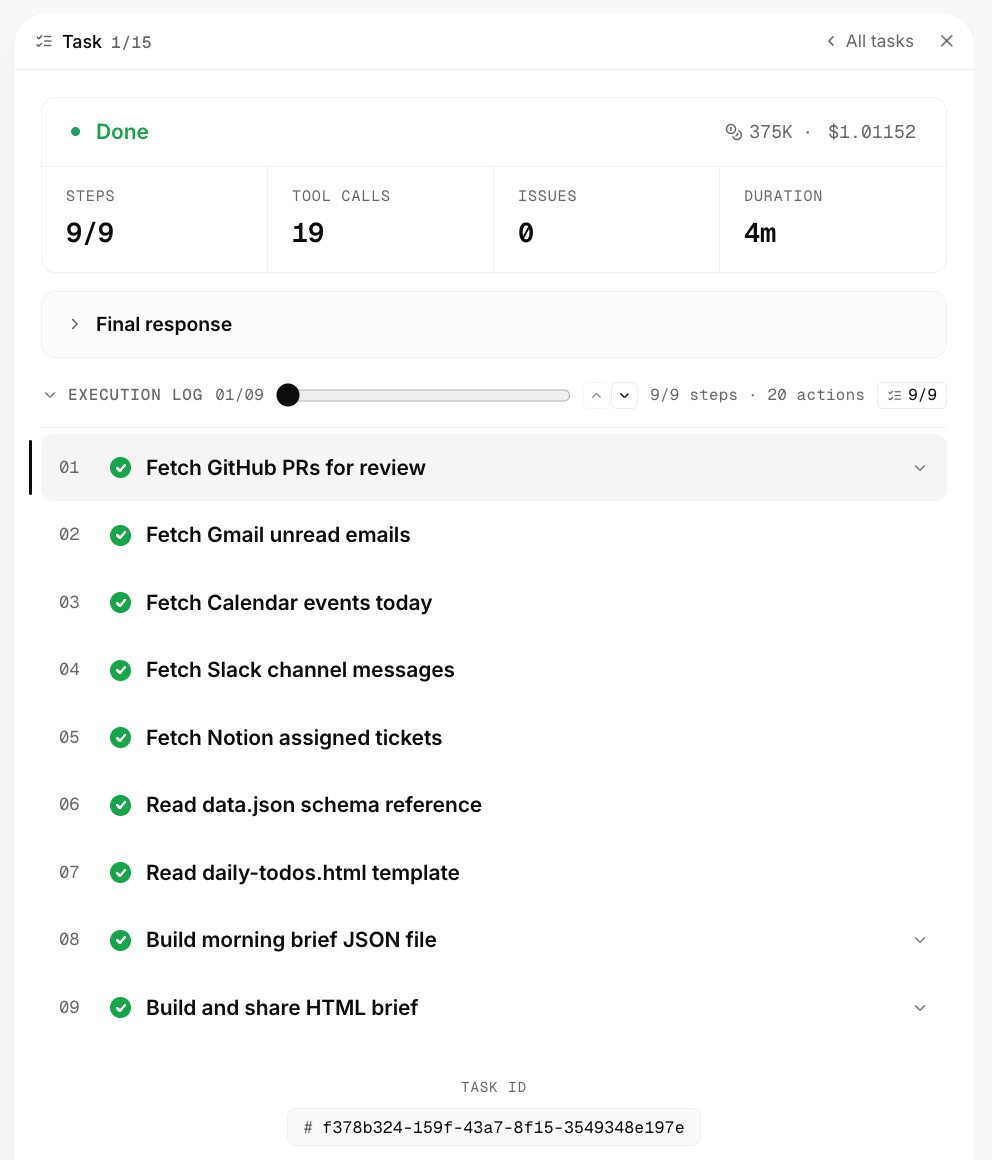
Summary View
The summary view gives you the important version first. Use it when you want to quickly understand whether the agent completed the work, what it produced, and whether anything needs follow-up.Full Execution View
The full execution view shows the underlying steps in more detail. Use it when you need to inspect how the agent reasoned through a task, which tools it called, what each tool returned, or where a task failed.When To Use Tasks
Use Tasks when you want to:- Check whether a request finished successfully
- Understand what an agent did behind the scenes
- Debug a failed or incomplete run
- Review tool calls and generated files
- Share an execution record with a teammate
- Monitor cost, latency, and usage