

api service serves an MCP endpoint at /mcp/. It is the xpander API itself, control plane and data plane, exposed over MCP: a connected client lists and runs agents, reads tasks and threads, reaches skills and their operations, custom functions, workspace files, schedules and usage. It is not an agent; each operation is one API call. To talk to Omni, the built-in agent, use its own endpoint (see the note below). Every edition authenticates this endpoint with OAuth 2.1: xpander cloud, Hybrid and Air-Gapped alike. An x-api-key header is not accepted here. The server answers 401 to it, as to any request without a bearer token.
Omni, the built-in agent, has its own endpoint:
https://omni.xpander.ai/mcp on xpander cloud, /omni-mcp/ on a self-hosted install. On a self-hosted install it answers 404 until the chart sets global.mcp.publicUrl. Setup per client is on Omni in your MCP client. This page is about the agents endpoint.The endpoint
The transport is HTTP. Keep the trailing slash.
How a client signs in
- The client posts to
/mcp/without a token. The server answers401withWWW-Authenticate: Bearer resource_metadata=<API host>/.well-known/oauth-protected-resource. - The client reads that metadata and registers itself at
/oauth/register. - It opens
/oauth/authorizein your browser with a PKCE challenge. You sign in to xpander. A consent page names the client, your organization, your account and the address the code returns to. Click Approve. - The client exchanges the code at
/oauth/token. - Every call to
/mcp/from then on carriesAuthorization: Bearer <token>.initializeanswers withserverInfo.nameset toxpander.ai MCP.
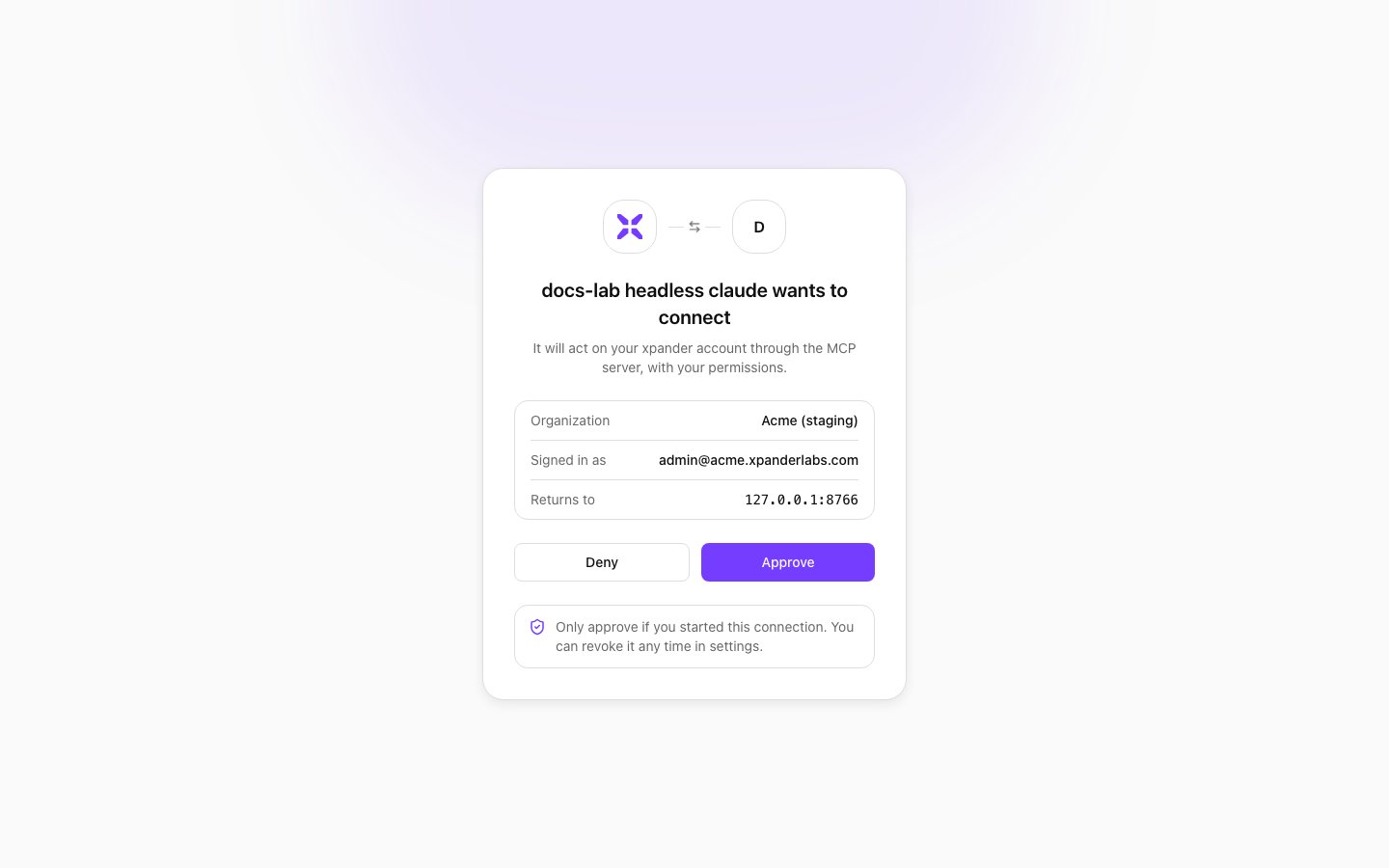
The consent page a client's sign-in opens: the client's name, the organization, the signed-in account and the address the code returns to. Shown with sample data.
401 whose WWW-Authenticate header points at the resource metadata. The same call with Authorization: Bearer <token> reaches the endpoint.
Claude Code
/mcp inside Claude Code, pick xpander and complete the browser sign-in. On a self-hosted install replace the address with your API host.
A headless run has no browser. Pass a token you already hold, obtained through the flow above, and add the server at user scope:
invoke_agent and returns the agent’s answer with the task id.
Claude Desktop, Cursor and VS Code
No key goes into any of these files. The client opens the sign-in in the browser the first time and keeps the token.- Claude Desktop
- Cursor
- VS Code
Edit
~/Library/Application Support/Claude/claude_desktop_config.json (macOS) and restart Claude Desktop:What the endpoint exposes
Afterinitialize, tools/list returns these operations:
A run started with
invoke_agent is a task like any other. It appears in the Task Manager and in GET /v1/tasks/{task_id}.
Skills your agents reach over MCP
The other direction, an agent calling an MCP endpoint as a skill, is set up under Settings > MCP registry or from an agent’s Add skill panel. See Add a skill and MCP gateway. There is no per-agent MCP address to configure.Self-hosted installs
The endpoint ishttps://api.<your domain>/mcp/ on the install’s API host. The Omni surface /omni-mcp/ answers 404 until global.mcp.publicUrl is set.
The /oauth/authorize step redirects the browser to ${APP_URL}/oauth_login, read from the api service’s environment. APP_URL must be the UI origin. When it resolves to the API host instead, the browser lands on {"detail":"Not Found"} in place of the sign-in page. Set the value in the chart and upgrade the release:
https://<app-host>/oauth_login?<the query string the redirect carried>. The UI serves that route, shows the consent page and returns the code to the client.
Next steps
Omni in your MCP client
Ask the built-in agent for anything it can do
MCP gateway
Both directions on a self-hosted install
REST API
The same agents over HTTP with an API key