

What a run costs
On xpander’s cloud, usage is paid in credits; one credit is one cent. A turn costs one credit when the agent wakes, one credit per skill call, and the model’s tokens at the provider’s public price plus a quarter, per model. Calls on a key you brought, whether an agent-level credential or the organization’s key under Settings > LLM settings, are measured the same way but not charged. Every new organization starts with a grant of credits; the balance is the chip in the top bar, and a task’s cost grows on its card as it runs. A turn in flight always finishes, even below zero; the next one is refused until an admin tops up, and members see the balance but cannot buy. On a self-hosted installation usage is measured and shown identically and never charged.Budgets
A budget is a cap in dollars with thresholds. Each threshold is a percentage with an action, warn or stop; with Budget alerts on, a notification fires once per threshold per period.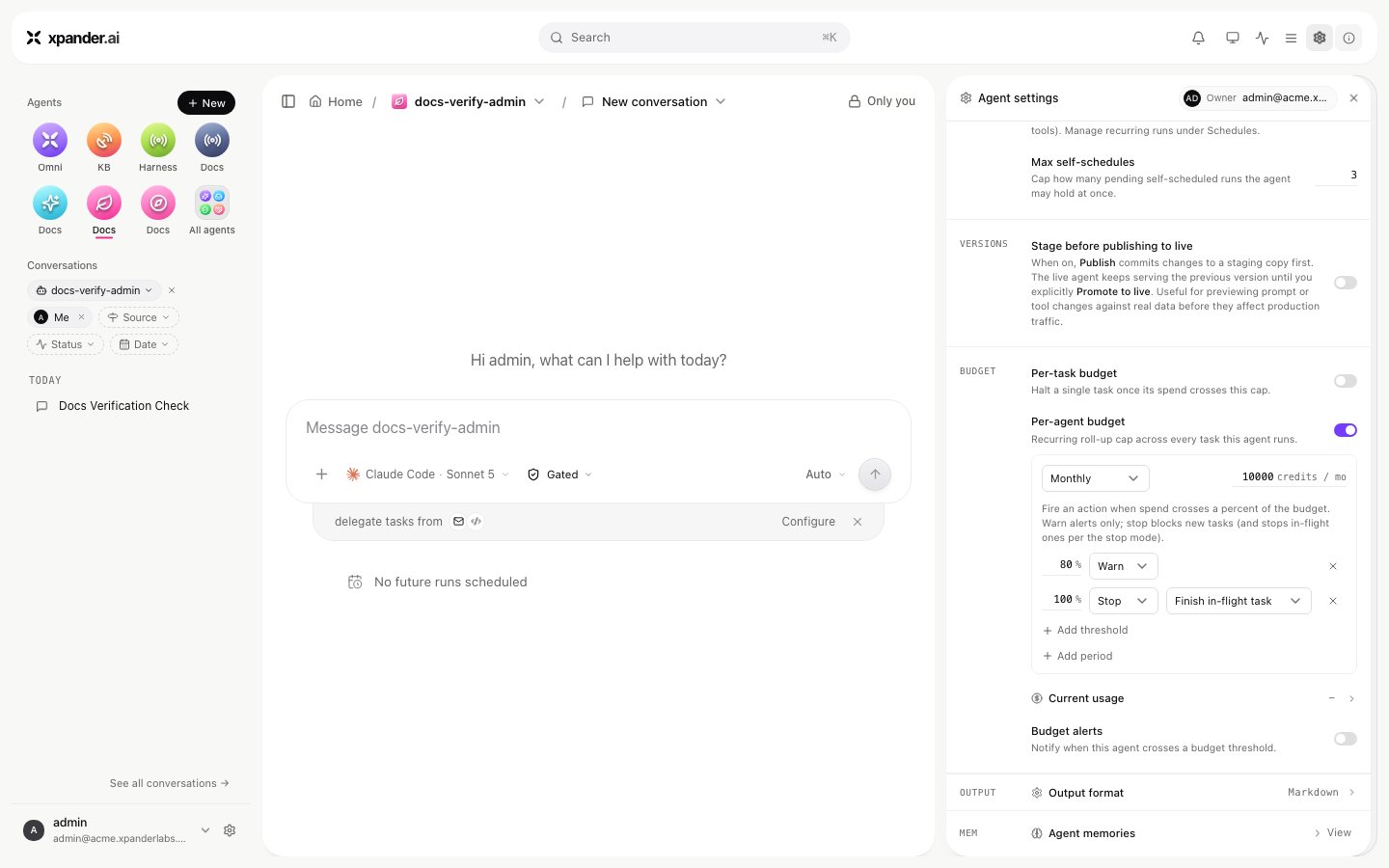
An agent's Budgets editor: period, amount, warn and stop thresholds, and the stop mode.
stopped with “Execution stopped: budget exceeded.” A refused run says which budget it hit and to raise it or wait for the next period. Raising an agent budget lifts its block at once. A task budget cannot be raised after the fact.
Budgets count charged model spend. On an installation where every model call runs on a key or identity you brought, usage is measured as a nominal amount but nothing is charged, so a budget reports and never stops a run. A one-credit per-task budget with Enforce limits on did not stop turns on an install’s own Bedrock identity. Use gated commands and approval rules for control there.
Budgets act only while the organization’s Enforce limits switch (Settings > Usage) is on. Off, spend still accrues, usage is still shown and alerts still fire, but nothing blocks a run; an agent’s budget editor shows a banner while that is the case. A maximum budget per agent ceiling under the same settings caps how high anyone may set an agent or task budget. Budgets are a cost guardrail, not a security boundary: an infrastructure fault lets a run proceed rather than blocking every agent. Agent creators set budgets on their agents; admins set them anywhere.
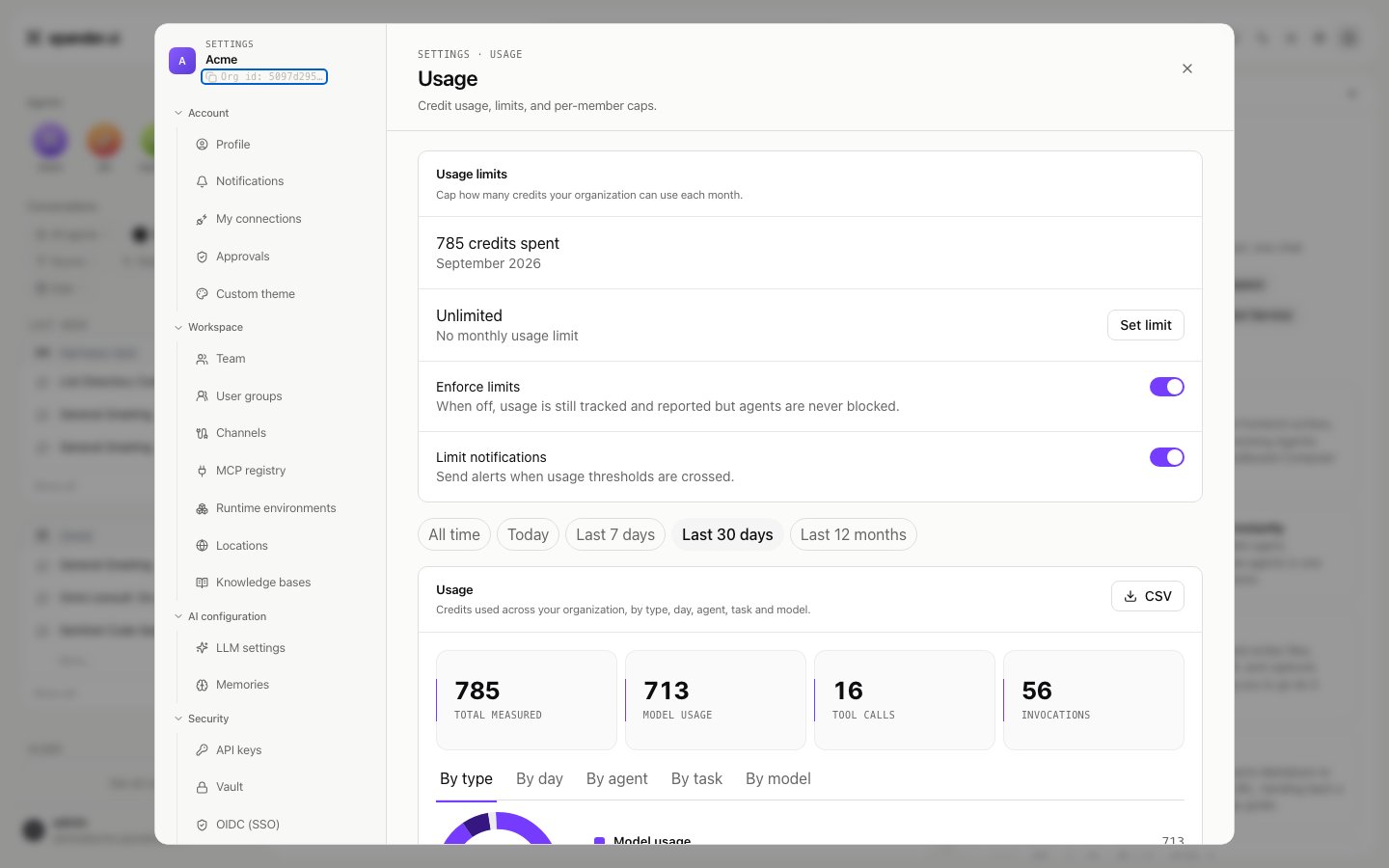
Settings > Usage: the monthly usage limit, enforcement and limit notifications sit above the usage breakdown.
Usage
Settings > Usage shows the credits spent this month, the limits in force, and a breakdown for a range (All time, Today, Last 7 days, Last 30 days, Last 12 months) in five views: By type, By day, By agent, By task and By model. CSV exports the breakdown. A task’s own panel shows its tokens (input, output, cache read and cache write), cost and model.GET /v1/tasks/{task_id}/llm_usage returns the token-level record of one task: tokens (the total), input, output, cache_write, is_byok, cost and ai_model. On a key you brought, is_byok is true and cost is 0.0 while the tokens are still counted. The record is written a few seconds after the turn ends; a call made within seconds of the reply can read zeros.
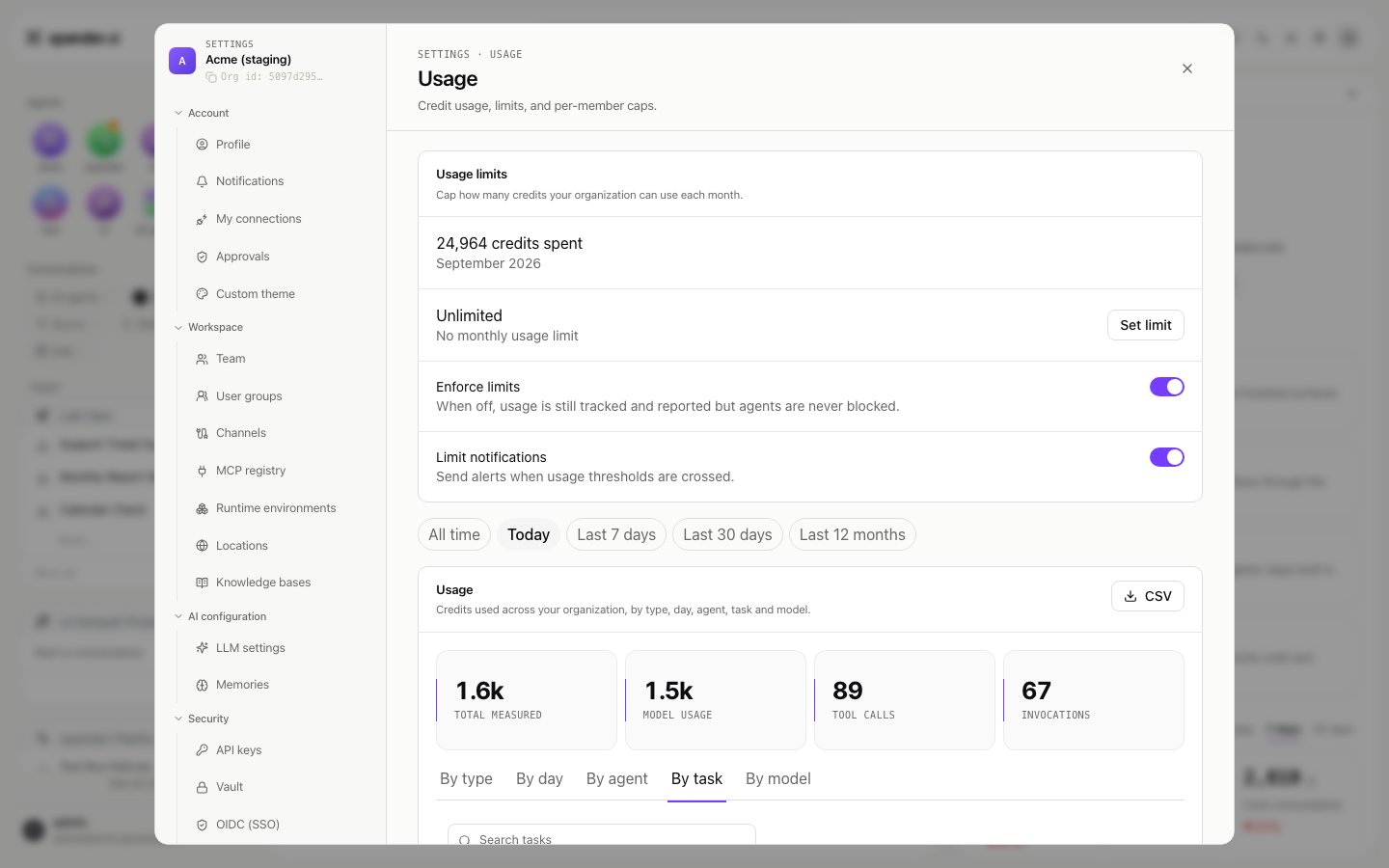
Settings > Usage: the range chips, the By type, By day, By agent, By task and By model views, and CSV export.
Notifications
Budget alerts on the agent notify you when it crosses a threshold. Beyond that, an agent’snotification_settings on the API name where the outcome of a run goes: on_success, on_error (a task that failed or was stopped) and on_budget. Each can go to email, Slack or a webhook, with the amount reached and the cap. The setting has no screen of its own yet; set it with PATCH /v1/agents/{agent_id}. Approval requests reach their named approvers separately, in Xpander Chat, by email, in Slack, Telegram or WhatsApp.