

Sending a message
A message becomes one turn of the conversation’s session. Xpander Chat opens a stream and shows what the turn does as it happens: the agent’s text, each skill call with what went in and what came back, plan updates, held approvals, and the final answer. The turn runs on the executor, not in your browser. Closing the tab, a deploy or a network drop does not stop it. If the stream breaks, Xpander Chat polls the run’s state for half a minute and then tells you the reply is saved in the thread. Turns in one conversation run one at a time. A second message sent while a turn is running is steered into it: it reaches the agent at its next skill boundary and shows in the thread as a steering message, so a correction lands in the work in progress instead of waiting for it to end. From Slack the steered message gets an eyes reaction; from WhatsApp and Telegram it is silent. With nothing running, a message starts the next turn.Sub-tasks
An agent can hand part of the work to another agent as a sub-task: a separate execution with its own record, listed under the parent conversation and in the Task Manager. Whether the parent waits is decided by the run’s sub-task mode,auto in Xpander Chat and settable per call on the API (sync, async or auto). An asynchronous sub-task keeps running after the parent has answered, reports into the conversation as it goes, and its final result replaces the acknowledgement in the parent’s memory. A sub-task receives the results of up to five earlier completed tasks in the same conversation, so it does not start from nothing. Runs from Slack and Teams force synchronous sub-tasks, so the thread reply is the whole answer.
Where the work runs
Every turn runs in a sandbox on the executor fleet in the location the agent belongs to: xpander’s cloud, or a self-hosted location your organization connected (see Locations). Model calls leave through xpander’s LLM proxy on the controller; skill calls go to the controller, where the credential is attached and the call is recorded. The mechanics are on Agents and conversations.Uploading a file
Attach a file in the composer, up to 50 MiB. Two things happen:- The file is stored in the file store for your organization, and its link is part of the message.
- It is copied into the conversation’s working directory under
uploads/<name>, so the agent reads it as a file. When the copy fails you are told the agent will read it from the link instead. Images and documents are also handed to the model directly when the model accepts them.
Results and the files an agent produces
The conversation shows the answer; the task panel shows the files created or changed, token usage and cost. Files live in the conversation’s working directory, browsable in the Computer view, where you can open, edit, upload and download them. Hidden entries are dimmed, and credential stores such as.aws, .ssh and .kube never appear. Share on a file mints a link with an audience: Just me, My org (anyone in the organization with the link), or Public (anyone on the public internet with the link) where an admin allows public links under Settings > Sharing. A link the agent shares on its own is public unless public sharing is off for the organization. Make live on a document the agent produced turns it into a live surface the agent keeps updated on each run.
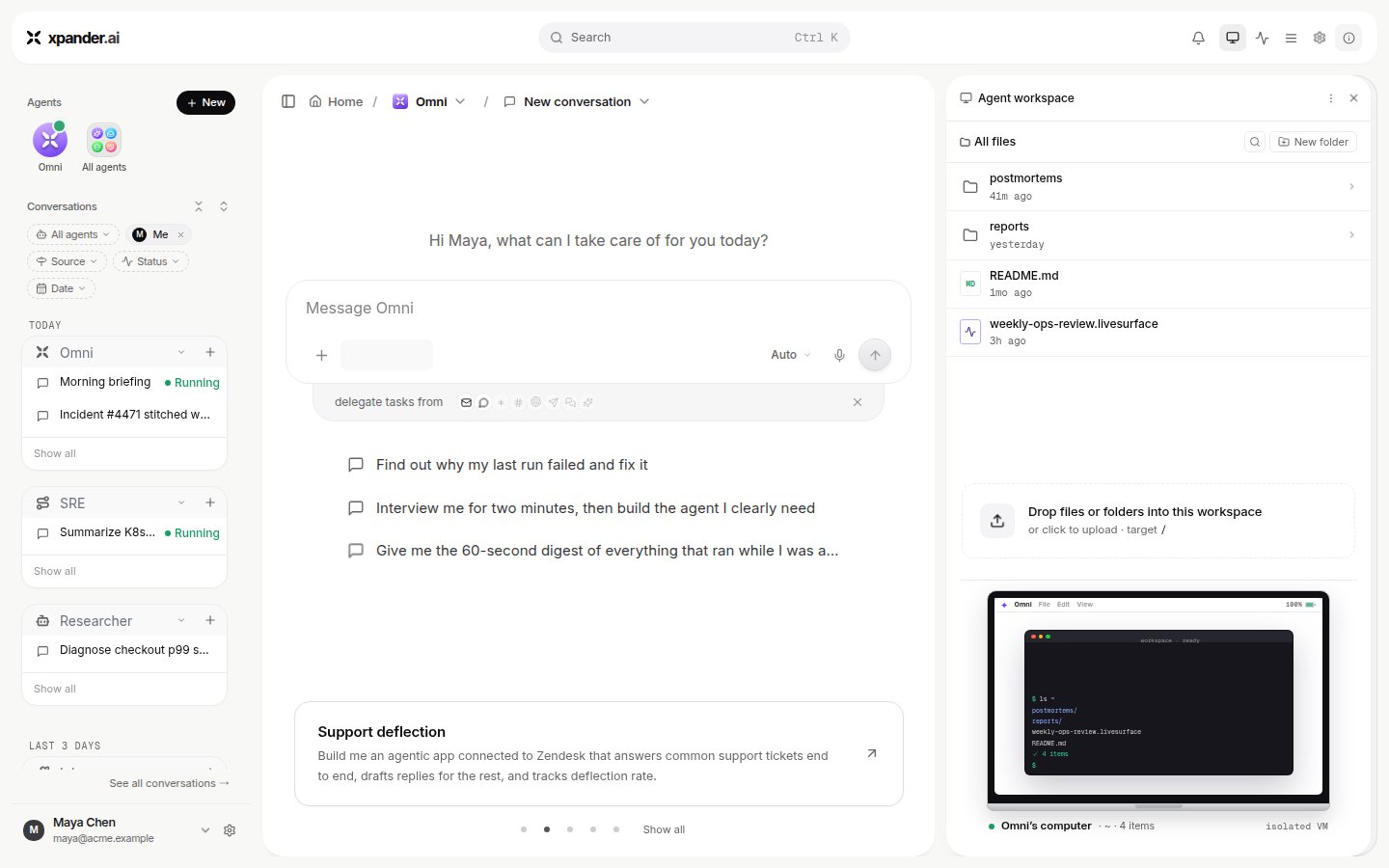
The Computer view: the conversation's working directory as a file browser.
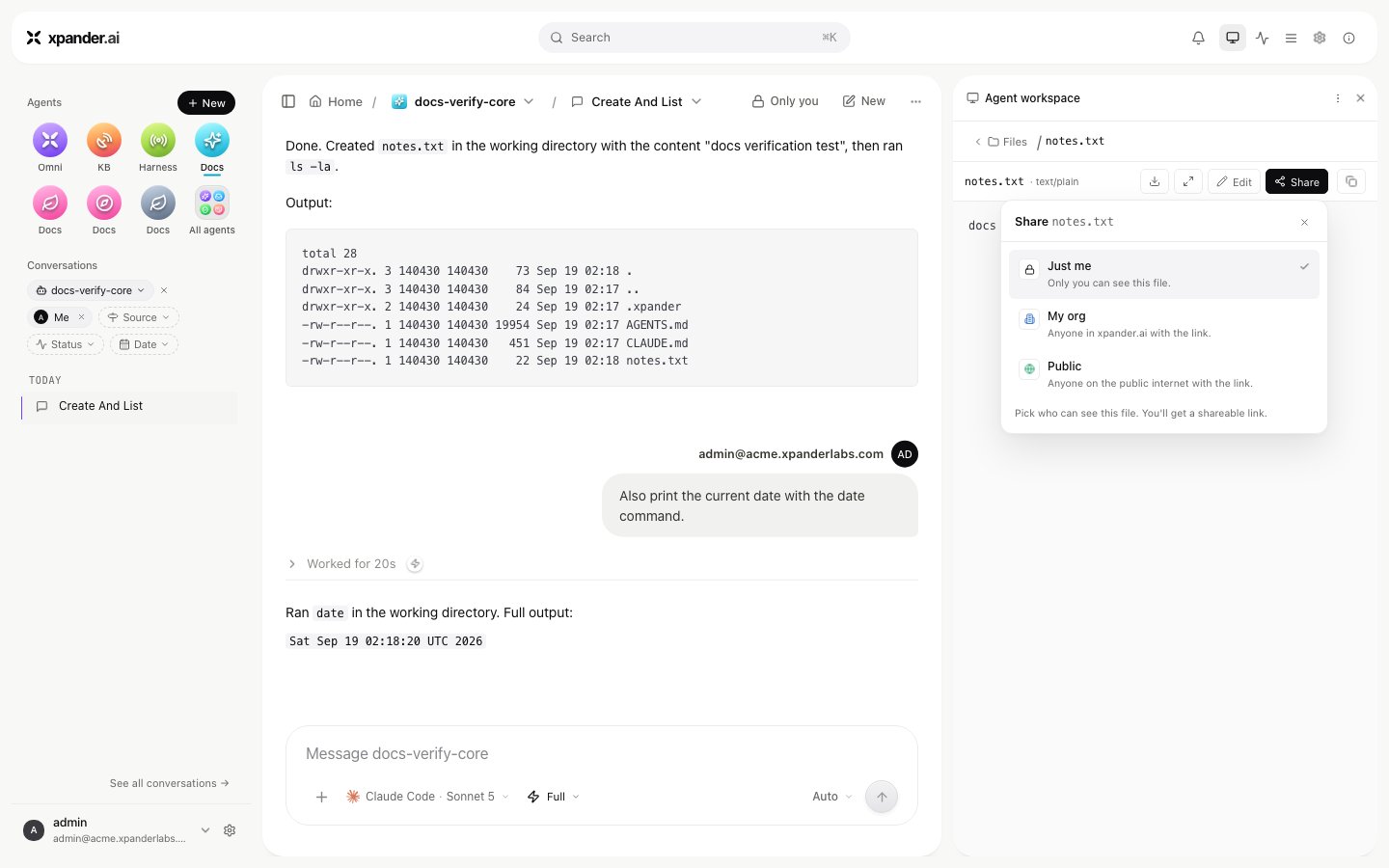
Share on a file: Just me, My org or Public.
The task record
Every conversation and every sub-task is a task with the same record:- status:
pending,executing,paused,error,failed,completedorstopped - the messages
- every skill call, with its parameters, result and the credential it used
- held approvals and their decisions
- files, tokens and cost
- the model that ran it
GET /v1/tasks/{task_id} returns it, /thread its messages, /llm_usage its model calls. A failed action shows a readable line with the raw error text kept alongside it. Failures on xpander’s side show as Budget limit reached, Out of credits, Quota reached or Account blocked, not as a stack trace. More on Audit and debugging.
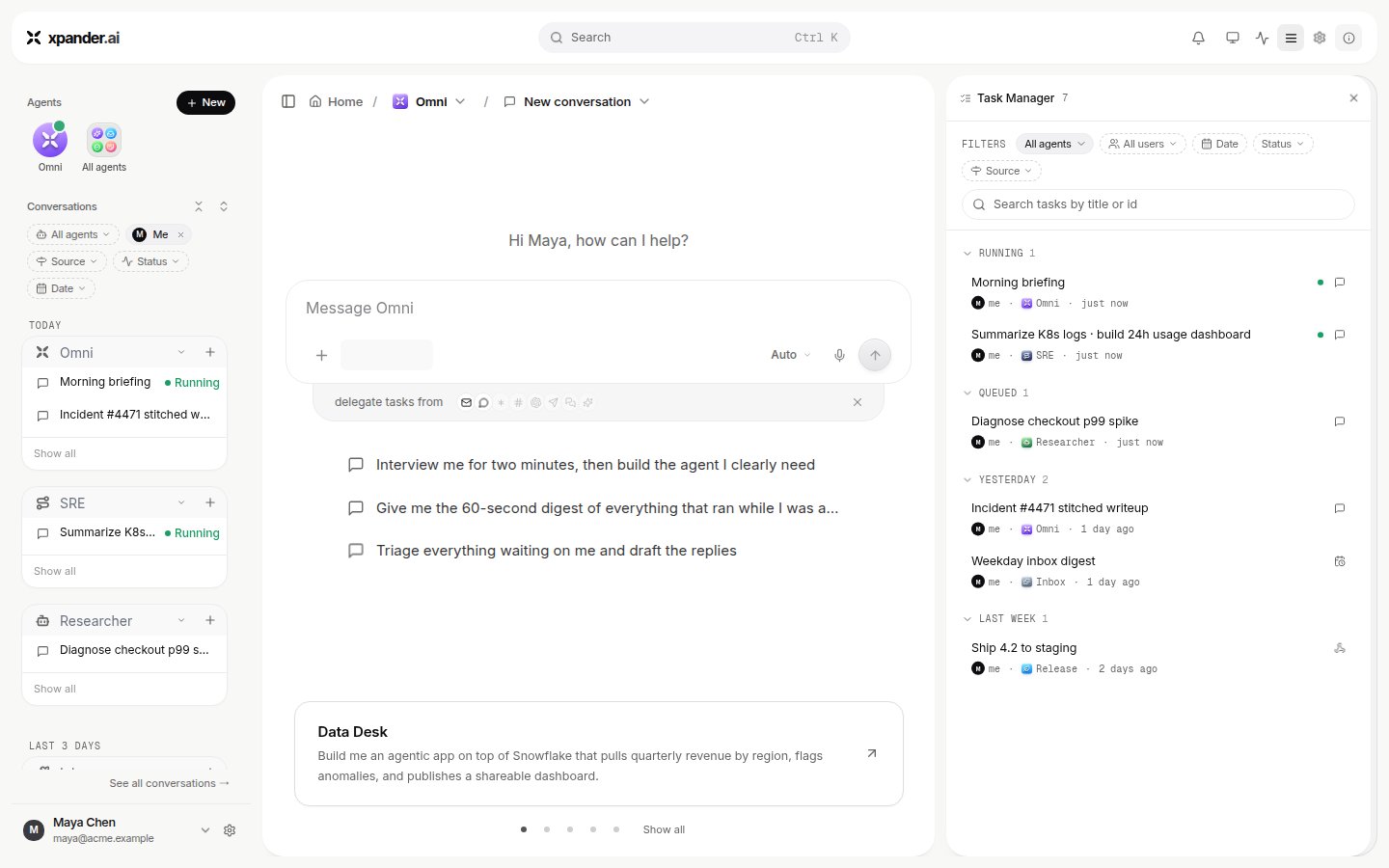
Task Manager: every task for an agent, filtered by date, status and source.