

Overview
Structured Tasks
Break down goals into discrete, trackable tasks
Progress Tracking
Monitor completion status for each plan item
Dynamic Updates
Add, modify, or remove tasks as work progresses
Automatic Retries
System retries until all tasks complete (up to 3 attempts)
When to Use
planning is ideal for:- Multi-Step Workflows - Tasks requiring coordinated execution across multiple phases
- Complex Implementations - Feature development, migrations, or system integrations
- Audit Requirements - Scenarios requiring documented execution trails
Configuration
- Open agent settings
- Navigate to Agent Configuration
- Enable Planning Mode
- Save and deploy
How It Works
Execution Lifecycle
When deep planning is enabled:- Execution Blocks - Agent execution pauses until a plan is created
- Plan Creation - Agent must use
xpcreate-agent-plan(a built in xpander tool provided to the agent) to define tasks - Task Execution - Agent works through tasks, marking them complete
- Progress Updates - Plan changes stream to UI in real-time via
PlanUpdatedevents - Automatic Retries - If tasks remain incomplete, system retries (up to 3 times)
Plan Structure
Each plan contains a list of tasks:Planning Tools
Planning provides six built-in tools that agents use to manage their execution plans:Create Plan
Tool:xpcreate-agent-plan
Creates the initial execution plan. Required before any other operations.
Get Current Plan
Tool:xpget-agent-plan
Retrieves the current execution plan with all task statuses.
Add New Task
Tool:xpadd-new-agent-plan-item
Dynamically adds tasks discovered during execution.
Update Task
Tool:xpupdate-agent-plan-item
Modifies task title or completion status.
Complete Task
Tool:xpcomplete-agent-plan-item
Marks a specific task as done.
Delete Task
Tool:xpdelete-agent-plan-item
Removes tasks that are no longer relevant.
Real-Time Updates
The platform UI displays plans with:- Progress Indicators - Visual completion badges for each task
- Real-Time Updates - Live refresh as agents complete tasks
- Task Details - Full task descriptions and IDs
- Completion Summary - Overall progress percentage
Tracking Execution Plans
The platform provides two ways to view and track execution plans:Chat Interface View
When testing your agent in the chat interface, the execution plan appears directly in the conversation, allowing you to monitor progress in real-time as you interact with your agent.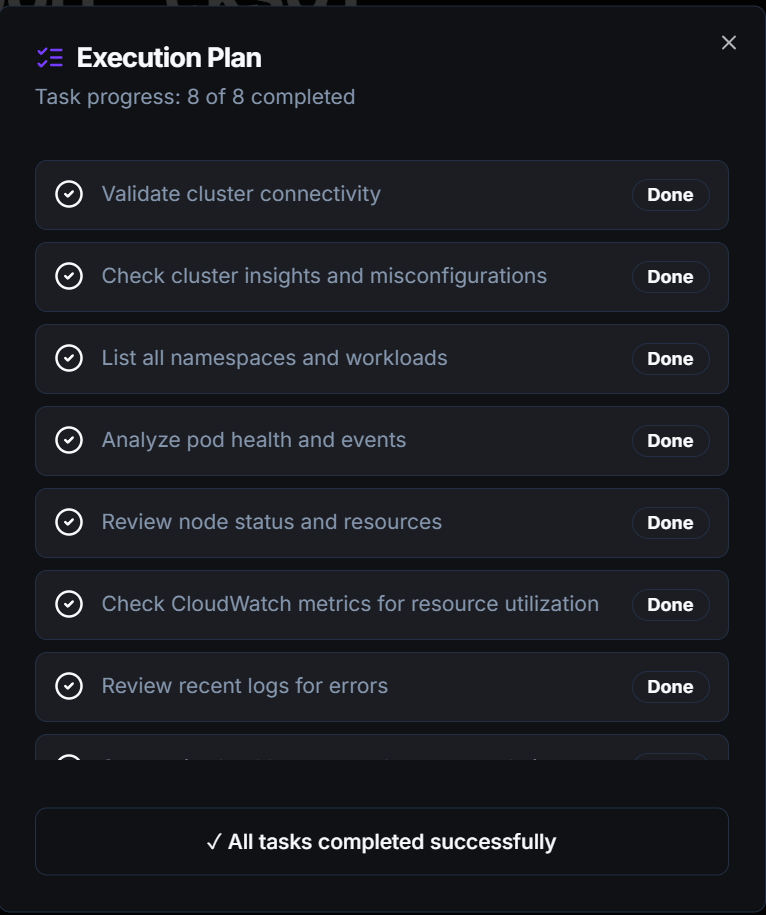
- Current task status with completion indicators
- Task list with checkmarks for completed items
- Real-time updates as the agent progresses through the plan
Monitoring View
For reviewing past executions, the Workbench monitoring view displays the complete execution plan with full task history. This is useful for auditing, debugging, or reviewing how the agent approached a complex task after completion.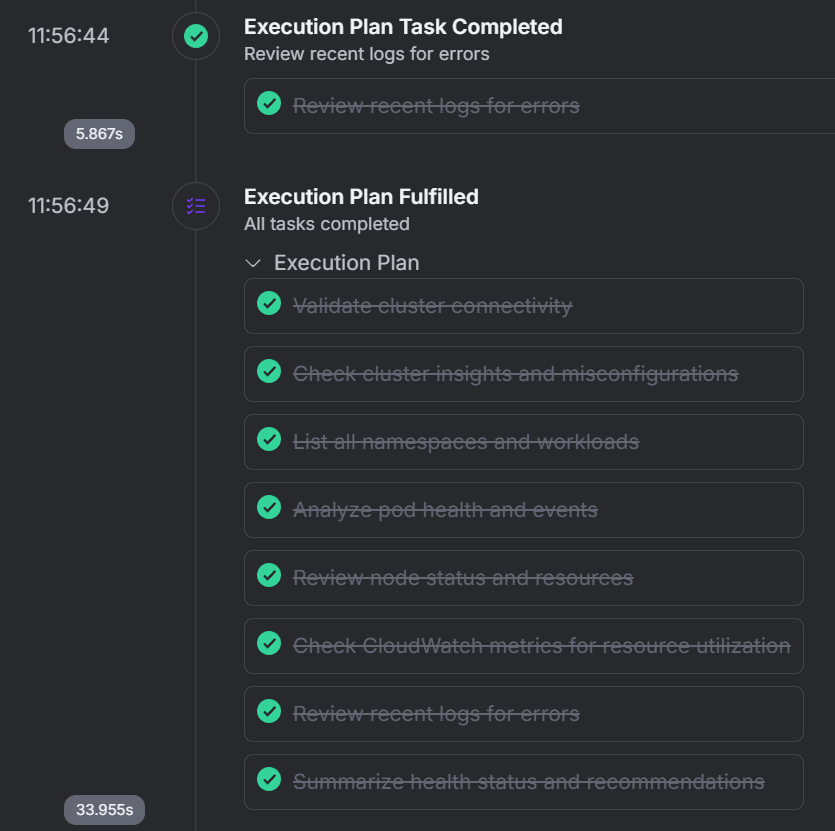
- Complete plan overview with all tasks
- Final completion status for each task
- Historical context for understanding agent execution flow
- Detailed task breakdown for post-execution analysis
Retry Logic
The system automatically retries executions with incomplete plans:| Condition | Behavior |
|---|---|
| All tasks complete | Execution succeeds |
| Tasks remain incomplete | Retry execution (max 3 attempts) |
| Max retries reached | Execution fails with incomplete tasks |
| Execution timeout | Current attempt ends, retry if attempts remain |
Sub-Agent Planning
When agents create sub-tasks, the sub-agent can inherit deep planning settings. Each sub-agent maintains its own independent plan, allowing for nested planning structures in complex workflows.Comparison: Reasoning vs Planning
| Feature | Reasoning | Planning |
|---|---|---|
| Purpose | Deeper thinking about problems | Structured task execution |
| Output | Thought process & conclusions | Task list & progress |
| Best For | Analysis, decisions, complex problems | Multi-step workflows, implementations |
| Visibility | Reasoning steps in logs | Task checklist in UI |
| Completion | Single response | Multiple tracked tasks |
| Use Together | ✓ Combine for complex projects requiring both deep analysis and structured execution |
Related
Reasoning
Extended thinking for complex problems
Observability
View plans in activity logs
Agent Memory
Persistent state across executions
Tool Calling
Custom tool integration