Building and running agents in production shouldn’t be hard. xpander.ai provides the right tools across the agent lifecycle, from configuring models, frameworks, tools, and behavior, through testing and optimization, to deployment, management, and scaling in production.
How xpander works
Here’s the mental model that helps everything else make sense.
Agents run on frameworks
When you create an agent, you choose which framework powers it: Agno, Google ADK, OpenAI Agents, LangChain, or Amazon Strands. Each has different strengths, and the UI adapts to show relevant options for your choice.
The workbench is where you build
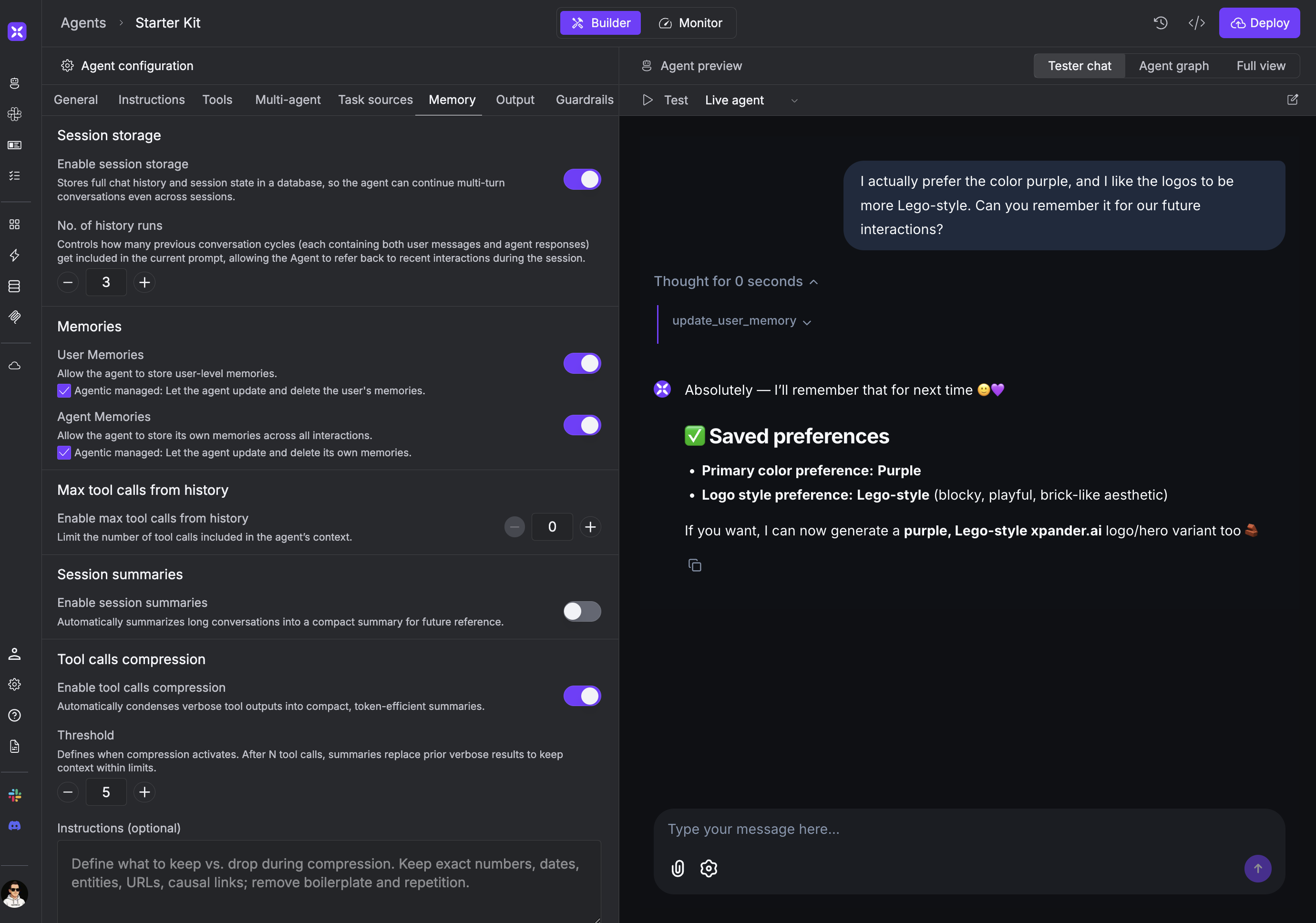
The workbench is your central hub for configuring agents. Here you set up the system prompt, connect tools, configure memory, and choose your model. The built-in chat lets you test changes immediately.
Memory works automatically
Agents can store two types of memories: user-level (persisted across sessions for each user) and agent-level (shared across all users). You can simply ask the agent to remember something, and it handles storage and retrieval behind the scenes.
Agent memories evolve naturally through interactions. Over time, your agent
learns and adapts based on what it remembers.
UI or code
You can build your entire agent in the workbench without writing code. When you need custom logic, use the CLI to download your agent’s code, modify it locally, and redeploy. Either way, xpander handles infrastructure and scaling.
Go deeper
Build
Everything you need to configure production-grade agents.
For common design patterns like multimodal agents, multi-agent workflows, and knowledge-base agents, see Agentic Patterns.
Run
Run agents on xpander’s infrastructure or your own.
Manage
Monitor and maintain agents in production.
Scale
Connect agents to additional interfaces and users.