

xpander-connect claude opens Claude Code in the terminal on the person’s own cloud agent. Each turn runs in an isolated cloud session with the organization’s skills, approvals, AI gateway and record, the same as every agent turn. The terminal streams the answer as it arrives.
An admin can also make the cloud the only place Claude Code runs. AI clients on laptops then call no model through the AI gateway, and typing claude opens the cloud session instead.
Turn it on or off
Open Platform > AI governance > AI tool clients and select Everyone, or a group override.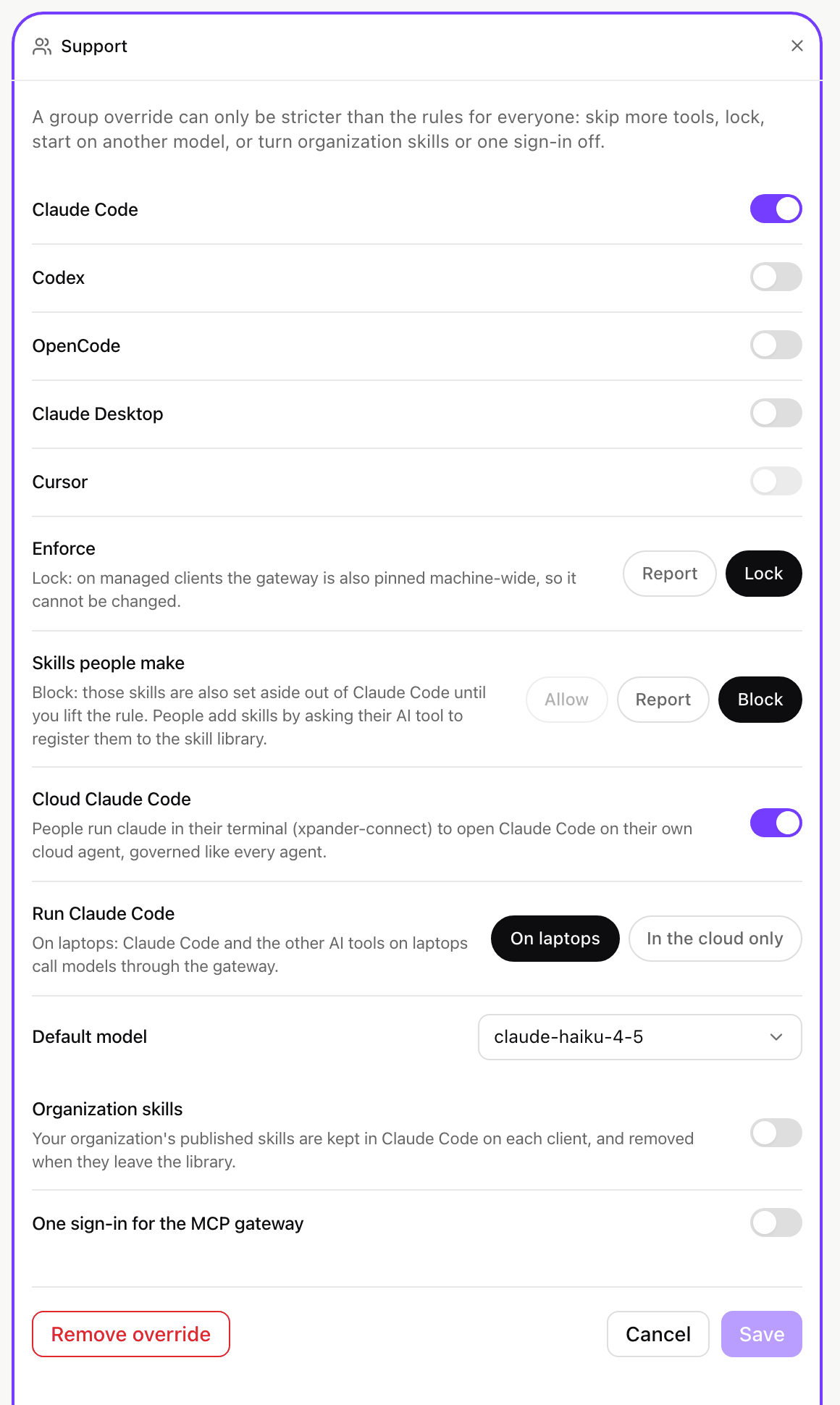
Cloud Claude Code and Run Claude Code on a group override. Shown with sample data.
Access policies
Two actions in the Gateway category decide per person or group, beside the settings above:
Every member holds both through the built-in Member policy. A Deny for a group takes either away once enforcement of the Claude Code area is on for your organization; xpander support turns it on. An approval cannot hold a model call or a session start, so Ask for approval on these actions refuses them.
Use it from a terminal
- Typing while a turn runs steers it: the message reaches Claude at its next step.
- Ctrl-C stops the turn. Ctrl-C again within three seconds, Ctrl-D or
/exitleaves. - A dropped connection resumes where it left off. The turn keeps running in the cloud meanwhile.
- Each session has a link to the same conversation in Xpander Chat, with its full record.
claude to the person’s zsh, bash and fish startup files, so typing claude opens the cloud session. It is removed when the setting is turned off. On Windows, run xpander-connect claude.
Folders
xpander-connect claude --upload (or xpander-connect claude upload [folder]) sends a folder to the person’s cloud agent. Every session sees it as ./shared/<folder>, so it is sent once and used in later sessions too.
- In a git repository, it sends the files git does not ignore, plus the repository history. Elsewhere it sends every file. Links are left out.
- At most 2 GB on disk and 512 MB compressed. Larger projects belong in git: push, and ask Claude to clone the repository in the session.
xpander-connect claude pullwrites the folder as the sessions left it into./<folder>-cloud. Every file is checked against the cloud’s checksum before the folder is put in place, and an existing folder is never overwritten (--replacekeeps the current one beside the new copy).pull --sessiontakes a session’s own folder instead.
Self-hosted installs
- Air-Gapped: the same settings and commands. The install serves xpander-connect’s routes on the AI gateway host.
- Hybrid: sessions run on your install’s own agents. Folders move with git there: clone your repository in the session, or push a branch and ask Claude to pull it.
--uploadandpullanswer with that step.