

Where records live
Organization roles
Manage members and groups under Platform > Organization > Members & groups. Invite members by email. Groups can follow your identity provider’s groups through OIDC group sync.
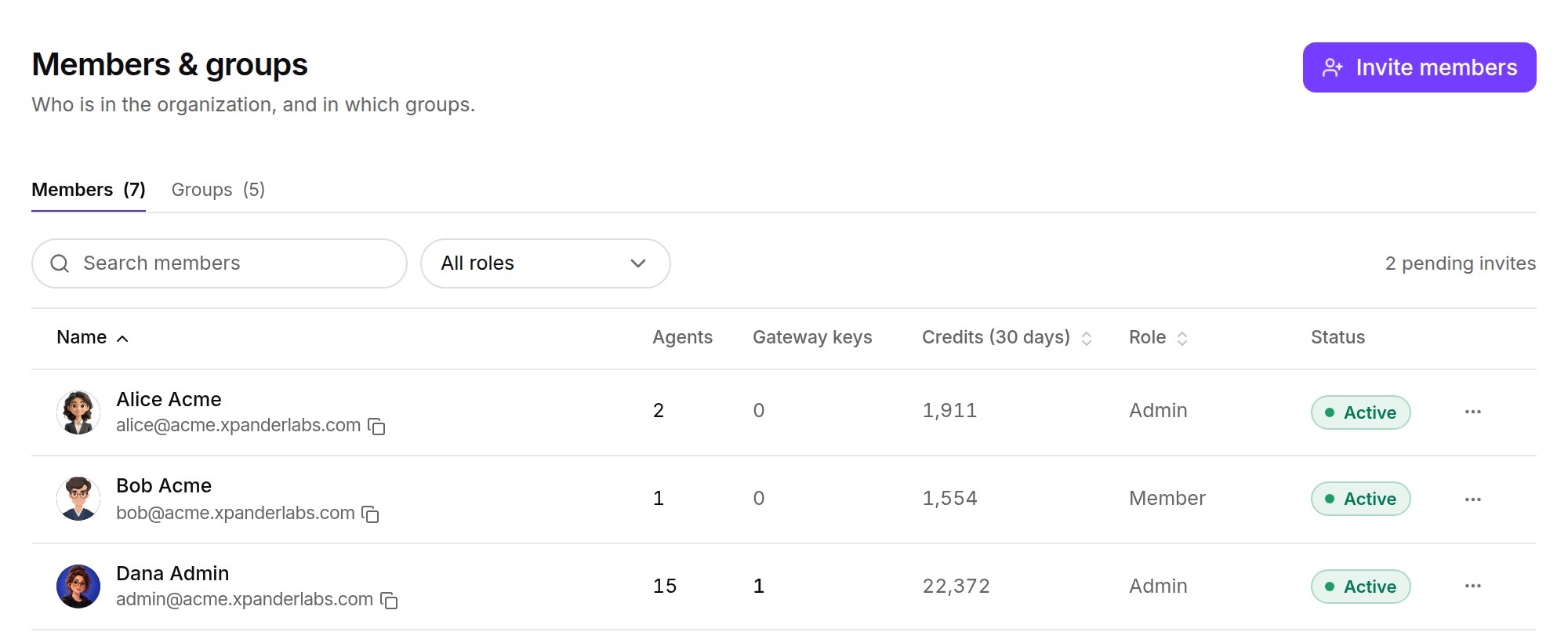
Platform > Organization > Members & groups. Shown with sample data.
Agent scope
An agent reaches only the skills it was given. Admins decide which skills are available to the organization and can set any skill to Off for every agent in the Skills registry (Skills). A person adds available skills to an agent without approval. Skills an agent builds wait for an admin only when Publish without approval is off. Further limits:- Approval on a skill action: individual actions can require approval. A requester can withdraw a pending approval. Declining answers that one attempt, and the conversation continues.
- Gated commands: hold matching shell commands on Claude Code, Codex or OpenCode.
- Knowledge bases: attached per agent.
- Budgets: cap what one agent may spend.
- Who can send tasks: under the agent’s Channel settings, the Omni switch and Any agent, Selected agents or No agents. Each task shows which rule allowed it. See Invocation channels.
Skill visibility
Each skill’s visibility decides which agents may hold it:
The skill’s creator and admins (Root access or Admin) change visibility and allowlists. Others cannot widen a scope, and attaching a skill outside its allowlist is refused. The runtime builds each agent’s workspace from the skills its scope allows, so a scope change applies on the next run.
Scope changes, publishes and archives are audited as
UPDATE_SKILL_ACCESS, PUBLISH_SKILL and ARCHIVE_SKILL (see The record). Repository skills take their scope from xpander.yaml (Publish Skills). What the person adding a skill sees is on Skills.
Enforcement modes (off, report, enforce)
Enforcement modes (off, report, enforce)
The default is
report in the current release, so teams can review violations first. enforce follows. On self-hosted installs the switch is XPANDER_SKILL_VISIBILITY_MODE (off, report, enforce). The air-gapped chart renders it from global.skills.visibilityMode, so set it in your values file.Single sign-on
Sign-in with your identity provider uses OIDC, on every deployment. Setup, group sync and agent pre-authentication: SSO with your identity provider.API keys
Air-Gapped installs mint all credentials in-cluster at install time. Keep keys in your secrets manager and rotate them. Deleting an organization key revokes it within a minute at most.
The record
Per task: messages, each skill call with parameters and result, and each model call with cost, under the person who asked. In xpander Chat (Session Manager) and over the API (GET /v1/tasks/{id}/thread, GET /v1/tasks/{id}/llm_usage).
Organization audit log: Platform > AI governance > Audit log, filterable by event type and exportable as CSV or JSON. See Audit and debugging.
Audit log event categories
Audit log event categories
Next steps
Set the controls
The settings behind each rule.
See an approval
The approver’s side.
Review security
Architecture per deployment.