

Attach agents to enable delegation
Open any agent’s General tab and scroll to Multi-Agent. Click Attach agents to open a searchable panel listing every agent in your workspace. When you attach Agent B to Agent A, Agent B appears as a callable tool in Agent A’s tool list. The coordinator doesn’t need to know how to query Salesforce directly. It just calls the Salesforce specialist tool, which runs that agent with the delegated task and returns the result.Set up a coordinator
1. Build specialists first. Each one gets its own system prompt, connectors, and knowledge base scoped to one domain. You’ll see them listed on the Agents page alongside your other agents.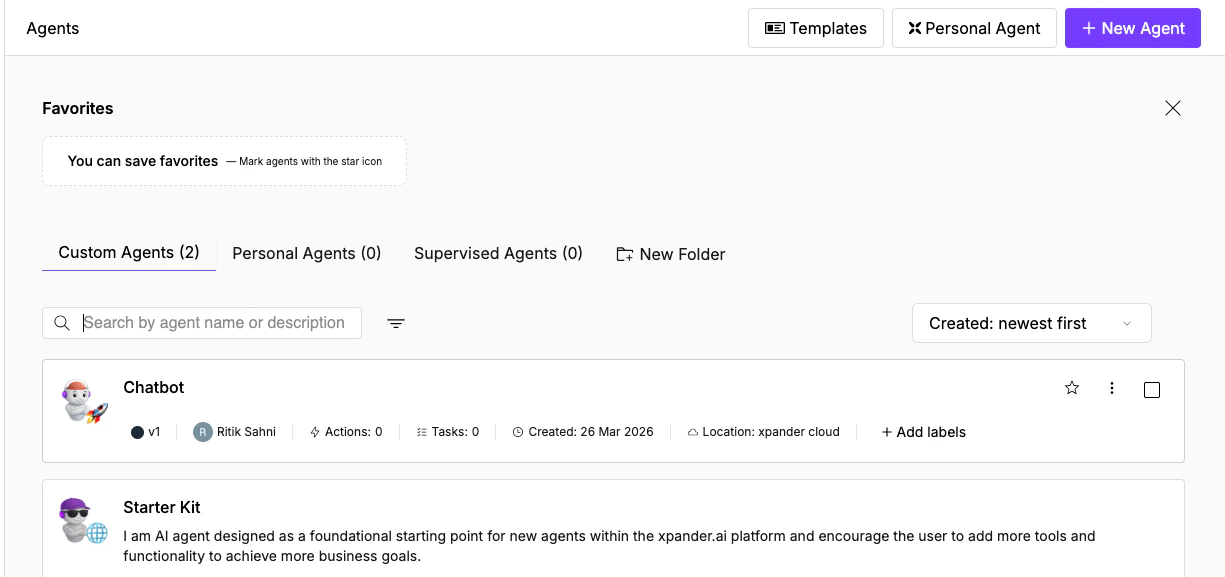
The Agents page with Custom, Personal, and Supervised tabs. Both specialists (Chatbot, Starter Kit) are listed with their status and metadata.
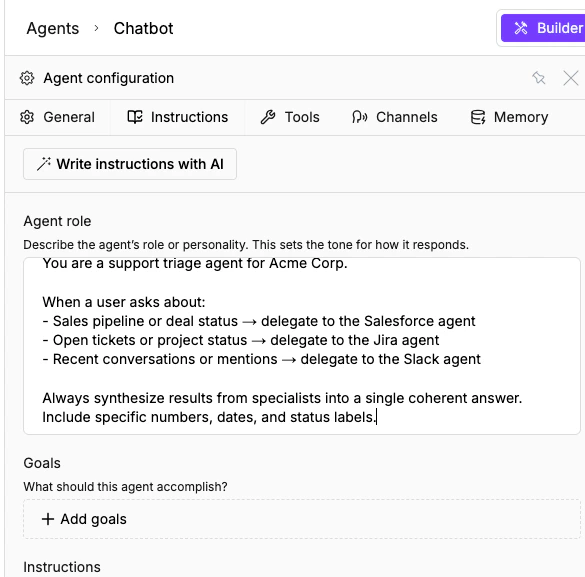
The Instructions tab with a delegation prompt filled in: the coordinator knows when to call the Salesforce, Jira, and Slack specialists.
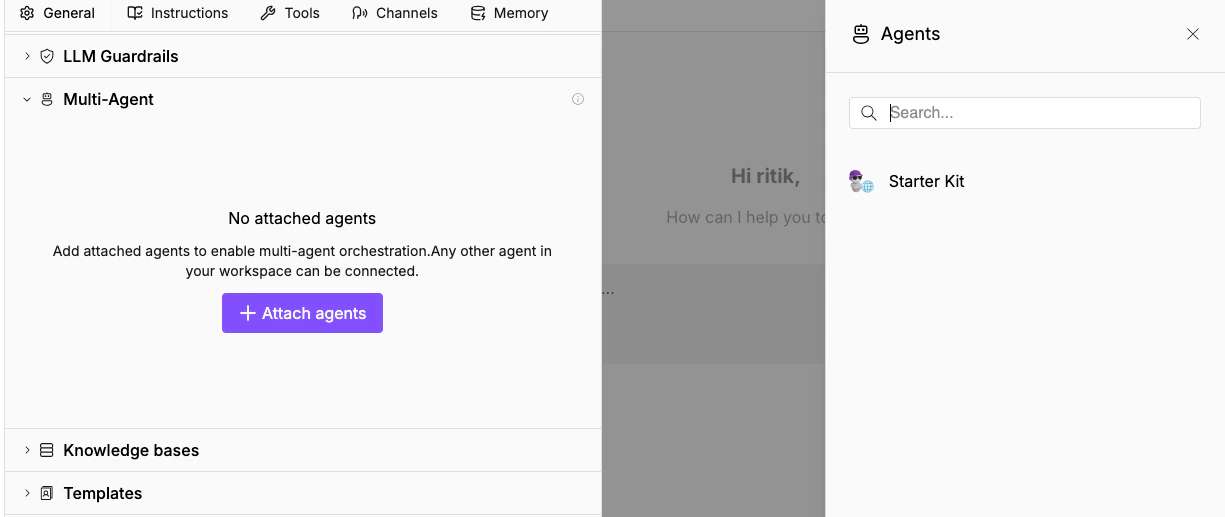
The Multi-Agent section expanded with the Attach agents panel. Workspace agents (here, Starter Kit) appear on the right, searchable.
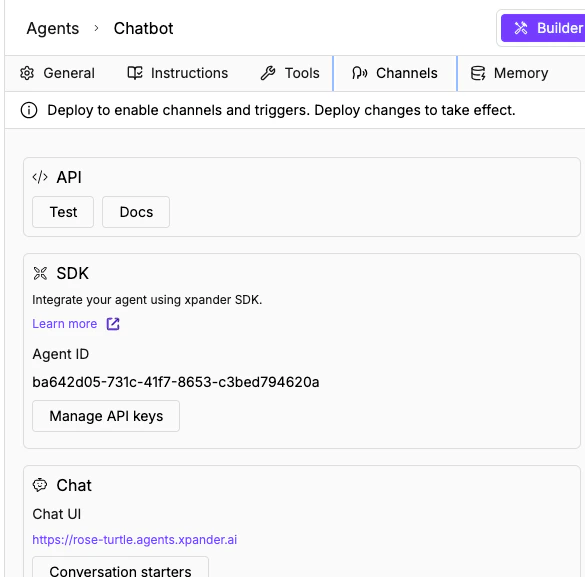
The Channels tab with API, SDK, Chat, and more. Deploy the coordinator and users interact through any of these.
A2A protocol for cross-platform delegation
For agents that need to communicate across organizations, Xpander supports Google’s Agent2Agent (A2A) protocol. Enable it in the Channels tab to get an A2A URL and agent card.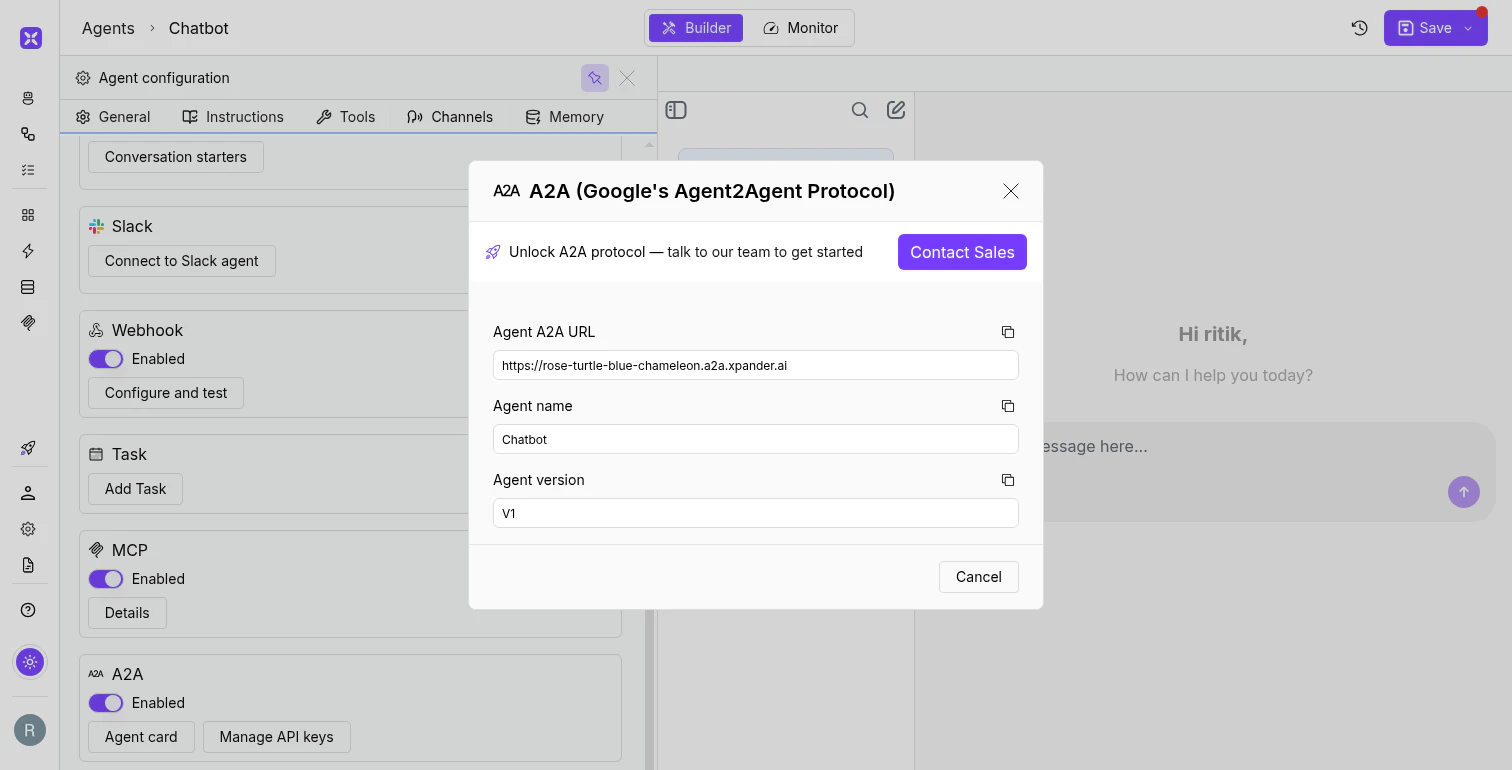
The A2A agent card modal with the agent's URL, name, and version.
When to use multi-agent
Use it when:- The coordinator’s system prompt is getting too long because it handles too many domains
- Different domains need different tool sets, and combining them confuses the model
- You want reusable specialists (one Salesforce agent attached to multiple coordinators)
What’s next
Multi-Model Reasoning
Select the right model for each agent and task type.
Building Workflows
Backend automation on the visual canvas.