

How it’s different
Traditional automation maps specific fields:response.data.contact.email → input.recipient. If the API restructures, the mapping breaks.
Agentic automation describes intent: “Send the enrichment results to the assigned sales rep.” This works regardless of response structure.
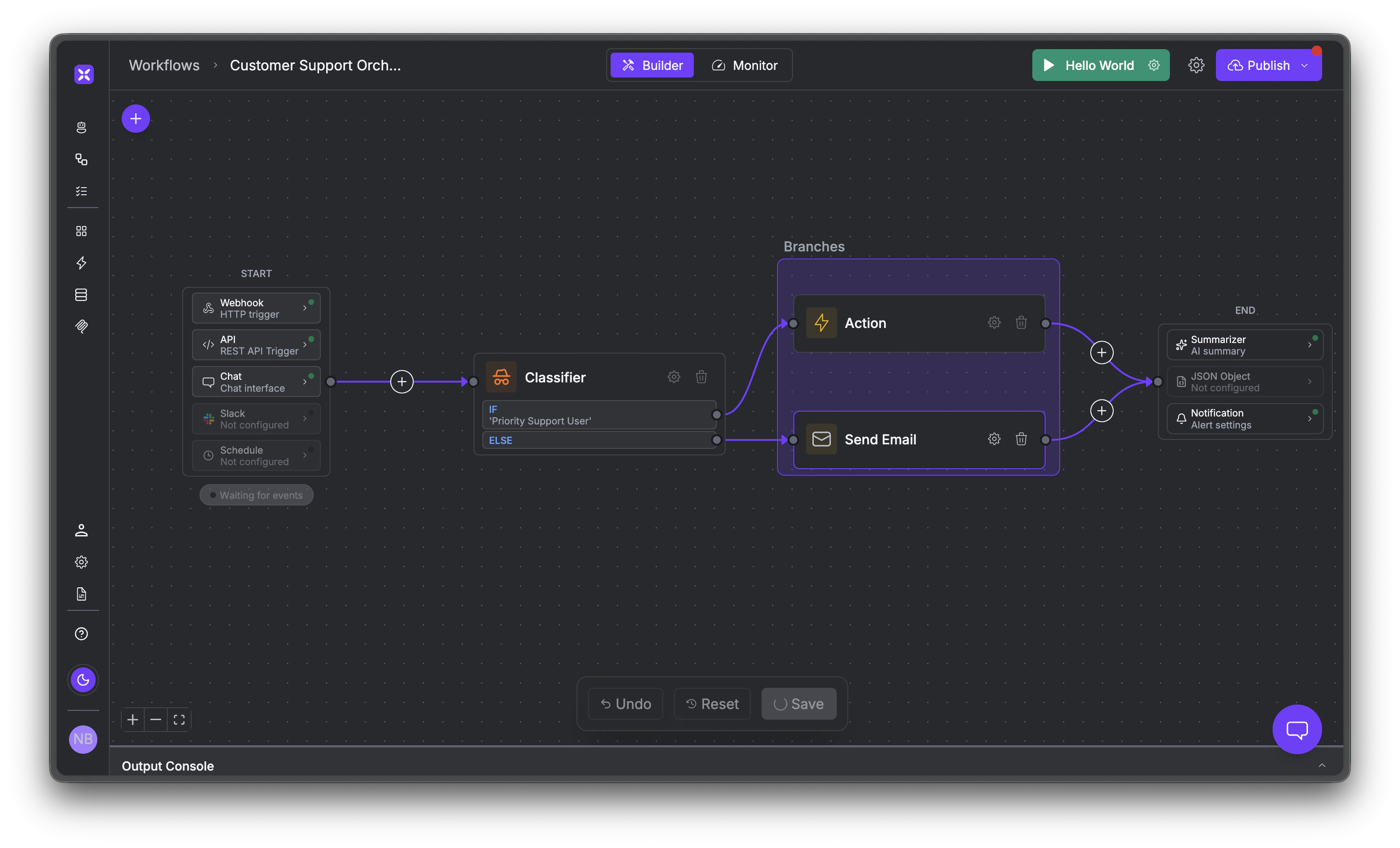
A workflow with triggers, classifier routing, branching actions, and output nodes.
Build with canvas or SDK
The visual canvas is built for ops teams, business analysts, and IT admins who want to build workflows without writing code. Drag nodes, connect them, and deploy. Developers can use the Python/JS SDK instead. Same runtime, same workflows, but with version control, testing, and programmatic composition. Workflows built on the canvas can also be invoked via the SDK, so both audiences work on the same system.What you can build
Workflows mix AI reasoning with deterministic logic in the same flow. Some steps use an LLM to classify intent, summarize data, or make decisions. Others run without one to call an API, send an email, extract text via OCR, or run custom code. You combine both depending on what the step needs. Workflows are triggered by webhooks, schedules, API calls, inbound emails, or chat messages. Here are the kinds of multi-system processes they handle well:Agentic context
Workflows maintain state across runs. If you run a lead enrichment workflow daily, it doesn’t reprocess every lead from scratch. It stores previous results, processes only new records, flags changed data, and adapts if the API schema changes between runs. This is what makes agentic automation “self-adapting.” The workflow understands what it did last time and adjusts accordingly.Security and versioning
Every deployment is an immutable snapshot. If something goes wrong, you roll back with one click. Secrets are injected at infrastructure level (never exposed to the model), access is controlled via RBAC, and every action is audit-logged. Run entirely in your VPC or air-gapped if needed.What’s next
Building Workflows
Step-by-step guide to the visual canvas.
Triggers
Configure webhooks, schedules, and other trigger types.