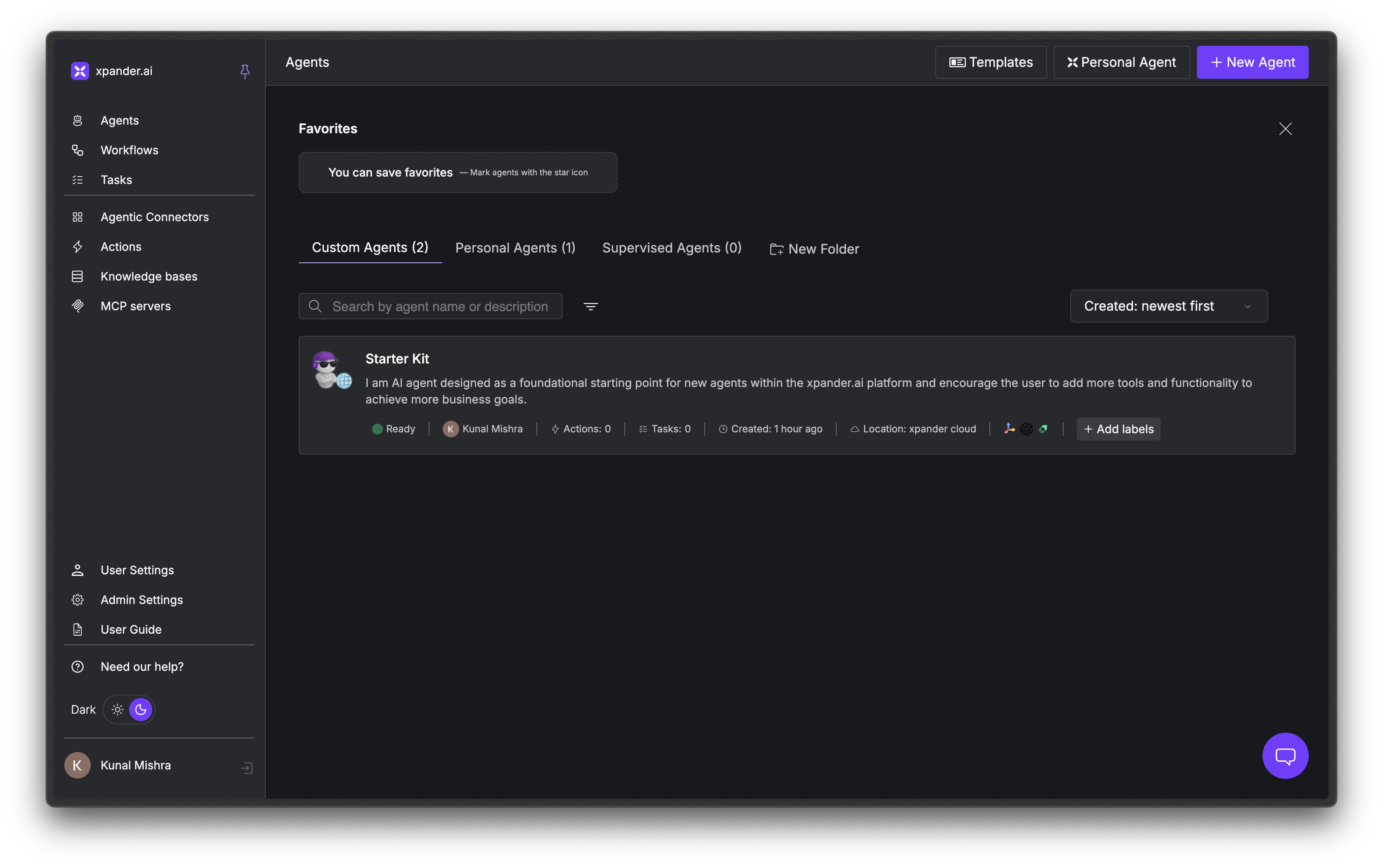
Personal Agents are great for day-to-day assistance, but you can create Specialized Custom Agents for dedicated tasks like customer support, weekly reporting, and bug hunting. Custom Agents run on the Agno framework and give you full control over the model, memory, instructions, tools, and channels.Documentation Index
Fetch the complete documentation index at: https://docs.xpander.ai/llms.txt
Use this file to discover all available pages before exploring further.
Need to run on a framework other than Agno (e.g., OpenAI Agents SDK, LangChain, Google ADK, AWS Strands)? Framework choice is available on the Enterprise plan. Contact sales to enable it for your workspace.
Create Your Agent
Sign in
Go to app.xpander.ai and sign in or sign up. New users get a 14-day free trial.
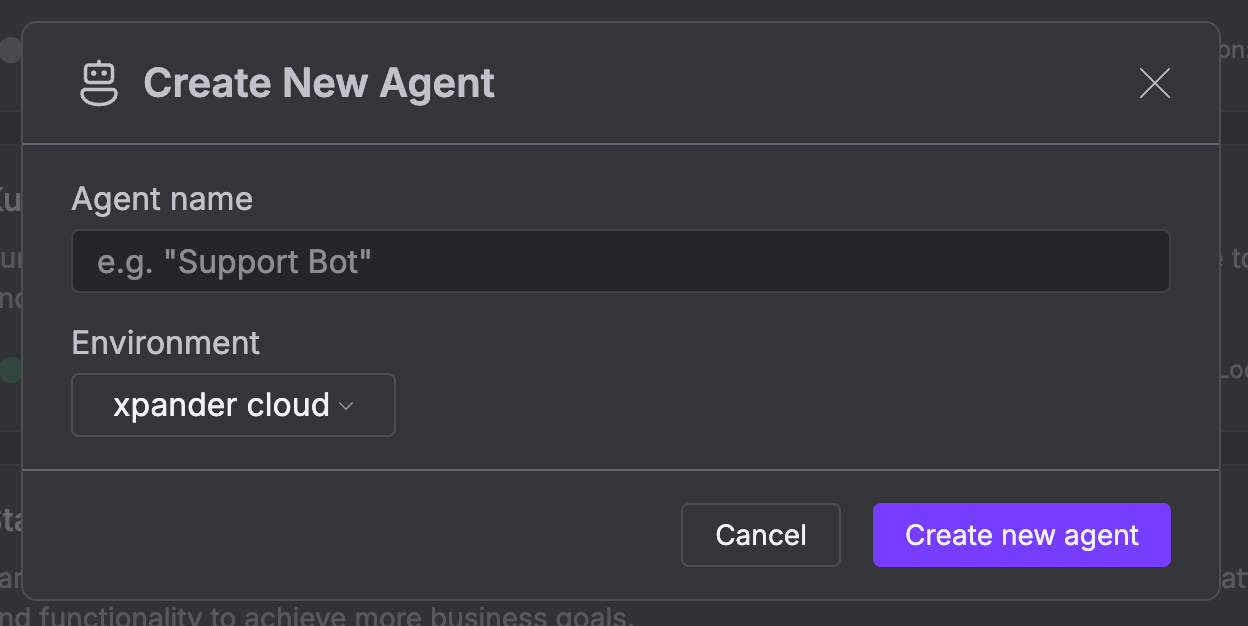
Name your agent
Environment will already be set to 
On the Self-hosted Enterprise plan, you can spin up Xpander’s AI Agents on your own compute environments. Contact sales to learn more.
xpander-cloud, which is the default hosting setup, fully-managed by Xpander.
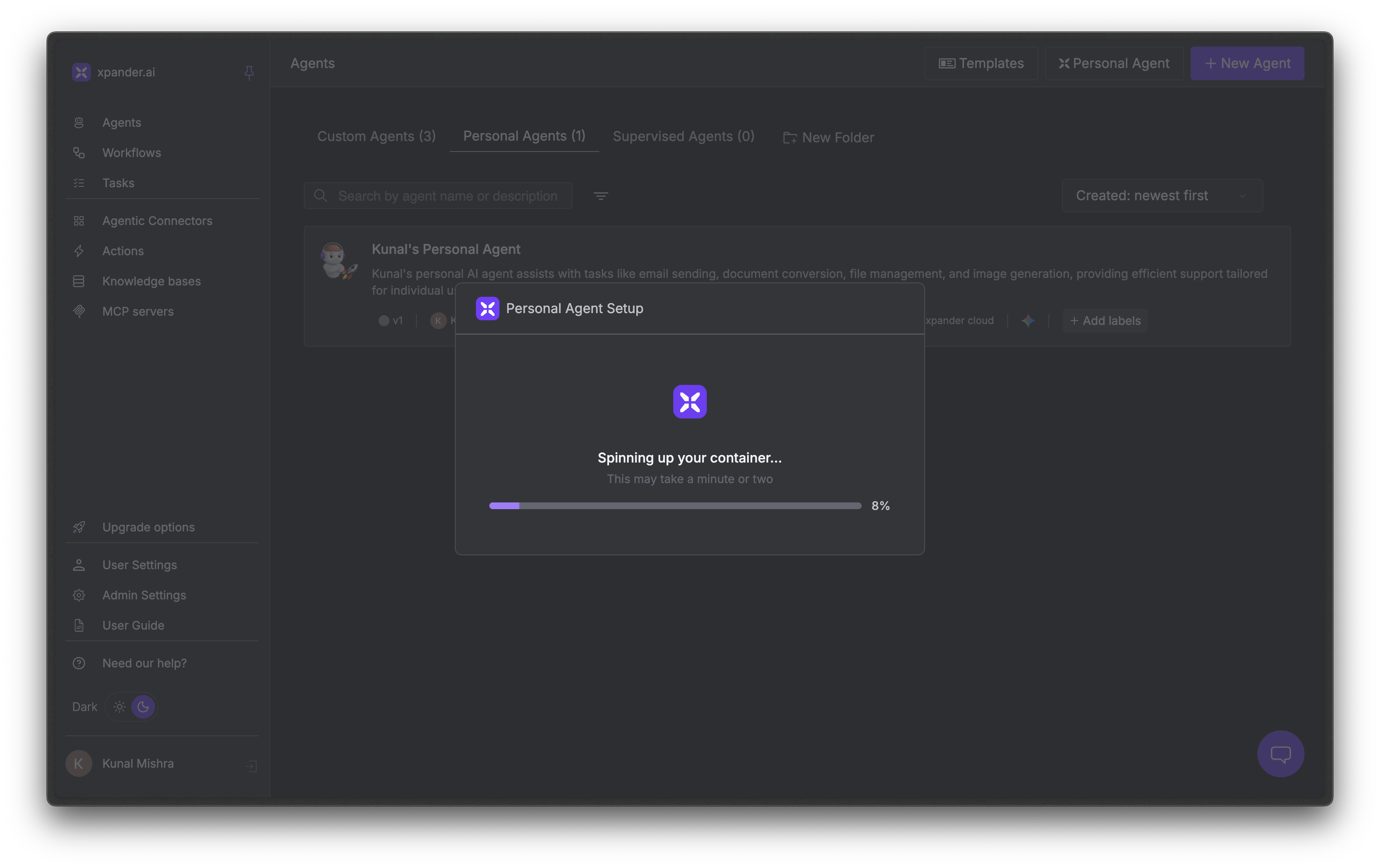
Wait for provisioning
Xpander sets up your agent’s container and wires up memory, built-in tools, and networking. This one-time setup takes a minute or two.
Open the Agent Studio
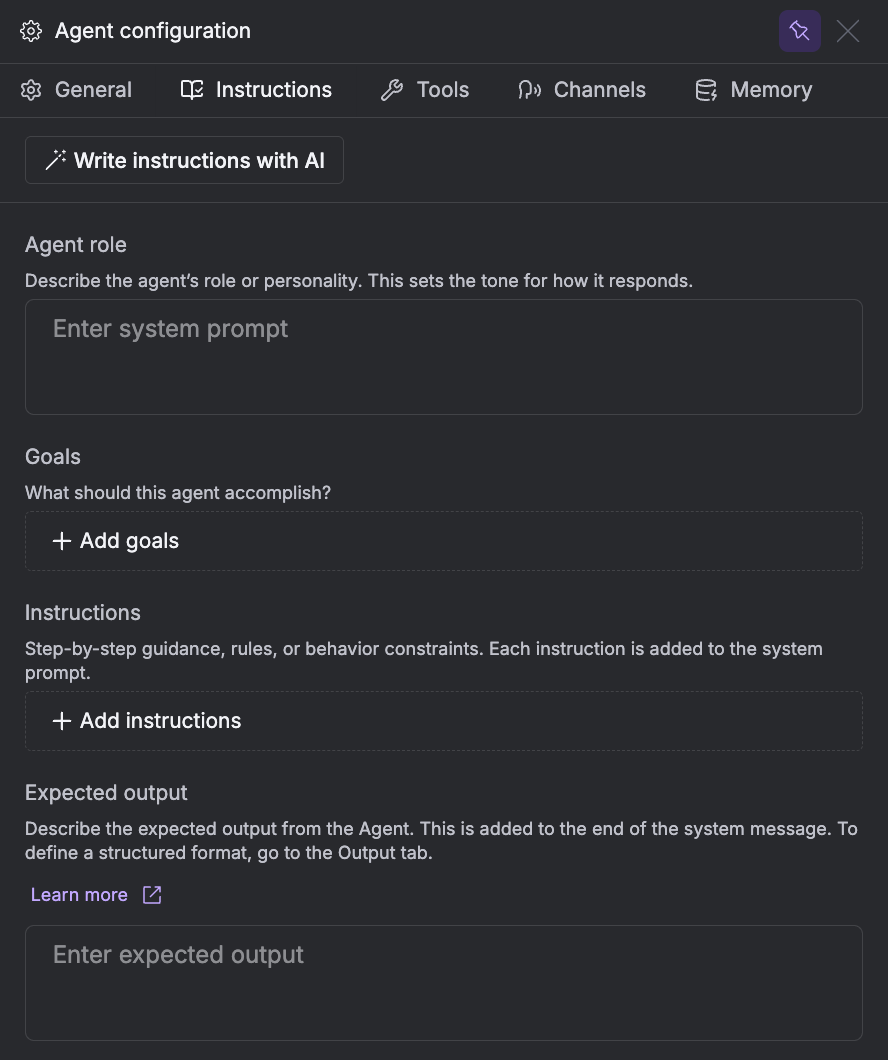
You’re ready to try out your newly created agent.Click the gear icon in the top left to open the configuration panel.
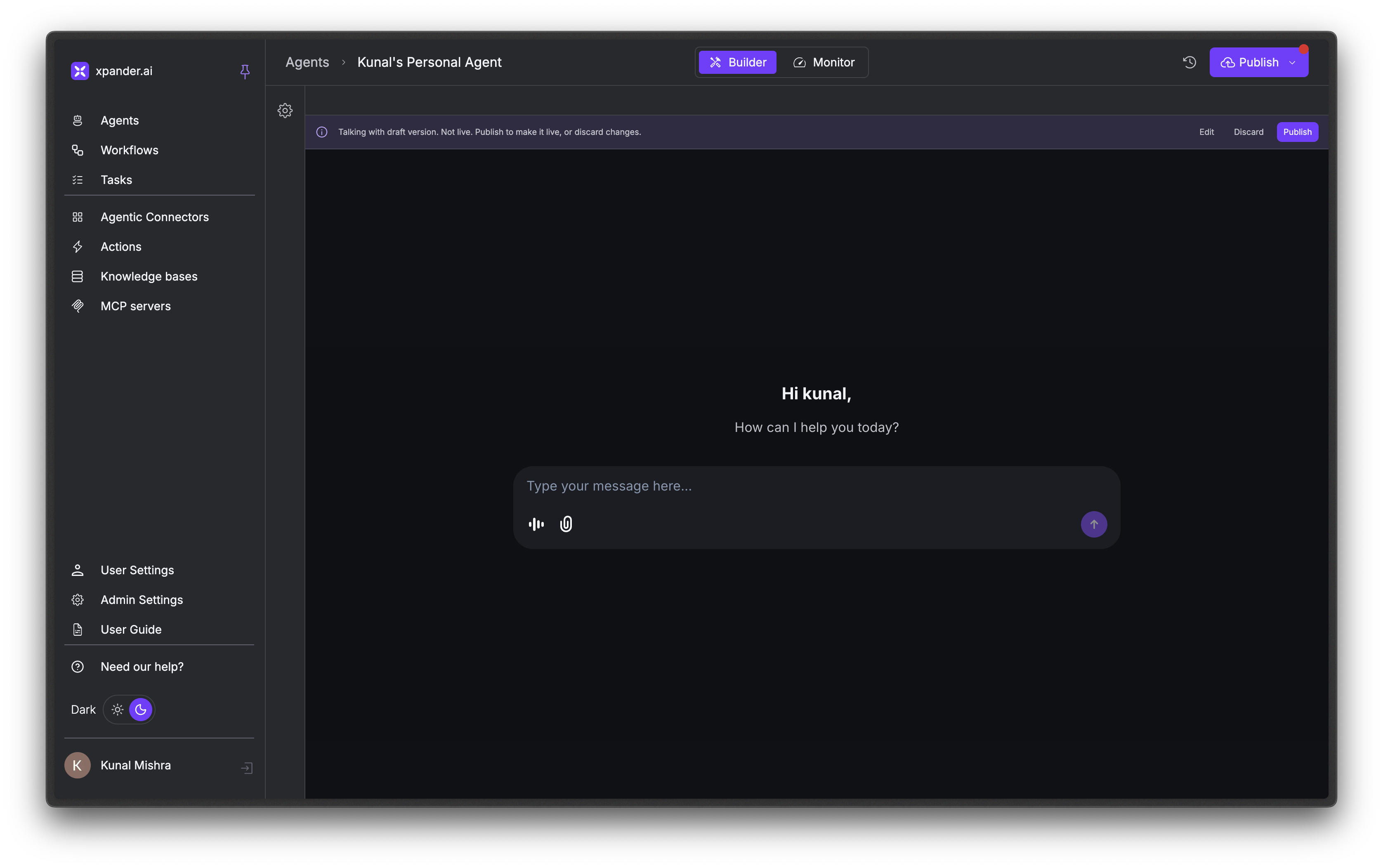
Tour the Agent Studio
The Agent Studio has two views:- Builder: Configure your agent and chat with it directly
- Monitor: View conversation logs, performance metrics, and task history

Configuration Quick Reference
Xpander’s Custom Agents expose full Agno configuration options. Click the gear icon in the Builder view to open the configuration panel.
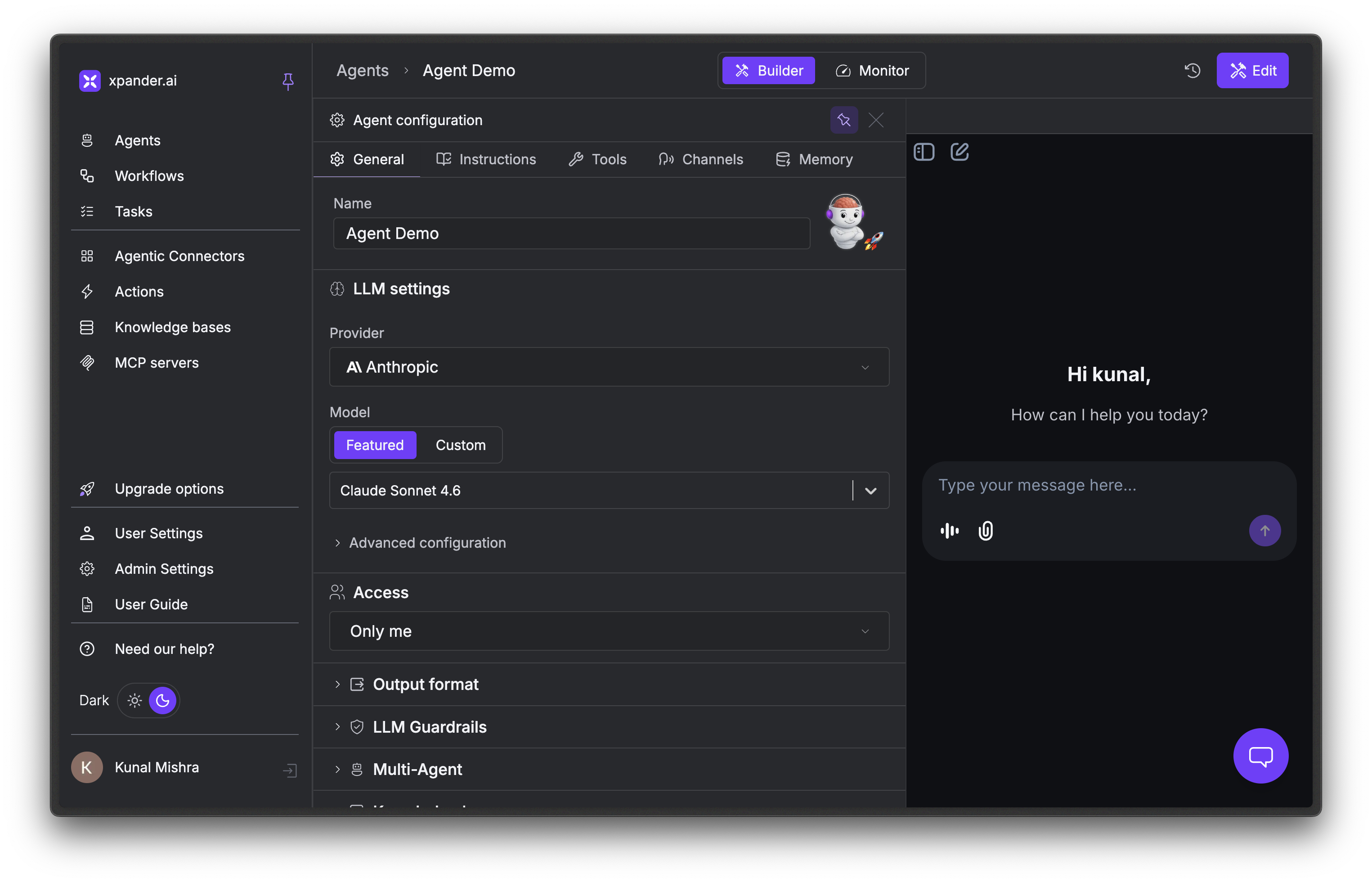
| Tab | What you configure |
|---|---|
| General | Model, access, output format, guardrails, notifications. |
| Instructions | System prompt - role, goals, rules, expected output. |
| Tools | Built-in tools, connectors, thinking controls. |
| Channels | API, SDK, Chat, Slack, Webhook, Task, MCP, A2A. |
| Memory | Session history, user and agent memories, compression. |
General
High-level agent properties and model selection.| Setting | What it does |
|---|---|
| Name | Your agent’s display name. |
| LLM settings | Pick a provider and model. See AI Models & Intelligence. |
| Access | Private to you, or shared with your organization. |
| Output format | Free-form text, Markdown, Structured output, or Voice. |
| Learning | Capture user profiles and knowledge over time. See Memory & State. |
| LLM Guardrails | PII detection, prompt injection blocks, and OpenAI moderation. See LLM Guardrails. |
| Multi-Agent | Attach other agents for orchestration. |
| Knowledge bases | Attach knowledge bases for retrieval. See Knowledge Bases. |
| Templates | Save the current configuration as a reusable template. |
| Notifications | Success and error alerts via Email, Webhook, or Slack. |
| Danger zone | Disable or delete the agent. |
Instructions
The agent’s system prompt.
| Field | What it does |
|---|---|
| Agent role | The agent’s role or personality. |
| Goals | What the agent should accomplish. |
| Instructions | Rules and behavior constraints. |
| Expected output | How the agent should format its responses. |
Tools
Built-in tools, connectors, and thinking controls. See Tools & Connectors.
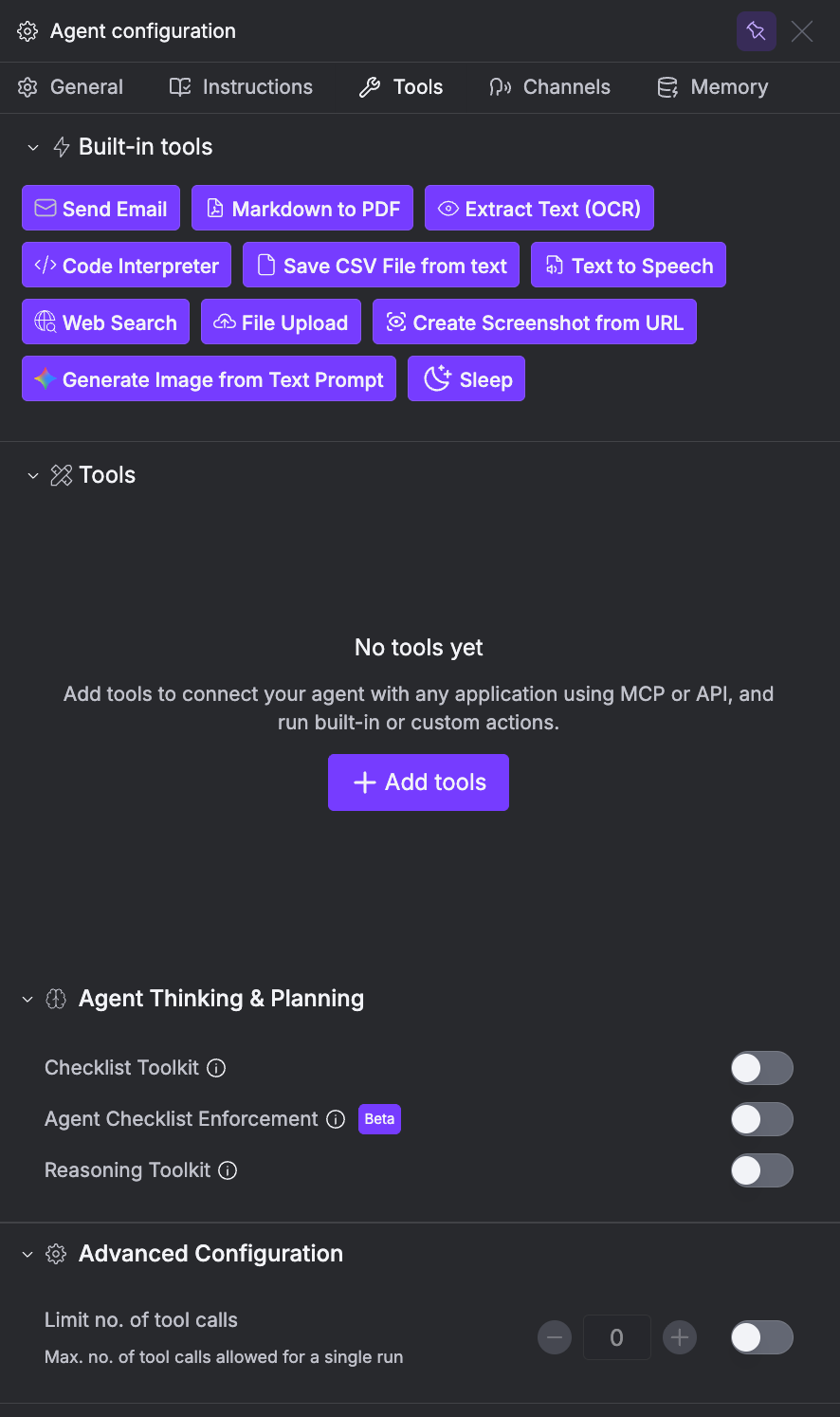
| Section | What it does |
|---|---|
| Built-in tools | Toggle xpander’s built-in tools (Send Email, OCR, etc.). |
| Tools | Connect external apps via MCP or API. See Tools & Connectors. |
| Agent Thinking & Planning | Checklist Toolkit, Checklist Enforcement, and Reasoning Toolkit. See AI Models & Intelligence. |
| Advanced Configuration | Max tool calls per run. |
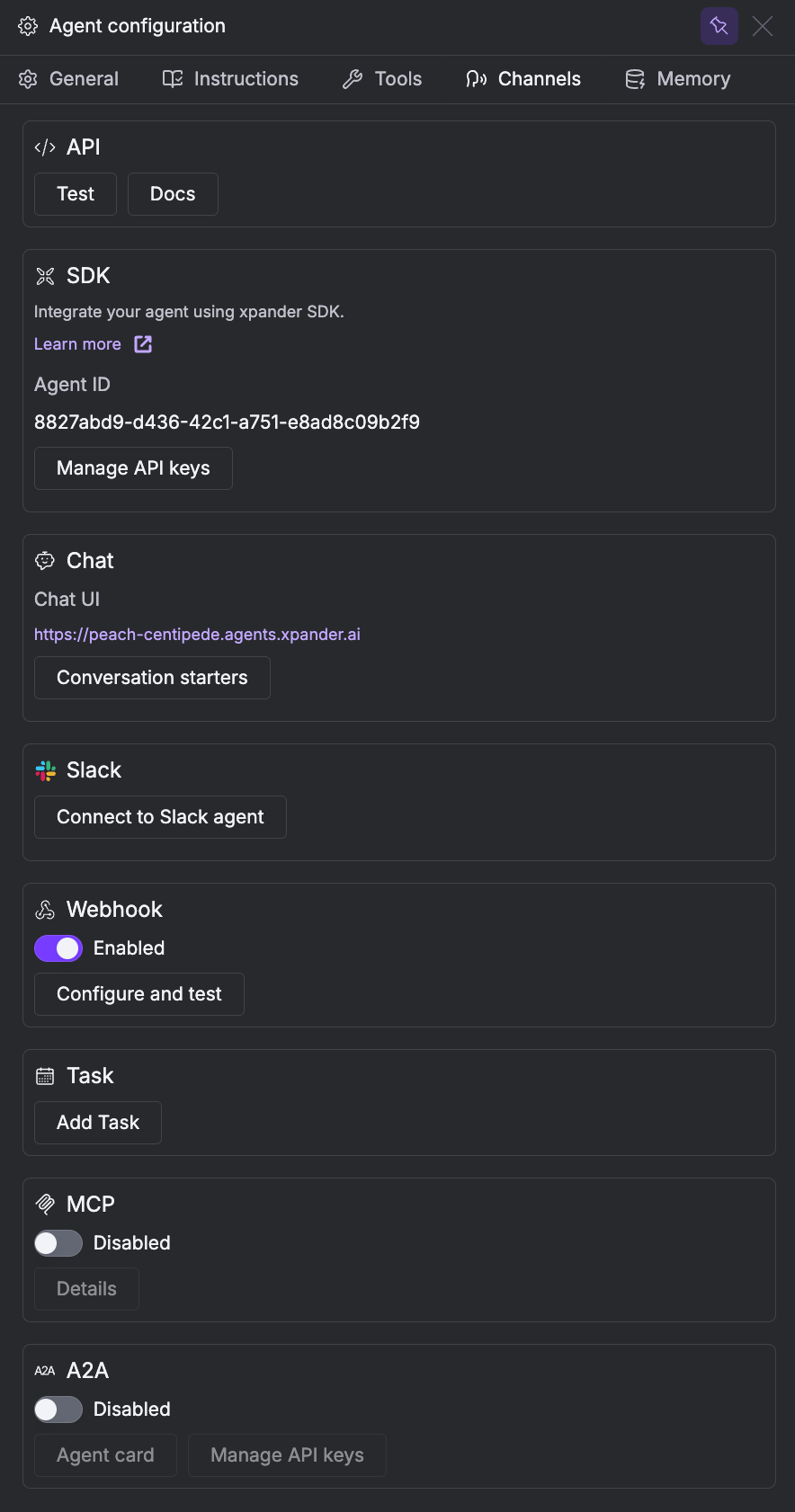
Channels
How users and systems reach your agent - API, SDK, Chat, Slack, Webhook, Task, MCP, and A2A. See Deploy an Agent for setup on each channel.
Memory
What the agent remembers across conversations. See Memory & State.
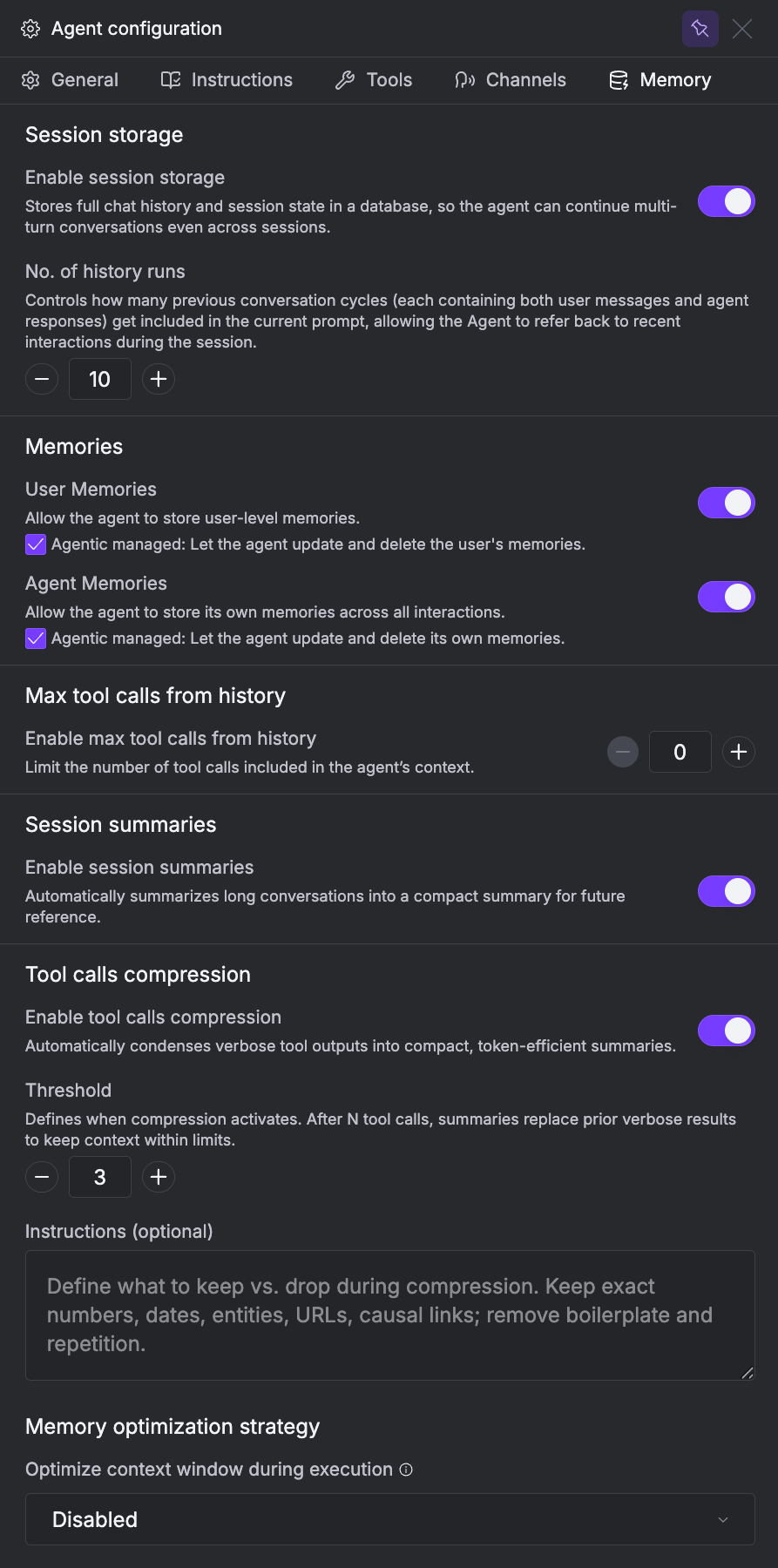
| Setting | What it does |
|---|---|
| Session storage | Persist chat history across sessions. |
| User Memories | Store per-user memories. |
| Agent Memories | Store agent-wide memories across all users. |
| Max tool calls from history | Cap tool calls included in context. |
| Session summaries | Summarize long conversations automatically. |
| Tool calls compression | Shrink verbose tool outputs in context. |
| Memory optimization strategy | Optimize the context window during execution. |
Common Use Cases
| I want my agent to… | What to configure |
|---|---|
| Answer questions about my company’s docs | Attach a Knowledge Base with your documents |
| Send emails and search the web | Enable built-in tools (Send Email, Web Search) |
| Integrate with Slack, Jira, GitHub, etc. | Install connector tools from the catalog |
| Remember user preferences across conversations | Enable User Memories in the Memory tab |
| Learn and improve over time | Enable Agent Memories with agentic management |
| Handle complex multi-step tasks | Enable Checklist Toolkit or Planning Mode |
| Give deeper, more thorough answers | Enable Reasoning Toolkit or increase reasoning effort |
| Respond in structured JSON | Set Output format to Structured output in General tab |
| Run on a framework other than Agno | Contact sales to enable framework choice on Enterprise |
| Run agents in your own infrastructure | Contact sales to enable self-hosted locations on Enterprise |
Next Steps
Tools & Connectors
Browse 100+ connectors and configure tool behavior
AI Models & Intelligence
Providers, planning mode, and reasoning mode
Memory & State
Session storage, user memories, and agent memories
Deploy an Agent
Publish and connect to Slack, API, SDK, and more