

Attach knowledge to an agent
Agent settings >KNOWLEDGE lists what one agent can look up:
- Company Brain, with a switch. It is on by default for every agent and reads everything each person can already open. Turn it off to keep this agent away from company knowledge.
- Attached brains, each marked “each person’s access” or “shared agent access”. A brain moved from a knowledge base also says which knowledge base it came from.
- Attached collections, each with its file count. A collection attached directly always uses each person’s own access, so each person still sees only the files they may open.
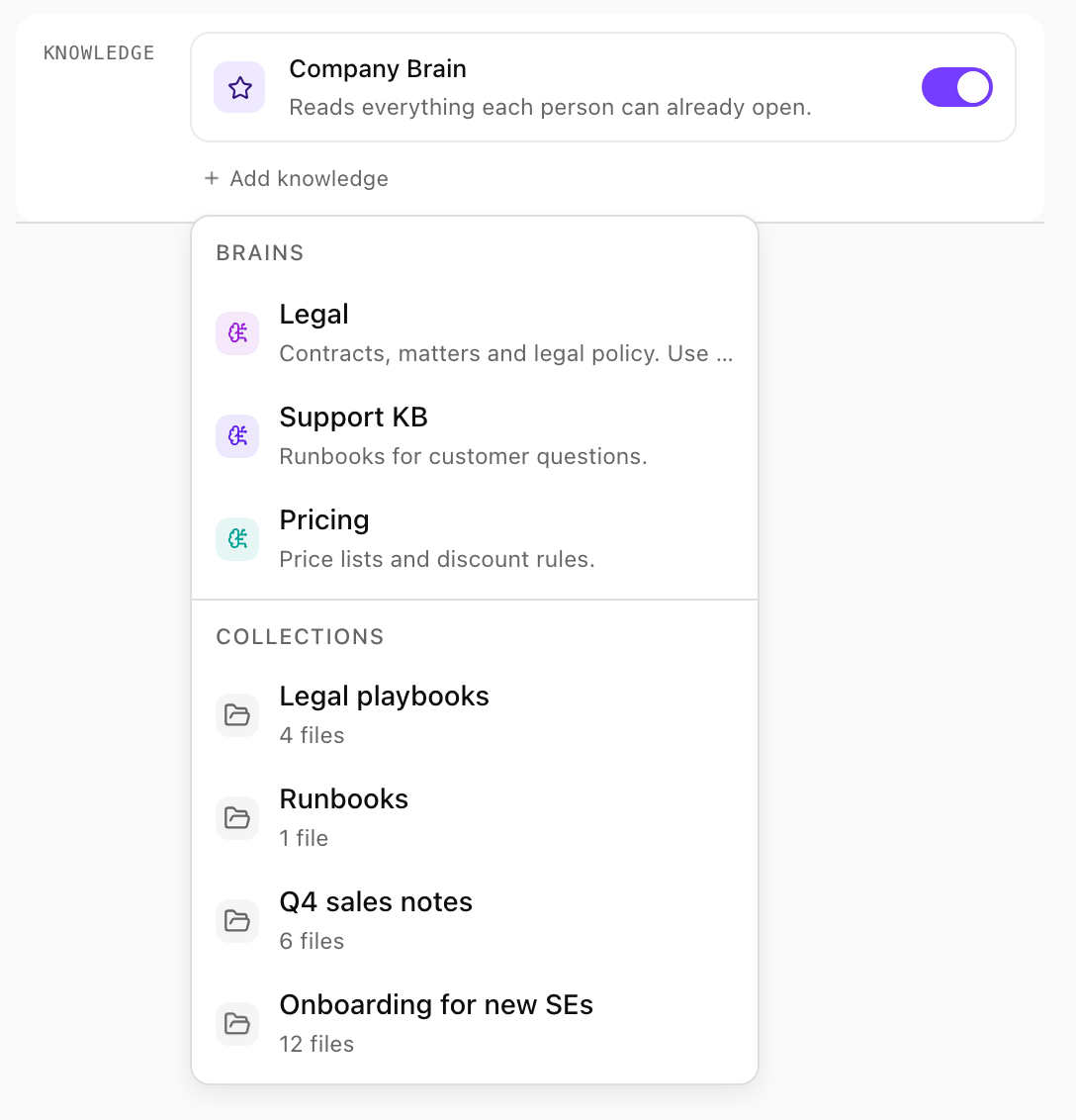
Add knowledge on an internal agent: the Company Brain is on, and the menu lists the brains and collections you can attach. Shown with sample data.
On a public agent, visitors have no company login. The Company Brain shows “Off. On a public agent it would be empty for visitors without a company login.”, and brains and collections that use each person’s own access find nothing there. Attach a brain with shared agent access instead; see Whose access it uses.
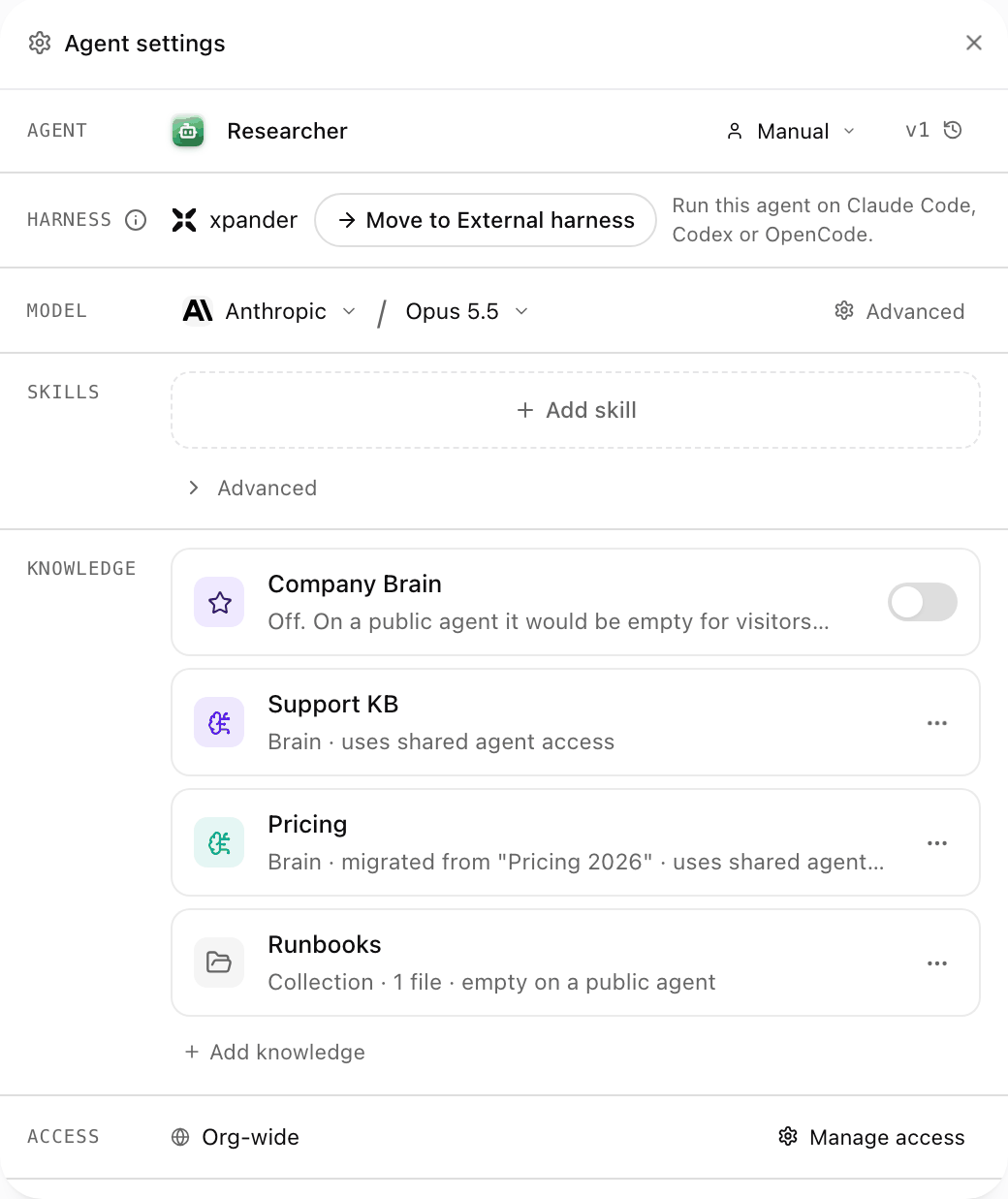
The Knowledge row on a public agent: the Company Brain is off, and two brains with shared agent access and a collection are attached. Shown with sample data.
How an agent uses the brain
When a question needs company knowledge, the agent asks the brains it has: the Company Brain, when it is on, and the attached brains, all at once. It can also ask one brain by name, which it chooses from each brain’s What it’s for description. An agent can only ask brains attached to it. Live sources are searched in parallel; a source that does not answer in time is left out of that answer and named, so the agent knows what it did not read. When a passage is too short to answer from, the agent opens the cited item in full.Citations in the conversation
An answer that used the brain ends with Sources: numbered chips that match the numbers the agent cites in its text. Selecting Sources lists each cited item with its title and where it came from: Collection, the collection’s name and the page for a stored document, or the source and its location for a live item (for example Confluence · REVOPS).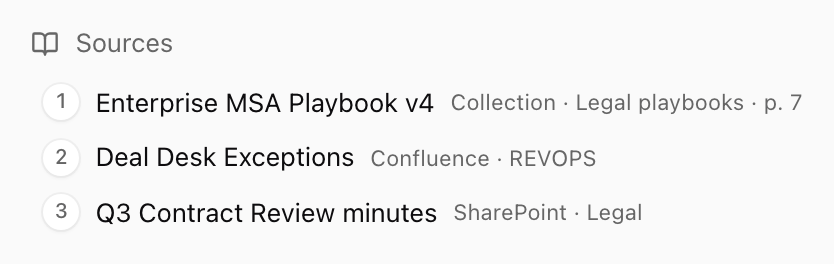
The Sources row under an answer, opened: a stored document with its collection and page, and two live items with their source. Shown with sample data.
- A stored document opens over the answer: its title, collection and page, and its passages with the cited one highlighted. Admins also get Manage in Knowledge, which opens it in Platform > Agents > Knowledge.
- A live item opens where it lives, with your own account.
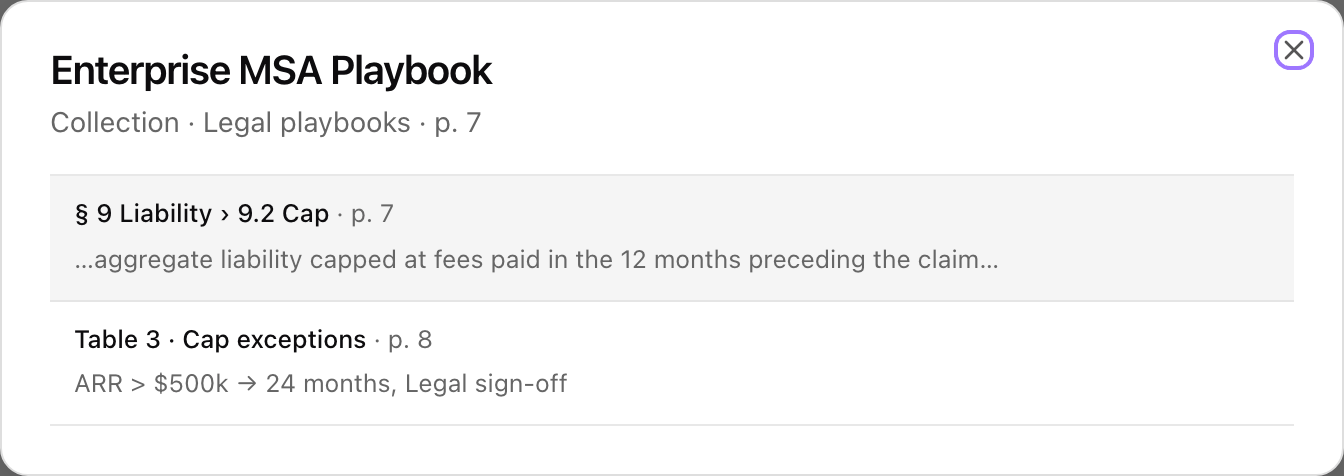
A cited collection document opened from the answer, with the cited passage highlighted. Shown with sample data.
Ask the brain from an MCP client
The same brain is available to MCP clients connected to xpander, such as Claude Code, Claude Desktop, ChatGPT, Codex, Cursor and OpenCode. Connect one as described in Connect your MCP client. Every call runs as the person who signed in, so it returns only what that person may open.
An example in Claude Code, once xpander is connected: