

https://api.tomorrow.io/v4 and carry the credential the connect dialog asks for.
What the skill can do
API connector: 35 actions, as they appear in the skill panel. 22 of them create, change or delete something in Tomorrow IO; mark those under These actions need approval when you add the skill to an agent.- Location management (7): Get All Managed Locations, Create New Managed Location, Add Tags To Location, Remove Tags From Location, Get Managed Location By Id, Update Managed Location By Id, Delete Managed Location By Id
- Weather alert details management (5): Alerts Get Weather Alert By Id, Alerts Update Weather Alert By Id, Alerts Delete Weather Alert By Id, Alerts Activate Weather Alert By Id, Alerts Deactivate Weather Alert By Id
- Weather insights management (5): Get All Weather Insights, Create Custom Weather Insight, Get Weather Insight By Id, Update Weather Insight By Id, Delete Weather Insight By Id
- Weather information and forecast management (5): Tiles Get Weather Map Tile, Timeline Get Weather Timeline Data, Get Weather Forecast, History Get Recent Historical Weather Data, Realtime Get Current Weather Information
- Alert locations management (3): Weather Alerts Get Locations By Alert Id, Weather Alerts Link Locations To Alert By Id, Weather Alerts Unlink Locations From Alert By Id
- Custom weather and timeline management (3): Events Create Custom Weather Event, Events Timeline Create Custom Timeline, Create Custom Weather Timeline
- Historical weather and route management (3): Retrieve Historical Weather Data, Climate Retrieve Historical Climate Normals, Retrieve Weather Data Along Route
- Weather notifications and alerts creation management (2): Create New Weather Alert, Create Weather Notification
- Weather alerts overview management (1): Get All Weather Alerts
- Weather events overview management (1): Get All Weather Events
Authentication Options
- API Access
Generate Tomorrow.io API Key
- Log in to your Tomorrow.io account.
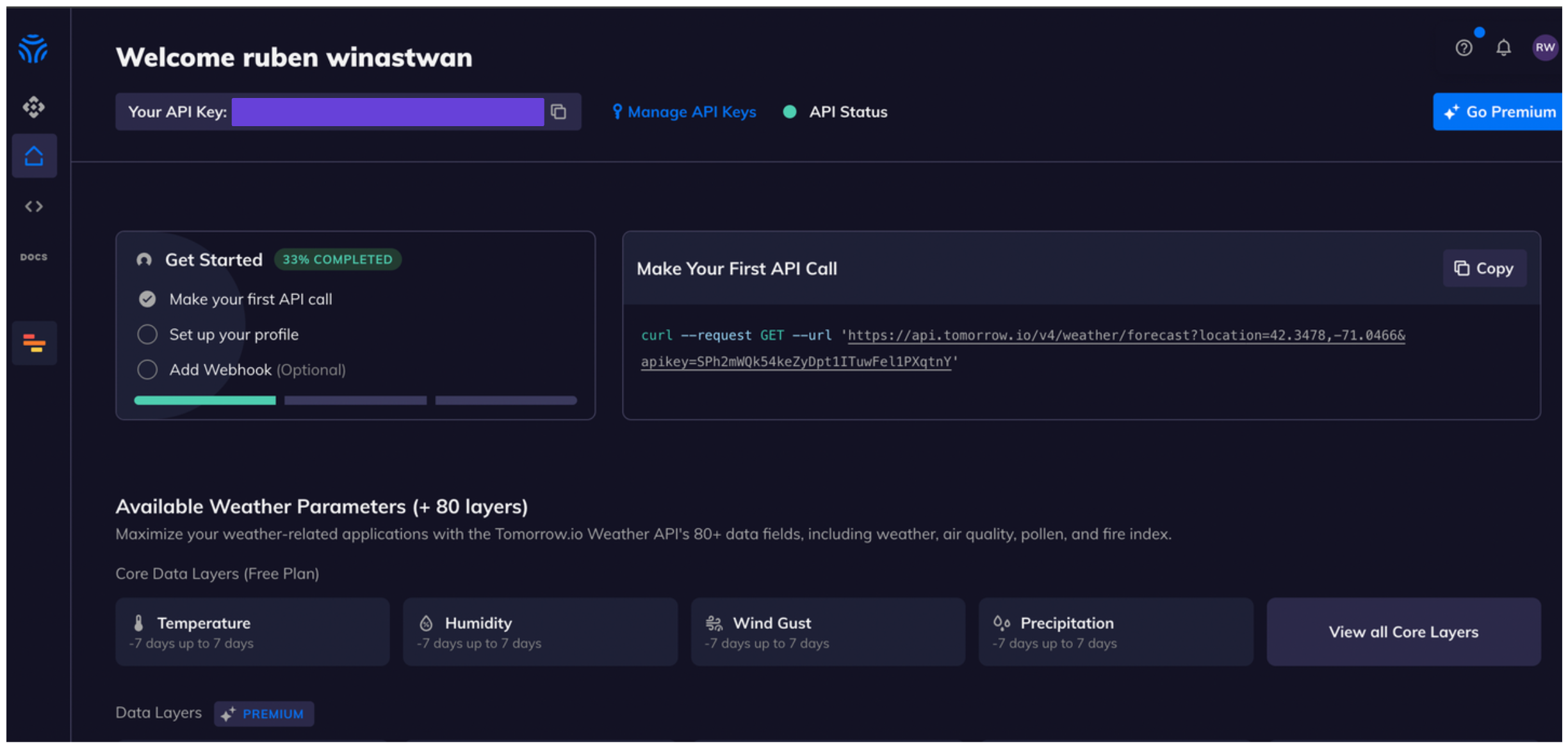
- Once you’re logged in, you’ll see your API key in your main dashboard.\
Connect Tomorrow.io in xpander
- In Xpander Chat, open the agent’s settings and click Add skill.
- Search for Tomorrow.io and select it.
- Enter a connection name, e.g., “xpander-tomorrow”.
- Choose Organization access (one shared account) or Personal (your own account, so the agent acts with your permissions where systems allow). On an agent other people use, a personal connection runs their requests as you unless the binding requires each person’s own sign-in; see whose credential a shared agent uses.
- Choose API Key as the authentication method.
- Copy and paste your Tomorrow.io API key into the provided field.
- Choose Custom header as the Type.
- Enter apikey as the Header name.
- Enter https://api.tomorrow.io/v4/ under Server URL.
- Click Connect.